Certificate entry - Automatically set expiration date
Certificate entry - Automatically set expiration date
1 vote

Hello
Not sure if this has been requested before or not...
We're migrating from ManageEngine Password Management and a difference we've spotted for Certificate documentation is that ManageEngine appears to read the certificate file or URL and fetches expiration date automatically where in Devolutions you have to select the expiration date manually, making room for error.
In my view, the best feature would be that the expiration date is automatically set if able to read the certificate file or URL and then allowing the user to check a box to modify the expiration date manually (if desired)
Thanks.
All Comments (3)
Hello
Thanks for the feedback.
Could you let me know how you are storing the certificates in RDM? There are two kinds of entry that supports this:
Document > Certificate
Credential Management > X.509 Certificate
The first (the document type) is the legacy version; certificates are stored as binary blobs and while it will try to populate the expiry date automatically, it only understands .pfx files. If I remember correctly there are also some edge cases around automatically populating the expiry date.
The second (the credential type) is more modern and advanced. It can either link to an existing certificate in the Windows certificate store or, probably what you want, store the certificate in the database. The difference with storage is that the certificate is encoded internally as .pfx, regardless of the import format; and it parses the data in a way that it can understand many common certificate formats. You can also export in multiple formats. This should be much more reliable.
Can you let me know if you've tried the second way, and if it's working as expected? If not, I'd be interested to know the type of certificate file you are pulling into RDM.
Thanks and kind regards,
Richard Markievicz
Hi Richard
Thank you for getting back to me.
Originally I had only discovered "Document > Certificate", but I see now that via RDM, I also have "Credential Management > X.509 Certificate"
It's definitely better storing it using the second method, I would however wish that I had an overview of certificates including certificate details directly from the dashboard. Below is a screenshot of how it looks in ManageEngine Password Manager.
Would it be possible to extract information from the certificate and populate documentation directly or something as a "workaround" ?
Thanks.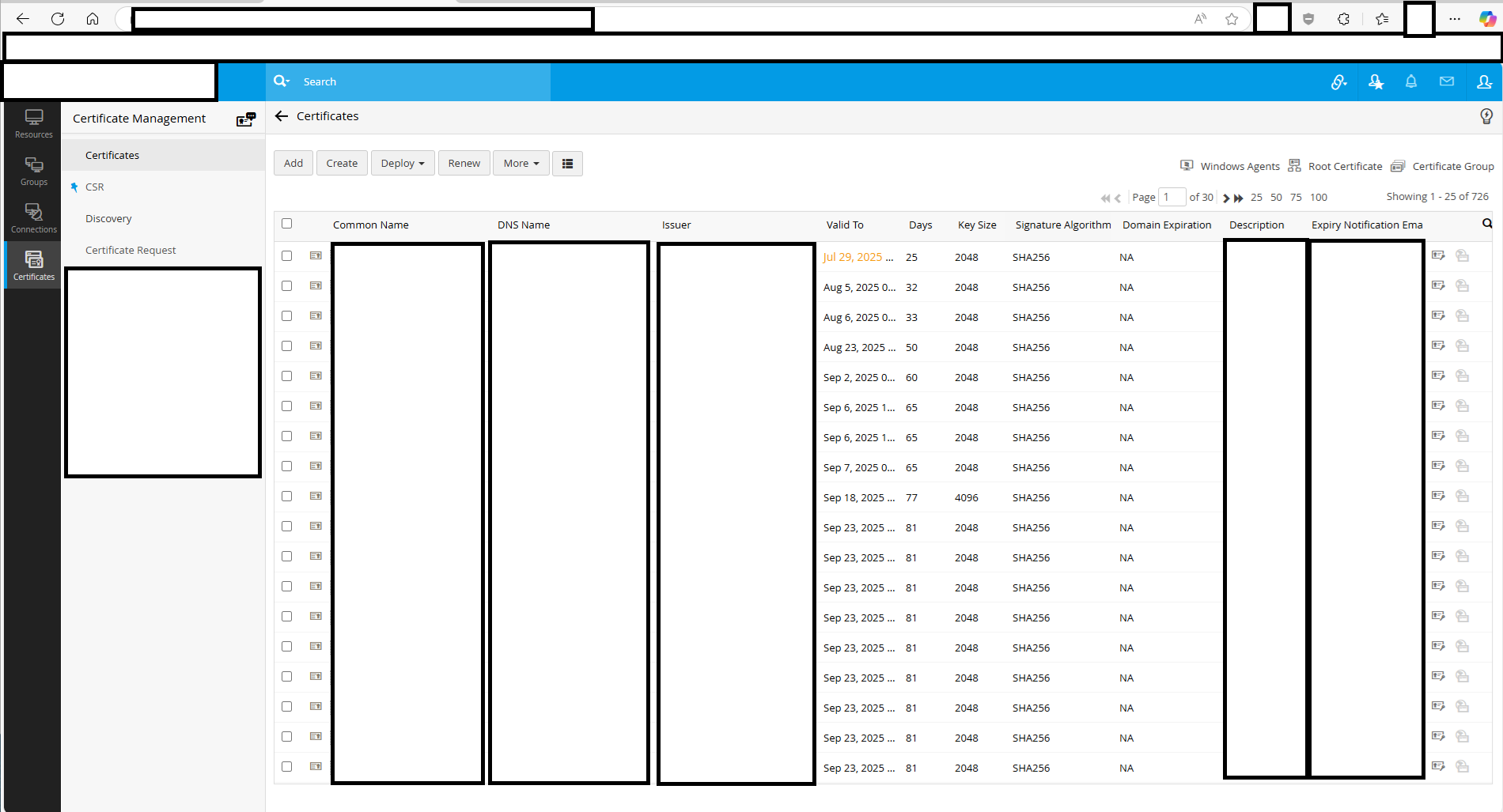
nlpam_certs.png
Hello
Ok, first I'm glad the using the X.509 entry is working better for you.
You're right that we don't have anything, as far as I know, like your screenshot above. We do have a report that shows expiring or expired entries, that can help track certificate expirations. But nothing that shows the details that you have above.
It might be possible to glue something together as a workaround using PowerShell, but I'm not sure if our PowerShell module has the features needed to do that. I'd need to look into it.
Sticking with the nature of the feature request, I'm entering a ticket to add something like what you show above. I think it would take the form of a report. Potentially this is quite a low-hanging improvement, I don't think it's very complicated to add new reporting features; but I'll encourage other users who'd like this feature to make a note here which would help prioritize it. The thread will be linked to the ticket so you'll get notified once there's some movement here.
Thanks and kind regards,
Richard Markievicz