Issue with Devolutions Password Manager Pairing – Infinite Loading after QR Code Scan
Issue with Devolutions Password Manager Pairing – Infinite Loading after QR Code Scan

Dear Devolutions Community / Support Team,
A few days ago, I had to re-pair my Devolutions WorkSpace account. Since then, I’ve been encountering a persistent issue during the login process. After scanning the QR code with the Devolutions app, the account is added correctly in the app. However, in the browser, the pairing process keeps loading indefinitely and never completes.
I have also tried all available alternatives – downloading or printing the QR code, using the recovery password and key – none of them worked. Additionally, I cleared the browser cache and reinstalled both the Devolutions apps and browser extensions, but the issue still persists.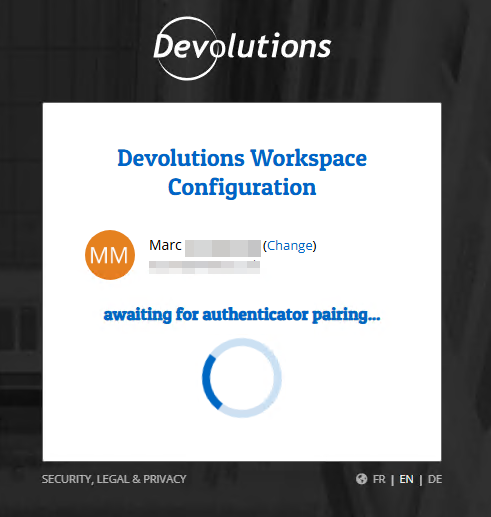
As a result, I currently have no access to any of my company or customer credentials – neither via Remote Desktop Manager nor through the Devolutions Hub Business Vault.
Has anyone experienced a similar issue, or is there a known workaround or fix for this?
Any help would be greatly appreciated – we are currently severely limited in our ability to work due to this issue.
Thank you in advance!
Best regards,
Marc
33dd8f3f-320b-41c5-96d7-b0f470755ace.png
All Comments (1)
Hello,
Thank you for reaching out to Devolutions Support.
We are currently investigating this behavior on our end. In the meantime, please try using the "Choose another way to sign in" option as a temporary workaround.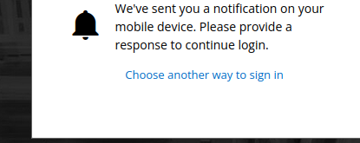
If you haven't configured alternative sign-in methods yet, you can do so by visiting https://portal.devolutions.com/home.
Let me know if you have any further questions.
Best regards,
Jacob Lafrenière
7de191ce-e546-4384-a29c-66390971144b.png