Broken Keeper integration

Hello.
After installing version 2025.2.16, integration with Keeper stopped working. We use Enterprise SSO and Enterprise SSO (domain), and any attempt to connect ends with the message “Waiting for Keeper action.”
This is a huge problem; it has completely shut down the entire department.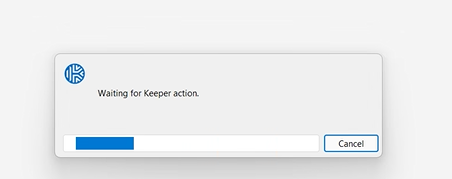
In addition, this build is significantly slower than the others.
obrazek.png
All Comments (10)
Hello,
Is there anything happening before you're stuck with this window? e.g does it make you go through the SSO login process, device approval, multi-factor, etc?
I'm also testing with an SSO setup and it works well, so I'm trying to figure out exactly which step might make the process hang.
Regards
Jonathan Del Signore
Yes. The SSO window flashes as before. Then the mentioned window pops up, and after a while we get: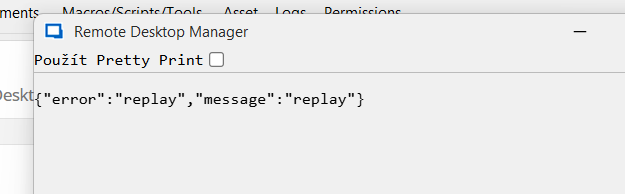 Multifactor is currently approved for 30 days. Device is approved.
Most stations are running on Windows 11, but the issue also occurs on Windows 10, from various networks and providers.
obrazek.png
As a test, could you please locate your configuration file here: "%localappdata%\Devolutions\RemoteDesktopManager\RemoteDesktopManager.ext", and remove the line:
<KeeperJsonConfiguration>...</KeeperJsonConfiguration>
This will clear the cache and re-trigger the entire login procedure.
We believe it might be caused by an incompatibility between login data of the old implementation vs the new.
Thanks
Jonathan Del Signore
After removing that line and approving MFA and the device in Keeper, nothing changed.
So I removed the entire %localappdata%\Devolutions\RemoteDesktopManager directory, imported the data source, and reapproved MFA and the device. Now everything works as it should. The dialogue box appears, but only for a fraction of a second, and then the connection works.
So far, I have tested this on one computer, but I will try it with my colleagues on other machines as well.
Interesting, so it must not be the Keeper login itself that fails, but the interaction with our SSO logic.
I just did a few back and forth between versions and am now able to reproduce the same issue, so I should be able to pinpoint the problem.
I'll report back as soon as I make progress.
Regards
Jonathan Del Signore
Since we are upgrading in a controlled manner using Intune, I can determine that most stations were upgraded from version 2025.2.13 to 2025.2.16. It's a shame that our internal update testing and approval process failed and this version was deployed :(
Thank you for your feedback, and I look forward to receiving further information.
Hi all.
In the end, the fix usually only helps until the application is restarted :( Then it stops retrieving data from Keeper via SSO again :(
We have partially solved the problem by rolling back the version. But without a solution, we cannot update RDM.
Hello,
Fixes for the "replay" error message and the stuck "waiting.." popup will be included in version 2025.2.19.0.
Please let us know if you encounter any other issues.
Regards
Jonathan Del Signore
Thank you for this information. We will test it immediately after release.
As far as I know, one of our colleagues also has a problem with editing user-specified settings. When he tries to edit some items (but only a few), he gets an error with an incorrect link to the object. See the image.
However, I am not sure if this is a problem related to this version or if it is a longer-standing issue. Perhaps there is something wrong with his records in the data source. This is not such a critical issue, so no one has paid attention to it internally yet.
Thanks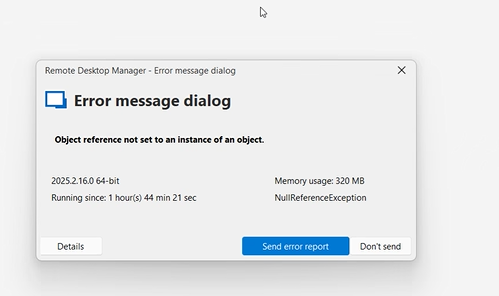
obrazek.png
The issue for user-specific settings was fixed in 2025.2.17.0, so updating should resolve that one too.
Regards
Jonathan Del Signore