Keyboard shortcut to quick find and connect directly

Hello, I recently switched from a Windows PC to a Macbook and since then I have struggled to find a way to quickly find a connection and connect directly to it, without having to search the navigation pane and press Enter / double-click to connect. In Windows, I had a keyboard shortcut for the "Quick search" function, so all I had to do was press the preset key combination, type in the name of the connection, press Enter, and then it connected. Unfortunately, I can't get it to work the same way on my Macbook. I'm running RDM in version 2025.2.6.8. I was able to set my own key combinator for the "Find quickly" function and I am actually able to find a connection with it, but what it does after I press Enter is it just looks up the connection in the navigation pane, selects it and that's it. Could you please help me set it up so that I only press Enter and it connects directly to the found connection?
Thank you very much in advance.
Best regards,
Tomas
All Comments (16)
Hello,
Thank you for reaching out to Devolutions Support.
It looks like you're very close to achieving this!
Just make sure there’s nothing assigned to the Enter key that might conflict.
By default, the shortcut for “Open session” is set to Enter. If another shortcut is configured using the same key, it may cause the action to fail.
You can verify or reset this by navigating to:
File > User Interface > Shortcuts > Entry > Open Session
Let me know if this helps or if you have any further questions.
Best regards,
Jacob Lafrenière
Hello Jacob,
I just reset all shortcuts to default and checked all entries to make sure that there is nothing else with the Enter key. Unfortunately, the behavior is still the same - I'm able to find an entry, but after pressing Enter it only highlights it in the navigation pane, without opening it directly, which is what I'm aiming for.
Any idea what else could be wrong here? Does it work on your end?
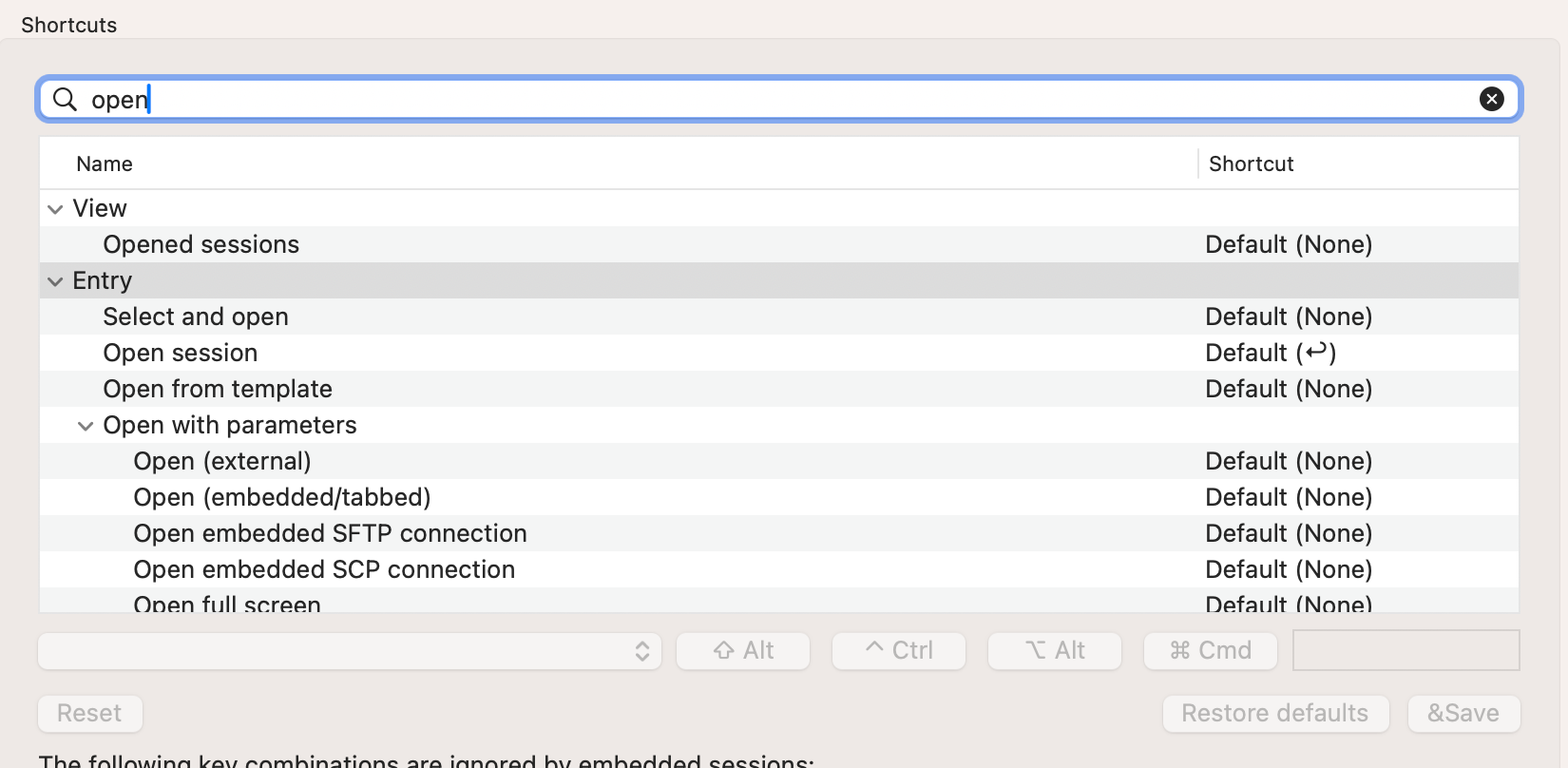
I do have "Open session" set to Enter:
Best regards,
Tomas
Hello,
Thank you for your follow-up.
I initially couldn’t reproduce the issue due to incorrect testing on my end. However, I’ve now been able to replicate the problem you're experiencing. I’ve reported the bug to our development team, and they will begin working on a fix shortly.
I’ll keep you updated and let you know as soon as the fix is deployed in a future update.
Best regards,
Jacob Lafrenière
To clarify what will be done, we will add an option to choose the behavior on the enter key press (between focusing in the tree, which is the current behavior, and doing the configured behavior if the entry would have been double-clicked in the tree view).
As a workaround for the moment, you can simply double press the enter key. The first will focus the entry in the tree, and the second will launch it. That's the way I've been doing it.
Best regards,
Xavier Fortin