Unable to connect to host XXX Unknown error (0x0000001C)

I am currently evaluating RDM to replace what I am currently doing personally for Remote Desktop across Windows and Mac platforms and ultimately hoping to pitch it for use in my team as our RDP tool of choice, particularly as it syncs to the cloud (using Devolutions Hub), doesn't require any manual interactions when switching between the two. Basically whatever is setup on the one is available everywhere else... great stuff.
I have setup five sites set of connections so far, doing this as I'm going allowing as there another three dozen or so sites needing to be migrated from my current RDP solution. The problem I'm having is that I've hit a situation on two of the sites where when trying to RDP on Windows it works as expected, but connecting on Mac (with the very same connection details in RDM) I receive the following message:
Unable to connect to host someserver.somedomain.local
Unknown error (0x0000001C)
For comparison and as a check, on the same Mac when using another RDP tool for comparison (simply the Windows app) it connects without warning or issue.
I have put everything on one of the connections back to defaults, tried numerous things like without NLA, changed it Warn me in the event of an authentication issue, tried quick connect to forgo the properties that I may have customised, etc., but am not making any headway in getting it to successfully connect.
What could be the issue? How can I go about troubleshooting this?
I would appreciate any guidance and assistance I can get in respect of this.
All Comments (26)
Hello,
Thank you for your detailed message and for evaluating Remote Desktop Manager.
Regarding the issue you're experiencing when connecting via RDP on macOS, to better assist you, could you please confirm a few details?
RDM Version on macOS – Which version of RDM are you currently using on your Mac?
Connection Entry Settings – In the RDP entry settings, are you entering the full hostname (e.g., someserver.somedomain.local) in the "Host" field? If so, could you try separating the domain by placing only the server name in the "Host" field and the domain name in the dedicated Domain field under the "Credentials" section?
Looking forward to your reply!
Hi Stephan
Sure, here are the details:
RDM version: 2025.2.6.8
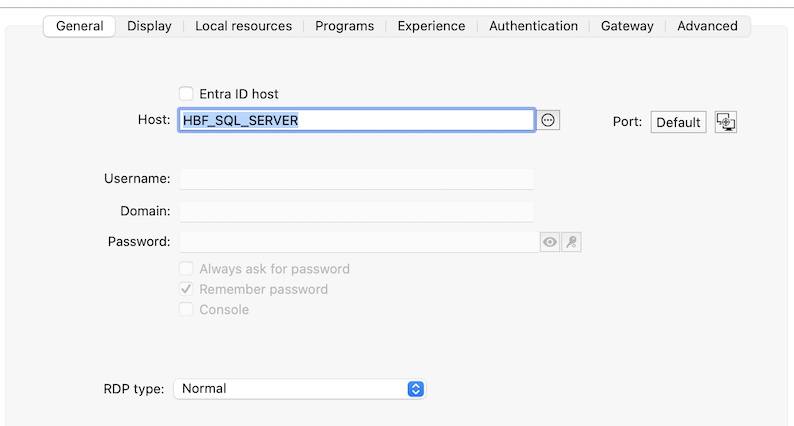
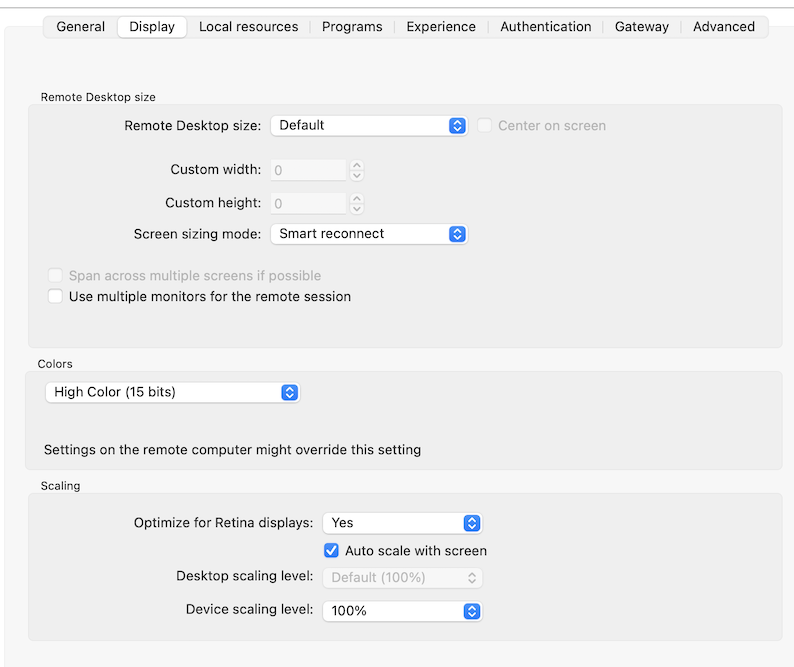
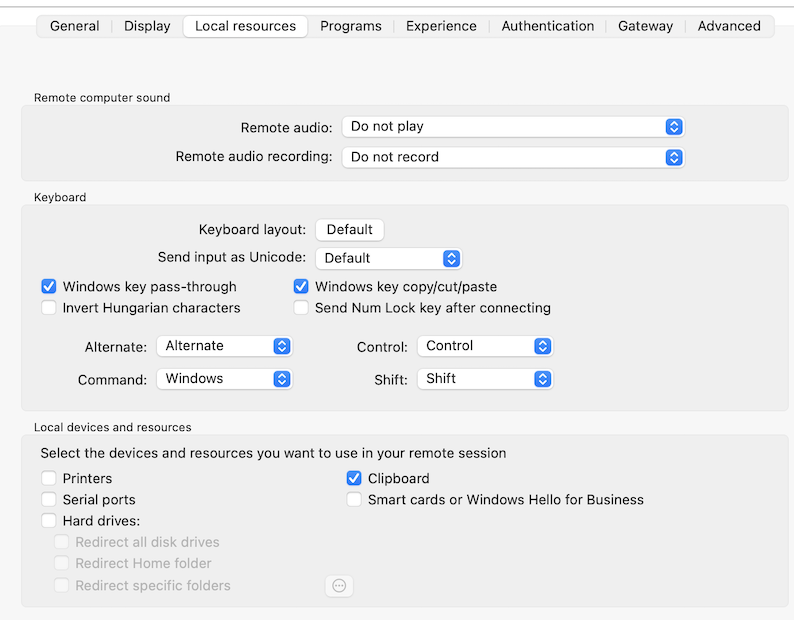
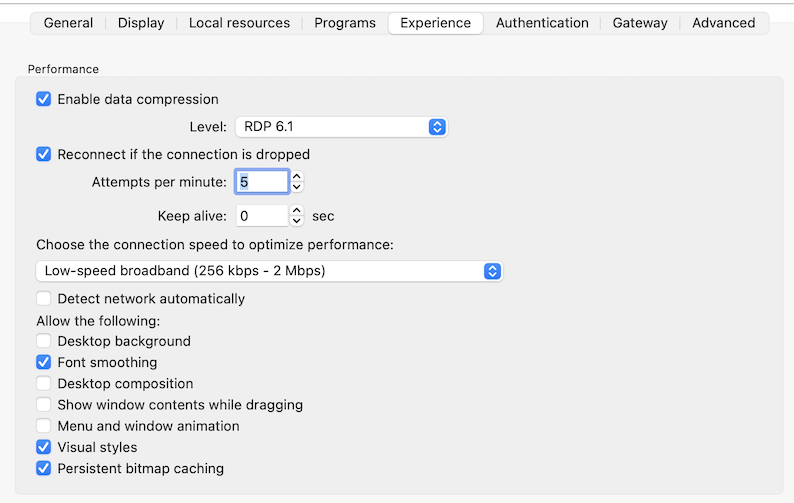
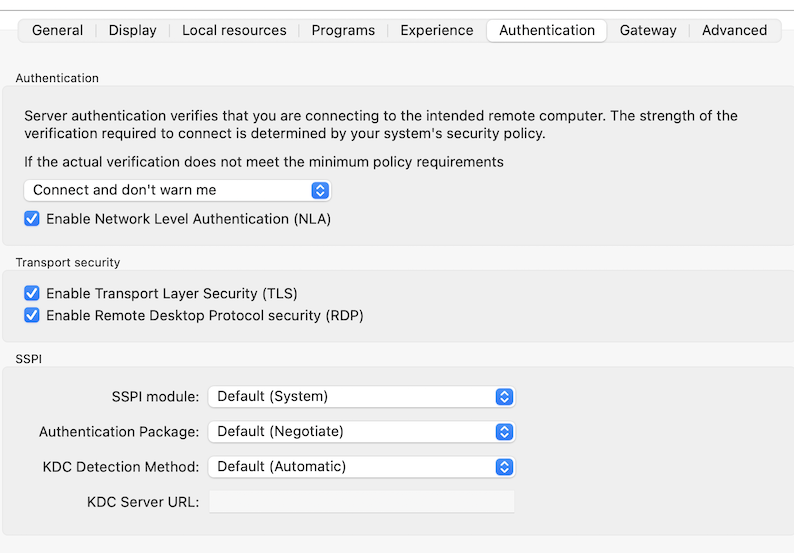
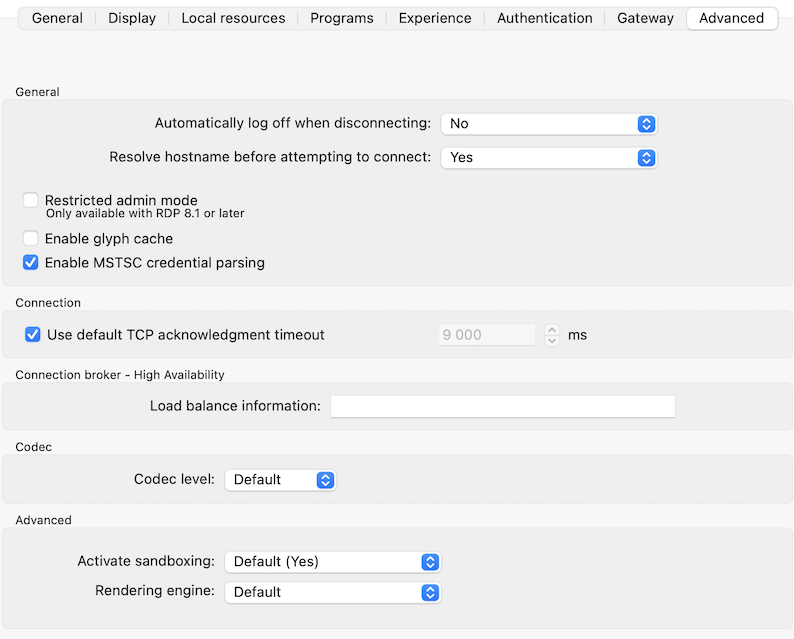
Connection entry settings: I had a FQDN entered, a practice I have generally followed as most sites I connect to (with VPN) have split tunneling and no domain suffix associated with the VPN tunnel, so without an FQDN the hostnames do not resolve. As it turns out for the two sites I mentioned I am having problems with, both of the connections to these sites have domain suffix(es) associated with the tunnel so hostnames (alone) are resolving. So I changed the RDP property to just have the hostname, unfortunately though I still receive the exact same error message. Below are screenshots of all the RDP settings for one such server giving problems.
Just to note that the machines I'm connecting to are varying in version, but the oldest one I'm currently experiencing issues connecting to is Windows Server 2012 and the newest is Windows Server 2022.
General tab
Display tab
Local resources tab
Programs tab - no screenshot, nothing is selected here
Experience tab
Authentication tab
Gateway tab - no screenshot, this is set to Do not use the RD gateway server
Advanced tab
Hello
"Unknown Error" is strange; can you follow the steps here to enable session logs; then recreate the problem and send the session log to me (either by PM here on the forum or to service@devolutions.net, mentioning this forum thread).
Please let me know if something isn't clear or you have further questions.
Kind regards,
Richard Markievicz
Thanks @Richard Markiewicz, I've sent the logs via DM.