Shortcut key to switch keyboard input from remote to local
Shortcut key to switch keyboard input from remote to local
4 votes

It would be awesome it we could switch keyboard input from the remote PC to the local pc and back without using a mouse. (To apply windows key combinations from "on the remote computer" to "on this computer")
I strive to do my work using only keyboard input as that is the fastest way to get work done, but the one thing that interrupts my flow when working with remote sessions is when I need to jump from a remote session back to my local PC, and need to take the mouse and click outside of the remote session. Do you think this is possible?
All Comments (9)
Hello,
Just to confirm, this is the toggle you're talking about, is that correct? If so, I'll open a ticket so we can add a configurable shortcut combination for it.
Regards,
Hubert Mireault
98b3d0ed-0416-4bca-b411-6664109180de.png
Hello,
Just to confirm, this is the toggle you're talking about, is that correct?
Regards,
@Hubert MireaultI was looking for this exact feature, but I couldn't find it. Is it possible to create a shortcut for this function?
I suggest adding this button to the bottom of the application. Here's an example.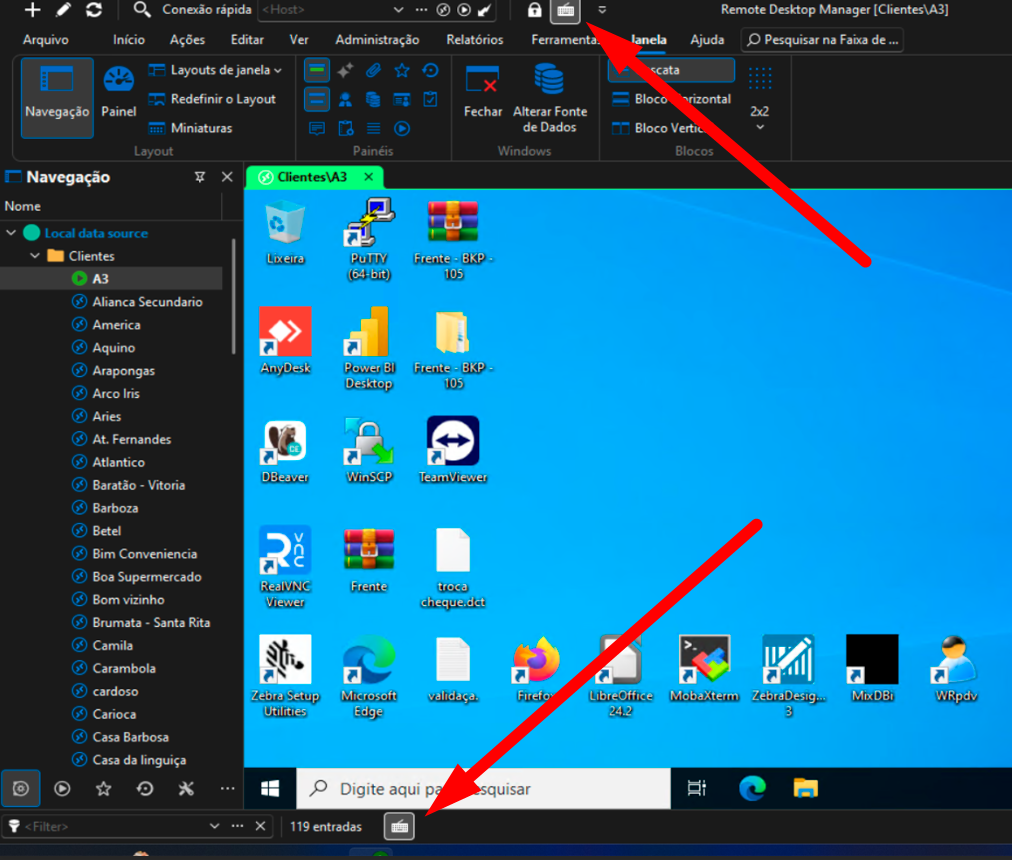 I'm from Brazil, so if you don't understand what I'm asking, I'll explain better.
13d9b8ed-efb6-4a56-86e7-c200f460ec19.png
Hello,
Thank you for the additional information. I believe it should be possible to add a keyboard shortcut for it. For the icon in the status bar (the bar at the bottom), I'm not sure whether our UI framework easily allows this, but we will investigate this as well.
I've opened an internal ticket for this.
Regards,
Hubert Mireault
Hello
We already have a keyboard shortcut for this and you can enable it here: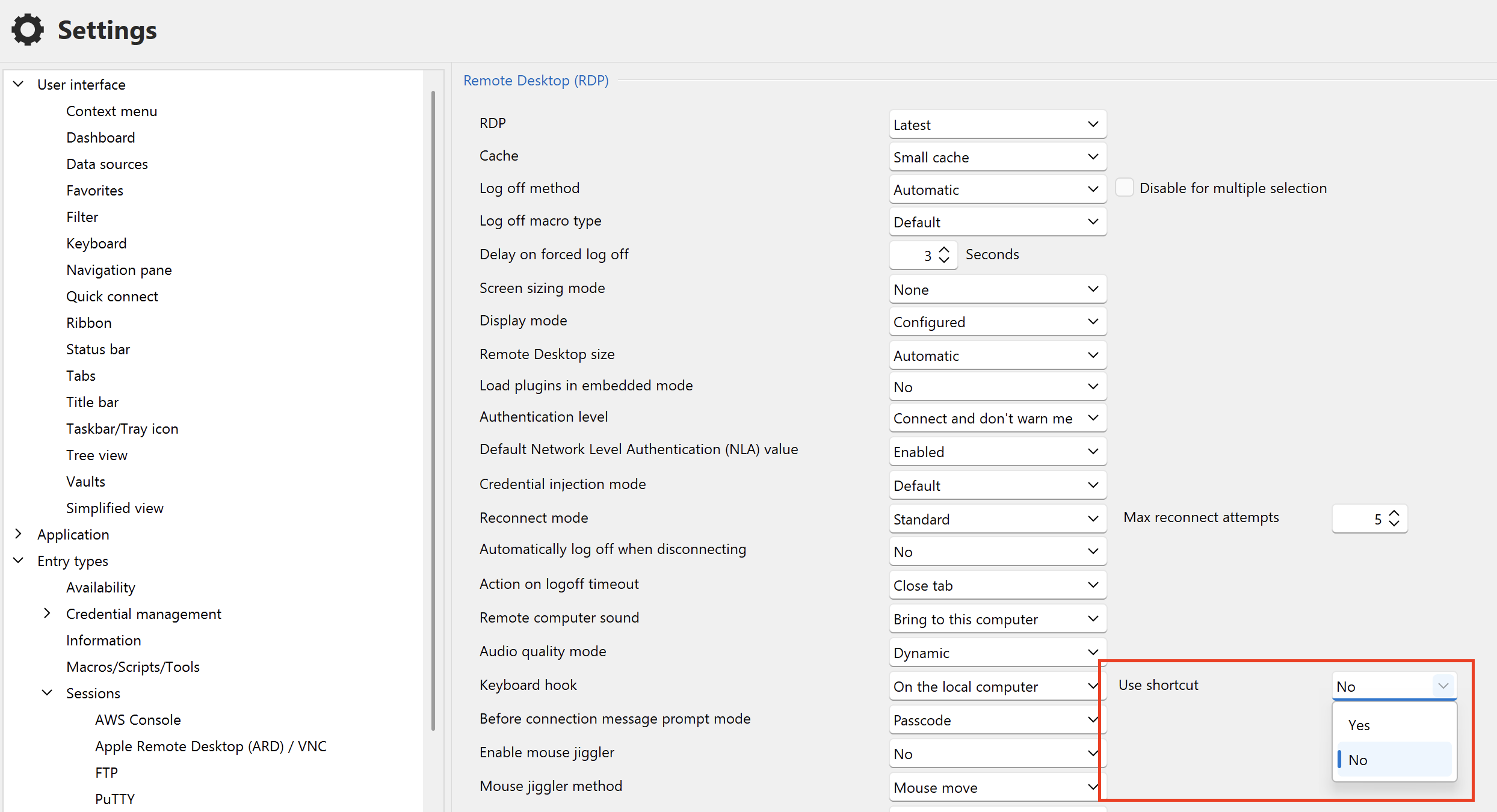
The shortcut is [Ctrl] + [Alt] + [Space]. Currently it's not customizable.
Please, let me know if you have any problems or questions
Kind regards
Richard Markievicz
Screenshot 2025-10-29 at 08.34.33.png
I see that this keyboard shortcut option only works with Windows connections, however I cannot execute it with Linux or other types of connections, nor with web pages loaded directly. The option doesn't even appear in the ribbon at the top in the actions section.
I frequently use the ShareX application to take screenshots and capture screens for wikis or clients. Is there any way to take screenshots from my computer with ShareX without losing focus on the connection I have open with RDM?
Hello
The thread specifically relates to the forwarding of Windows system key presses to Remote Desktop (RDP) sessions; so it's expected that this doesn't appear for web sessions. I'm not sure what you mean by Linux connections? VNC?
I'm not familiar with ShareX; can you explain a little what key combination you're using to trigger it and why it causes your connection to lose focus in RDM? There may be another solution for you.
Thanks and kind regards,
Richard Markievicz
Was the option removed from the Settings UI in the latest version? I can't find it.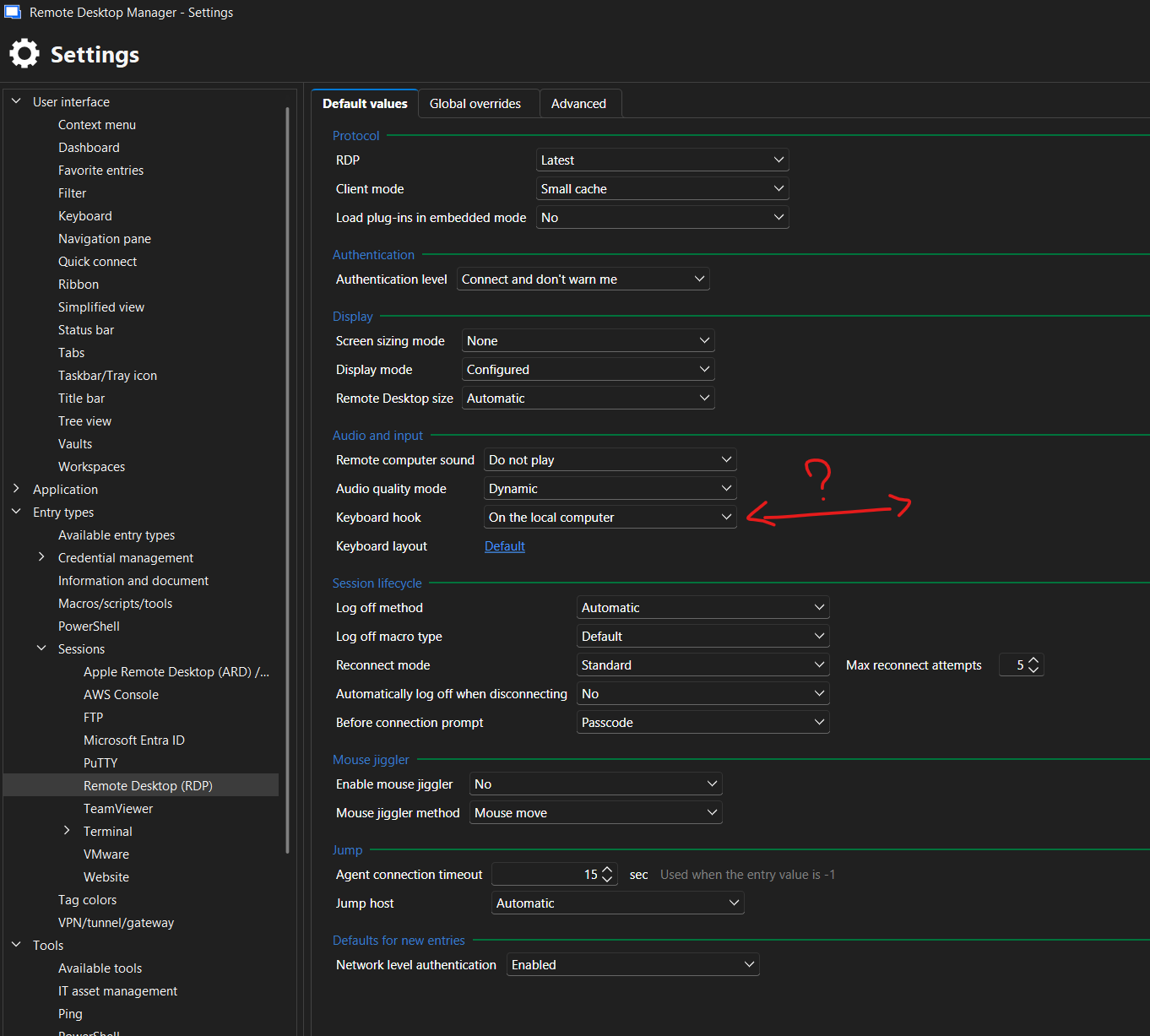
d885dacd-e50b-44d1-adc7-49f9fd3961b0.png
Hello
Sorry for the confusion. As far as I can see, this was not removed but it was moved to a different section of the settings. You can now find it under the "Global Overrides" tab: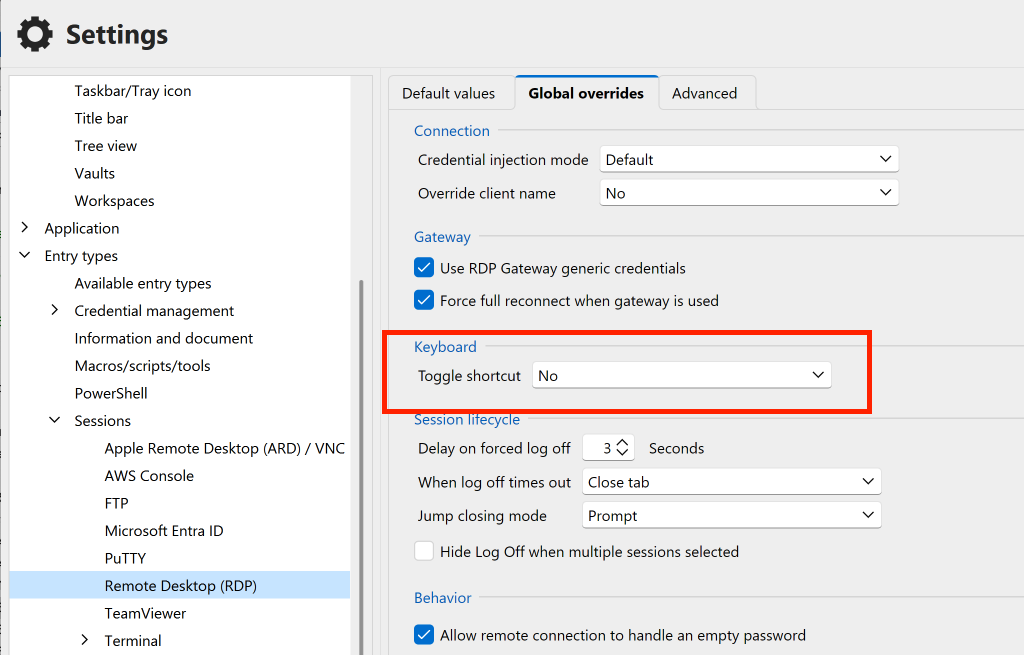
Please, let me know if you have any questions
Kind regards,
Richard Markievicz
Screenshot 2026-06-19 at 08.58.09.png
Ah, there it is, thank you.
I was probably blinded by expectations when I searched yesterday.
There's a setting search in bottom left, but it only returns "table" settings. It'd be great to have it highlight settings like JetBrains does, or even how the new Visual Studio 2026 does it.
Thanks again.