After close powershell script

I have a PowerShell script that runs before open and this works just fine. I have another PowerShell script that runs After close but this one will not run unless I run RDM in administrator mode, which I do not want to do. What is different about the before and after PowerShell sessions? This is the message I see when not running as administrator and only for the After script.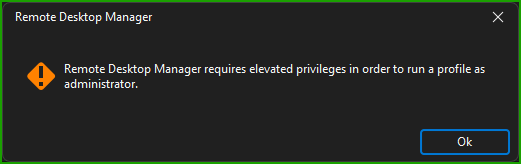
Thanks for any help.
4e612fb6-98af-49ae-996f-43c350ac192f.png
All Comments (7)
Hello Patrick,
Thank you for reaching out to the Devolutions support team.
Could you tell me which option exactly you are using for the after-close?
Are you running an embedded script or an external PS1 from your workstation?
Some script or command needed an administrative account or privileged permission to be executed.
Are you using the same script for both Events?
Do you have the same error message if you execute it with PowerShell outside of RDM?
Best regards,
Patrick Ouimet
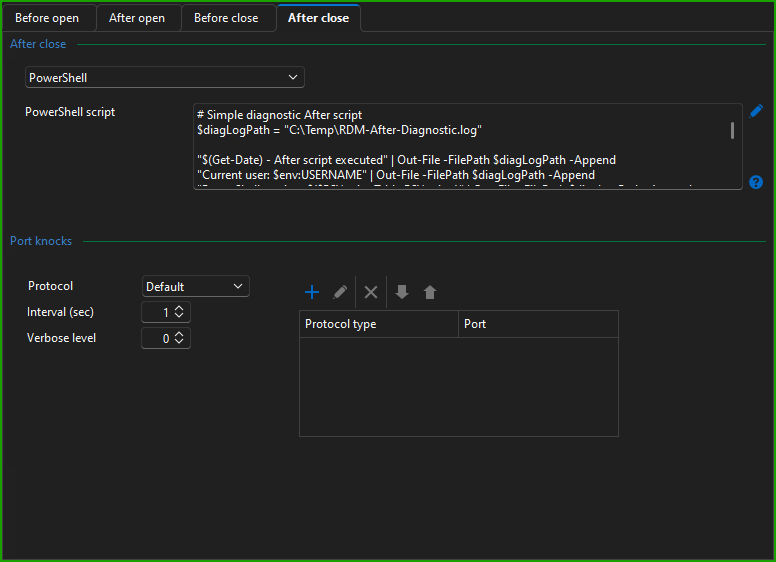
Hi Patrick, thanks for the reply. Here is what I have setup under events. I am not getting any error from RDM just asking me to run as admin, which I am trying to avoid as most users won't have admin access to run RDM. It is different scripts but I can't see where the after close would need any admin access or running of a profile. But I could have missed something for sure.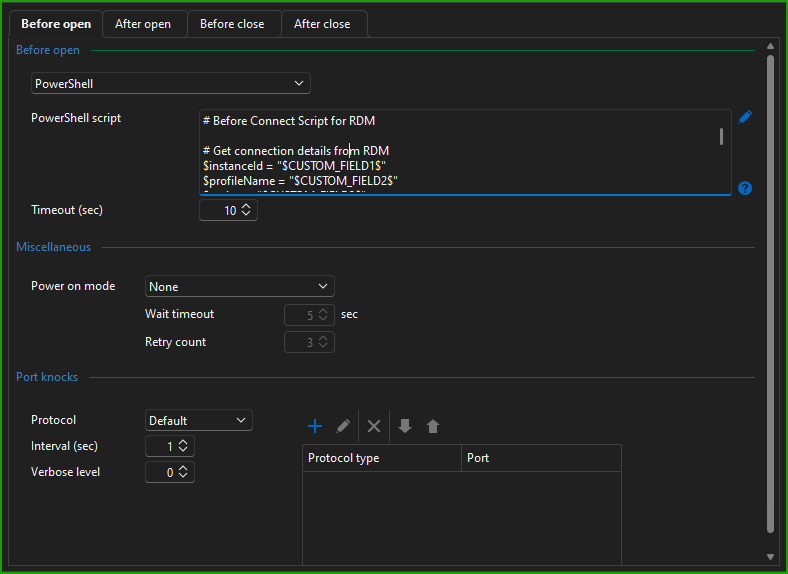
cc21226a-31df-4395-a00d-0b790eed7494.png
5b53e693-7747-427e-b311-aec6f9260586.png
Hello Patrick,
Thank you for this feedback.
Could you verify if this command is configured in your script:
#Requires -RunAsAdministrator
This verification from RDM forces the script to be executed as an admin.
Let us know.
Best regards,
Patrick Ouimet
I want to create a script that does NOT require to be run as admin. I am happy to adjust if needed, but not sure what. The message seems to want to load a profile, how can I tell RDM to not use a profile?
Since I have just pasted the script directly into the PowerShell script box, as it is a bit complex should I just call it from a local file instead. And if so how do I do that?
Thanks again!
Hello Patrick,
Thank you for this feedback.
Some script or command needs to be executed as an admin, even in PowerShell.
Could you confirm that you can execute it in PowerShell outside of RDM without the run as admin or run as a different user?
Do you get the same message?
Best regards,
Patrick Ouimet
No issues running this in native PowerShell without admin.
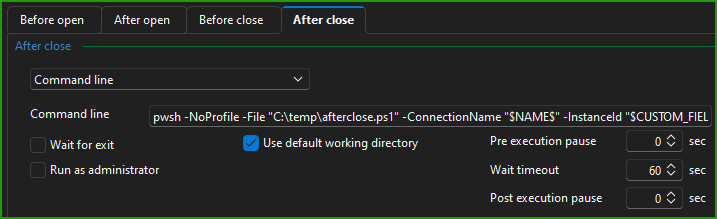
I found a workaround\fix. Instead of pasting the script using the PowerShell option, I selected Command line and pwsh -NoProfile -File "C:\temp\afterclose.ps1"
The other issue I found is the RDM variables are not recognized with the PowerShell selection on After close, but Before open sees them fine. I found I had to create parameters in the After close script and call them like this to be recognized. pwsh -NoProfile -File "C:\temp\afterclose.ps1" -ConnectionName "$NAME$" -InstanceId "$CUSTOM_FIELD1$" -ProfileName "$CUSTOM_FIELD2$" -Region "$CUSTOM_FIELD3$"
Seems like the way RDM runs before vs after is different or using another context, not sure?
Either way its working now as expected but ideally having the script embedded would have been preferred.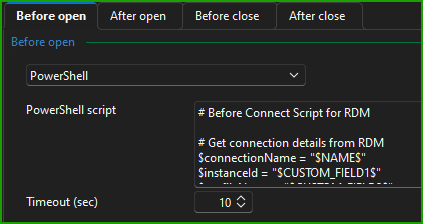
a74a9241-b45a-4150-98e7-b3fea33b43f6.png
3a94ce61-8595-4b39-8399-1e8f2545b740.png
Hello Patrick,
Happy to know that you have found a workaround for this.
This might be related to the RDM variables.
Since RDM resolve those variables before you launch the entry, the after-close might react differently.
This is just a theory for now, but I'll test this for sure.
Best regards,
Patrick Ouimet