Frequent reauthentication for CyberArk using SAML

We're seing frequent reauthentication prompts using SAML with CyberArk, every other minute in periods. Suddenly it stabilizes for a while, but on next start it's usually problematic again.. This is particularly visible with CyberArk Dashboard due to it's frequent refresh interval.
This issue never occurs while using PVWA with SAML in a web browser. Currently using RDM 2025.2.13.1 but the issue occured in the previous versions as well. Not sure if it's occuring more frequently in the latest or if it's a coincidence.
Any way to troubleshoot this? I've already deleted the web cache for Cyberark_SAML while RDM was closed, but it had issues straight away after.
Using debug logging I only see this when it occurs:
CyberArkManager.GetFavoritesExtended::Begin
[10.06.2025 11:15:57]DEBUG CyberArkManager.GetFavoritesExtended::Begin - Query: ?sort=UserName&SavedFilter=Favorites&offset=0&limit=50
[10.06.2025 11:15:57]DEBUG CyberArkManager.Login::Begin
# SAML auth logs
All Comments (15)
Hello,
Thank you for reaching out!
My name is William and I'm here to assist you in any way I can.
Do you recall which version was working correctly before you upgraded to 2025.1 or 2025.2?
Would it be possible to confirm the Data Source, and it's version you are using?
Thank you for the trace, unfortunately, it is not telling us much regarding the issue. Would it be possible to get another trace from the Performance profiling tool?
Simple head under Help > Performance Profiling: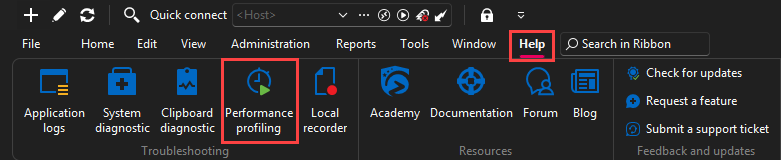
Select the Debug Only tab and set the Debus level to 65539: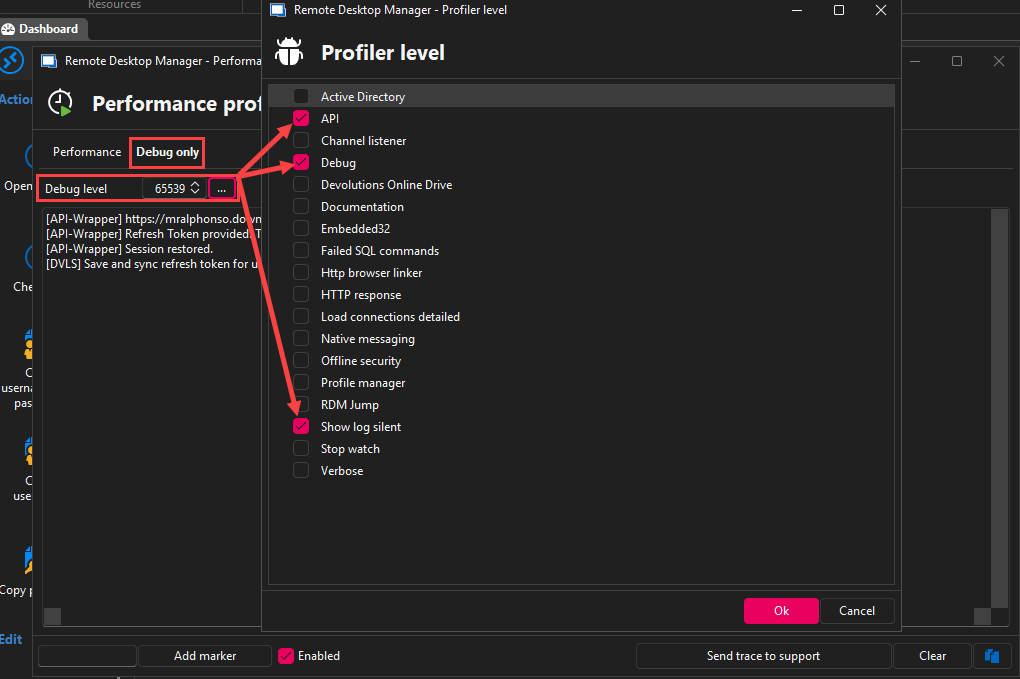
Once you have the profiler configured, leave the window to the side (it needs to stay open to gather the logs).
Authenticate to your CyberArk Dashboard and wait for the authentication prompt to come back. Authenticate another time, and then you can head back to the Profiler window to copy the content of the page to a note pad.
Please send use the trace in a .txt file to this link: FOR-44948.
Best regards,
cd7a257c-c0f7-432f-aed0-5924d9dfb407.png
10fc59d9-e664-4b41-a4b4-bee6f1b8cab8.png
Do you recall which version was working correctly before you upgraded to 2025.1 or 2025.2?
I've seen the issue before in 2025.1.41.0, but it may have gotten worse with this version. We've just started to test this out, so hard to say if/when it was ever stable.
Would it be possible to confirm the Data Source, and it's version you are using?
Data source is local SQLite (Database version : 155)
Thank you for the trace, unfortunately, it is not telling us much regarding the issue.
To be fair, the trace doesn't say much more. The options you mentioned were already used. I've reproduced it again and redacted the SAMLResponse, but I'm not allowed to upload using the link. Looks like I only have download permission.
Hello,
Sorry for the issue with the link and thank you for the confirmation.
I've made some modification to the permission on the folder, could you try and upload the file again?
Best regards,
Uploaded
Hello,
Thank you for the file.
Would it be possible to confirm if you are using CyberArk Cloud or On-Prem?
Best regards,
On-prem
Hello,
Thank you for confirming.
Our CyberArk integration functions similarly to the PSMClient in terms of authentication. Would it be possible for you to install and test the PSMClient to see if the same issue occurs?
Best regards,
I'm having some issues running PSMClient due to company policy. I'll see if I can get it working and get back to you.
In the meantime, I just went back to RDM 2025.1.41.0, using the same updated data source. Using PAM Dashboard and starting a new connection it still triggers reauth very often. However,
- If I authenticate, it shows this message and starts the connection as normal
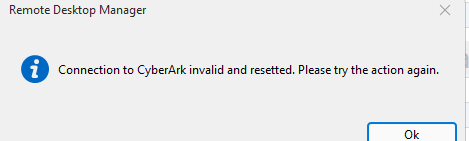 If I simply cancel the SAML-prompt, it still continues and connects successfully - meaning the session is still valid.
If I use the dashboard in RDM 2025.1.41.0 and cancel the same reauth-prompt, 1min after original auth, it shows this: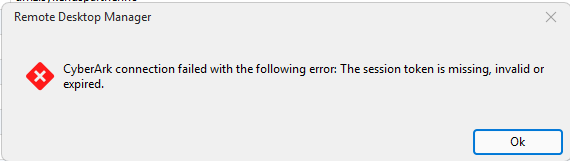
0baa6307-b907-4109-bb2e-967c47b1f5ad.png
after-reauth-rdm-2025.1.41.0.png
Hello,
Thank you for the confirmation and please let us know if you are able to test with the PSMClient.
Best regards,
I was able to reproduce it with PSMClient. Thank you for the suggestion.
Likely caused by insufficient timeout for sticky sessions in load balancer. The web browser keeps a connection alive, while the API calls reconnects, making it more prone to the issue.
Please consider this resolved, but I'd suggest increasing the debug logging a bit for future troubleshooting. E.g. the debug log never said the session was broken/revoked/invalid or HTTP response.
Hello,
Thank you for the confirmation. I will mark this thread as resolved and let us know if you have any other questions.
Best regards,
Hi again. Increasing the sticky session/persistence timeout to e.g. 15min has resolved the issue completely while having a CyberArk Dashboard session open. The dashboard refreshes automatically, keeping the PVWA connection alive.
However, we are trying to avoid the need for a Dashboard session by using server list with RDP and PVWA Credential (PSM Connection-mode). Using that combination the PVWA session will time out unless you keep connecting to new RDP-sessions very often.
Would it make sense for RDM to keep the PVWA-session alive in the background, similar to the website? At least while CyberArk-authenticated RDP-session are running in RDM?
We could increase the persistence timeout to x hours, but that might result in uneven load balancing in general. As this traffic pattern (long lived inactive sessions) is mostly relevant for RDM without Dashboard-session it might be worth a consideration.
Hello,
Thank you for the feedback. The session should be kept alive using this option in RDM: Settings > Entry types > Credential management > CyberArk > Keep authenticated sessions alive.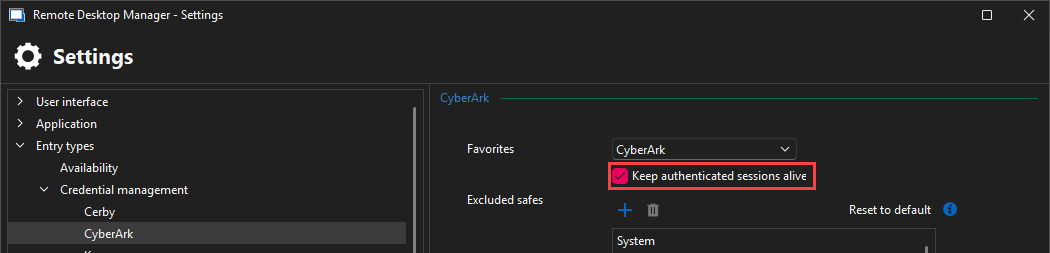
Best regards,
14935a84-d162-4cd9-8231-84b2081401bc.png
Thanks for the tip. It was already enabled by default, so it doesn't seem to work for this scenario unfortunately.
Hello,
Our development team believes the issue may be caused by a mismatch between the CyberArk session timeout and the Load Balancer session timeout.
For example, if the CyberArk session is configured to expire after 490 minutes while the Load Balancer closes idle connections after 15 minutes, the keep-alive call—triggered every 490 minutes—would not be frequent enough to maintain the session on the Load Balancer side.
On-premise setups require a simple API call to keep the session active through the load balancer. The CyberArk Dashboard in RDM does this automatically by refreshing every 5 minutes, which helps keep the session alive. However, if you're not using the Dashboard, no API calls may be made within the LB's timeout window, resulting in a dropped session and reauthentication prompts.
To avoid this, we recommend ensuring that a session keep-alive request (or any other API interaction) occurs before the Load Balancer's session timeout is reached.
Best regards,