SSH - Public key authentication with OpenSSH stopped working after update to 2025.2.13.1
SSH - Public key authentication with OpenSSH stopped working after update to 2025.2.13.1

Hi,
After I updated from Remote Desktop Manager 2025.1.41.0 to 2025.2.13.1 public key authentication with OpenSSH no longer works. Downgrading to 2025.1.41.0 restores the functionality.
The connection logs shows "Pageant not found". This is true because I use OpenSSH but it is not trying this. If I add my SSH key to to Pageant the connection is again working.
The attached log file shows a successful connection using RDM 2025.1.41.0 followed by an unsuccessful attempt using RDM 2025.2.13.1.
Best regards,
Tom
ubuntu_vps.log
All Comments (5)
Hello,
Thank you for your feedback.
Could you verify if your original private key is a PPK version 3? You should see PuTTY-User-Key-File-3 at the beginning of the private key when you display it in RDM using the eye button.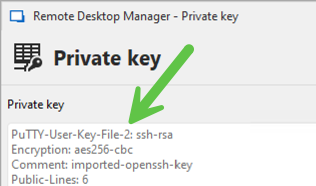
We are aware that PPK v3 keys are not working in 2025.2, and we expect to push a fix soon for this issue.
Regards,
Érica Poirier
6cf50ed5-6cc9-4cf6-835f-5284c82b1e87.png
Is there a timeline on when the fix is expected to be published for this? Running 2025.2.13.1, and the PPK is version 3, encountering the same issue.
Hello,
Thank you for your feedback.
Could you verify if your original private key is a PPK version 3? You should see PuTTY-User-Key-File-3 at the beginning of the private key when you display it in RDM using the eye button.
We are aware that PPK v3 keys are not working in 2025.2, and we expect to push a fix soon for this issue.
Regards,
@Erica Poirier
Hi,
It is an OpenSSH private key generated with OpenSSH on Windows. However, I can see that the format says Putty.
Below is a screenshot from the RDM SSH key manager: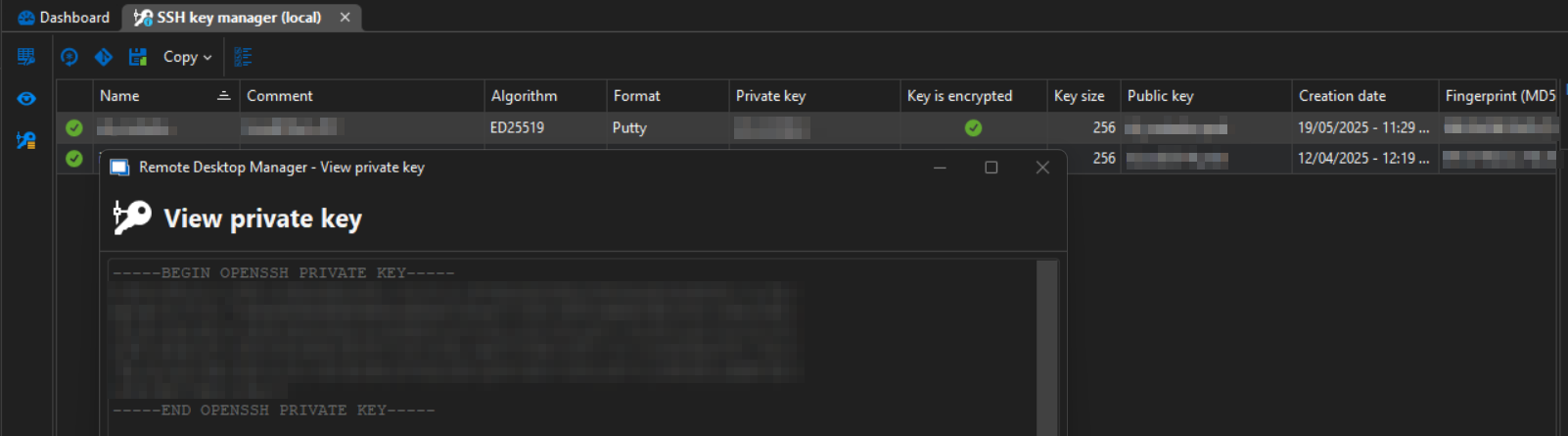
Best regards,
Tom
2025-06-11_08-23.png
Hello,
RDM version 2025.2.14 is now available with a fix for the PPK Version 3 issue and many other SSH fixes (See the Release notes).
Could you try it and let us know if that works?
Thank you for your collaboration.
Best regards,
Érica Poirier
Hi,
The update worked for my issue. I am now able to log into with the Windows OpenSSH agent again.
Thank you resolving this.
Regards,
Tom