Latest update to RDM broke authentication

This is sent as a support email, but hoping someone might see something here too!
I've recently just updated to the latest version of remote desktop manager v2025.2.13.1 64-bit (JIT)
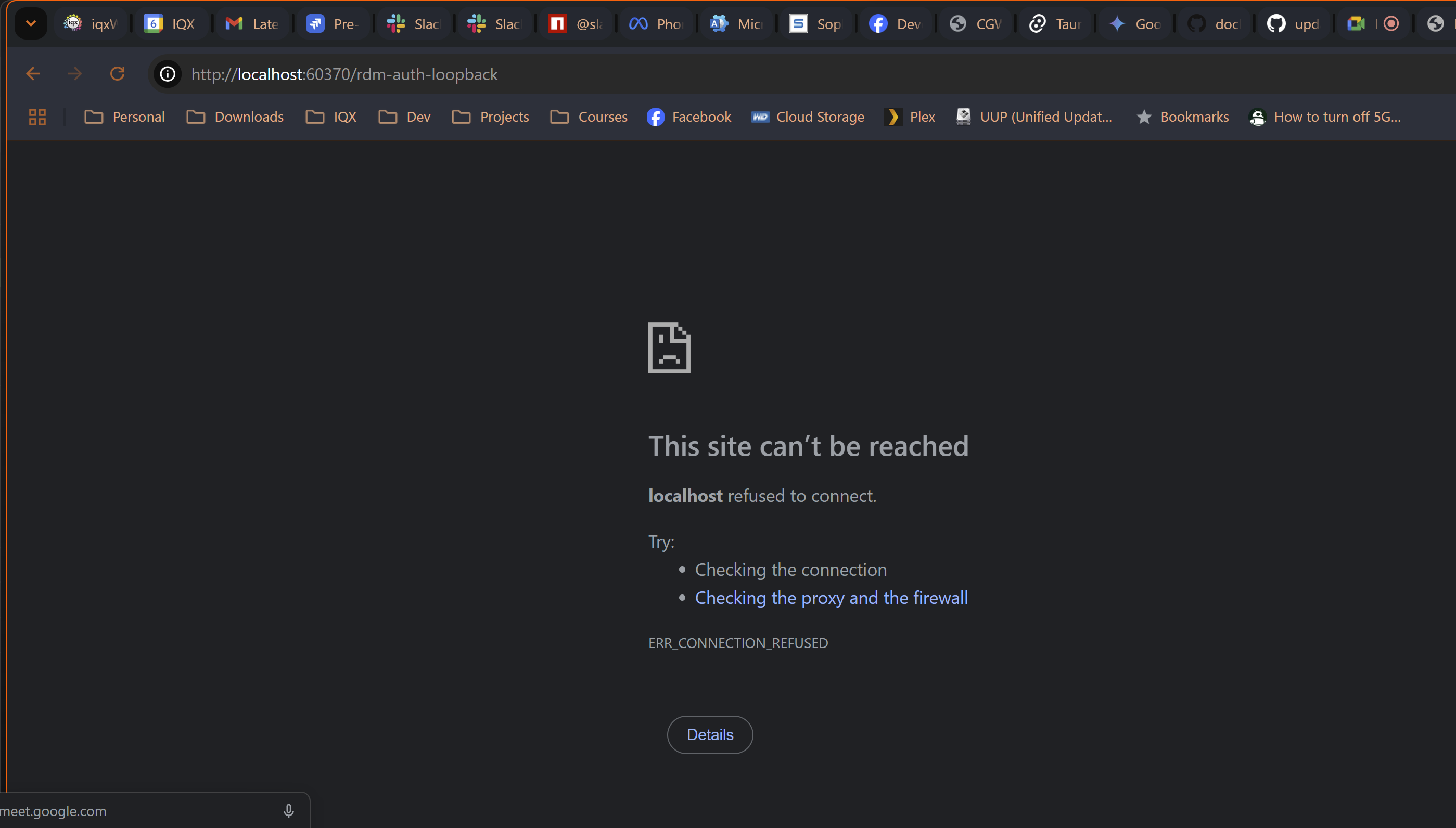
After firing up the application, it takes me to the login page for Password Hub Business, i use my passkey to login then it redirects me to http://localhost:60370/rdm-auth-loopback
I am then presented with ERR_CONNECTION_REFUSED
I have no way to login or use remote desktop manager from here.
This was working fine until I updated it.
Please fix as a matter of urgency.
{A6E45633-EDFF-4A9A-95B2-E636DA2CAE7C}.png
Recommended Answer
Update from support, disabling this option lets me back in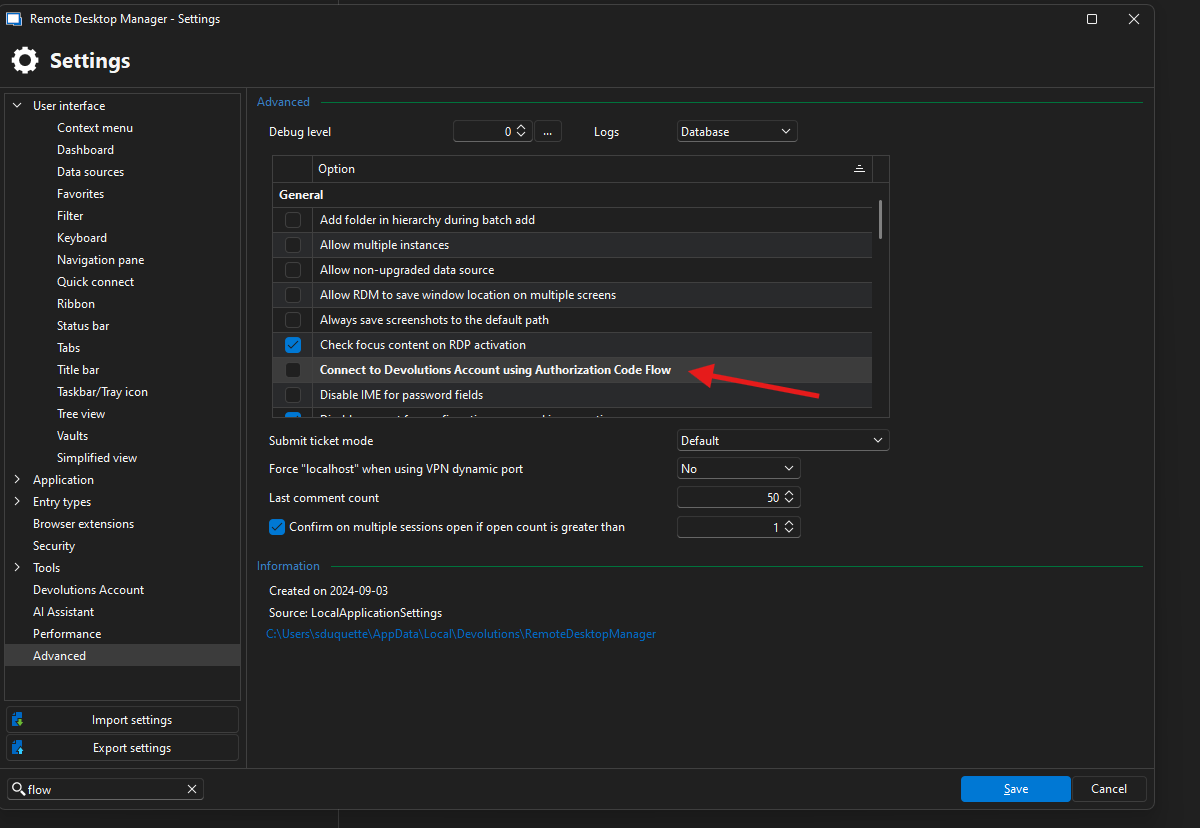
5781ba92-8c9b-48cb-a456-a5ef4303e513.png
All Comments (4)
Update from support, disabling this option lets me back in
5781ba92-8c9b-48cb-a456-a5ef4303e513.png
Hello,
Thank you for posting back what support suggested and worked for you. Out of curiosity, do you have anything on your machine or network that would prevent or redirect traffic from or to localhost?
Have a good day!
Maxime Morin
Hello,
Thank you for posting back what support suggested and worked for you. Out of curiosity, do you have anything on your machine or network that would prevent or redirect traffic from or to localhost?
Have a good day!
@Maxime Morin
Not anything that I'm aware of, certainly not since doing the update to RDM.
@garethjohnstone Ok thank you, we will investigate further why it's not working for you. For your information, the default authentication mode changed with your update of RDM from auth code flow to device flow. That's why it started to behave differently. That's also why switching the setting fixed it back.
Maxime Morin