Web browser though ssh tunnel

Hello, I am trying to get a web browser to go through a ssh SOCK5 tunnel. The goal is to be able to use a Linux VM to access all web portal, SSH and RDP on our management vlan via a single tunnel session. I have not had any luck getting this to work.
Website Setting: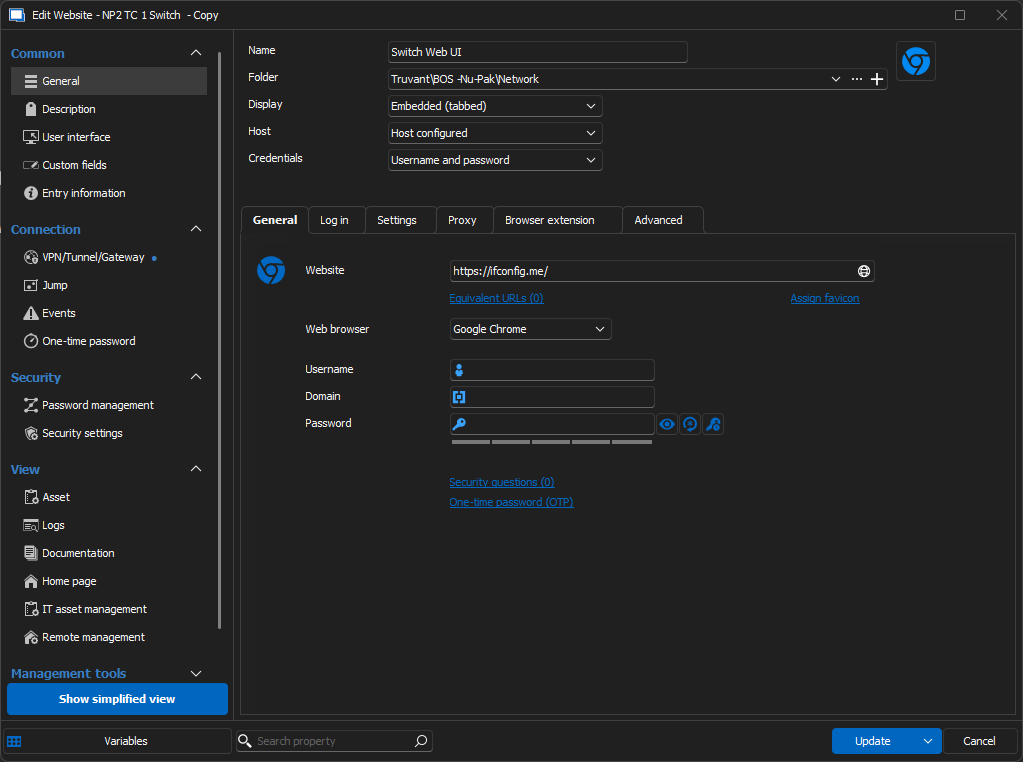 Website VPN/Tunnel/Gateway Settings:
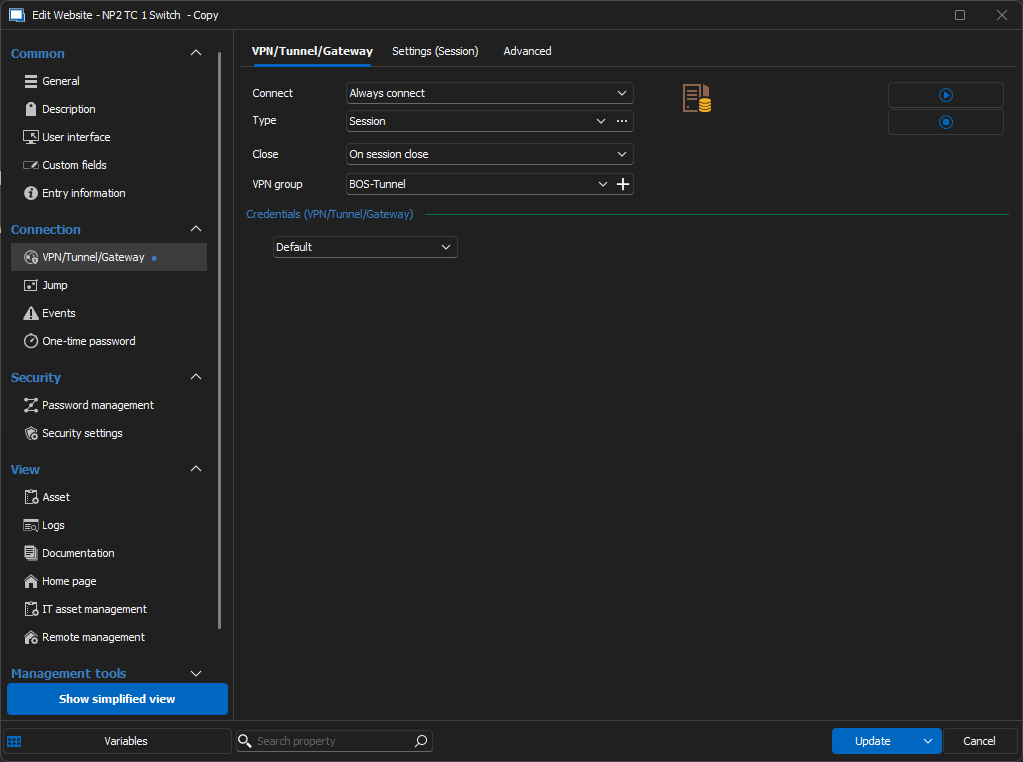 Tunnel Settings: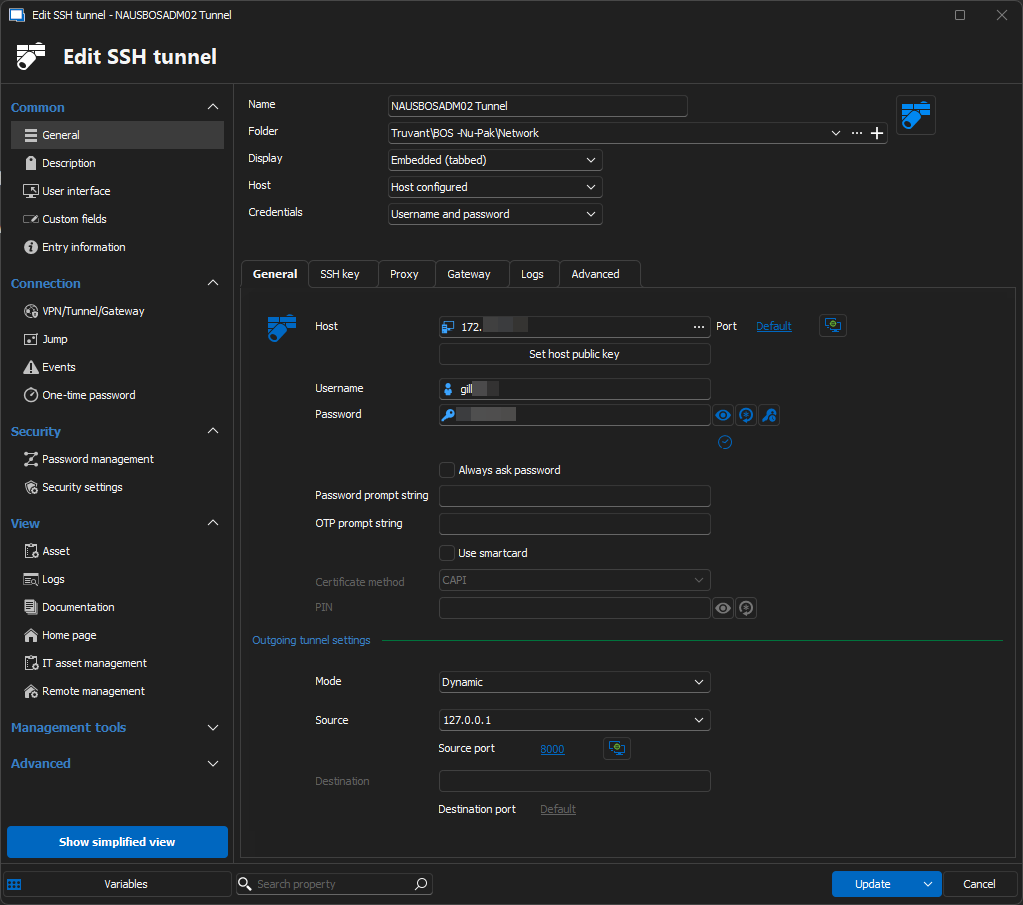
Am I missing a setting or have something misconfigured?
ff4bd290-97eb-41e4-8ceb-d0280c6adba9.png
5f381ccf-57b3-4839-a4e9-738e63b39fed.png
a5ac4d7e-9f89-4696-ba83-1dcf548cc1ea.png
All Comments (16)
Hello,
Thank you for reaching out on this matter.
You should be able to launch the SSH Tunnel entry on its own to help identify where the issue might be. Please let me know if the tunnel works independently.
Additionally, you can verify the information entered in RDM by testing the connection with a third-party tool to ensure everything is configured correctly.
Let me know how it goes.
Best regards,
Jacob Lafrenière
Hi Jacob,
I am able to launch the tunnel session, and it does connect and show Dynamic port forwarding. 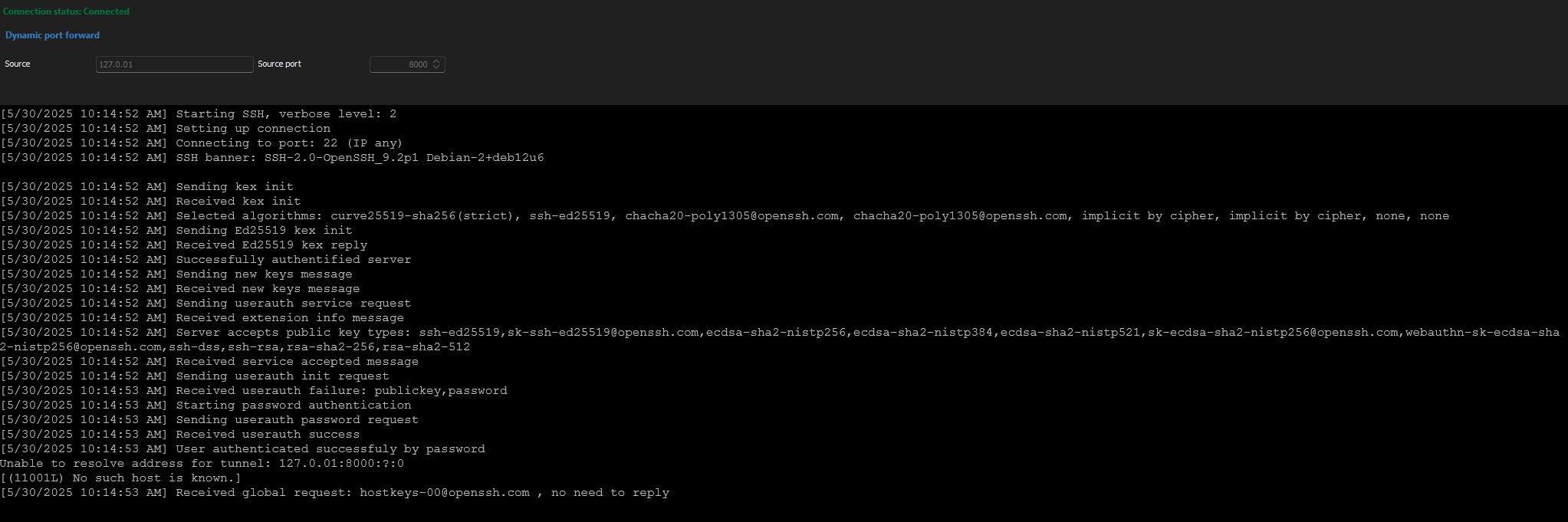
The website says connection timeout. When I go to ifconfig.me I get my Public IP and not the Public IP where the VM is located. I am not sure what 3rd party tool I would need to use to test it?
f1de24ad-3105-46a0-9f1b-f4c14ceb46fe.png
Something else I noticed is I have the website to use chrome, but it is opening with edge.
Hello,
Thank you for the follow-up.
The screenshot you sent shows that the tunnel is not working correctly. Mine ends with "Listening on 127.0.0.1:10001" (vs yours with ":?:0" added), so I believe there is an issue at the tunnel level.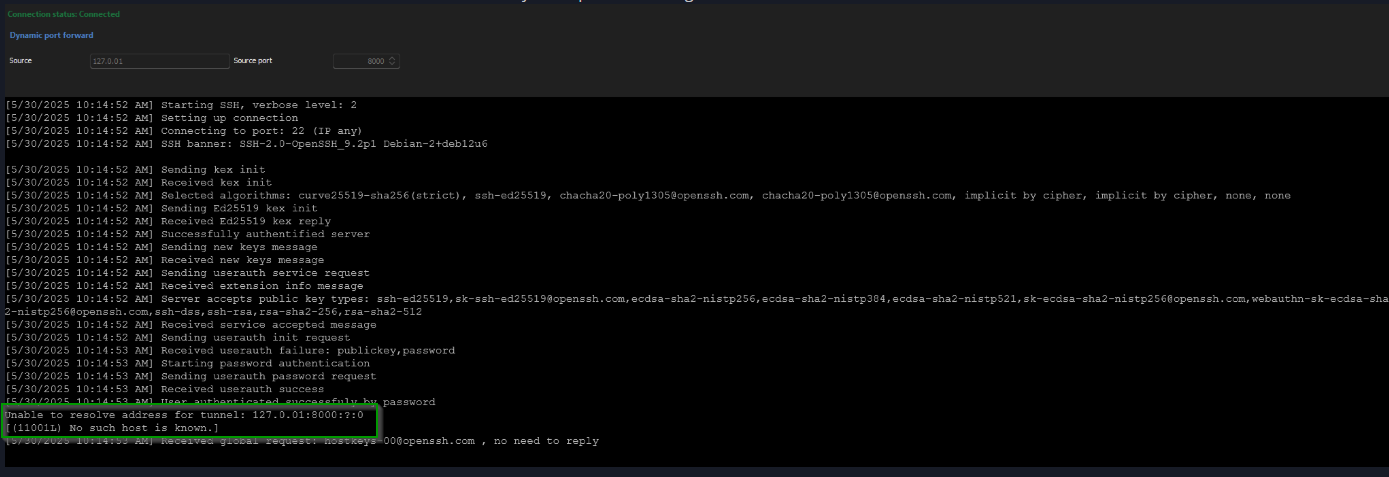
I would recommend enabling logging and verbose to see if there is more to it.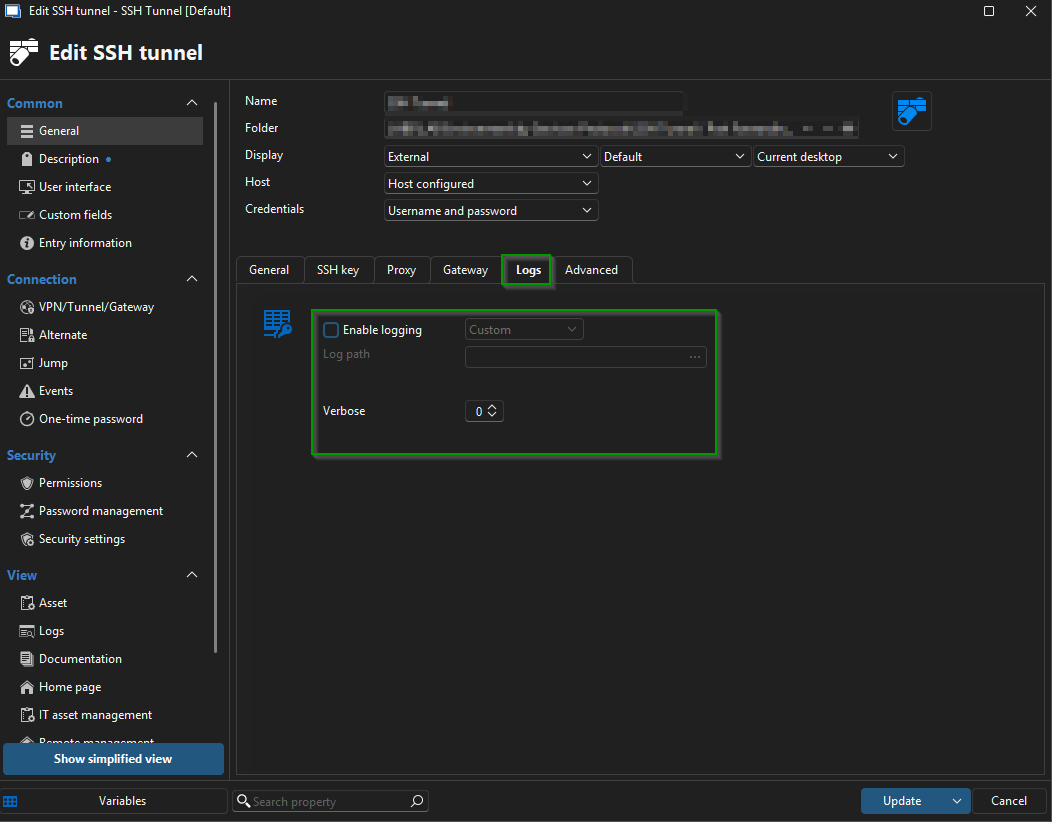
Let me know what you find!
Best regards,
Jacob Lafrenière
5e35b613-80cc-4946-a453-19f5f37bb67d.png
0d929347-e63d-4146-866f-1cc98407fdba.png
I enabled logging with Custom and Verbos - 4 but am not seeing any additional logs information. No changes.
[5/30/2025 10:59:54 AM] Sending kex init
[5/30/2025 10:59:54 AM] Received kex init
[5/30/2025 10:59:54 AM] Selected algorithms: curve25519-sha256(strict), ssh-ed25519, chacha20-poly1305@openssh.com, chacha20-poly1305@openssh.com, implicit by cipher, implicit by cipher, none, none
[5/30/2025 10:59:54 AM] Sending Ed25519 kex init
[5/30/2025 10:59:54 AM] Received Ed25519 kex reply
[5/30/2025 10:59:54 AM] Successfully authentified server
[5/30/2025 10:59:54 AM] Sending new keys message
[5/30/2025 10:59:54 AM] Received new keys message
[5/30/2025 10:59:54 AM] Sending userauth service request
[5/30/2025 10:59:54 AM] Received extension info message
[5/30/2025 10:59:54 AM] Server accepts public key types: ssh-ed25519,sk-ssh-ed25519@openssh.com,ecdsa-sha2-nistp256,ecdsa-sha2-nistp384,ecdsa-sha2-nistp521,sk-ecdsa-sha2-nistp256@openssh.com,webauthn-sk-ecdsa-sha2-nistp256@openssh.com,ssh-dss,ssh-rsa,rsa-sha2-256,rsa-sha2-512
[5/30/2025 10:59:54 AM] Received service accepted message
[5/30/2025 10:59:54 AM] Sending userauth init request
[5/30/2025 10:59:54 AM] Received userauth failure: publickey,password
[5/30/2025 10:59:54 AM] Starting password authentication
[5/30/2025 10:59:54 AM] Sending userauth password request
[5/30/2025 10:59:54 AM] Received userauth success
[5/30/2025 10:59:54 AM] User authenticated successfuly by password
[5/30/2025 10:59:54 AM] Unable to resolve address for tunnel: 127.0.01:3390:?:0
[(11001L) No such host is known.]
[5/30/2025 10:59:54 AM] Received global request: hostkeys-00@openssh.com , no need to reply
The only time I got it show 127.0.0.1:3389 is when option is when I set it to local with 127.0.0.1 as the options.
Unable to resolve address for tunnel: 127.0.01:8000:127.0.0.1:3389
It still did not connect.
I am able to run
ssh -D 8000 [USERNAME]@[IP-ADDRESS]
and set Windows 11 sock proxy and access the webui just fine.
I recreated the session object and now it is showing listening on 127.0.0.1:3390 D
I recreated also the website session object but it is still just timing out.
Hello,
Thank you for the follow-up.
I would also try to change this setting in the website entry to SSH link!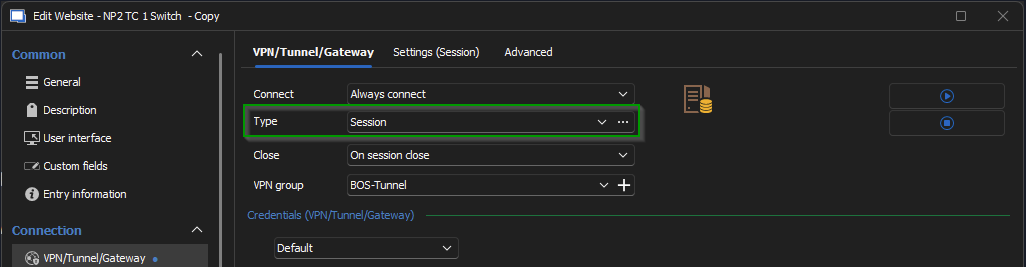
You might also like to try out the option to use a Proxy Tunnel, which seems best suited for SOCK5 scenarios.
I would also recommend setting "Allow any additional hosts with Devolutions Gateway" under the web entry properties > Advanced. (This may seem like a long shot, but I've seen a similar bug fixed that way)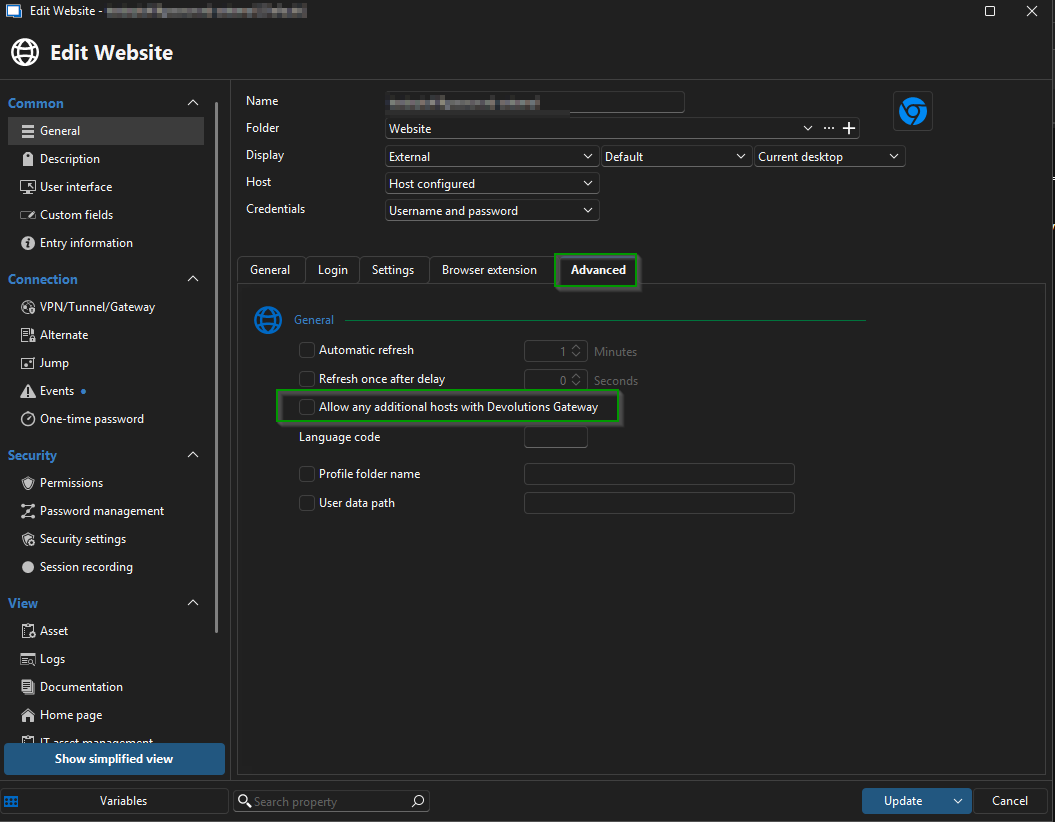
Let me know if this helps!
Best regards,
Jacob Lafrenière
235a88cc-1885-4ded-b695-1816f783b8a5.png
8e2fec2f-e587-4e69-99a8-35867c39bf26.png
Hello,
I tried changing it to SSH link but did not notice any changes. I checked the "Use over secure gateway" and it does connect for the 1 site I have in the properties but shows it only by localhost: [PORT]
This seems to work for accessing the URL setup in the properties, but some links do not work since only the 1 site URL works. 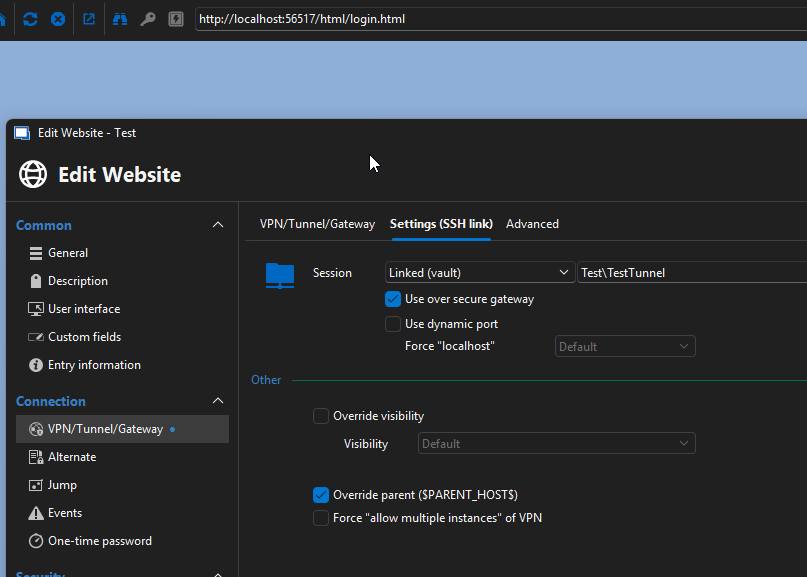
I looked into the Proxy Tunnel but I have two option listed. 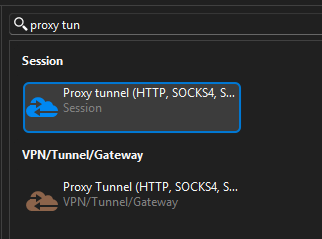
I tried some different setting with the VPN/Tunnel/Gateway one but they never connected.
507575a2-2dae-4a10-ba1c-47dcc305e572.png
694911b1-bf5b-4795-bbd1-a05c19110f47.png
Hello,
Thank you for the follow-up.
Can you uncheck the "Use over secure gateway" box and check "Allow any additional hosts with Devolutions Gateway" under the General tab, and try it out?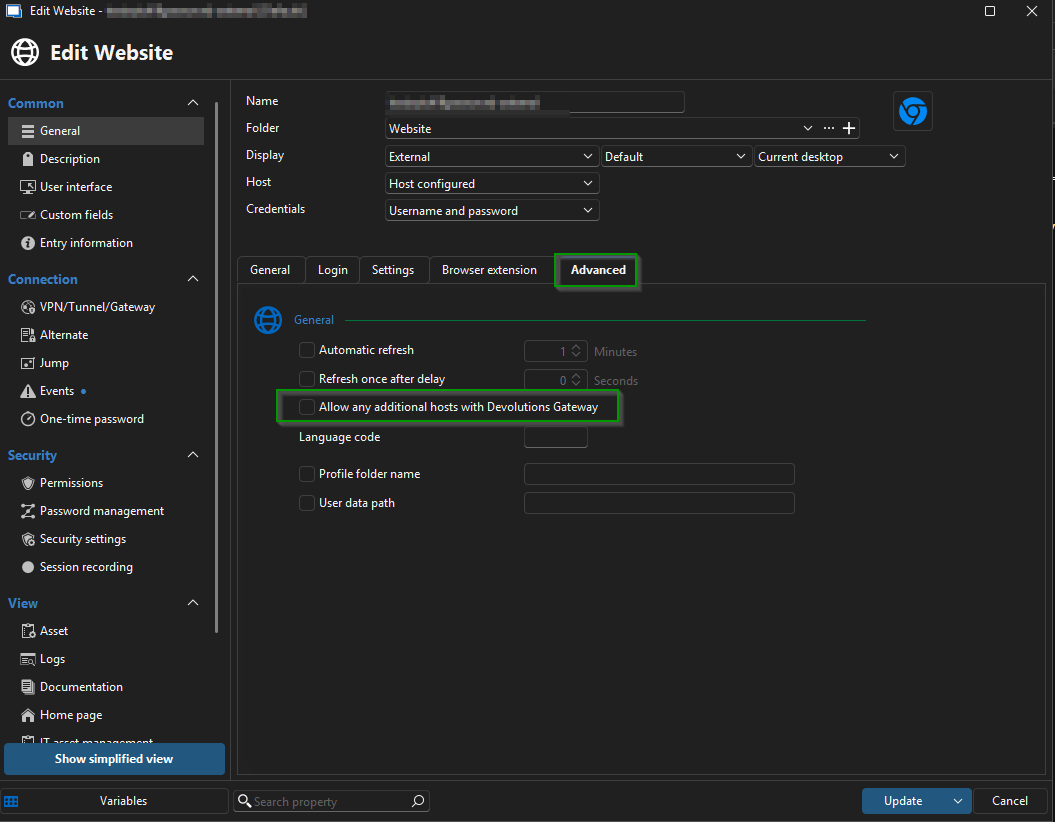
Let me know if this helps.
Best regards,
Jacob Lafrenière
a4381c32-14d6-4c95-adca-2ce22bba1426.png
Hey Jacob,
I tried those options with ssh link and session link. both times the website times out.
I tried changing the browser from default to chrome but it is still using edge. I am not sure if this has something to do with it not working.
Hello,
Thank you for the follow-up.
Could you please confirm the version of RDM you are using, along with the data source type and its version?
I will request some more assistance from the investigation team.
Looking forward to your response.
Best regards,
Jacob Lafrenière
version 2025.1.41.0 with .NET 9.0.5.
my data source is the Devolutions Hub Personal.
Hello,
Thank you for your patience.
I'm working with a collegue, trying to replicate the issue and he got stock on some logs you sent.
A lot of them are mentionning "Unable to resolve address for tunnel: 127.0.01:3390:?:0" Can you make sure you do not have a typo somewhere with the 127.0.0.1 adresse?
I look forward to your reply.
Best regards,
Jacob Lafrenière
I had time on Friday and did some testing and troubleshooting myself, I did manage to resolve that issue by recreating the ssh tunnel object. I am now seeing "Listening on 127.0.0.1:3390 D"
With Website set to default(MS Edge), Allow any Additional Host with Devolutions Gateway and Use over secure gateway will connect but only on URL address local host with a random port. I have noticed with this some links in UI do not work. It is also slow to load at times.
With Web Browser set to google chrome and Use Over secure gateway will connect via proper URL and DNS works but it seems like CSS does not work fully.
I did just try and relaunch them and the Chrome option is working now. Not sure what changed from Friday to today.
Hello,
Thank you for the follow-up.
It looks like you’ve resolved the issue on your end.
The investigation team was able to reproduce the slowness related to this setup.
I’ll proceed with reporting the issue to the development team.
Is there anything else you’d like me to look into?
Best regards,
Jacob Lafrenière
Hey Jacob,
Not at the moment, You been a great help. I will let you know if have any more questions or issues.
Thank you!
Ryan