Vaults protected by app Password?

Is there any possibility to implement protection for users and passwords stored in VAULTS, so they are secured against opening, reading, and password modification by the application? This would add a new level of security... Thank you very much!
All Comments (3)
Hello,
I assume the Master Password is the feature you're looking for 😉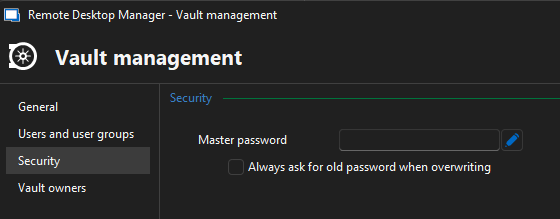
https://docs.devolutions.net/rdm/commands/administration/vaults-overview/
Regards,
Min
6cdf979f-3311-4806-be56-847a77fb47fb.png
That's not exactly what I meant. For RDP credentials, I selected the Linked (Vault) option. However, if I use the Remote Desktop Manager application on a JUMP server, where I allow access to an engineer who, let's say, is performing an installation/configuration on our network, they have access to the credentials saved in the Vault and can open them.
Until today, I hadn't even realized that an engineer opened the saved Vault data just out of curiosity to check the password used.
I want to mention that the application is set up with a startup password, but if an engineer is using the RDP application, that means it is unlocked for them, and they can extract the saved password without needing the master password...
If there is a possibility, I would kindly ask for assistance with a development to implement this protection, if it is not already in place.
Thank you very much!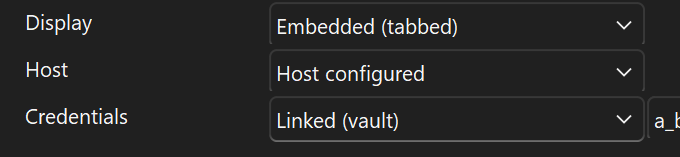
dbc4b98c-ad96-45d4-abbe-9d678835774c.png
Hello,
Okay, so from the provided details, it looks like no permissions are configured for the linked credentials. In fact, access to the password is not needed to launch a session because it will be injected from the RDM itself.
So you can adapt the View password permission on the related entries, and it's no longer possible for the users to access the password, but they can still connect/use these credentials for the remote connections.
https://docs.devolutions.net/rdm/user-groups-based-access-control/permissions/
For the jump host, it’s not necessary to store any data on the host itself, as the session and credential details are applied directly from the RDM instance. For more information, please refer to the following page - see Step #6, particularly the details in the green info box.
https://docs.devolutions.net/rdm/overview/the-devolutions-platform/rdm-jump/#configure-a-jump-host
Regards,
Min