Copy UPN if available
1 vote

Hello.
It would be great to be able to copy the UPN if filled from a credential or a session where it is used.
Best regards.
Marcel
Devolutions Server, RDM and GW admin.
Recommended Answer
Hello,
Thank you for your suggestion, I've added the "Copy UPN" action to the context menu and the ribbon.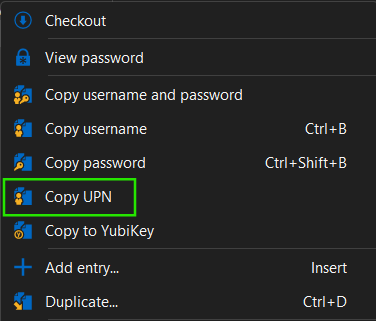
You'll be able to see these additions in the next minor version 2026.2.14.0.
Best regards,
Léon Le Brun
8d61201f-9576-49d5-9af9-053791d1081c.png
All Comments (7)
Hello Marcel,
Could you give more information for how you configure your entries, and what you're trying to accomplish step by step?
I'm assuming you're talking about the UPN field in the username/password entry: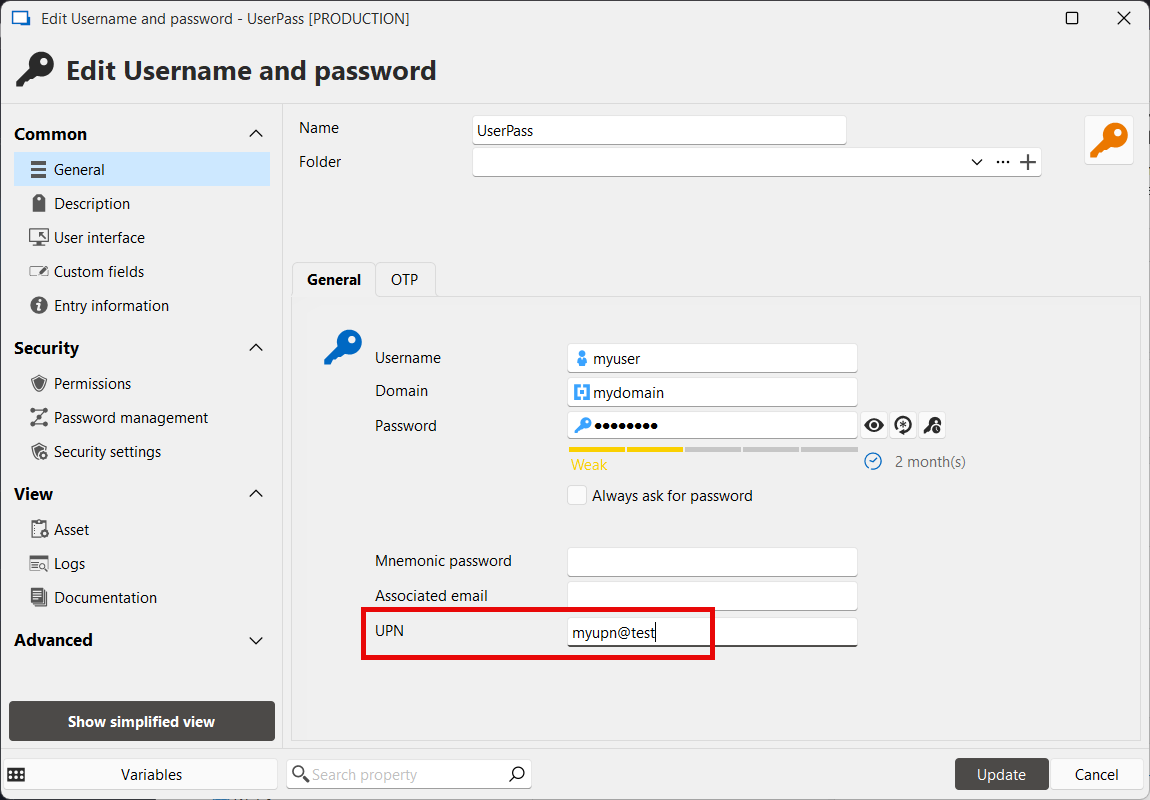
You can configure in your entry the "username format" to let RDM know how you would want the username to be handled: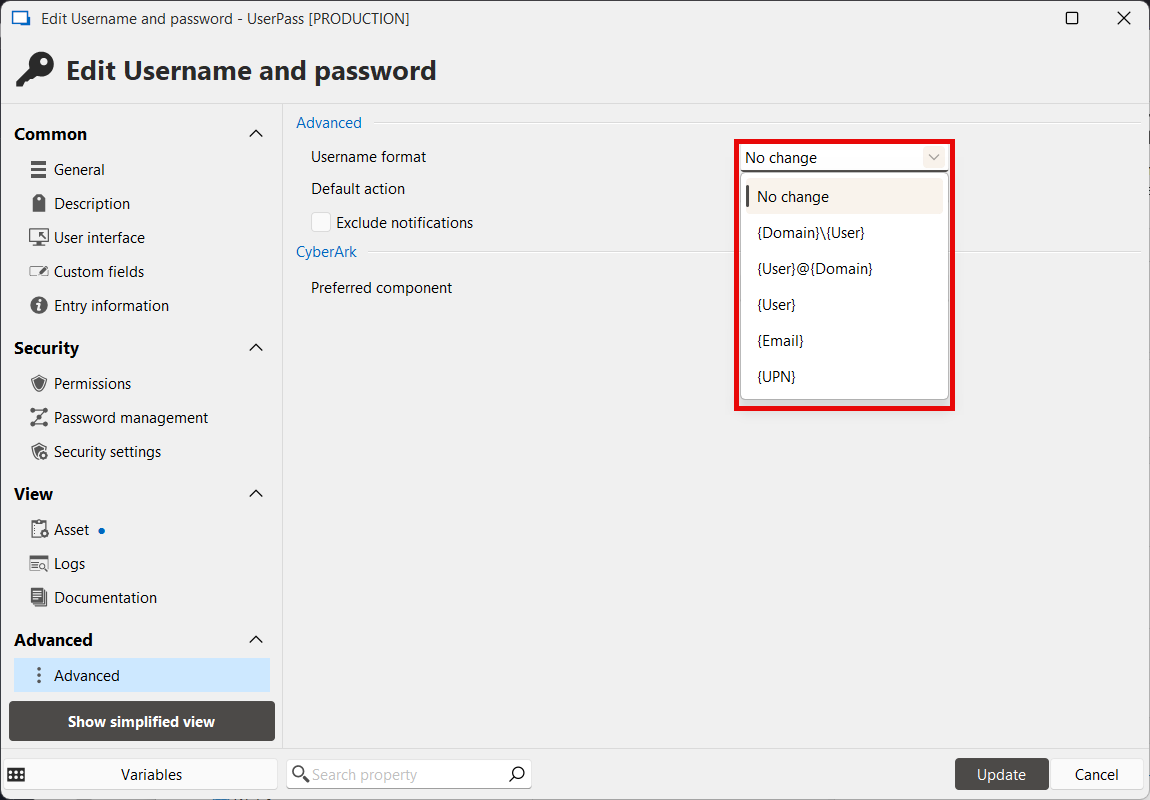
If you don't need to use both the username and the UPN separately, then changing the username format to either {user@domain} or {UPN} might work for your case.
Let me know if this helps or if it doesn't work for what you're trying to accomplish.
Regards,
Hubert Mireault
e9821b99-00cb-4715-b410-e64d0bff10d3.png
6d90a7aa-41f9-492e-ab86-240e37eb9392.png
Hello Hubert.
Yes that works when I do it from the session where the UPN is set as username.
But on the entry itself (username & password entry) it would be nice to also have that possibility, by specifically being able to copy the UPN.
Because sometimes you work in remote sessions and you just look for your credential, not specifically for the web session with linked credentials.
Best regards.
Marcel
Devolutions Server, RDM and GW admin.
Thank you for the explanation, I see what you mean. It wouldn't be difficult to add a "Copy UPN" button specifically for that entry. I'll open a ticket for that.
Regards,
Hubert Mireault
Hello Marcel,
Starting with version 2025.2.15.0, you will be able to copy the UPN field using a dedicated button located in the "Actions" sidebar of the entry: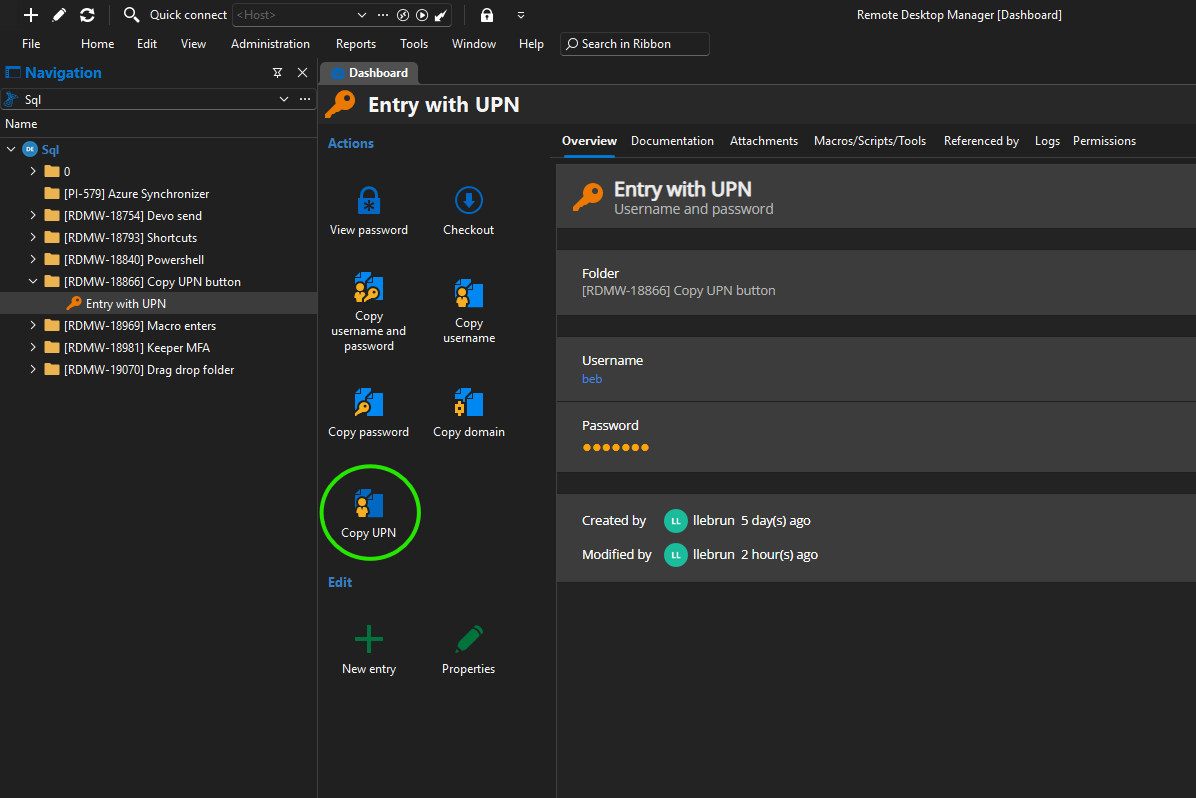
Regards,
Léon Le Brun
487bebee-1aa9-44ed-a1af-872b10677fb3.png
Hello,
Thank you for being so patient!
I'm pleased to inform you that a new version of RDM Linux (2026.1.1.1) has been released, including the requested feature.
Latest Version: Download RDM
Please let us know if this works or if you encounter any issues.
Best regards,
Maxim Robert
Hello everyone.
I've tested the feature in 2026.2.12.0 for Windows.
The action button is available and works.
The shortcut in the context menu is missing.
I would expect to find it here also: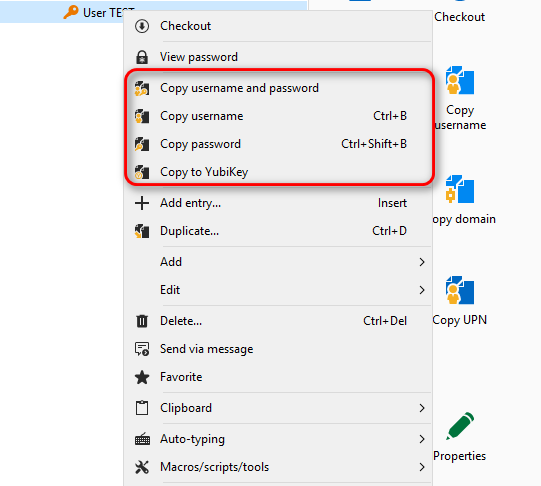
Best regards.
Marcel
Devolutions Server, RDM and GW admin.
17fa5d64-c349-409d-bc07-9319dc9db1e5.png
Hello,
Thank you for your suggestion, I've added the "Copy UPN" action to the context menu and the ribbon.
You'll be able to see these additions in the next minor version 2026.2.14.0.
Best regards,
Léon Le Brun
8d61201f-9576-49d5-9af9-053791d1081c.png