RDM hangs SSH session when overwriting a file via SFTP

RDM version 2025.1.37.0 on Windows 10.
Repro:
- Open an SSH session.
- Open the SFTP panel.
- Drag and drop a file to upload it.
- Drag and drop the same file to the same remote directory.
- A window with the overwrite confirmation appears (with a strange title "Problem detected" ?!? - a "File already exists" condition is not a real "problem", please change that, too). Select "Overwrite". Notice there's no file name in the path shown in that window, only directory.
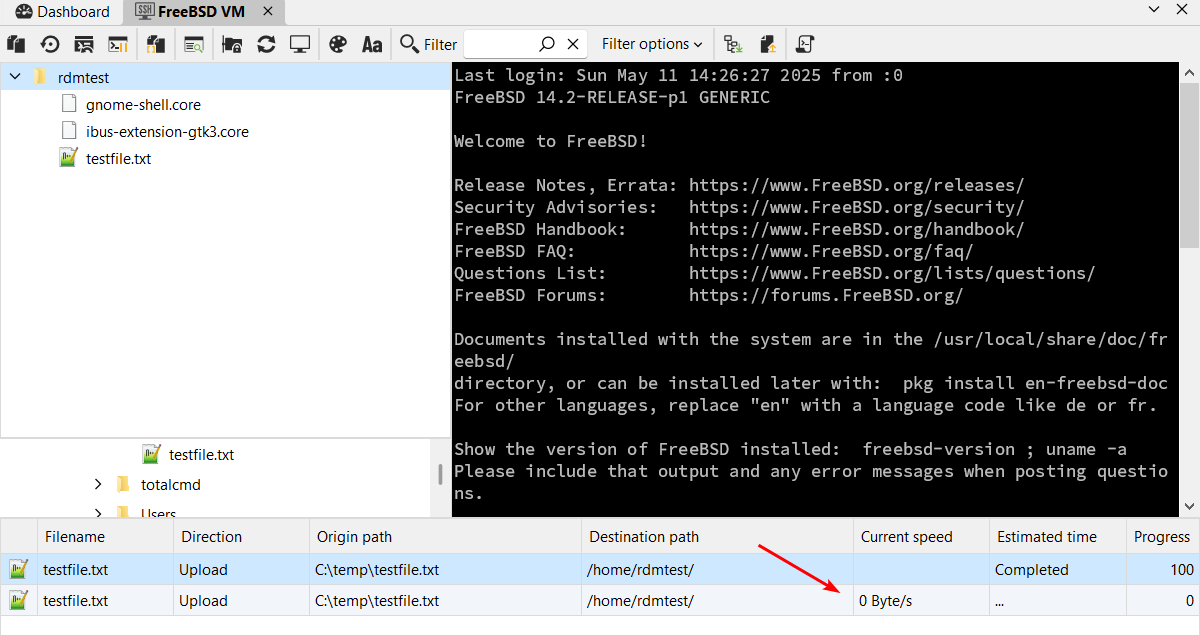
- The SSH session hangs. This can be confirmed in Windows Task Manager, where one of the cores is saturated. After ~15 minutes no sign of recovery.
- Target operating system doesn't matter; I reproduced it on Ubuntu Linux and FreeBSD.
Please fix. Thank you.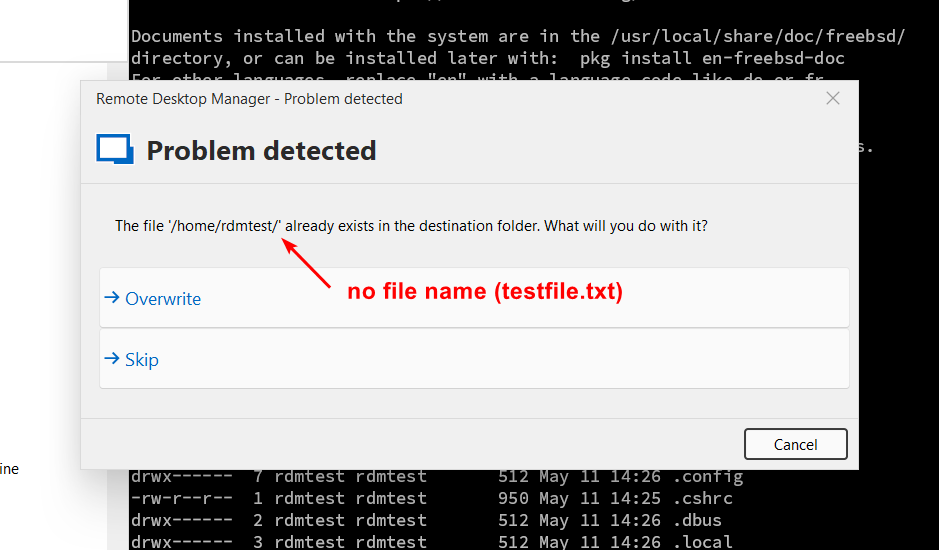

625b5374-341b-4d64-b884-d095ec0ce57c.png
fc8d2696-4523-46c2-9123-a3fb02f194d1.png
f7282516-c6dc-4fa5-95d1-91b8ec89cc53.png
All Comments (8)
Hello,
Thank you for reaching out on this matter.
I was able to reproduce the issue you are experiencing. I will report this bug to the development team, and they will begin working on a fix soon.
I will follow up with you as soon as a fix is deployed in a future update.
Best regards,
Jacob Lafrenière
For your information, I just upgraded RDM to version 2025.1.39.0 64-bit, and the bug is still present (despite changelog telling it's been fixed). The behavior did not change. Hope you can fix it soon. Thanks!
Hello,
Thank you for your follow-up.
I reviewed the release notes but did not find any information regarding the SFTP entries.
The internal case created for the development team to address this issue is still in the backlog.
I will update you once the fix becomes available.
Best regards,
Jacob Lafrenière
Hello,
The issue related to the SFTP overwrite prompt causing the SSH session to hang has been addressed, and the fix will be available from version 2025.2.14.
Regards,
David Godin
I have just installed RDM 2025.2.14. Unfortunately the issue still persists, and became even more severe. For example, I just tried to upload a non-existent file to remote server. The file got uploaded, appeared on remote, I was able to inspect its contents, but RDM displays 0% - see the first screenshot below.
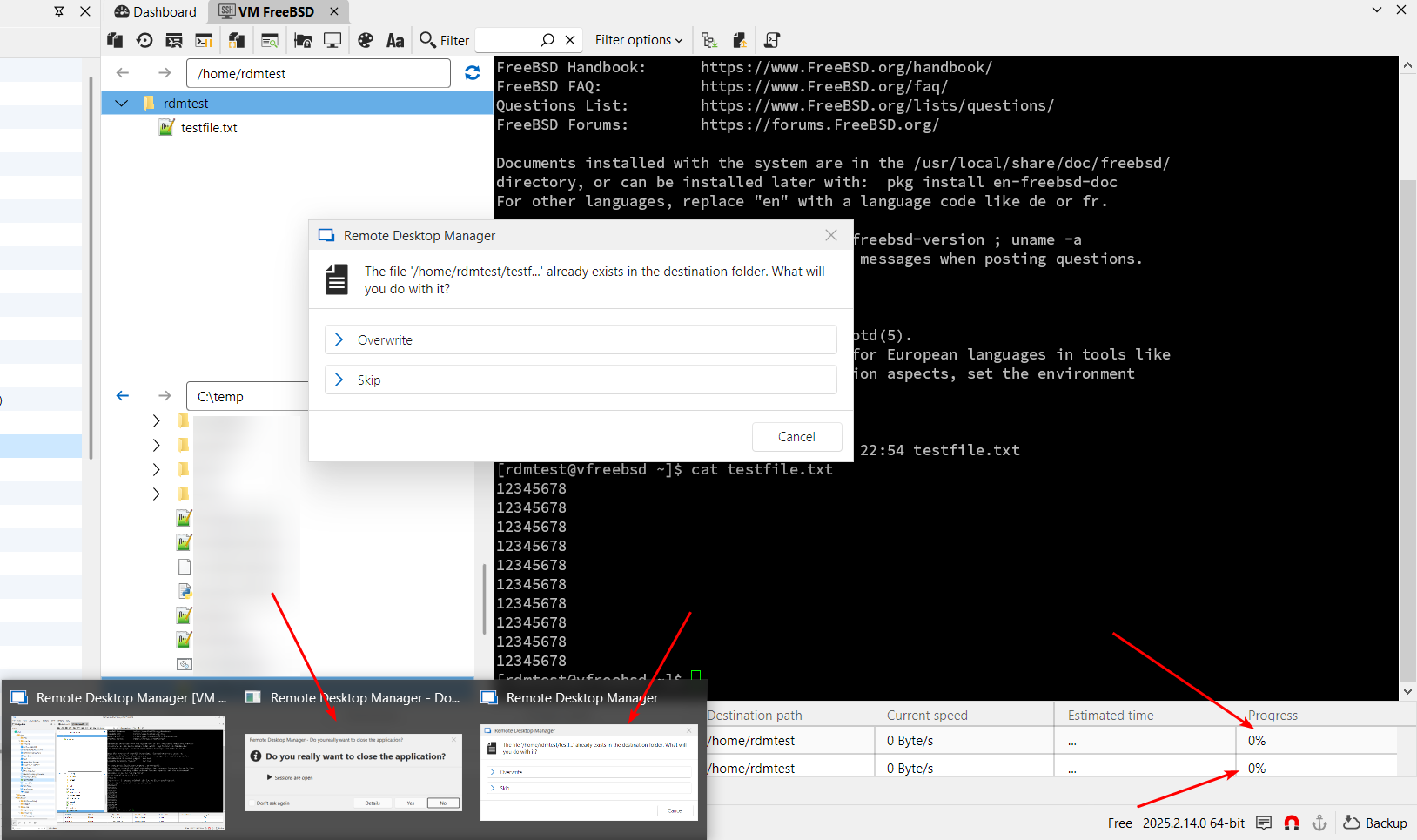
I then wanted to test the file overwrite scenario, so I dragged the same file over to the remote directory. Then RDM just hanged. After good 5 minutes I right-clicked the taskbar icon and selected "Close window". It then un-hanged and displayed second line in the progress table on the bottom, and the close window dialog, and the overwrite file dialog.
Please test it thoroughly and fix it properly.
Thank you.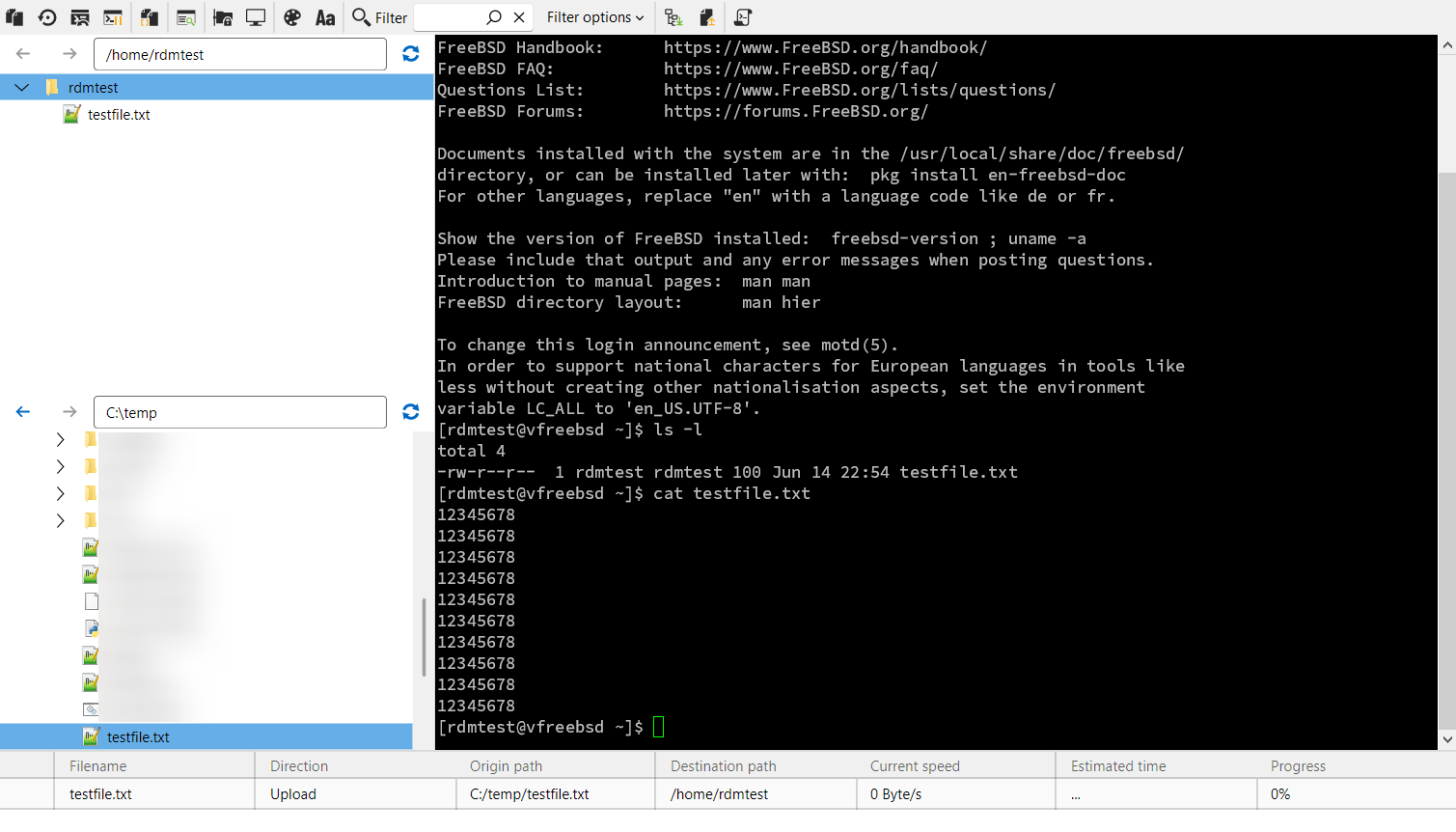
020371ae-b767-4894-adcb-3ce3ea20f02c.png
04ad9f97-afa5-40d2-9349-a19a08ba1e21.png
Hello,
It looks like your scenario is a bit more specific than what was covered by our fix. We're sorry the issue is still occurring. We've taken note of the behavior you described and will be looking into it.
We appreciate your patience and will keep you updated as soon as we have more news.
Regards,
David Godin
Hello,
We found the causes for both the freeze issue and the progress staying at 0%. Fixes will be included in version 2025.2.17.0.
Regards
Jonathan Del Signore
I just upgraded to RDM 2025.2.17.0 and can confirm that this issue is fully fixed. Thank you!