Vault template

Vault template does not apply permissions to new vault.
Vault template: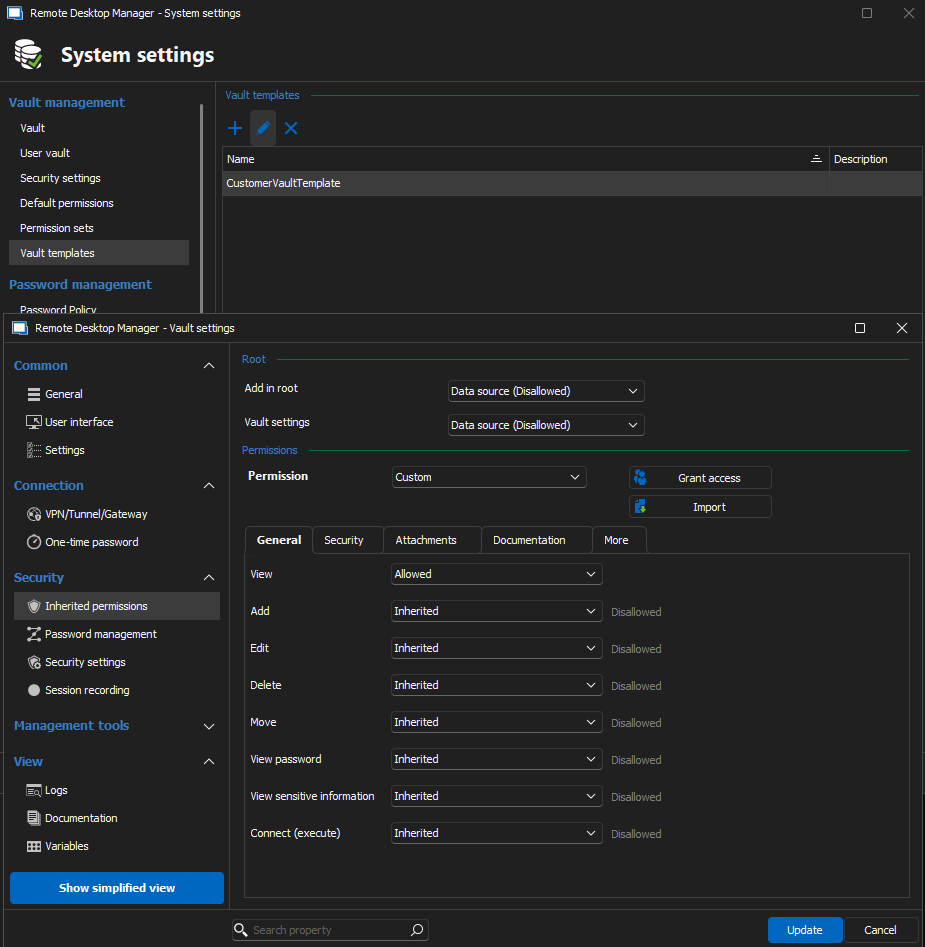
Create new vault with template: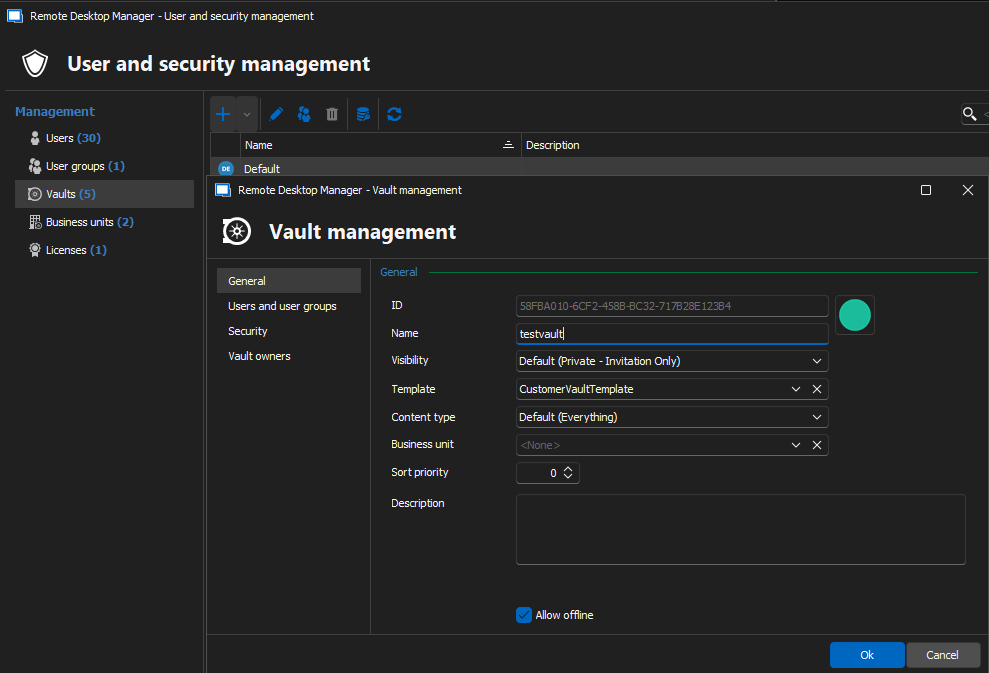
New vault settings: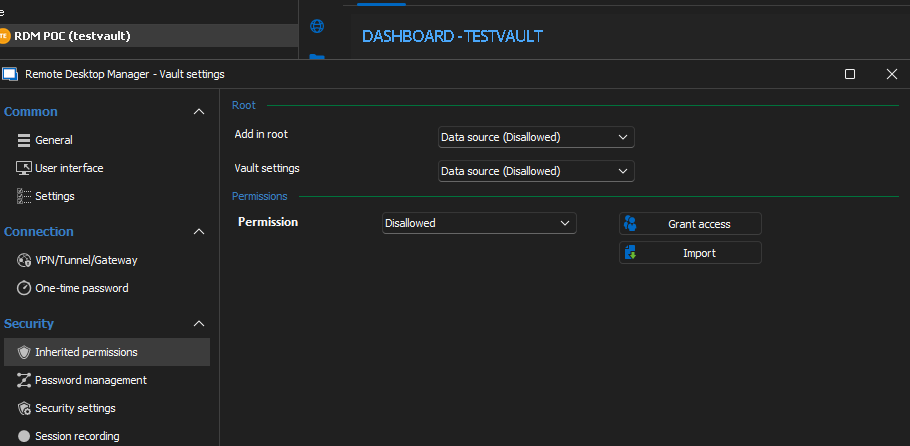
885e778b-9df6-464a-a9c2-18c488616e7b.png
a7112719-8f56-44c3-a027-e07b9dcf074c.png
deb7fd1e-47d8-4106-a8ef-1a59d1397b94.png
All Comments (3)
Hello,
Could you please confirm if the following setting is checked at Administration => System settings => Security settings => Create vault with restricted access by default ?
If so, please uncheck it.
Regards,
Min
Hello,
Could you please confirm if the following setting is checked at Administration => System settings => Security settings => Create vault with restricted access by default ?
If so, please uncheck it.
Regards,
Min
Unchecking this indeed seems to resolve this.
But i noticed that when i create my vault using powershell it still creates a restricted vault. Instead of template i've set default system permissions and then when manually creating a vault in gui it seems to inherit.
But when using powershell it just sets it to disallowed.
So idk if there is a way to New-RDMRepository -Name vault123 -SetRepository
But with inherited permissions
Hello Maxime,
Thank you for this feedback.
Unfortunately, the template is not supported by the module.
However, you can create this vault and set the permission on the root before Set-RDMRepository.
This script is a great based to start with:
https://github.com/Devolutions/DevoSamples-ps/blob/main/module/security/ChangeRootAndFolderPermissions.ps1
Best regards,
Patrick Ouimet