inventory report error

Hi I try to launch inventory report but it give me back an error: "impossible to access to inventory report"
credential are set and I can connect via RDP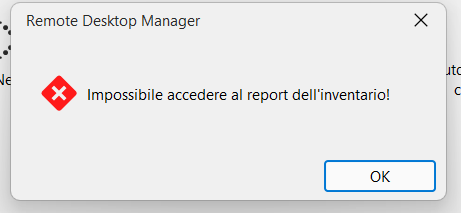
{BB4CD2A8-C4AF-4A2C-B9DE-B15A216DE9EE}.png
All Comments (4)
Hello,
Thank you for reaching out on this matter.
Can you confirm the report you are trying to see?
I tried some of them but wasn't able to reproduce the issue.
I look forward to your reply.
Best regards,
Jacob Lafrenière
yes, I do right click on a vm-->macro-->inventory report. are there ports on firewall to be opened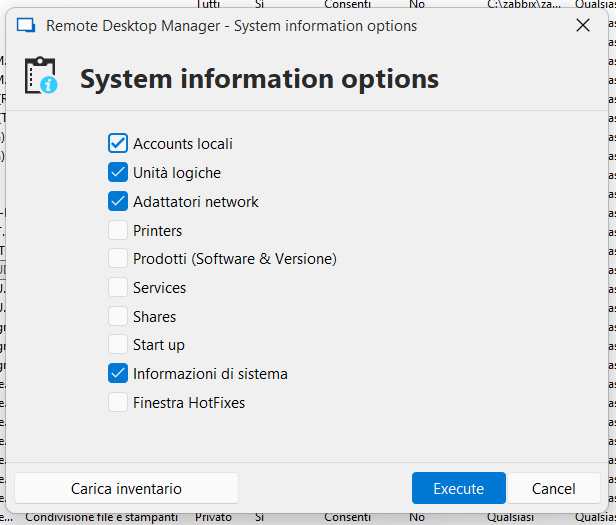
{14FD7134-5E06-4C60-BDE0-AB20F4B78F35}.png
Hello,
Thank you for the follow-up.
I was able to reproduce the issue you are experiencing. I will report this bug to the development team, and they will begin working on a fix soon.
I will follow up with you as soon as a fix is deployed in a future update.
Best regards,
Jacob Lafrenière
Hello,
Thank you for your patience.
After reviewing with our development team, I’d like to clarify that this is not a bug but a configuration issue.
RDM uses the WMI command, so the remote computer must be properly configured to support it.
Additionally, you'll need to set the credentials for the request under:
Entry Properties > Management Tools > Tools > Credentials
(By default, the session credentials are used.)
If you encounter any issues during the WMI setup on the remote machine, this troubleshooting guide may help:
https://docs.devolutions.net/rdm/kb/troubleshooting-articles/wmi-troubleshooting/
Please let me know if this resolves the issue or if you need further assistance.
Best regards,
Jacob Lafrenière