Documentation Template Formatting Issue in Remote Desktop Manager (Devolutions Cloud)

Recommended Answer
Hi Valantis,
Thanks for the info!
I looked into this on my end and I can see what's happening. When you copy text directly from the Documentation tab, the clipboard picks up a slightly different syntax, which can cause the layout in the Template Editor to appear incorrect.
For instance, in the Template Editor, a horizontal line is created using three asterisks (***), but if you copy it from the documentation view, it might appear as multiple underscores instead. This difference can affect how the template is rendered.
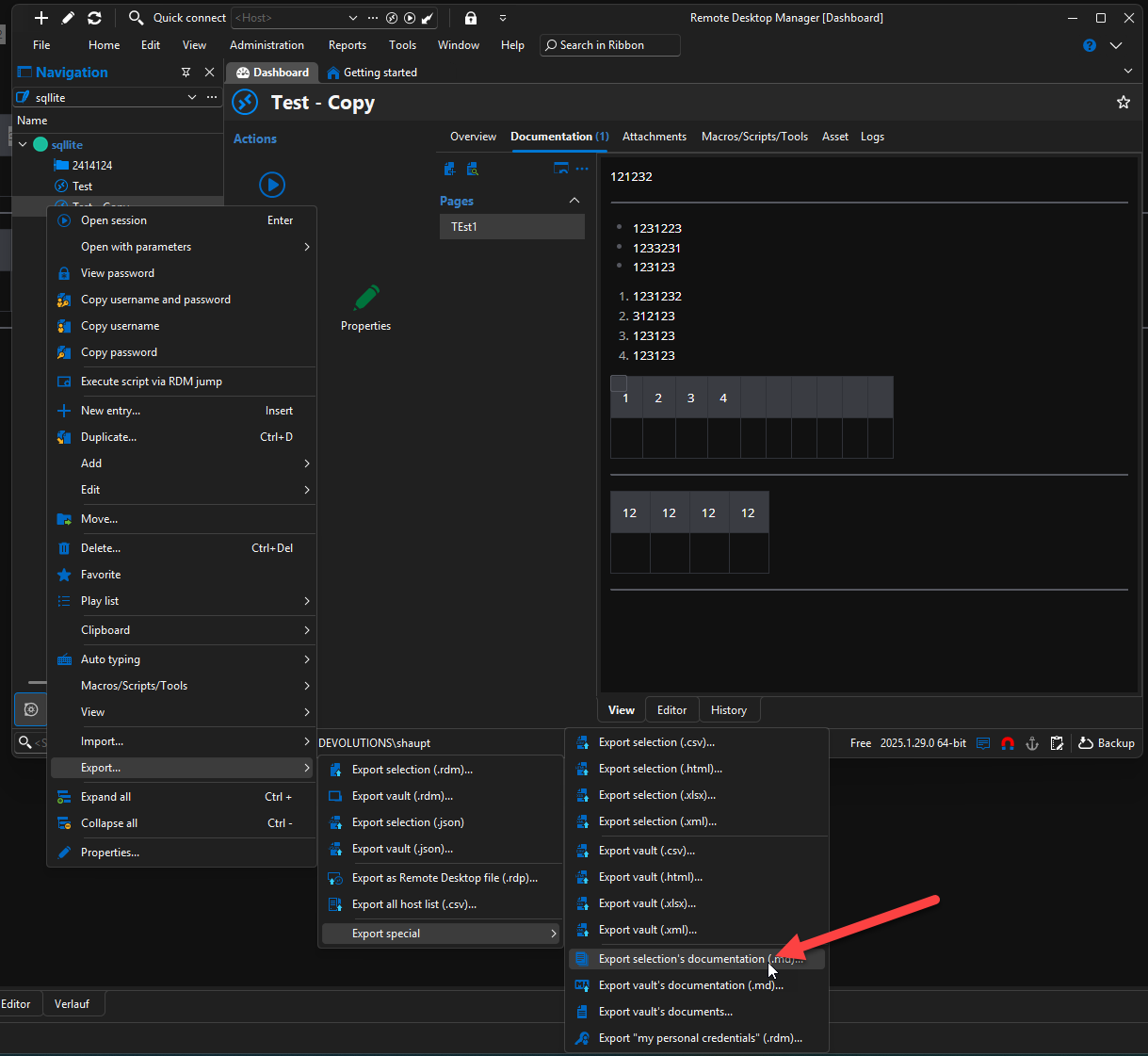
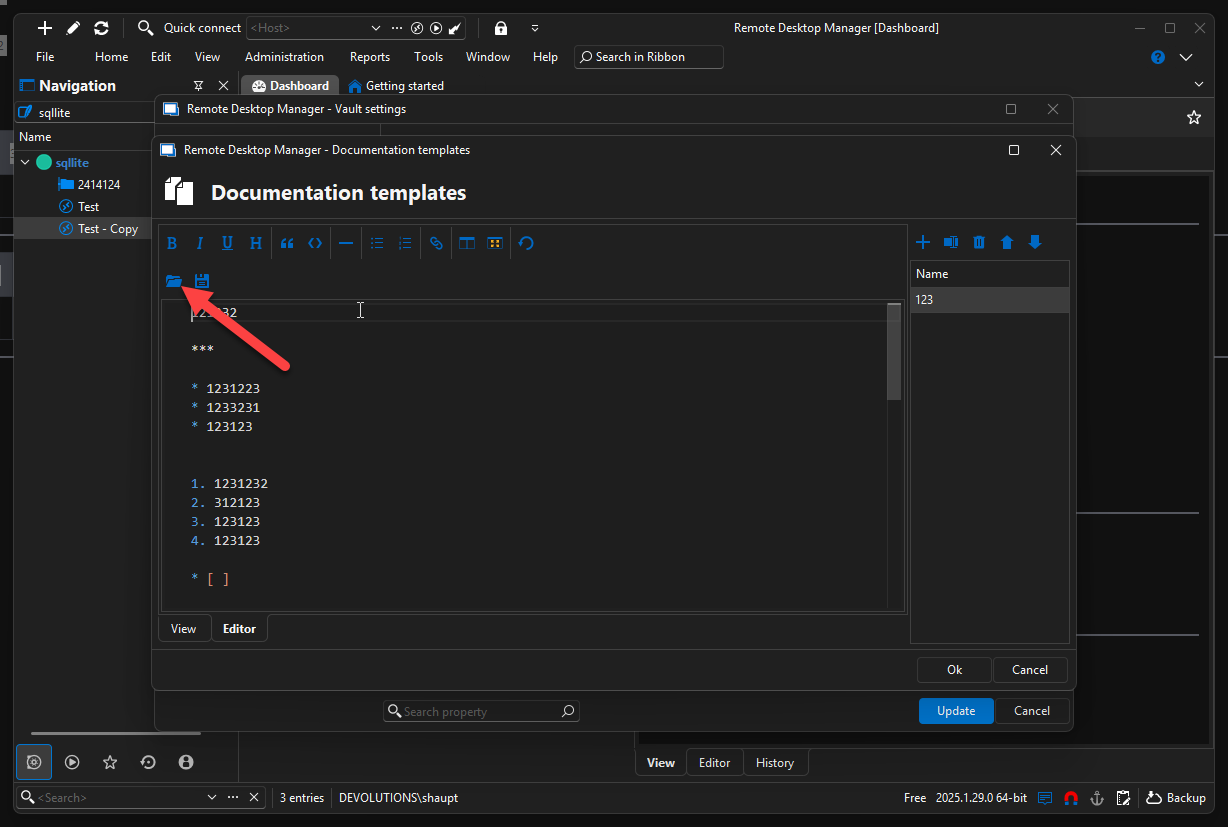
The easiest solution I’ve found, for using a existing documentation as a template, is to export the documentation as a .md (Markdown) file and then open that file in the Template Editor. This way, the content and formatting will match exactly, and any new documentation created from that template will look just like the original.
I’ve included screenshots below—please let me know if that works for you or if you run into any issues.
Best regards,
Stephan