Sophos Connect 2 - security concerns

Hello,
when opening a Sophos VPN connection, the credentials are displayed in cleartext: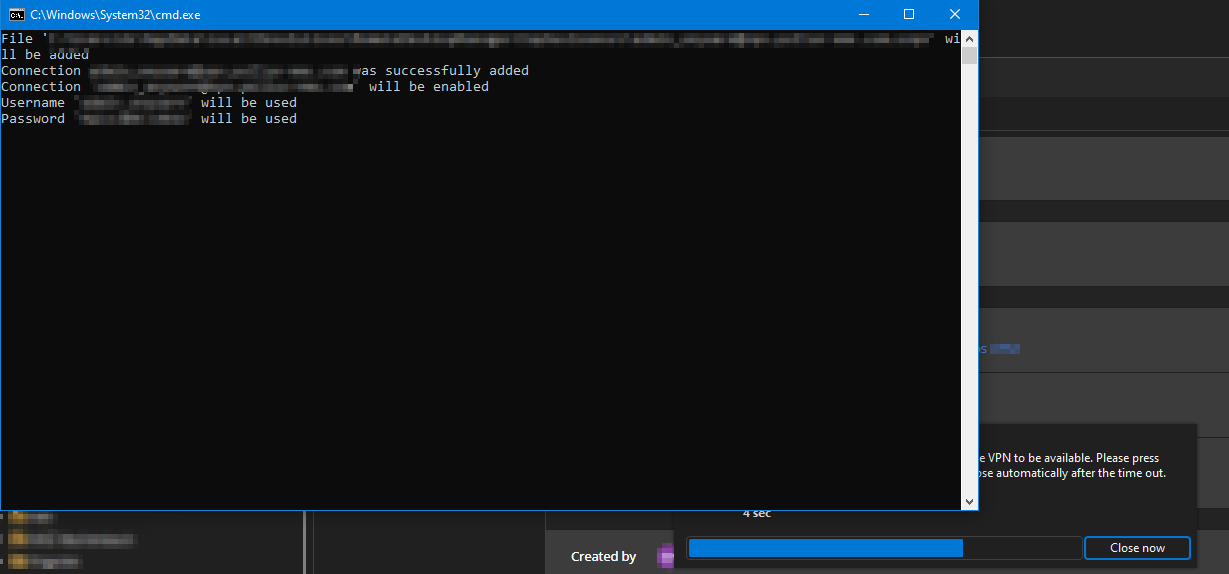
ist there a way to hide this?
Second thing is - how does the process work? How are the credentials transmitted to the client?
Is there a possibility to "sniff" the commandline/credentials, even if the cmd box is not displayed and if yes, how could this get hardened?
Best regards,
Daniel
fca8e6ae-7c2e-4e25-9574-de1477d77180.png
All Comments (17)
Hello,
We will investigate if any improvements can be made to this module.
Sometimes command line arguments can get logged in the system's event viewer and/or the task manager process list.
Regards,
Mathieu Morrissette
Hello Mathieu,
thanks! Exactly this "Sometimes command line arguments can get logged in the system's event viewer and/or the task manager process list." ist also an important point.
Best regards,
Daniel
Hello,
is there any update yet?
Best regards,
Daniel
Hello,
Thank you for the follow-up.
Based on the internal case created to address this issue, it is currently in the backlog but is expected to be reviewed soon.
Best regards,
Jacob Lafrenière
Hello,
Could you confirm the file extension of the configuration file you're using?
Regards,
Gabryel Poisson
Hello,
VPN type: Sophos Connect
Version: V2
Configuration mode: Data (imported files are usualy .ovpn)
Best regards,
Daniel
Hello,
Thank you for the information.
We attempted to reproduce the issue; however, we are currently unable to do so.
We have reached out to Sophos, but unfortunately, they do not provide support or documentation for CLI-based testing in this context. Additionally, Sophos Connect requires a Sophos Firewall to function properly, and we do not have access to this product on our end.
As a result, we currently have no reliable way to simulate or reproduce the issue involving username/password prompt through the CLI.
If there are any alternative connection methods or additional reproduction steps you can share, we would be happy to try them.
Best regards,
Gabryel Poisson
Hello,
"If there are any alternative connection methods or additional reproduction steps you can share, we would be happy to try them."
What kind of information could help?
That Sophos could not help in this matter is kind of sad. As I am not aware, how you submit username and password to the Sophos CLI, I just assume,
you do it like a script with parameters, so the username and passowrd is submitted in cleartext.
Could this be a solution?
a) hide CMD window or at least start it minimized
and
b) set the CMD color to background color (e.g. black)
and optional
c) do not submit credentials to CMD (just open it), but paste them in the afterwards opening Sophos Connect GUI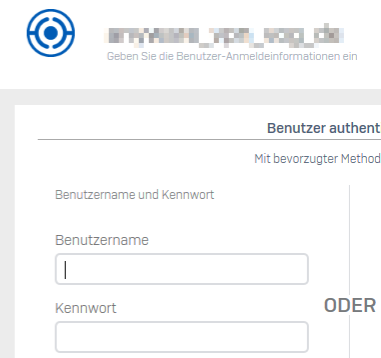
Best regards,
Daniel
87d6538c-8511-48e0-9a0f-232046c5ffcc.png
Hello,
We are investigating a potential fix by injecting the credentials directly in the process standard input.
Regards,
Mathieu Morrissette
Hello,
thanks for your efforts!
Regards,
Daniel
Hello,
We have resolved the issue, and the fix will be included in the next major release (2025.3).
Since we have no test environment, please consider this a tentative fix.
Best regards,
Gabryel
Thanks for the update!
I will give feedback.
Best regards,
Daniel
Hello,
Good news, the fix will be included in the next update (2025.2.21.0)
Best regards,
Gabryel
Hello,
unfortunately I can see no difference: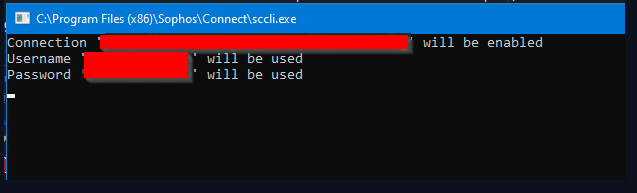
The username and password are still visible in cleartext.
Do we have to change something in the object-configuration?
Best regards,
Daniel
1d43d808-98a1-4ced-9a78-ae9450795e2f.png
Hello,
Do you have the new option enabled? Ensure that the "Authentication type" is set to Credentials, and that standard input is enabled.
If you continue to experience issues, please don't hesitate to reach out to us.
Regards,
Gabryel
f2b09d47-233f-4ab3-8d18-c9abfb55028f.png
Hi,
this is only possible, if I enter username/password directly into the connection mask, but not, when already a link to a vault-item exists.
When manually entering user/password and then switching to a vault-item back, it works.
Example - existing connection, linked to a user/password item - can not activate the checkbox "Use standard input for authentication":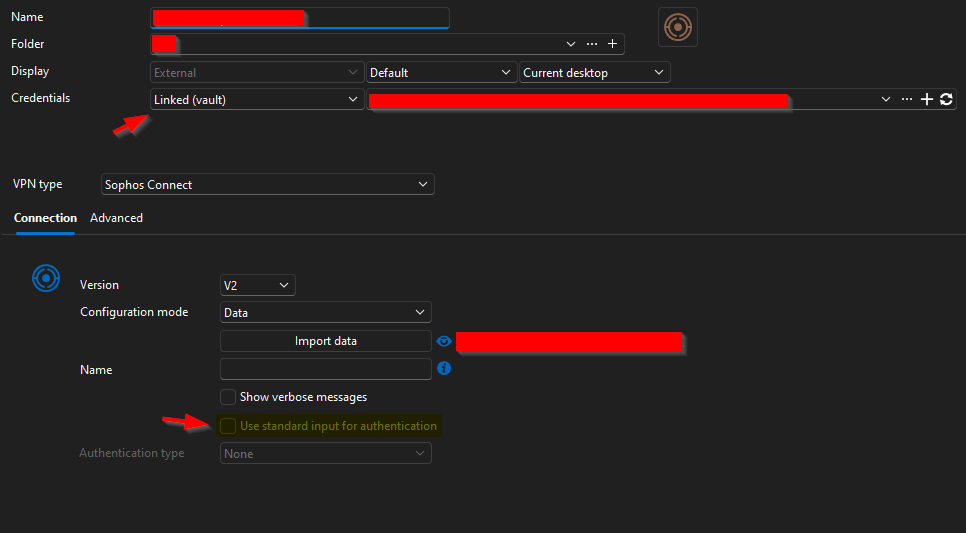
Example - when having the credentials in the mask itself: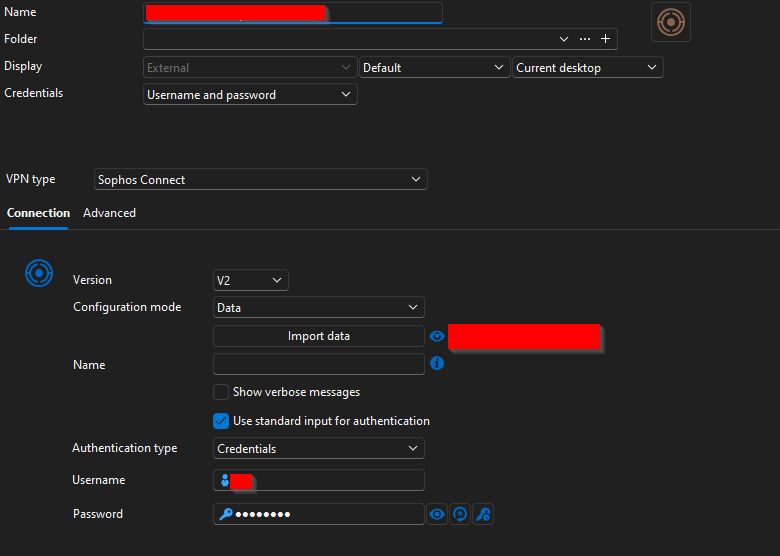
Additional, when entering the credentials directly into the mask and then afterwards switch to the user/password item in the vault, it works, even, if the data checkbox "Use standard input for the authentication is greyed out - the checkbox ist still marked: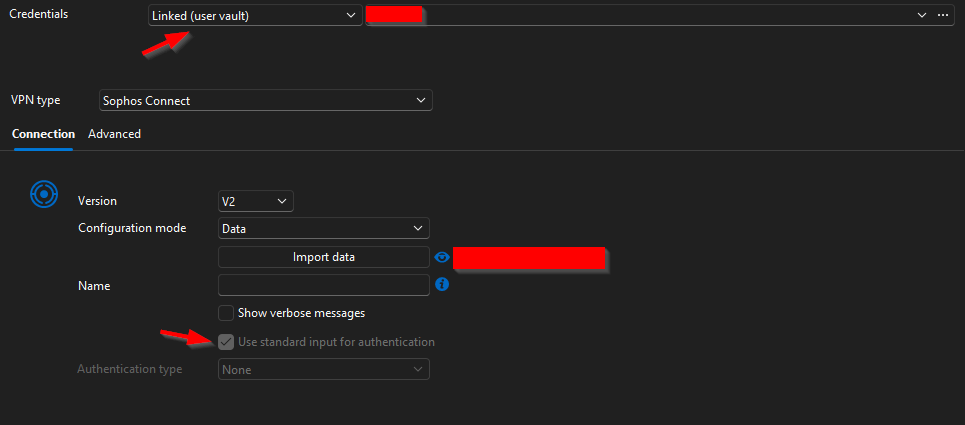
So, the checkbox is inactive, when allready a Linked user/password exists.
Best regards,
Daniel
93fba914-a7bd-41cd-b839-177b8499c20f.png
d4d66f5f-2247-47d6-ae95-78d6cd702267.png
10fc1fc7-2907-48ea-9d7e-e7386c76b82f.png
Hello,
We have resolved the issue, and the fix should be included in the next release (2025.2.25)
If you continue to experience issues, please don't hesitate to reach out to us.
Regards,
Gabryel