View Only to also disable clipboard
1 vote

Hi
First of all thank you for a great product, has made my life easier.
I use the function "View Only" alot when giving TeamViewer connections to collegues that do not have direct access to our customers.
I think it would be nice if the "View Only" also disables the clipboard while active so that it is easier for all parties to copy and paste information without interfering with each other.
Thanks in advance
Marcus
All Comments (7)
Hello Marcus,
Thank you for your kind words :) And thank you for your request and interest. To be honest, we have so many entries, I'm not familiar with all of them. When you talk about "View Only", are you referring to the Presentation mode available in a TeamViewer entry?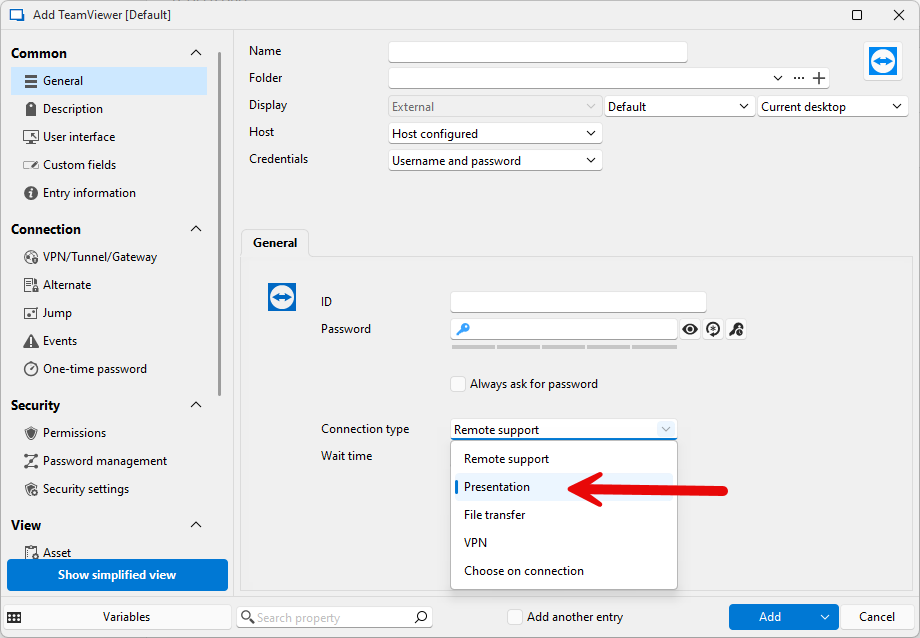
Best regards,
François Dubois
06734d9f-6b90-4f10-bfed-a7b5c44a866c.png
Hi
Its the one where you right click on a active session tab and choose the option "View Only" in the drop down list, i use that one alot to not interfere with mouse movements in the session when i move around on my own computer. 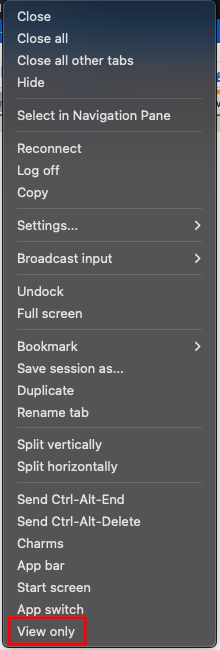
/Marcus
ViewOnly.png
Realized i may have put this one in the wrong feature request forum, this is for RDM client, can it be moved there or shuld i start a new thread there?
/Marcus
Hello Marcus,
No problem, I will move it to the RDM section. We will take a look at what is possible and post back here once we have an update.
Best regards,
François Dubois
Hello Marcus,
Could you give us the following information:
- What platform of RDM you're using (Windows, Mac, Linux)?
- What version of RDM you're using?
- What entry type you're using?
I've been testing on my end with the latest version of RDM Windows, and I don't see any way to make Teamviewer in "view only" mode. We only open it in external mode which means we don't have the tab where these options are usually visible. From what menus are visible, it looks like you're using RDP, is that correct?
For RDP, on Windows, when I activate the "view only" mode, I'm not able to use the clipboard. If you're encountering a different behavior, it might be more of a bug than the way it's intended to work.
Regards,
Hubert Mireault
Hi, yes here are the information.
- What platform of RDM you're using (Windows, Mac, Linux)?
- Both Windows an Mac, mostly Mac nowdays.
- What version of RDM you're using?
- Currently the newest 2025.1.16.1, but was on 2025.1.13.1 when i wrote here.
- What entry type you're using?
- RDP, the TeamViewer session is within the RDP session due to placement of servers.
I will check a bit more on my side, unsure i had this issue both on Windows and Mac, but maybe only on Mac...
/Marcus
Thanks for the information Marcus, I'll be waiting for your tests to confirm what platform the issue seems to happen on. It's possible it's linked to FreeRDP as well, since Mac doesn't have access to the MSTSC ActiveX like we do on Windows.
Regards,
Hubert Mireault