RDM multi monitor

My setup:
- Host: Mac Mini M2 with two monitors, running Sequoia
- Guest: Ubuntu laptop with a single screen
I’d like to use both of my monitors when connecting to the guest via RDP (using Remote Desktop Manager).
I’ve tried every setting I could find, but nothing seems to work.
RDM version: 2024.1.13.3
Interestingly, if I use Ubuntu as the host (with two monitors) and connect to another Ubuntu or Windows machine (with only one screen), it works — I can use both monitors on the host side without any issues.
All Comments (3)
Hello,
Thank you for contacting Devolutions Support.
To use multiple monitors, you will need to set your RDP session to External mode.
You can find this setting by navigating to Entry Properties > General > Display.
Please let me know if this resolves the issue or if you need any further assistance.
Best regards,
Jacob Lafrenière
Using external rdp ( official microsft rdp ), but it use always only 1 monitor :/
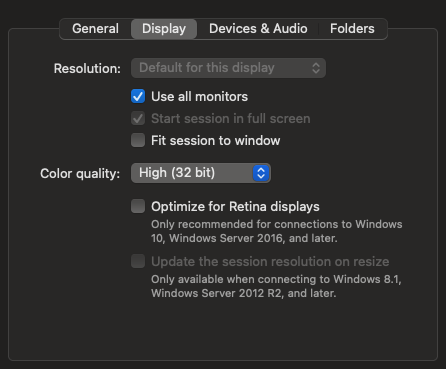
immagine.png
Hello,
Thank you for the follow-up.
Are you using the external mode like this?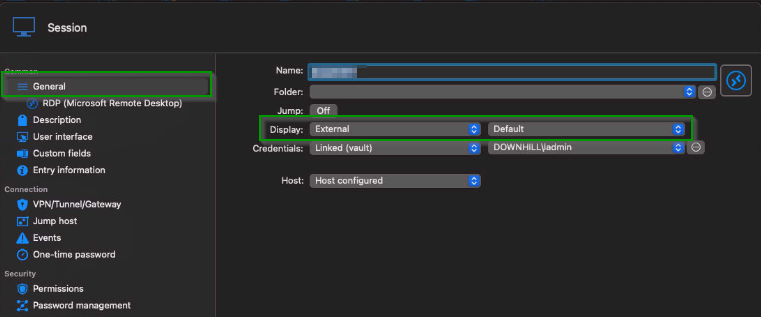
I look forward to your reply.
Best regards,
Jacob Lafrenière
bf13aef0-4ce0-489c-9c52-ee6aba6bba30.png