how to hidden function area overlapped on full screen tab?
how to hidden function area overlapped on full screen tab?
1 vote

I have Windows11 runs Remote Desktop Manager 2025.1.33 x64 with two monitors:
on the left(1st) monitor, it runs RDM control panel, it looks OK.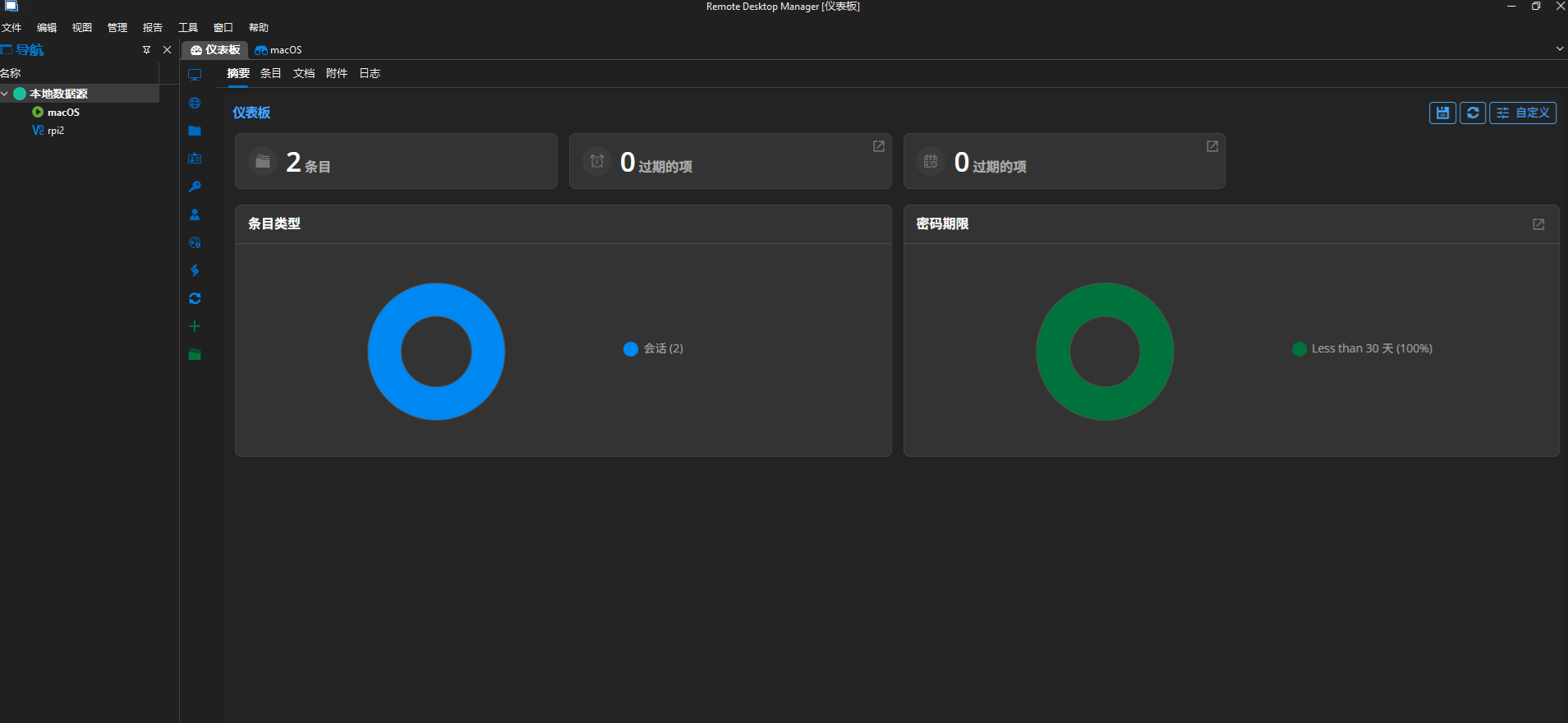
on the right(2nd) monitor: it runs a macOS ARD full screen.
the problem is that: in red color area, it always shows an overlapped function panel, currently it looks that this red color area panel cannot be hidden or move to left(1st) monitor.
this function panel is very annoying when I operate on macOS full screen(2nd monitor), I need to move this small panel frequently when I operate on macOS app menu items.
how can I hidden this red color area function panel or move it to left(1st) monitor?
due to I have two monitors, I really don't need this red color panel always shows on right(2nd) monitor.
it is perfect if the 2nd monitor shows pure remote desktop full screen content.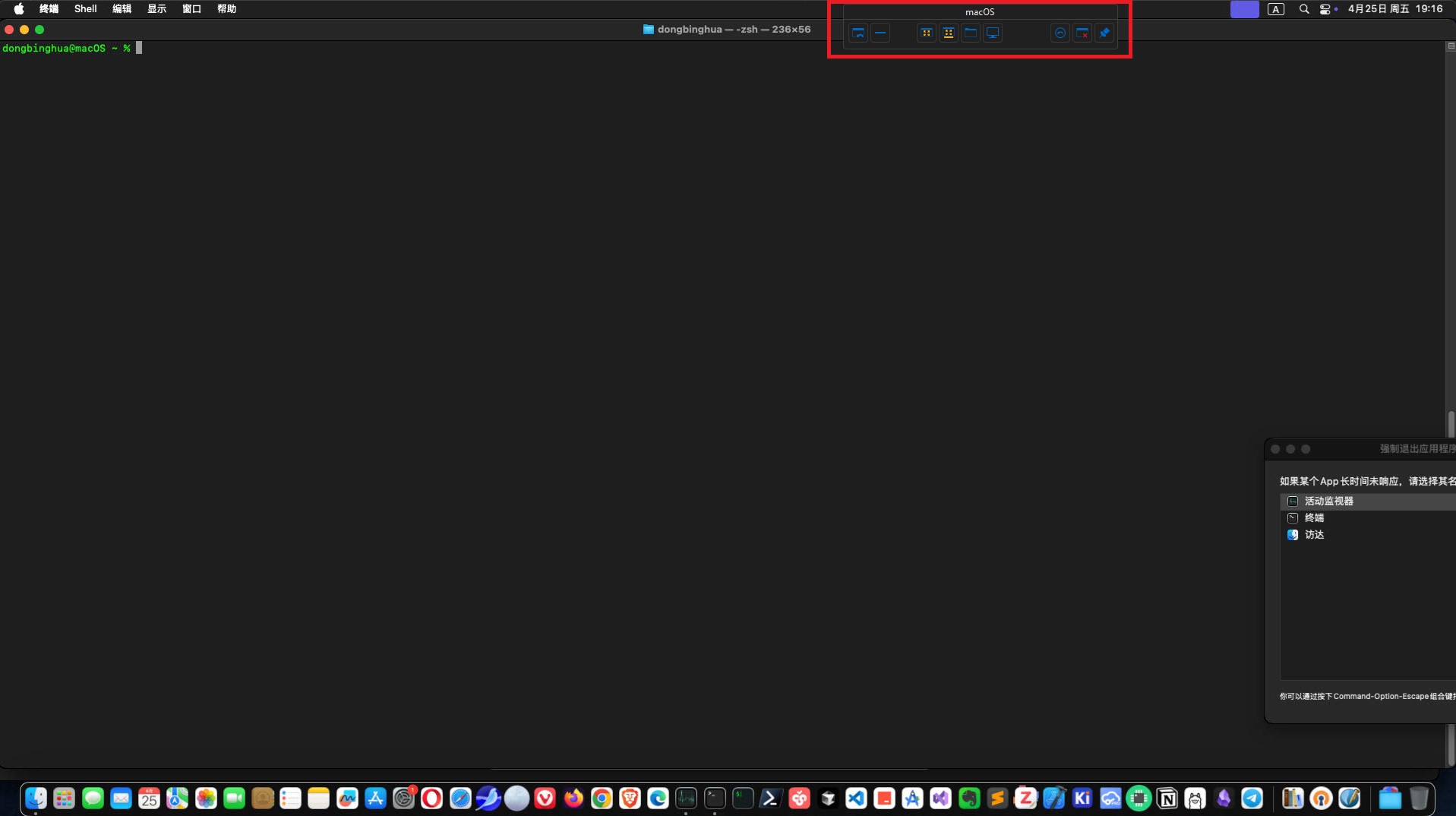
thanks a lot;
best regards.
rdm_right.jpg
rdm_left.png
Recommended Answer
Hello,
Thank you for contacting Devolutions Support.
I was able to reproduce your issue; however, I believe this behavior is intended, and currently, there is no option to remove the overlay.
That said, I will move this thread to our Feature Request forum, where our developers will review your suggestion.
Best regards,
Carl Marien
All Comments (5)
Hello,
Thank you for contacting Devolutions Support.
I was able to reproduce your issue; however, I believe this behavior is intended, and currently, there is no option to remove the overlay.
That said, I will move this thread to our Feature Request forum, where our developers will review your suggestion.
Best regards,
Carl Marien
Hi Carl,
Thanks a lot for response.
hope the future release can have an option to fix this and make the software better to use.
best wishes,
Hello
Actually I think there's a minor UI bug here. The last icon in the toolbar (the "pin") is for pinning and unpinning the toolbar, but the tooltip text is wrong (it says "keep tab on disconnect" in the English localization). That's not correct; possibly the localization got repurposed at some point.
Anyway, if you "unpin" the toolbar (click the pin icon so it shows like in my screenshot); a couple of seconds after moving your mouse out of the toolbar it should collapse out of the way. You can restore it by mousing over it again.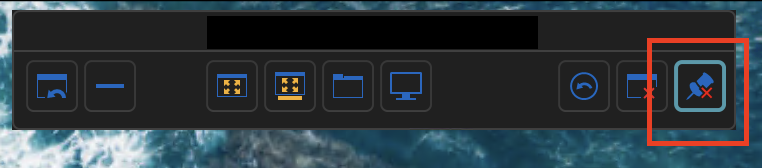
In case you aren't aware, you can also move the toolbar horizontally by dragging it.
Let me know if that helps
Best regards,
Richard Markievicz
Screenshot 2025-04-25 at 21.22.28.png
Hi Richard,
wow, thank you so much. The pin/unpin button works. It can auto hidden the overlay function panel for me now.
as you mentioned this button has misleading tips,
and it also has a little bit confuzing four-state icon changing behavior, with/without blue_box_line, with/without_red_cross.
it looks like that the blue_box_line only indicate the button recently be clicked. :-)
best regards.
have a nice day.
Hello
I'm glad that the feature is working for you even if the UI has got a bit confused.
I've made a ticket to correct both the tooltip and the confusing tri-state behaviour.
Please, don't hesitate to post again with other questions or comments.
Kind regards,
Richard Markievicz