Add RDP connection progress indicator
1 vote

I'm sure I'not a first one but anyway:
Please add progress indicator to the RDP connection!
At least as a native RDP does.
All Comments (3)
Hello,
Do you have a screen capture of what it looks like in RDP? How long does it take you to connect and where does it seem to take a long time?
We already have a message when establishing the connection: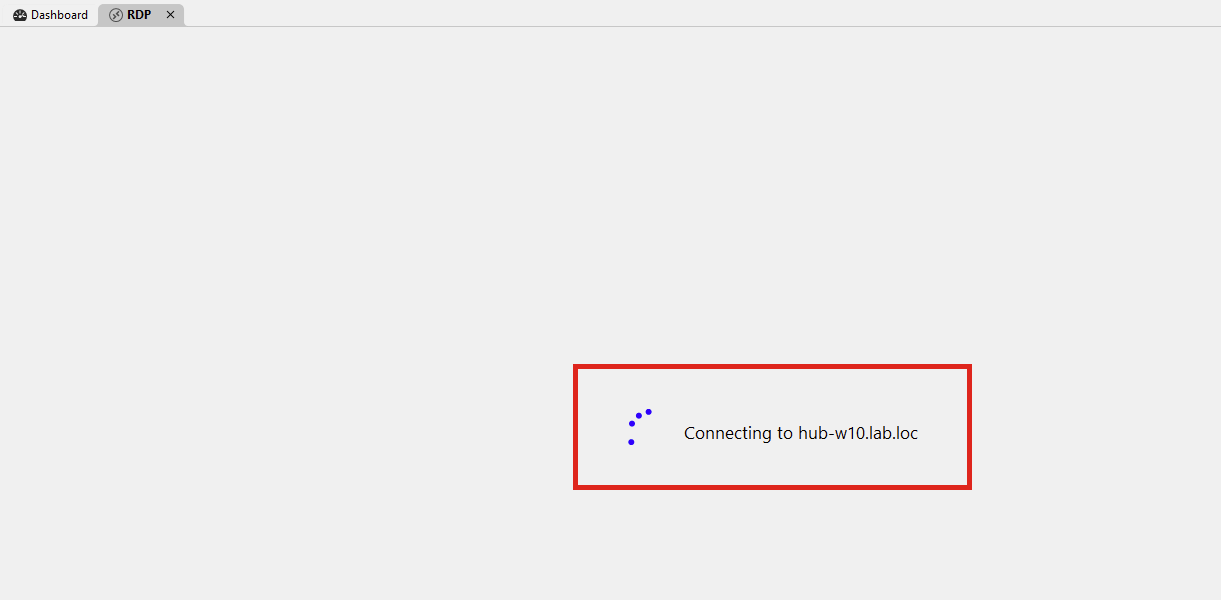
After this process, the connection is established and I'm not sure if it's possible to add a progress past this, as the RDP control is marked as connected.
Regards,
Hubert Mireault
22489a38-9143-4581-b36a-61f11da31ee4.png
Hi,
No, I don't have such progress indicator! Please refer to the video file "Forum-44590.mp4" that I uploaded in regard to another bug. I have simply nothing. Connection time depends on a network and whether RD Gateway is used or not but generally is in 3-7 seconds range.
But anyway, I'm more talking about original original mstsc status messages (at the bottom of small connection window) that are shown during connection rather simple spinner. These messages are not only informative but actually sometimes help troubleshoot connection. Would be great to have them in RDM too.
Thank you for pointing me to your video. It's strange since no matter my configuration, I'm not able to reproduce the missing progress indicator. If that indicator appeared, would you say this is good enough for you? If so, then we could open a case on our end to try and reproduce this issue.
For the MSTSC messages, I assume you mean the window that looks like this: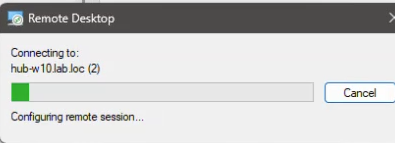
Is this correct? We'd have to investigate to see if this is information that's possible to show. If that's the case, then we'd aim to show it at the same place we currently show "Connecting to <Host>".
Regards,
Hubert Mireault
a59f1789-0761-4353-8e16-d8a2aa98d4c8.png