CyberArk PSM Linked Vault no longer working properly

I upgraded to 2025.1.31.0, the CyberArk PSM PVWA linked vault configuration no longer works properly. Sessions that I have saved to connect to various servers will now attempt to connect directly to the target server without first contacting the PSM server associated with the 'preferred component' configured on the session. This fails to connect, prompting for a password despite having the PSM credential linked and connection component configured.
This worked before the latest update.
All Comments (15)
Another user reported using the CyberArk dashboard no longer works. Authenticating to CyberArk via the dashboard is successful, their safe accounts show up just fine, but when trying to connect to a session from the dashboard, the connection component popup comes up and the user chooses the appropriate component, but then nothing happens. No errors, no connection attempt made. I had the user turn on debug level 3 and try again, same issue and no application logs were generated.
Hello,
Thank you for reaching out!
My name is William and I'm here to assist you in any way I can.
Would it be possible to confirm the Data Source and its version you are using? Also, can you confirm that the version you were on previously when it worked?
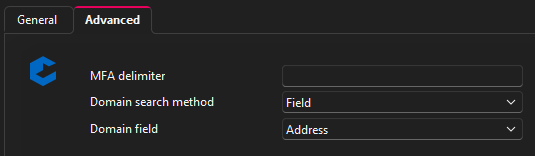
As for the first issue with the PVWA credential entry, could you confirm the configuration with a screenshot of both the General and advanced tab? I want to make sure the entry is correctly configured with the resolving mode to PSM Connection. 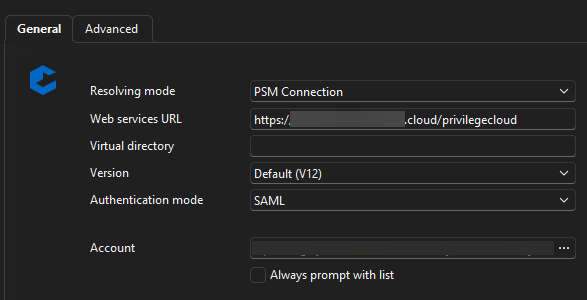
As for the second issue, would it be possible to confirm how you are using the CyberArk dashboard, are you using the open using dashboard on double click?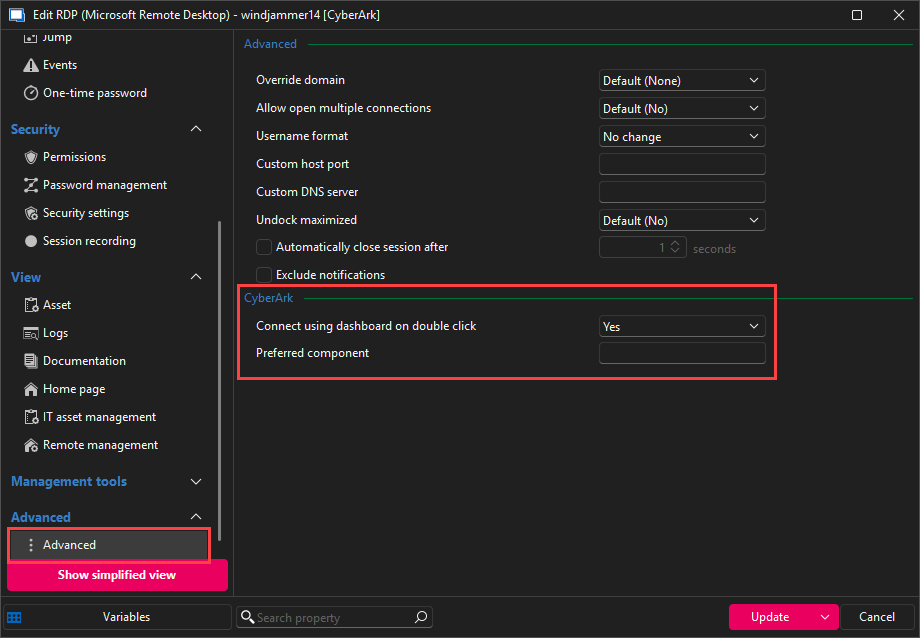
Feel free to reach out if you have any questions or need further clarification.
Best regards,
687df796-cd72-4ebb-8ede-c03d430a6bfb.png
7172ea0d-ee75-407f-81cf-4fe0783fc4dc.png
d534e28b-edba-4778-905b-f19f440c5143.png
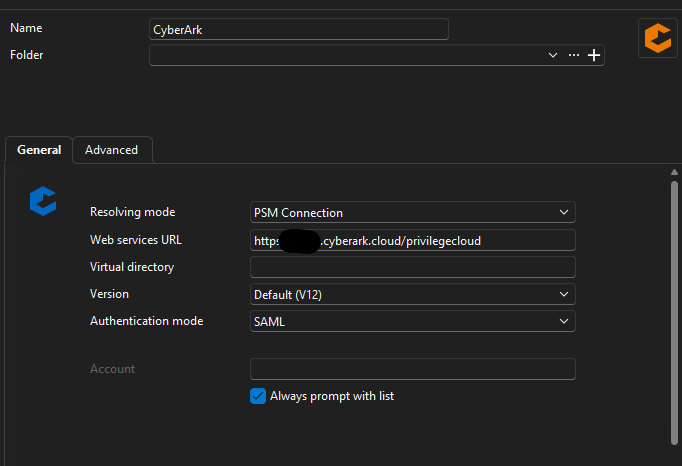
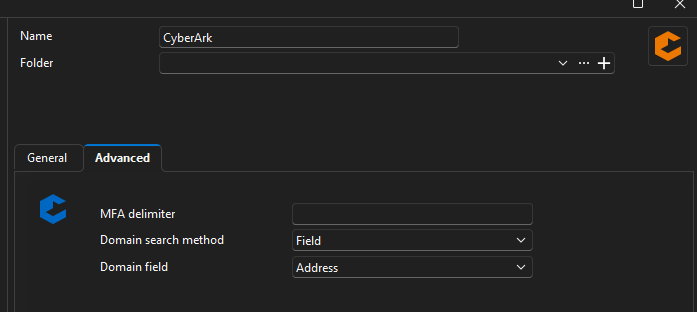
Here are my settings for PVWA. This has not changed in several weeks. The last version that it worked for me was 2025.1.30.0.
Users that have the CyberArk dashboard, some have doubleclick, some do not. Neither work, I had one user go direct to the dashboard and use the connect button, it pops up to ask for the component, but then does nothing after that.
Screenshot 2025-04-22 142533.png
Screenshot 2025-04-22 142630.png
On my machine, I downgraded to 2025.1.30.0 and the PVWA setup works without issue.
Hello,
I can confirm that I'm able to reproduce the issue on my side. When using the CyberArk Dashboard, double-clicking on my RDP entry does nothing and RDM doesn't even hang, showing that it is trying to do something.
Also using an RDP entry with a PVWA credential, I'm prompted to authenticate directly to the machine and not going through the PSM: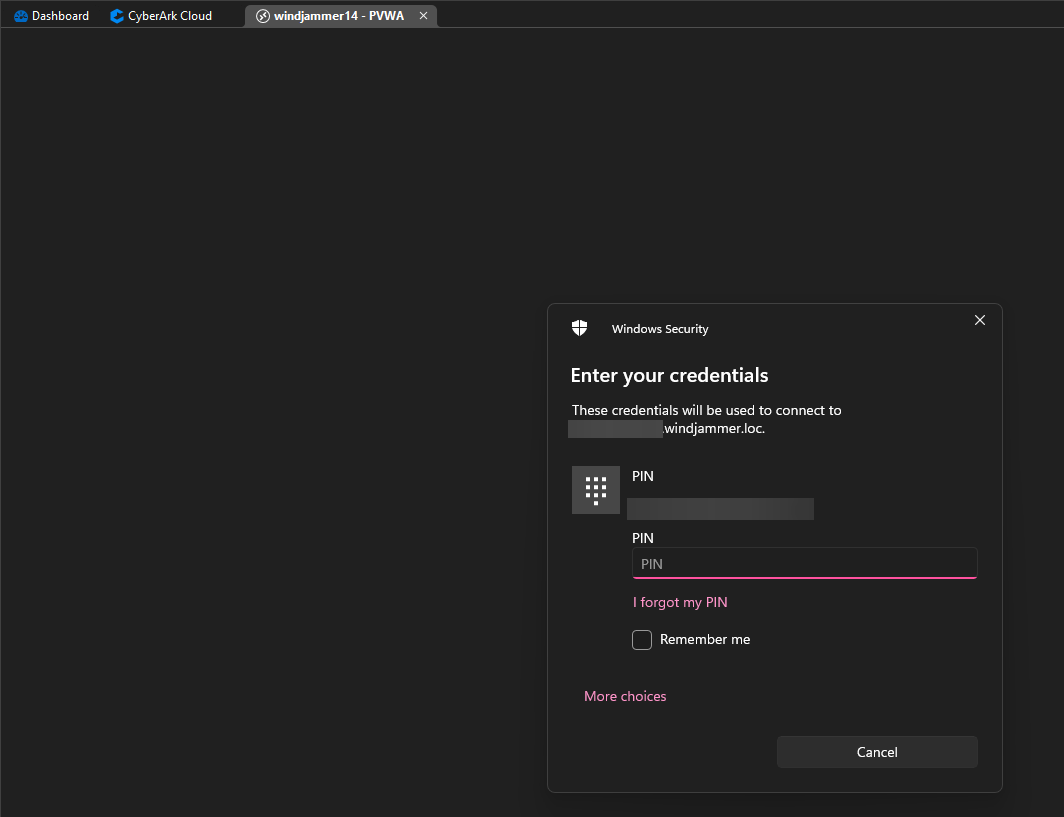
I sent the information to our development team and I will let you know as soon as I have more information from them.
Best regards,
4548f11f-70e3-4ce9-9f47-1a7c12770051.png
Hello,
Would it be possible to get a profiler trace with both version of your RDM?
To do so, head under the Help tab in RDM and open the Performance Profiling tool.
With the window open, select the Debug Only tab and set the level to 65537.
Leave the profiler window opened (Do not close it, as it needs to be opened in order to gather the logs) and try replicating the issue.
If possible, do this with both version of RDM so that we could compare the result of the logs. You can copy the content of the window and send it over to service@devolutions.net with a link to this forum thread so that it gets assigned to me (or you can respond to my email from the previous ticket you opened).
You can set the debug level to 0 after replicating the issue and close the profiler window.
Feel free to reach out if you have any questions or need further clarification.
Best regards,
Sent debug logs for both versions.
Hi Michael,
Thank you for the logs.
In the 2025.1.31 version of RDM, we changed the URL used for API calls. Prior to .31, we used the URL provided in the configuration. We now use the URL returned by CyberArk while bootstrapping the connection. We can see in your logs that the call to PSMConnect uses the new URL and is the one failing.
That being said, I believe I have a fix for your issue.
You can wait for 2025.1.34 to test or I can send you a beta version containing the potential fix.
Let me know which you prefer.
Regards
Jonathan Lafontaine
Ok, I can try the beta version. Thank you!
Hello,
I sent you the .zip file from our ShareFile account to the email associated with your forum account.
Let me know if you did not get it.
With the .zip file, you can export the content and run RDM directly from the folder by selecting the RemoteDesktopManager.exe file. Note that you might need to reconfigure your data source.
Best regards,
Hello, I was unable to run the beta due to Microsoft Smart Screen blocking it. We cannot bypass that on our corporate systems. I see that 2025.1.34 was available today, I installed it, but the issue remains.
Hello,
Thank you for the feedback.
Unfortunately, we found that the fix broke when we packaged the client version of 2025.1.34.0. Our integration team are working on fixing it for the 2025.1.35.0 release.
Best regards,
The issue seems to be resolved now? The version number has not changed, however, today I tried connecting to a saved session and it is re-directing to the PSM for the connection now whereas before, it was trying direct. Other users here are reporting it is working now. What changed?
Hi,
Our CyberArk Cloud instance updated this weekend and my guess would be that yours did too.
That would mean you instance is now up to what RDM expects or whatever the problem was, it was a bug and CyberArk fixed it.
Either way, I'm glad it is now working for you.
Regards
Jonathan Lafontaine
Ok, thank you for confirming.