Select highlight is the same color as the text on Mac

Hi all, I've started using RDM and I really like it, however, in the Mac Terminal (Tools -> Terminal) the standard text is white and when you select text, it's also white.
I'm on MacOS Sequoia- Version 15.4
I'm on the latest version of RDM I think - V2025.1.13.3
It's the same on all themes also - Is there a way to change this?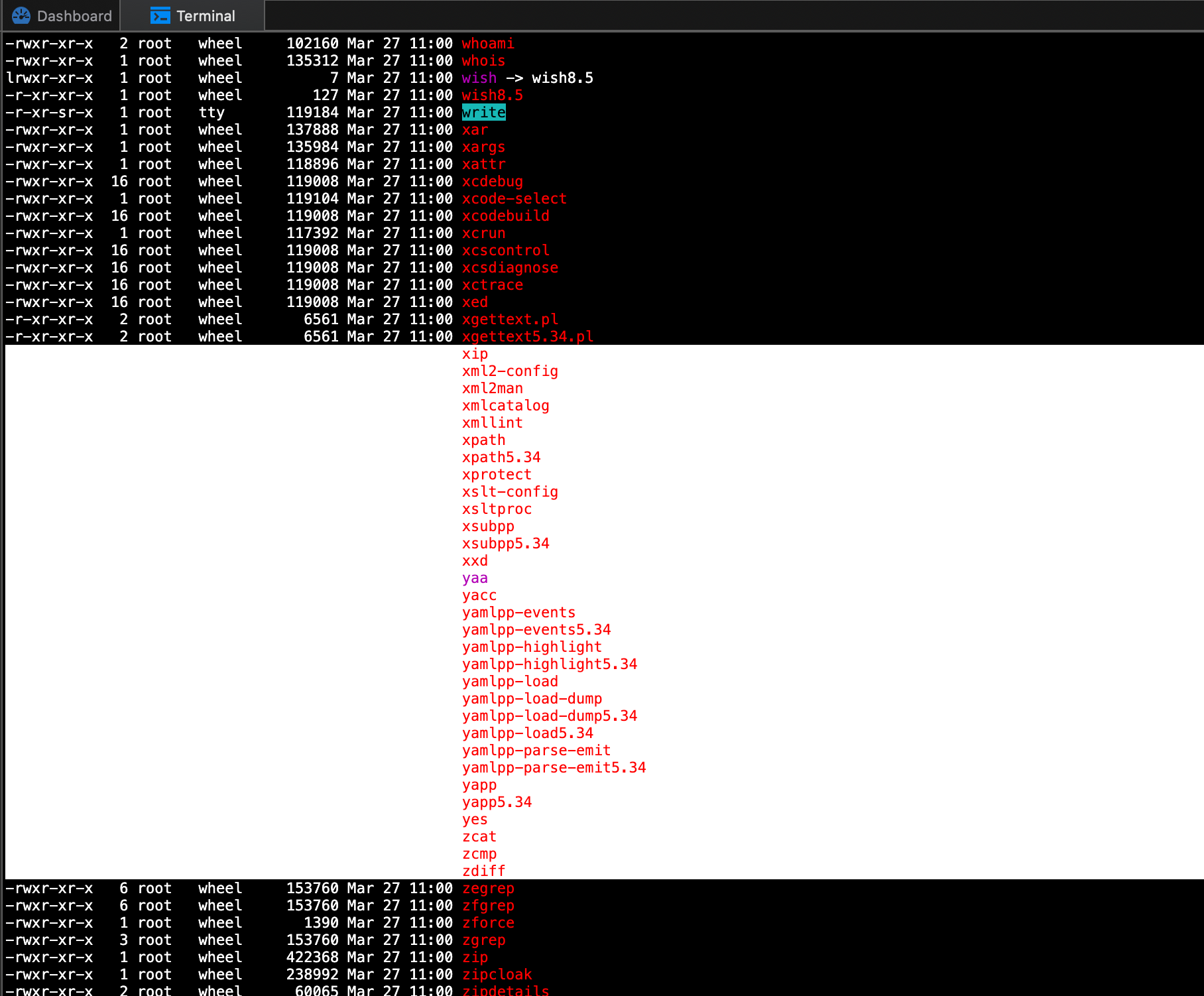
ffb48332-489b-4115-a4f5-5d7fe226cfaa.png
All Comments (4)
Hello,
Thank you for reaching out regarding this.
You can access the Terminal customization menu by navigating to:
File > Settings > Types > Terminal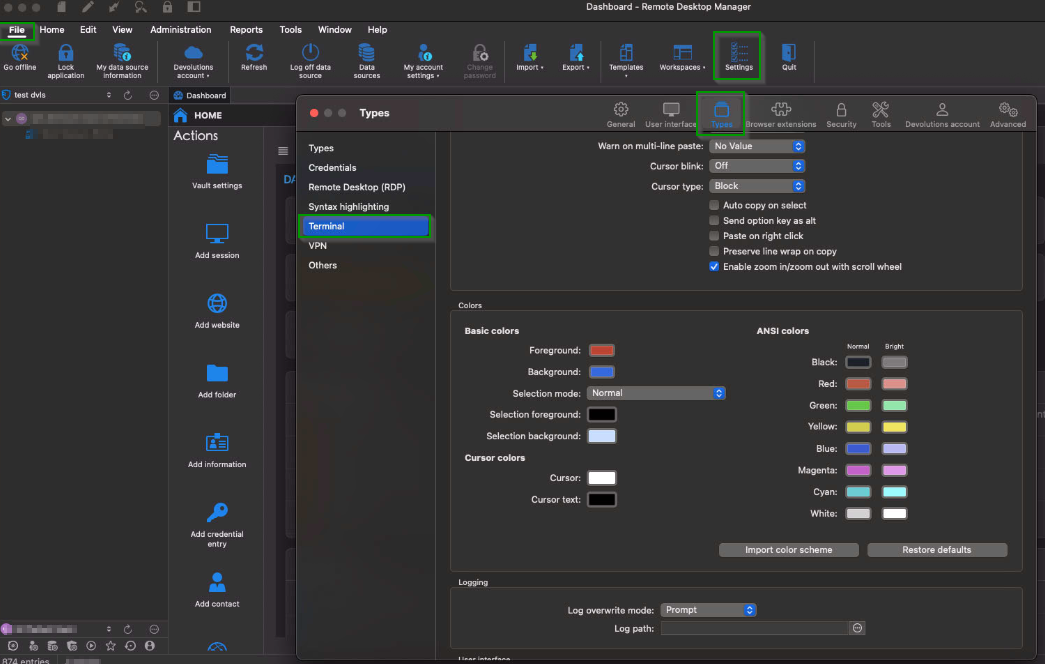
Feel free to let me know if you need any additional information.
Best regards,
Jacob Lafrenière
ec985522-f987-4fdc-8997-3dab6034cf90.png
Thanks @Jacob Lafrenière, but I can't see how to make it accept any new colour, and even if I change to "reverse" it's the same.
Here's a screen recording and hopefully I'm just doing something stupid: https://drive.google.com/file/d/1Fi8BOXxvH_hhPQ39JnxG4waousQb2wLc/view?usp=sharing
Hello,
Thank you for the follow-up.
The foreground color will change the font color, while the background color will adjust the terminal background.
Please note that you’ll need to reopen the terminal for the changes to take effect.
Let me know if this works for you.
Best regards,
Jacob Lafrenière
Thanks!
