Tab Caption unreadable

Hi, I've been using RDM for years and has been flawless, but now with this update(2025.1.30.0 64-bit) tab captions become unreadable due to scheme color changing only on tab captions for no apparent reason.
at startup: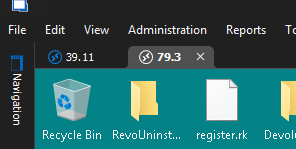
after a while being used: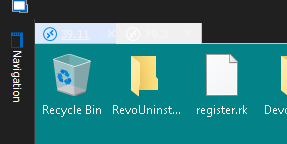
Is there any config setting for these issue?
thanks
BR
1bb62bcd-7b29-40ef-a042-716f8764a2d2.png
6c77380c-9c94-4c56-b64a-f828f9d7a571.png
All Comments (12)
I notice that is when starting RDM some auto-refresh occurs after 1.5 to 2 minutes and that's when captions change color.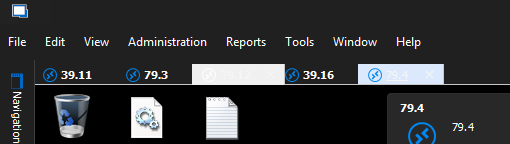
To restore tabs I have either to close and reopen RDM or close all open tabs, then captions become normal until a new auto-refresh happens.
ab948e69-4c95-4bb9-a619-7fa75de6df1e.png
Hello,
Thank you for reaching out regarding this matter.
Could you please try enabling the "Use Windows accent color" setting by navigating to File > Settings > User Interface, and then test the behavior again?
This step will help us further diagnose the issue.
I look forward to your response.
Best regards,
Jacob Lafrenière
Hi Jacob,
The option was enabled, I tried with and without, still does it.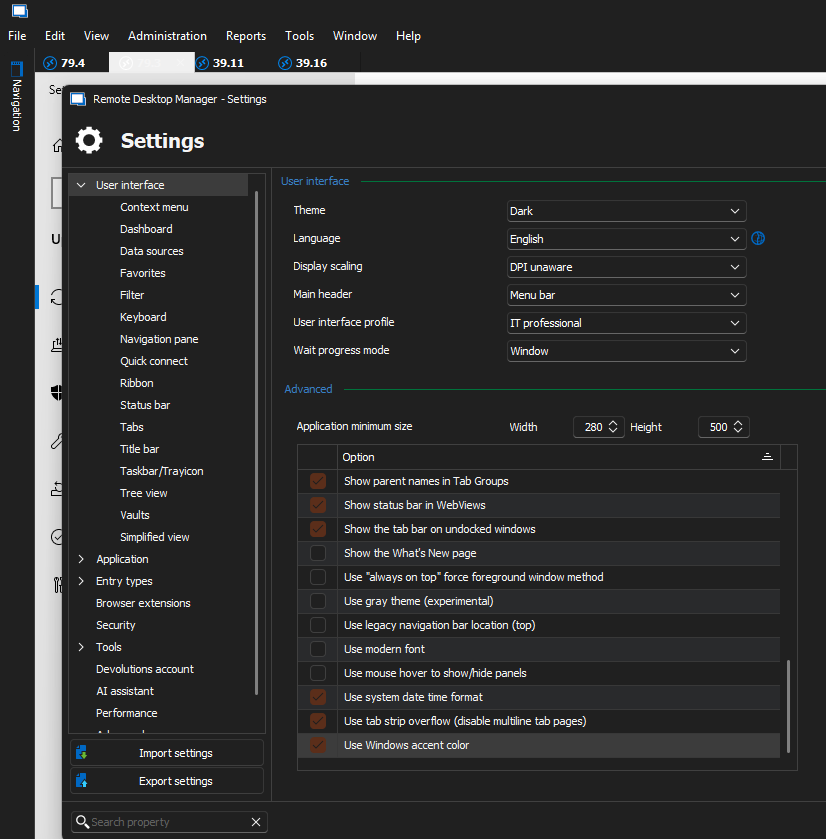
Even with the light theme: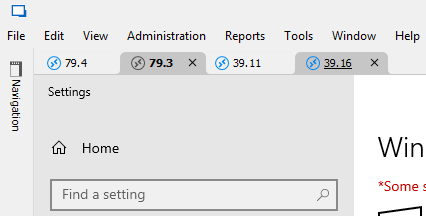
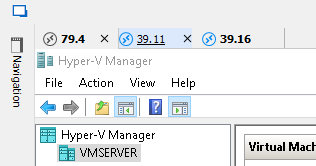
It's more legible but still messes the caption colors.
Even forcing a tab color, all starts well but after a while: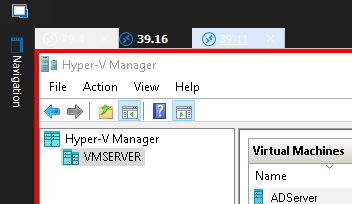
There is flickering and or some auto-refresh just before messing with the captions and hanging for a couple seconds, then it recovers from the hanging but the captions don't, if i force theme change it recovers fully.
b8b482d9-bb95-47f8-801f-ad9f74705335.png
18fd5134-c725-4e1d-b699-ce25e7b9a90b.png
e13849b1-4596-4c63-aead-80224873b022.png
200e15ca-06b5-47f9-a0ff-6afcc61d6a7c.png
0b89832b-9ed4-4fb0-8f7f-3f510232700a.png
Its worse now, after reboot: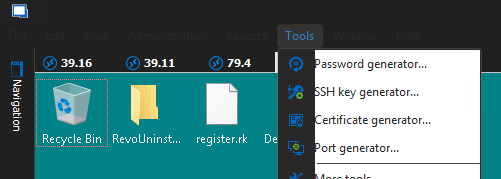
b7b27de0-a527-489e-8f69-a28fbb57b150.png
Hello,
Thank you for the follow-up.
We are investigating the issue. For the time being you can uncheck "Use Windows accent color"
I'll follow up with you as soon as I have more information.
Best regards,
Jacob Lafrenière
Figure it out, it´s when system is changing background image, I have it configured for 3 minutes, each time background changes RDM hangs for a while and then tabs lose the theme with or without "Use Windows accent color", win11 and RDM have been updated recently, before wasn't having this behavior.
Is there any way we can prevent this behavior?
BR
Hello,
Thank you very much for the hint, very helpful. I will verify with the third party we use if they have fix for that.
Regards
David Hervieux
Hello,
Could you verify if you still get the issue with RDM 2025.1.31.0?
https://devolutions.net/remote-desktop-manager/download/
I have updated the third party we use, and I hope this fixes the issue. It's really a strange bug related to the theming.
Regards
David Hervieux
Hi,
Unfortunately the problem remains.
After background change: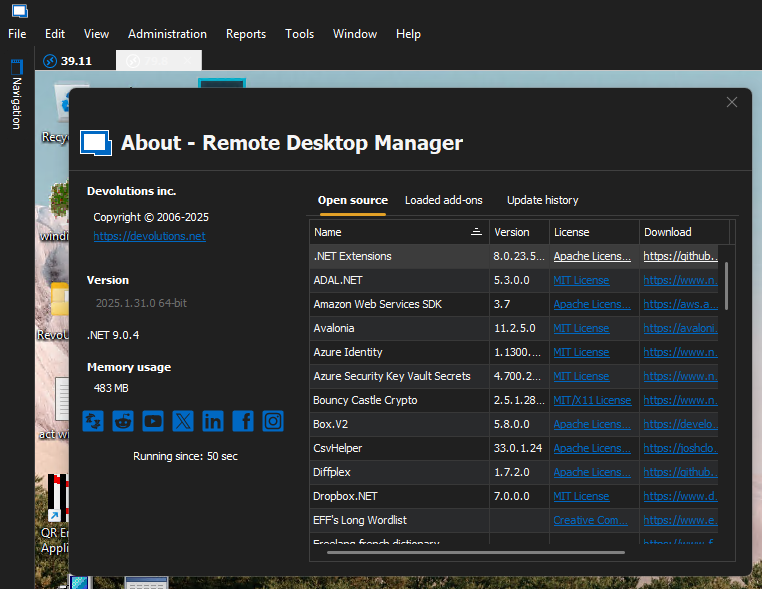
On startup: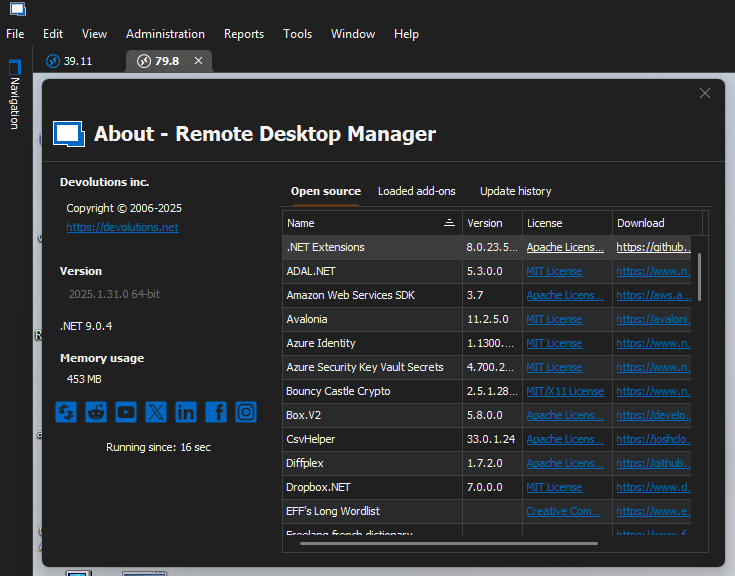
Did further testing, if its only one tab or if you undock the problematic tabs from the MDI even after the issue arises they all become normal and if I redock them again to the MDI all is ok and stays that way even with background changes.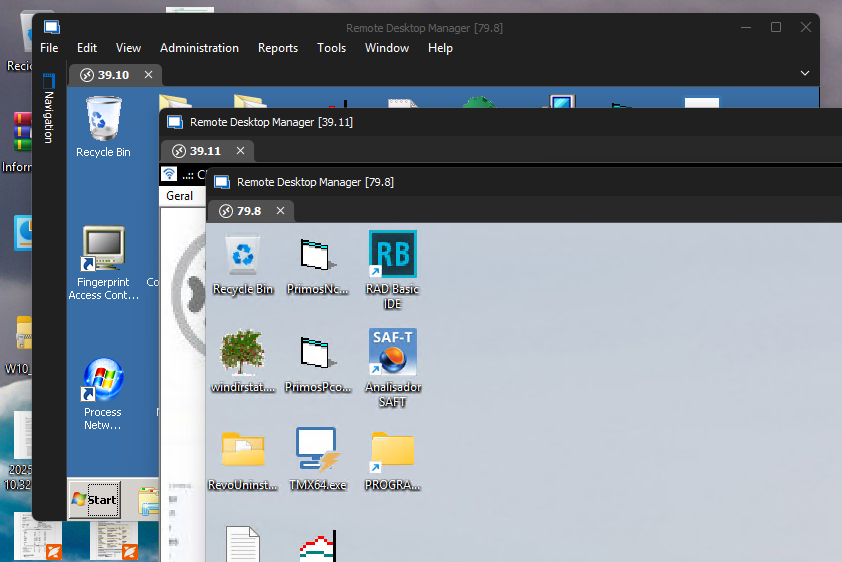
After redocking even with background changes: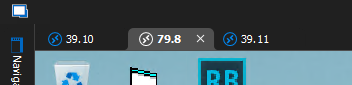
This strange behavior its bugging me as well!
BR
282b3b26-437a-43dc-b8dc-4c1463829943.png
d8999748-b34e-4b35-919c-e9bd64036801.png
2c047478-508f-484f-8ee8-0cefdd05c84d.png
b0b07f7a-06eb-4d3b-ab0c-4c3da28d50f7.png
36b86a97-d380-4e90-b32b-4ee468fa7efc.png
c275c6c9-58d7-4258-9dd4-6b11f462c52c.png
Hello,
That's unfortunate. I was hoping the update would have fixed the issue since I'm unable to reproduce it. Could you try, for a test, those specific settings after a restart of the application:
- Disable the Accent color (I've made a change in the latest version to no longer respond to some Windows settings changes)
- Use the light theme
Also, does everything revert back if you toggle the theme in the Account section?
Regards
David Hervieux
Hello,
That's unfortunate. I was hoping the update would have fixed the issue since I'm unable to reproduce it. Could you try, for a test, those specific settings after a restart of the application:
- Disable the Accent color (I've made a change in the latest version to no longer respond to some Windows settings changes)
- Use the light theme
Also, does everything revert back if you toggle the theme in the Account section?
Regards
Resolved!
When I did the earlier tests I didn't reboot after updating RDM.
After rebooting tested all scenarios again and I can confirm that the behavior only happens with the "Use Windows accent color" enabled, regardless of the chosen theme (Light or Dark), so thanks a lot for the update!.
Sorry for my English. it's not my mother tongue.
BR
Hello,
Thank you very much for the confirmation. I'm glad the workaround is at least working. Don't worry about your English; it's all good.
Regards
David Hervieux