Help! Updated to 2025.1.29.0, error "The upgrade failed ... SQL logic error / trigger ... already exists" - and ALL RDP entries and folders gone !
Help! Updated to 2025.1.29.0, error "The upgrade failed ... SQL logic error / trigger ... already exists" - and ALL RDP entries and folders gone !

I was on a 2024.3 version, but was annoyed by having to login into web Devolutions on every start, so decided to update.
After updating and restarting RDM following error: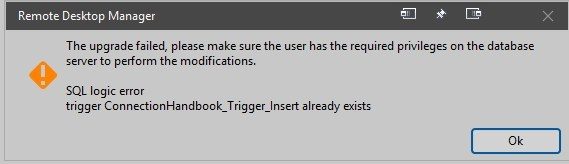
And all my folders and RDP entries are gone! HELP !
1e62f543-4bde-46d8-9781-e232eccb8847.png
All Comments (9)
Additional:
oof ... I risked to uninstall version 2025.1.29 and reinstall previous version 2024.3.28.0.
After that, all my RDP entries are visible again.
Note to myself: NEVER update RDM again, remain on version 2024.3.28.
This was the 2nd time an update resulted in disaster.
Hello,
Would it be possible for you to send your database schema to our support team? You can follow the process here: https://docs.devolutions.net/rdm/kb/how-to-articles/send-your-database-schema/
Please mention my name in the message field, it will get to me quicker. Once we receive it, we'll analyse it to see what is going wrong with the database upgrade.
Regards,
Hubert Mireault
Hi, thanks for your reply.
I am using the built-in SQLite connections.db, and I don't have the options as shown in your document:

161fc40e-7db2-45cb-aa97-0268f2295d1c.png
Wow, very interesting. This is the first time we've encountered a SQLite database schema upgrade error. I will need to investigate further. Continue running version 2024.3 until we can determine what is happening here.
Just to be 100% sure, you haven't modified the connections.db with any other tool?
Best regards,
Stéfane Lavergne
Sorry missed your reply somehow.
No, I have not modified connections.db, I have no SQLite tools.
I now also noted that my settings were also gone (reset to default) since this issue.
This is odd and troubling. Your are currently the only one reporting this issue. My fear is that it's the tip of the iceberg and everyone else starts getting this issue.
Do you have a few minutes to help me diagnose?
If so
- https://sqlitebrowser.org/
- Open your .db file
- Make sure RDM is closed before you open the file
- Run this query:
SELECT DatabaseVersion FROM DatabaseInfo- the output should be 155, I'm suspect you are at 151 see image
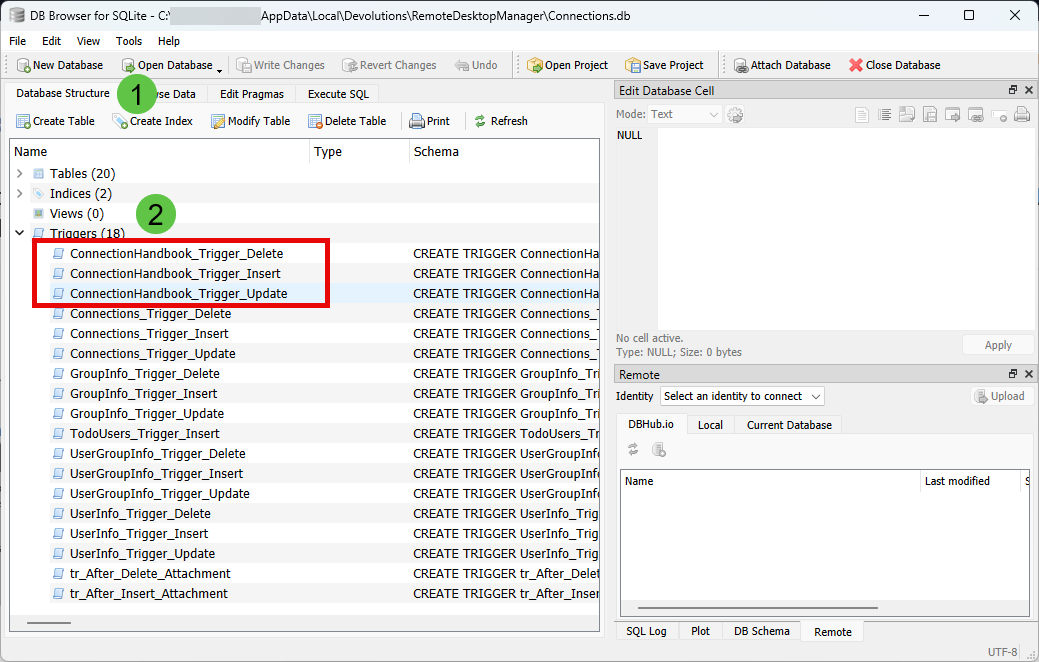
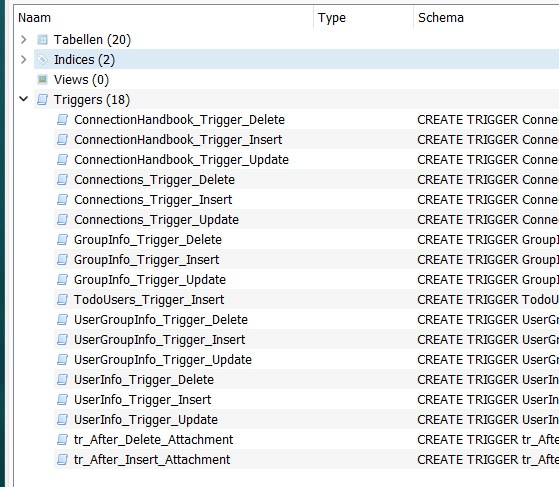
- Do you already have these 3 triggers?
- see image
Best regards,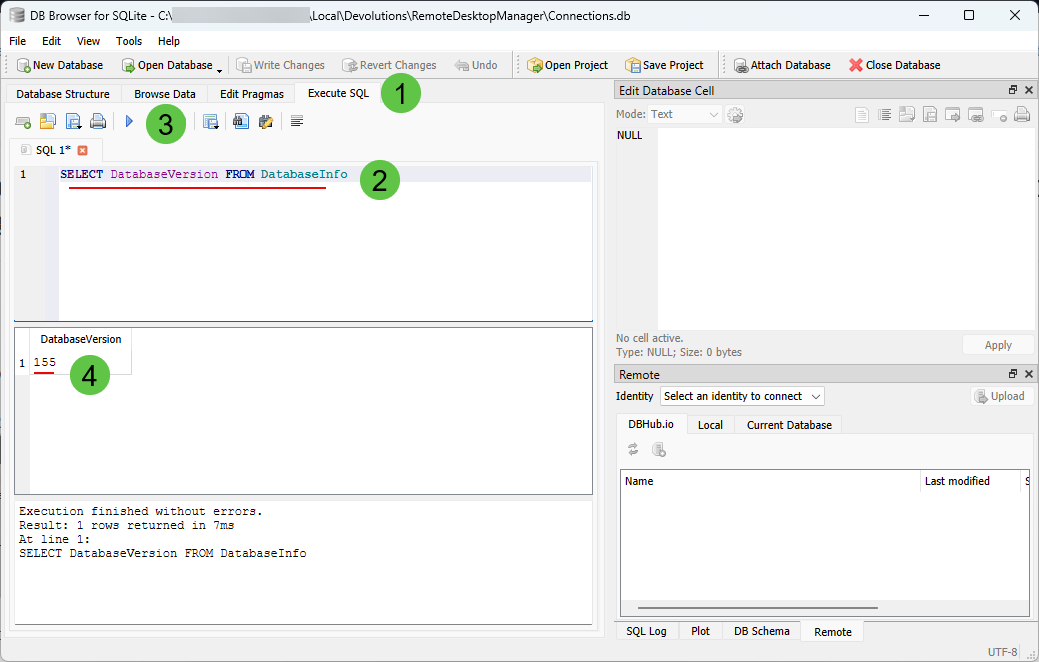
Stéfane Lavergne
1188b5df-86e8-49aa-8604-7691db94cff9.png
71e0f51c-7f42-4a07-af45-24f82890e838.png
Indeed 151. Is that a problem?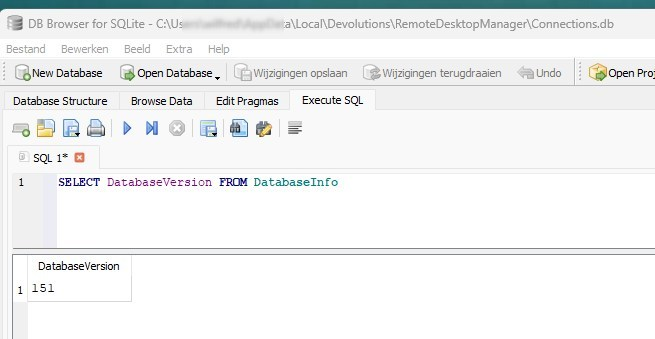
To be sure - the current RDM version: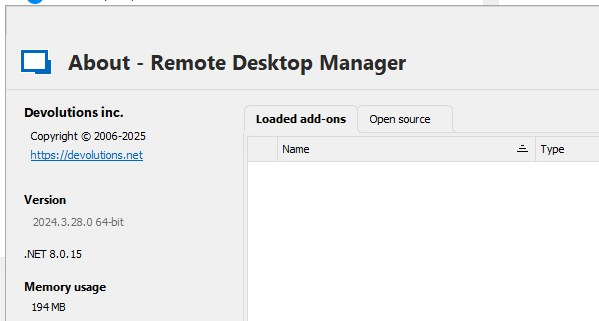
093b3ac2-369a-4e7a-a127-4141efa5c086.png
3975f269-e30c-4048-b0ce-0f8e711fcacb.png
79fde540-4d6f-490f-9000-2e46ddf6134c.png
Indeed 151. Is that a problem?
For 2025.1, yes but we can recover from this.
Warning! Before you do anything, please make a copy of the .db file and keep it in a safe place.
- Step 152 creates
ConnectionHandbook_Trigger_Insert - Step 153 creates
ConnectionHandbook_Trigger_Update - Step 154 creates
ConnectionHandbook_Trigger_Delete
You already have the 3 triggers above so now we need to look at step 155.
- Step 155 adds the
HandbookCountto theConnectionstable
Do you have this column? see image
If so then run
UPDATE DatabaseInfo SET DatabaseVersion = 155;
if not run
UPDATE DatabaseInfo SET DatabaseVersion = 154;
Close DB Browser and when prompted, save the file (or CTRL+s before you close or File > Write changes).
You should be able to upgrade RDM to 2025.1.x and all should work now. How you got out db schema out of sync with the DatabaseVersion number I have no clue but at least this should get you back on the right track.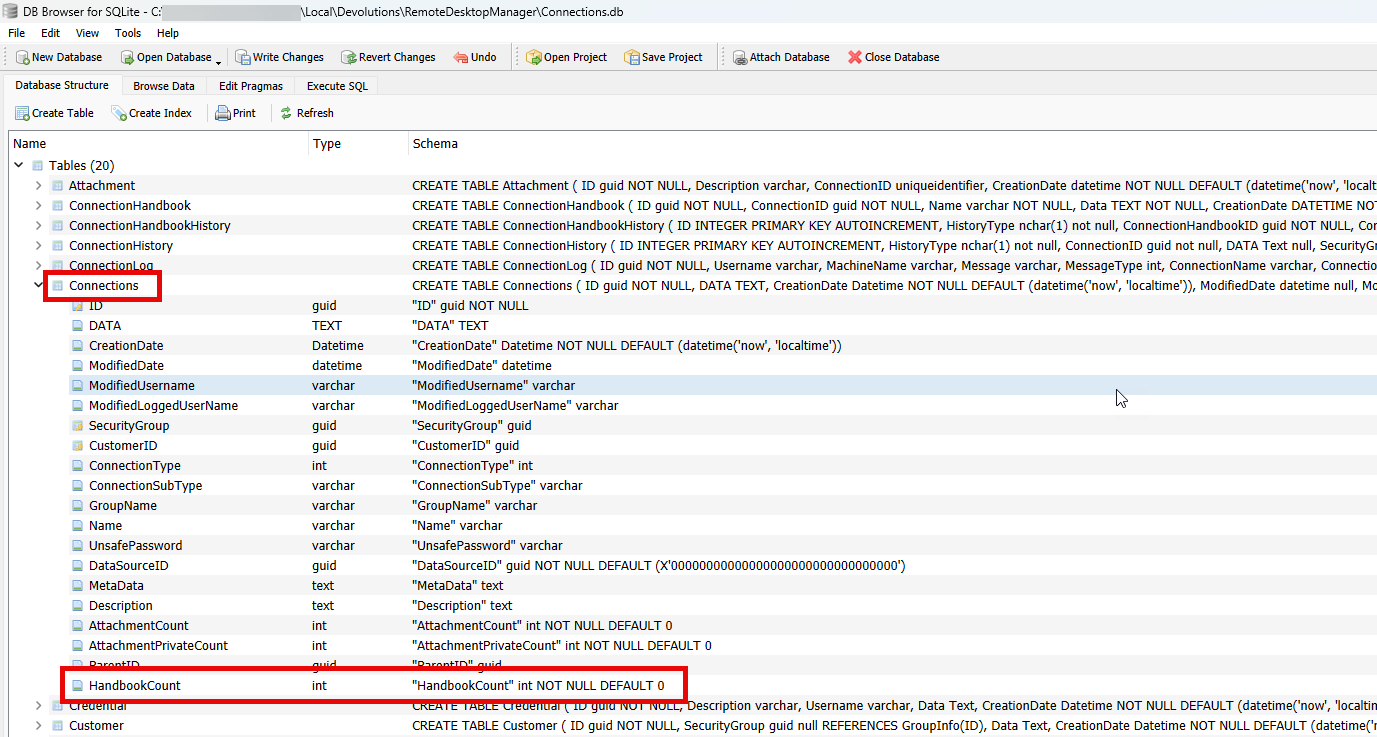
Stéfane Lavergne
5c3b0aad-b1ce-47a7-8cca-00c94f79cc31.png
At last had some time to perform the last steps.
I did have the 'Handbookcount' field.
After the proposed update and backing up I dared to update RDM to the latest version and this succeeded.
Thanks for all effort !