Fetching Computers... Stuck after 2025.1.29.0 upgrade

Hi,
I just upgraded to 2025.1.29.0. After opening the program, it said Fetching Computer at the bottom. It started counting up, but then stopped and hasn't moved for over 10 minutes. 2453 is not the total number of sessions I have so not sure where that number came from either.
I don't know what it's doing to know if I should be concerned, The program seems to be working, so just trying to figure out if it's doing something or not or what's going on.
Thanks.
0f92f41c-c5d8-46c9-a30a-ca4fc690e4cc.png
All Comments (10)
Still stuck with the same image at the bottom right of my screen... Just so you know it didn't eventually resolve on its own.
Hello,
Thank you for reaching out to us regarding this,
This seems to be related to a Synchronizer entry; if you go under "File" -> "Background Services," is the "Enable the execution of Synchronizer" option enabled? If so do you have any synchronizers with the "Automatic sync" enabled?
Let me know,
Best regards,
Samuel Dery
That checkbox was on, and apparently I have a couple synchronizers that had AutoSync, but I didn't have it set that way on purpose. I generally run my synchronizers by hand because I didn't know how the autosync worked.
That being said, I'd love them to autosync now and then if I could. I think that was from before sync'ing was fixed back when it used to take 20 minutes per sync.
Hello,
Thank you for your reply,
I see. Could you test it with a portable instance of RDM to see if the synchronizer progress still gets stuck?
You can follow this knowledge base article to create a portable instance:
https://docs.devolutions.net/rdm/kb/how-to-articles/portable-rdm-installation/
Best regards,
Samuel Dery
I unchecked the auto-sync boxes since I didn't know they were on anyway. I then closed and reopened the program and the stuck bar went away. However, when I double-click on any of my Synchronizers now, they just flicker but don't appear to do anything.
I'll try to look at the portable thing.
If I have this checkbox unchecked, I can't run any synchronizers at all.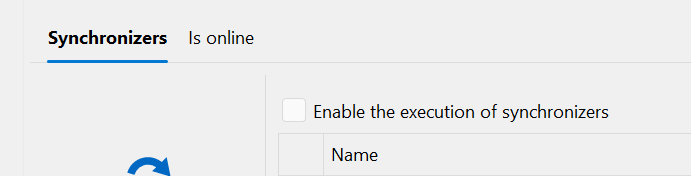
If I recheck the box, then I can run some synchronizers, but after they run, it does another scan and that's where it gets stuck.
E.g. I run a sync. I see the blue bar on the bottom moving across like always. I get a pop up that says No New Computers Found. After I click OK, it then starts another blue bar with a counter on it. This bar stops partway across and never goes away. I have to close RDM and open it back up to fix it.
This happens on both my normal install and the Portable one.
If I keep closing and reopening the program, it seems like I can get all my syncs to run, but something is obviously broken.
16f94ed5-3483-4c1e-8c74-b7841b8609f2.png
aa383256-e6bc-40f4-a8ad-09b0662db144.png
Hello,
Thank you for your reply,
Could you confirm which type of data source you are using with RDM?
Let me know,
Best regards,
Samuel Dery
Looks like SQLite
Hello,
Thank you for your reply,
I see, I will open a case with our QA department to see if they can reproduce the issue,
We will keep you updated with any news we have,
Best regards,
Samuel Dery
Hello,
We've found and fixed the issue with hanging messages in the status bar. This should take effect with the upcoming 2025.1.31 version.
Regards,
Jafran Majeau