Unable to launch applications after update to 2025.1.29

Hello,
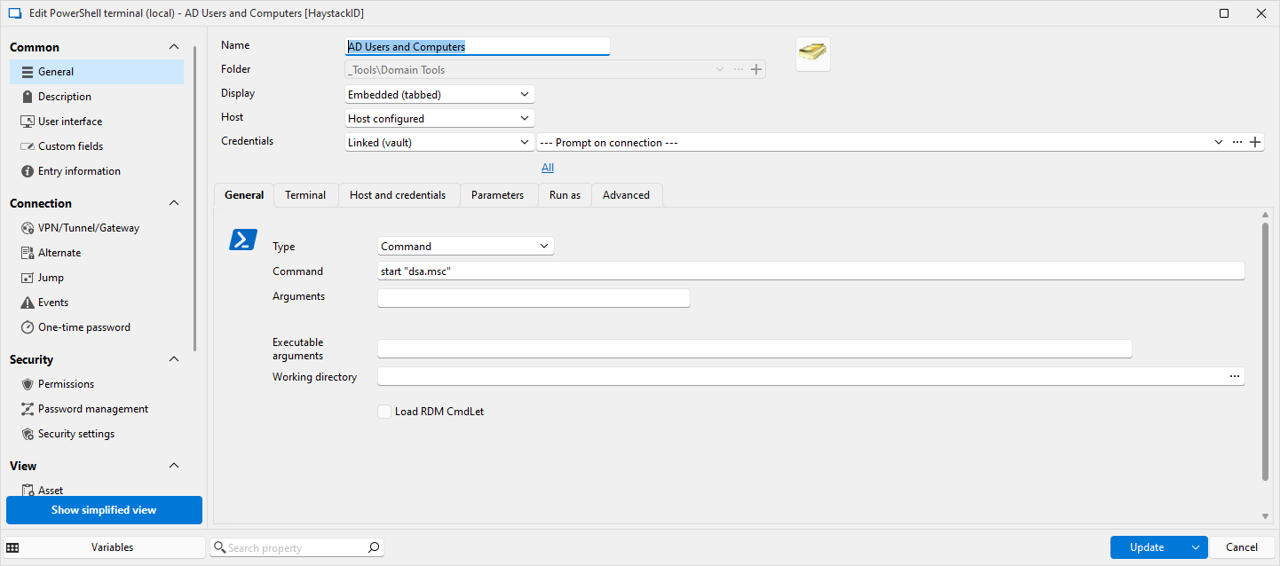
I am running into an issue after updating to version 2025.1.29 (previously on version 2024.3). We have multiple application entries in our database that use a PowerShell command such as: start "pathtoapplication.exe"
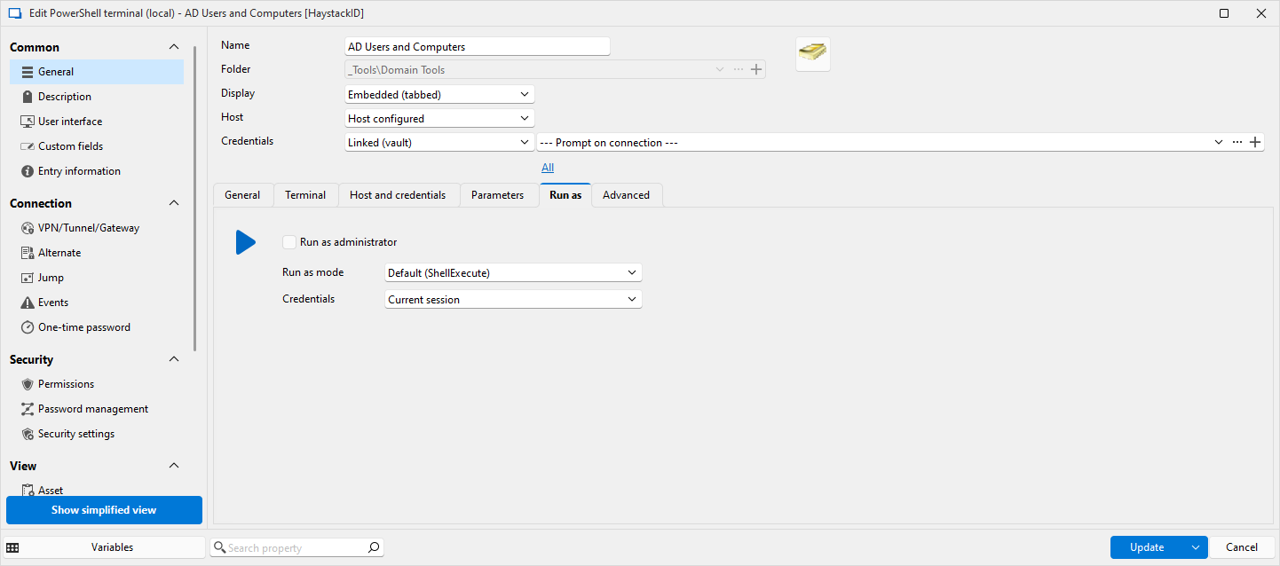
These entries are set to prompt the user for the credential object from their personal vault. The entries in their personal vault are API links to our Passwordstate system where credentials are stored. This worked in the past without issue. However, after the update, no users are able to launch any application created like this. There are no errors displayed, and there are no entries in the application log in RDM. The application simply never launches.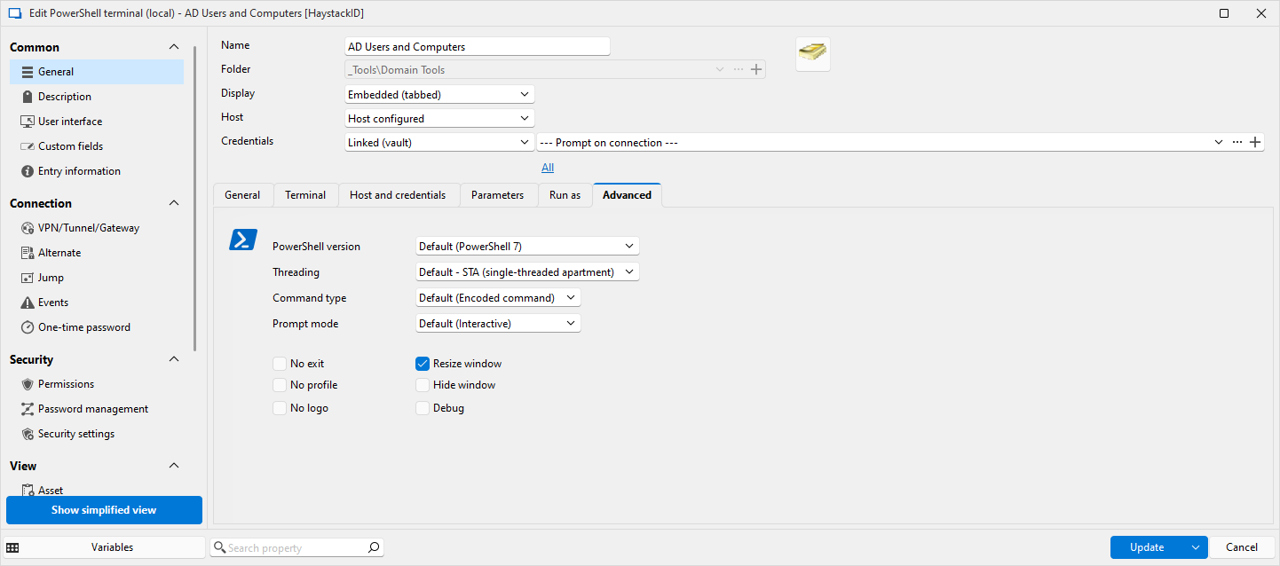
03 appconfigure.png
02 appconfigure.png
01 appconfigure.png
All Comments (7)
Hello,
Thank you for getting in touch with us. To better assist you, could you kindly provide us with the following information:
- If you try to create a new PowerShell Terminal (Local) entry, does it work?
- If you configure the credentials instead of prompting for them, is the behaviour different?
- Do you receive a message saying "Unable to execute application"?
Thank you for letting us know. If you have any other questions, feel free to let us know.
Best regards,
Maxim Robert
Hello,
Thank you for getting in touch with us. To better assist you, could you kindly provide us with the following information:
- If you try to create a new PowerShell Terminal (Local) entry, does it work?
- No change in behavior
- If you configure the credentials instead of prompting for them, is the behavior different?
- No change in behavior
- Do you receive a message saying "Unable to execute application"?
- No
Thank you for letting us know. If you have any other questions, feel free to let us know.
Best regards,
I have tried the following to troubleshoot the issue:
- I have a few different admin accounts that I used to launch these applications (depending on domain I need access to).
- Using most of the accounts works as intended. The application launches under the context of that user account as it always has.
- The issue appeared at first to be with only one of my accounts. Whenever I launch any application with that account (whether manually specified or not), it does not launch the application, nor does it throw any errors.
- I do know the password in our passwordstate system has the correct password for this account so that is not the issue.
- I can connect via RDP to any server using that credential in the same manner from RDM without any issues.
- The account is not locked, the password does not need to be changed, and the permissions for that account within my local machine or the domain have not changed.
- To determine if this was a problem with the local profile for that account, I purged the user profile from my machine and re-created it. Still the same issue persists. Any application launched using that account simply fails to launch without any errors.
- I logged into a different machine running RDM version 2024.3.15.0 and launch the same application using the same account credential entry and it launches successfully under that user context.
- To test if it was the machine or not, I updated the second machine from 2024.3.15.0 to 2025.1.29. After the update, I am having issues on that machine launching applications as well. Only this time, no applications are launching for any of the accounts I try. Including the ones that work on the other machine which was updated previously.
- I then attempted to see if something was bugged with the appdata, so I purged the Devolutions folder under the %userprofile%appdata\local directory. Again, launching any application using any credential on the 2nd system fails to launch with no errors.
The behavior seems a bit inconsistent. Since on the first machine I only get the problem with one of my credentials, but on the second one it happens with any of my credentials I choose. Additionally, I confirmed the credentials that appear to not work did (and still do) function just fine when using version 2024.3.15, but as soon as I update to 2025.1.29 it no longer works. It does not appear to be a user profile issue on the machine, nor a problem with the appdata folder as both have been purged and attempted again.
Hello,
Thank you for all the information!
I sent you an email to schedule a session with me so that I can see the problem directly and investigate further.
Let me know if you haven't received an email from us.
Best regards,
Maxim Robert
i have the exact same issue. i've tried on 2025.1.30 as well and still doesn't work. Did we find a fix for this?
Curious... if you go to the terminal tab and change the application from default (Terminal) to Classic... does it work?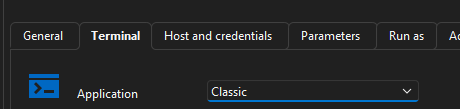
Also... any Windows application event logs?
trying to see if this is similar to my issue
8f807fbc-7677-40b2-8abc-039d46ef6786.png
Curious... if you go to the terminal tab and change the application from default (Terminal) to Classic... does it work?
Also... any Windows application event logs?
trying to see if this is similar to my issue
YES! that worked. Thank You!
but nothing in the logs when set on Default and getting the error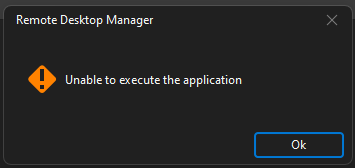
d447e6c3-1ad8-4310-867f-37f4c8f4410b.png
Hello,
Thank you for your response!
After reviewing with the development team, an internal ticket has been opened to resolve the problem. We will inform you on this forum with more information as soon as possible.
If you have any other questions, feel free to let us know.
Best regards,
Maxim Robert