Powershell embedded script editor > refused to connect

I'm having issue's editing embedded Powershell scripts. The editor loads but show's "127.0.0.1 refused to connect"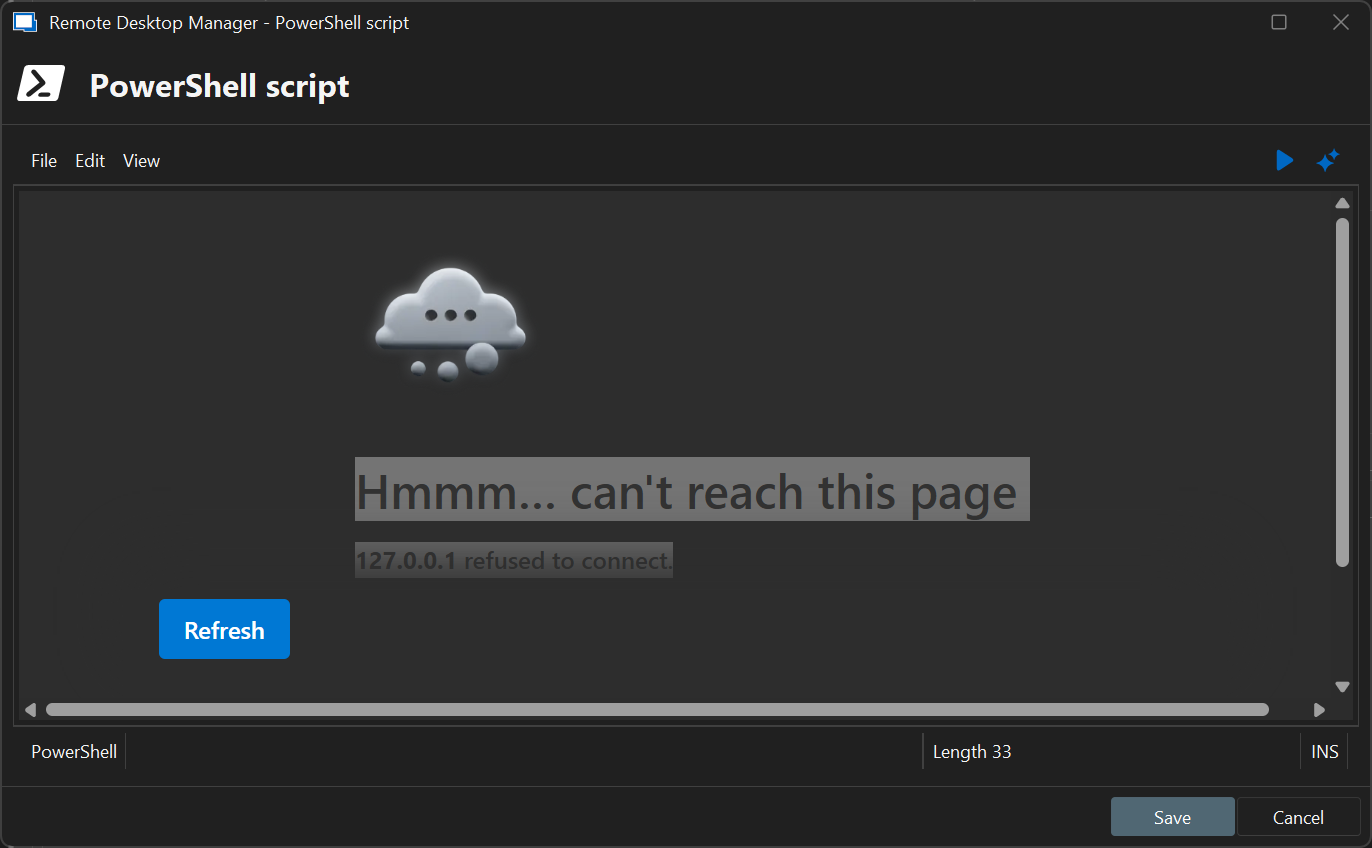
I'm having this issue quite a while now; but since I didn't needed to change any powershell scripts didn't mind untill today.
Any clue what is wrong on my installation? Or what to check?
f7232d15-6c1a-4118-b879-615768e915f0.png
All Comments (7)
Hello,
Thank you for reporting this issue.
To help us investigate further, could you please enable debug logging in Remote Desktop Manager and send us the generated logs?
This will provide more insight into the root cause of the problem.
Please note that the code editor is hosted on a randomly assigned port on 127.0.0.1, within the range of 10000 to 65635. It's possible that the selected port is already in use even though our code checks for already used ports.
Restarting Remote Desktop Manager will trigger a new port allocation, which may resolve the conflict.
Regards,
Mathieu Morrissette
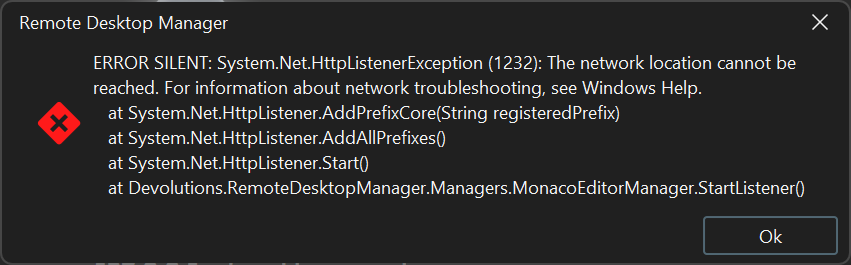 Sorry for the delay - when I enabled 'silent logs' I get this message.
Performance windows shows:
http://127.0.0.1:42384/
Connection States: Refresh...
GetOpenedConnections...
Opened - by process...
RDP (Microsoft Remote Desktop) : 1 ms
XManager : 8 ms
Opened - by process : 22 ms
GetOpenedConnections : 22 ms
Connection States: Refresh : 53 ms
Silent: System.Net.HttpListenerException (1232): The network location cannot be reached. For information about network troubleshooting, see Windows Help.
at System.Net.HttpListener.AddPrefixCore(String registeredPrefix)
at System.Net.HttpListener.AddAllPrefixes()
at System.Net.HttpListener.Start()
at Devolutions.RemoteDesktopManager.Managers.MonacoEditorManager.StartListener()
Silent: System.ArgumentException: WebView2 was already initialized with a different CoreWebView2Environment. Check to see if the Source property was already set or EnsureCoreWebView2Async was previously called with different values.
at Microsoft.Web.WebView2.WinForms.WebView2.EnsureCoreWebView2Async(CoreWebView2Environment environment, CoreWebView2ControllerOptions controllerOptions)
at...
Silent: System.ArgumentException: WebView2 was already initialized with a different CoreWebView2Environment. Check to see if the Source property was already set or EnsureCoreWebView2Async was previously called with different values.
at Microsoft.Web.WebView2.WinForms.WebView2.EnsureCoreWebView2Async(CoreWebView2Environment environment, CoreWebView2ControllerOptions controllerOptions)
at...
Silent: System.ArgumentException: WebView2 was already initialized with a different CoreWebView2Environment. Check to see if the Source property was already set or EnsureCoreWebView2Async was previously called with different values.
at Microsoft.Web.WebView2.WinForms.WebView2.EnsureCoreWebView2Async(CoreWebView2Environment environment, CoreWebView2ControllerOptions controllerOptions)
at...
Silent: System.ArgumentException: WebView2 was already initialized with a different CoreWebView2Environment. Check to see if the Source property was already set or EnsureCoreWebView2Async was previously called with different values.
at Microsoft.Web.WebView2.WinForms.WebView2.EnsureCoreWebView2Async(CoreWebView2Environment environment, CoreWebView2ControllerOptions controllerOptions)
at...
http://127.0.0.1:19198/
http://127.0.0.1:19198/
Thread : 5
31be7edd-b85b-4c15-83d2-04c5b1619241.png
Hello,
Thank you for the diagnostic logs.
It seems that the Powershell Editor isn't able to listen on the 127.0.0.1 address, could it be possible your loopback address is different than the default one?
Regard,
Mathieu Morrissette
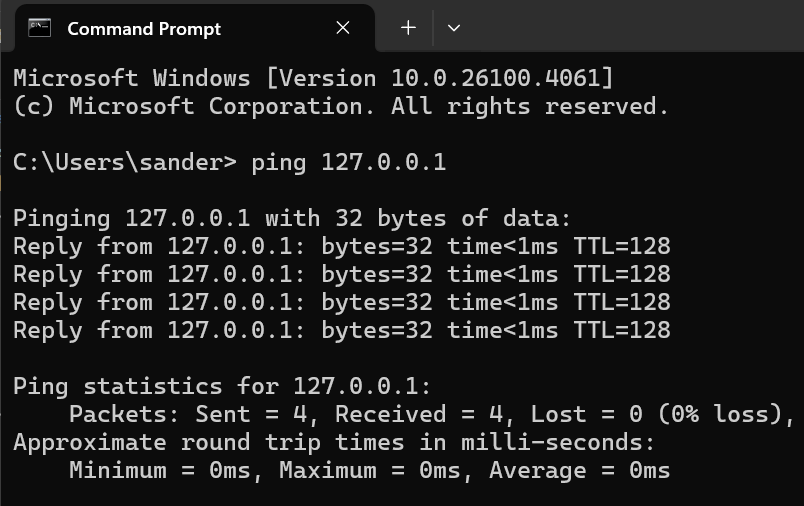
Normally not, 127.0.0.1 should be my localhost.
ed499d7a-7be8-4fac-86a7-83fd52c95b70.png
Hello,
Thank you for this precision. Do you happen to have any IP addresses configured in this netsh command?
netsh http show iplisten

Output:
IP addresses present in the IP listen list:
-------------------------------------------
Best regards
Mathieu Morrissette
Hey sorry for the delay again... This is my output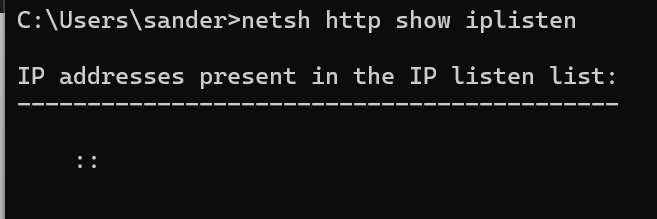
46fd45eb-ebb5-4347-a7f5-b574f194291b.png
Hello,
Looking at your picture, it seems that your computer only allows listeners on the IPv6 interfaces only.
Is this an intended configuration on your part?
Regards,
Mathieu Morrissette