Macros/Scripts/Tools - launch with 'My Privileged Account' or other PAM vault entry
Macros/Scripts/Tools - launch with 'My Privileged Account' or other PAM vault entry
2 votes

In my organization our admins log into RDM/DVLS with standard user accounts without privilege.
We then leverage 'My Privileged Account' to launch RDP, SSH, Powershell and other customized sessions as each users named Privileged Account that is stored in our PAM Vault.
Unfortunately, since we're logged into RDM with standard accounts, none of the nice tools available in the Macros/Scripts/Tools avaiable to RDP sessions work. It would be great if these could leverage the credential specified in the session configuration, similar to the option to 'Open with Parameters' that is available.
All Comments (3)
Hello,
I'm assuming you're talking about this tab in the dashboard and the tools it contains: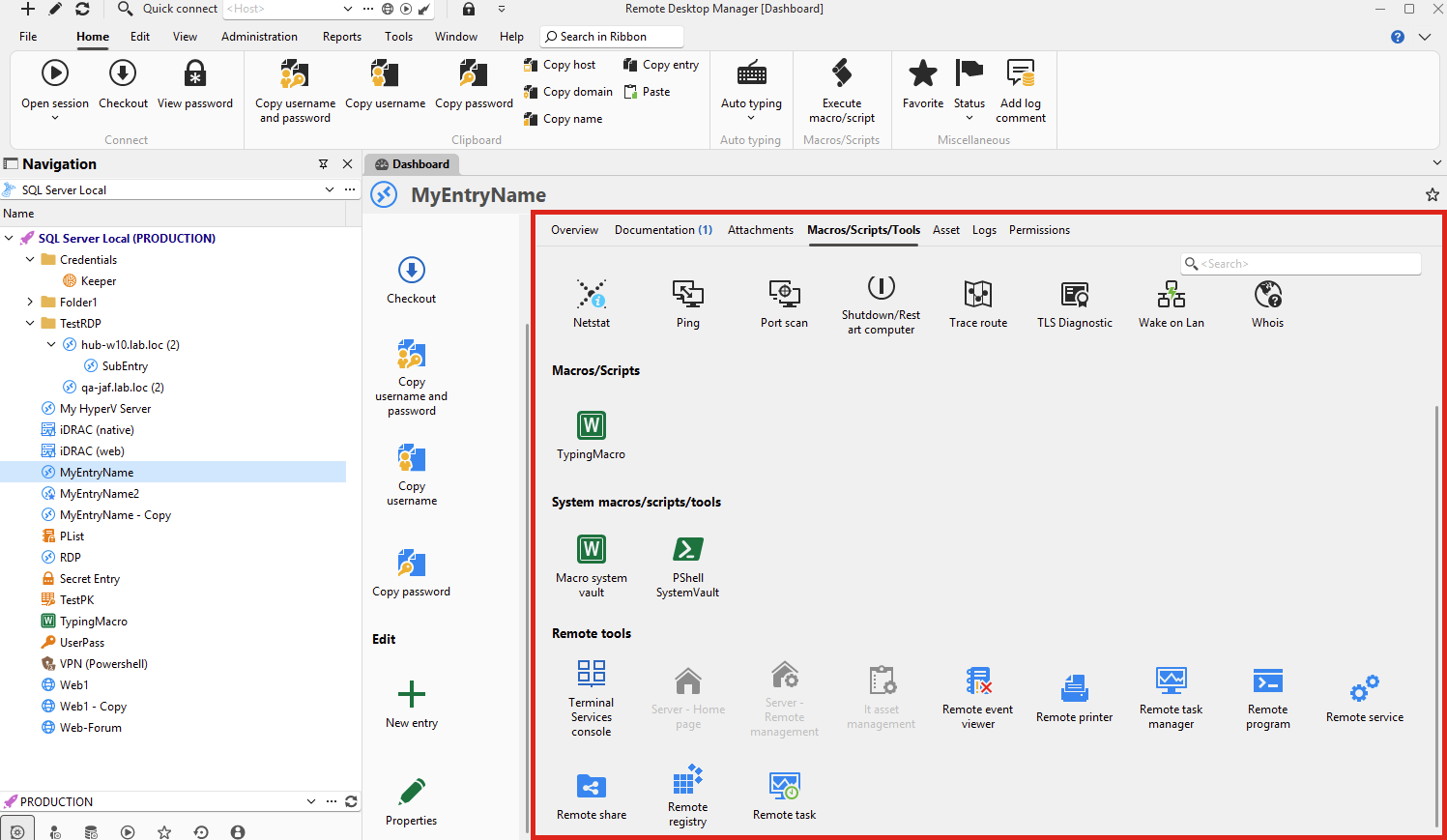
Since you mention using the My Privileged Account configuration to log into your RDP, did you make sure to set the "Tools" section to use the same credential? You can either make it use the same credentials as the "main" section of the entry, or directly point to the My Privileged Account: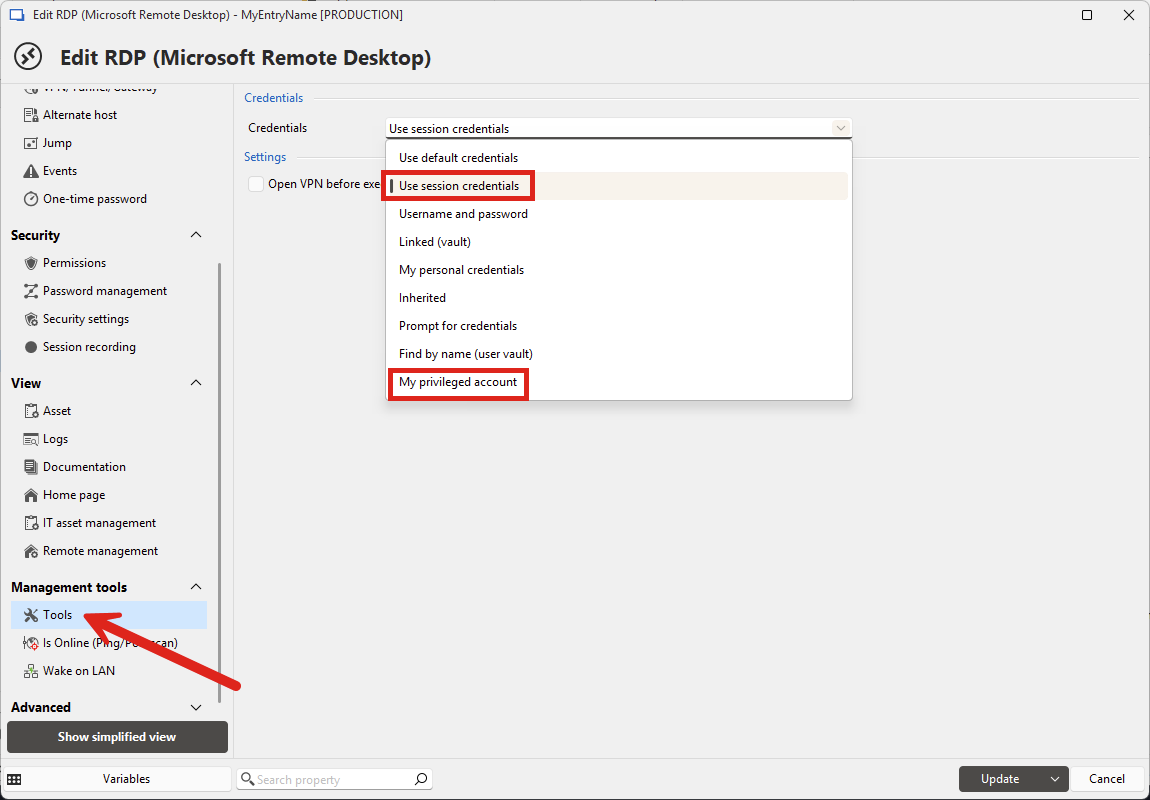
If you don't configure this then it will be on "use default credentials" which means RDM doesn't send any credential information to the tools.
Let me know if that helps, otherwise it might be good to know which tools exactly aren't working, as they aren't all implemented the same way.
Regards,
Hubert Mireault
89202e3d-ffd7-40b6-bfa0-46d08ad7349c.png
699d0321-4aee-4bf6-af3e-5e52c2a46647.png
Those are the tools I was referring to, however what isn't shown in your screenshot specificaly is some of the Windows-specific tools: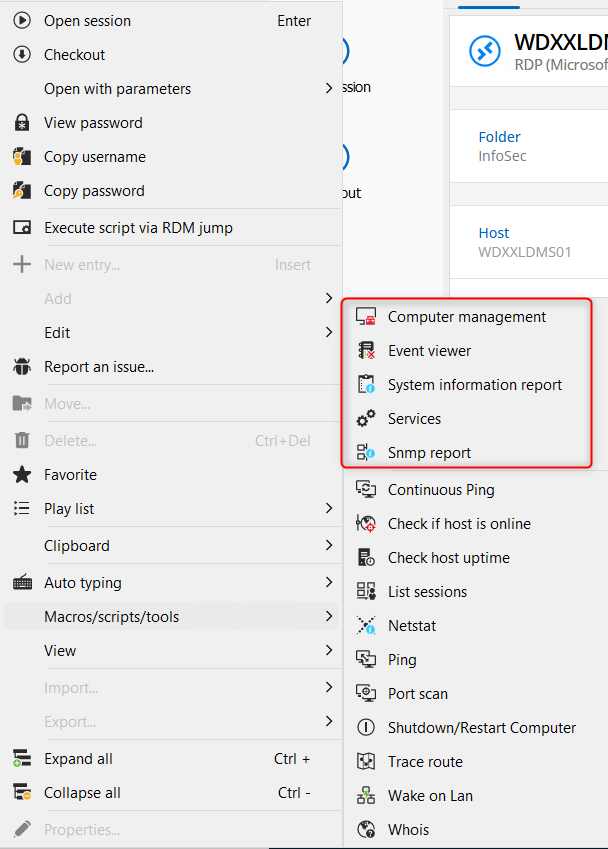
As you suggested, updating the session configuration under the 'Management Tools->Tools' does provide access, thanks!
One further question, it opens a CMD window and prompts for the PAM account password. Is there any way to have that passed through upon checkout, or from the existing check-out?
b333d9d3-5093-4fc8-ba9f-6945ac44aefb.png
Hello,
I don't think this is something that's possible to do automatically in a secure way. I believe it's prompted because the command we call doesn't support sending the password automatically, so it prompts afterwards.
We'll keep this in mind for future improvements but I remember our developers looking into improving this behavior and they couldn't find a way as far as I know.
Regards,
Hubert Mireault