Missing Sessions

I have a problem in that a lot of my sessions have disappeared and I just realized this. For example I have a session called "_Sudo Write" (and about 20 others in this section). When I do a multi-vault search I see it, but it does not show up in my navigation pane. This is a SQL-Azure database. I am not auto-hiding archived or expired items. In the example below I found the "_Sudo Write" entry and duplicated it (the duplicate did not have the website). The duplicated item does appear here now, but the original does not.
Where have my other entries gone? How can I get them back? I've checked to see if they are archived. When I right click on the missing entry and go to properties, nothing happens. Furthermore this is occurring on multiple systems.
Any suggestions/ideas? Missing things like this is worrisome. They seem to be there but are invisible or corrupt.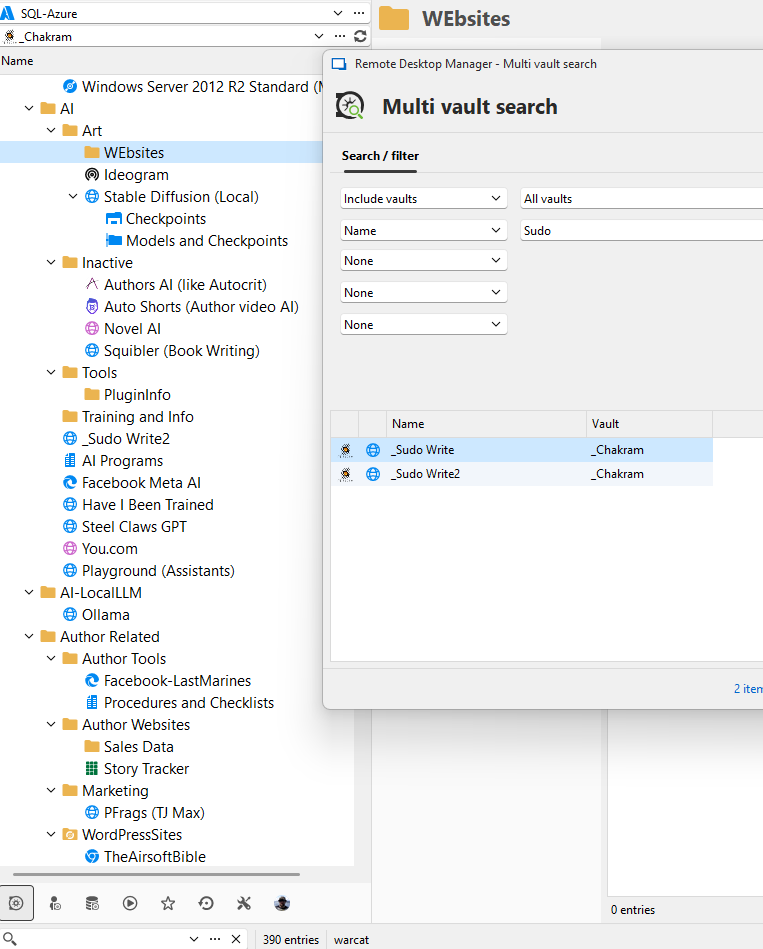
To say can't is to fail before you begin
ec3827e3-0fb2-4037-ab59-53f6892e3f0e.png
All Comments (8)
It should be noted that an export shows 446 entries to be exported, and the item down at the bottom shows 390 entries. When I import back into another vault, it does not show the missing items, even with a multi-vault search.
I have the same issue in another vault as well and this has occured after any db upgrades. In another vault these are host entries. When I try to find that entry in the vault I get this;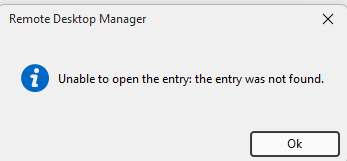
To say can't is to fail before you begin
4df9d0aa-2f6e-4445-a48e-50c92dd015fd.png
Hello Bill,
Thank you for getting in touch with us. To better assist you, could you kindly provide us with the following information:
- Have you created those entries from a template or normally?
- Are you aware of whether they are deprecated website entries?
- Is this only happening on your Website entries, or does it happen for any type of entries?
- Which version of RDM are you currently using?
- If you verify under the Deleted Entries, do you see one of your entries there?
Also, could you please provide us with a recording showing the steps that led to the issue? This will allow us to investigate the issue. I sent you all the information in a direct message to provide us with the recording.
Thank you for your collaboration! Once we have this information, we will be better equipped to diagnose and resolve the issue.
Best regards,
Maxim Robert
Most entries were created without a template. Some of the web pages were copied from existing entries.
They are not just website entries. Some are host entries in another vault.
RDM is version 2025.1.29.0.
I don't have a recording of the steps that led to the issue. They just disappeared. When I attempt to move an invisible entry and check the logs, there is nothing. I'm not seeing anything in the deleted entry list either. When I export all the items to a CSV, the missing one(s) remain MIA.
Going into powershell, I cannot see the missing entries there either. I know last week I added about 6 host session entries. I put a lot of information in the description and the entire entry is gone. I can only find them via multi-vault search. There were 6 entries that I created in the last week (3/28/2025). I can recreate them, so I deleted them. They appear in the deleted entries now. I restored them and they are now visible. Of note, when I deleted them, there were two other items that got deleted with them. The Folder and another entry (spreadsheet). I could now see them in deleted and restored them.
I have cleared my local cache, done database validation, update, test, all without errors.
To say can't is to fail before you begin
Hello,
Thank you for your patience.
Could you please check whether you’re able to view the deleted entry by navigating to:
Report → More Report → Deleted Entry?
You should be able to locate the deleted item there.
Best regards,
Carl Marien
Nothing valid. Here is a partial. The entries that are MIA are from this year.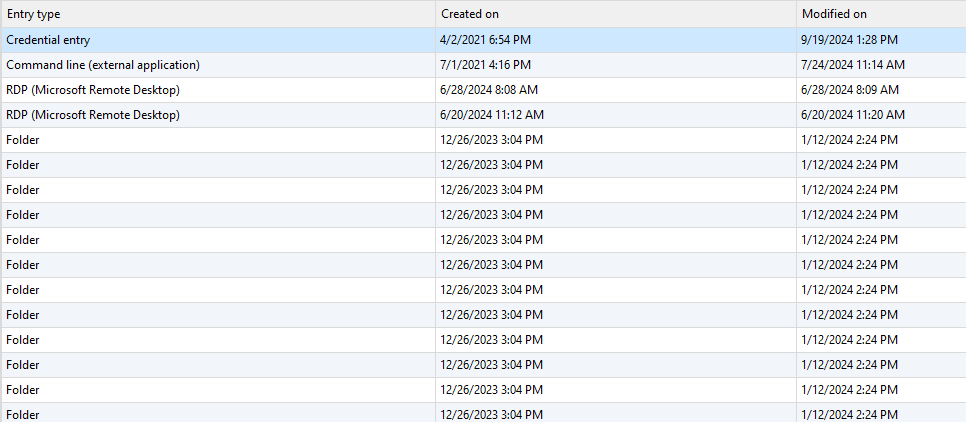
To say can't is to fail before you begin
7bf53ca1-1d53-4e61-9656-b94174b98a27.png
Hello,
I would like to schedule a session with you to attempt to recreate the issue on my end. I will send you a link via email to request the session.
Best regards,
Carl Marien
Hello,
I would like to schedule a session with you to attempt to recreate the issue on my end. I will send you a link via email to request the session.
Best regards,
Thank you.
To say can't is to fail before you begin
Hello everyone,
Bill and I had a session together and will continue investigating the issue privately, as it may involve sensitive data.
However, if you are experiencing a similar issue, please share it in this thread.
Best regards,
Carl Marien