Missing alternate host menu in RDP

Hello support,
I have a problem after upgrade to version 2025.1 from 2024. i have missing alternate host setting in description setting.
previous version looks like https://webdevolutions.blob.core.windows.net/cms/support_for_alternate_hosts_in_rdm_6c42928a67.png
my current state: 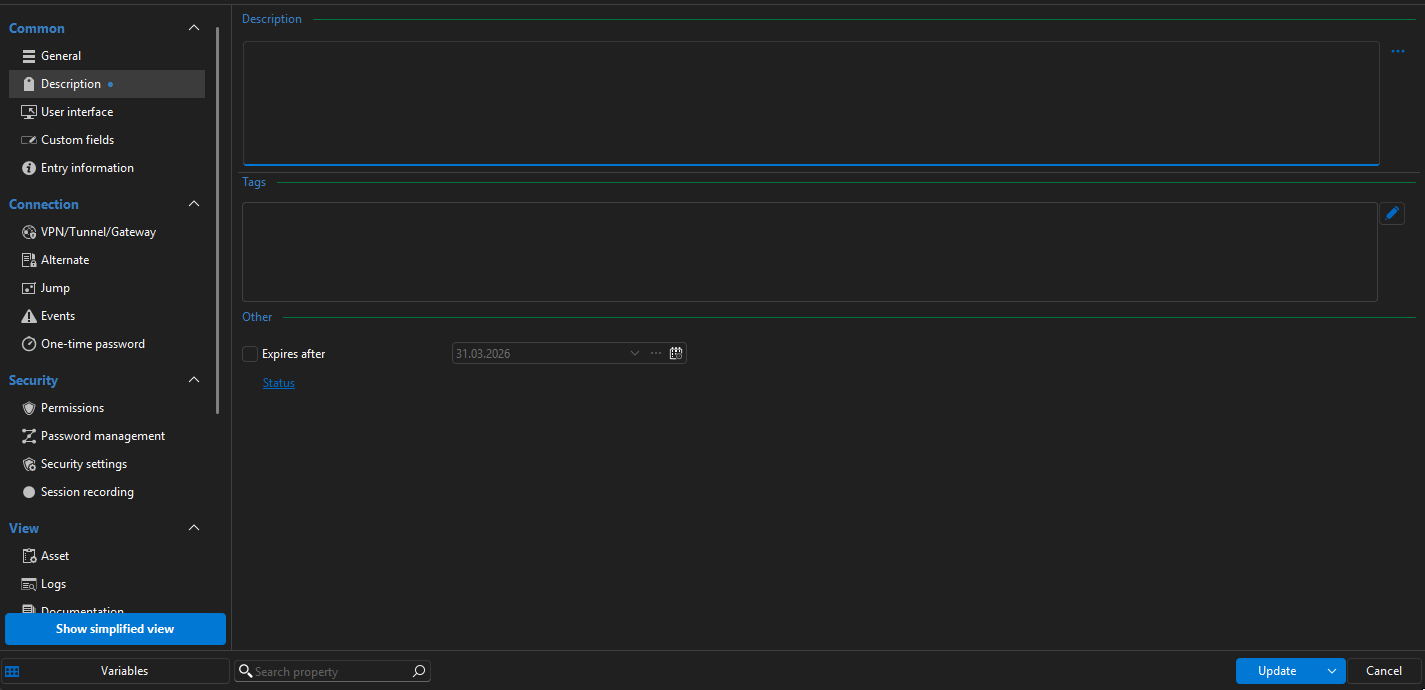
this i see in all installation on different computers
d77f4432-809e-45d6-8824-61198d418fbd.png
All Comments (3)
Hello,
The settings were moved to the "Alternate" section: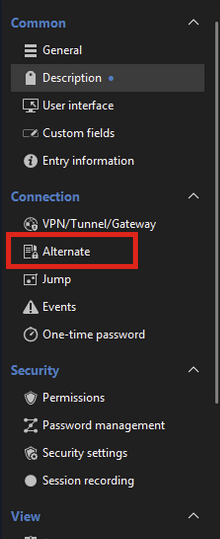
Regards,
Hubert Mireault
75be44f3-8f64-42d5-9aab-37339ce657c1.png
Thank you for your quick response.
It’s indeed there, and it works. I couldn’t find this mentioned anywhere in the change logs, so I didn’t look elsewhere—especially since the blue dot is still visible next to the "Description" field, which usually indicates that something is configured (while the other fields here are empty, as we don’t use them). If the blue dot had also appeared next to the "Alternate" tab, I probably would have found it.
Once again, thank you for the prompt resolution, and I wish you much success with this amazing software.
Thank you for your feedback! Especially with major versions, there's a lot of smaller changes that don't make it to the release notes. We try not to change where things are too much, and if we do, we aim to make it make sense: in this case, for 2025.1, we added the Elevated Credentials feature (which are a set of alternate credentials), and we decided to put the "alternate" features together to declutter the UI a little.
As for the point about the blue dot being on the wrong category, we'll check to see if we can fix that, and I've opened an internal ticket for it.
Regards,
Hubert Mireault