iDRAC-Entry: Linked (Vault) view for credentials
1 vote

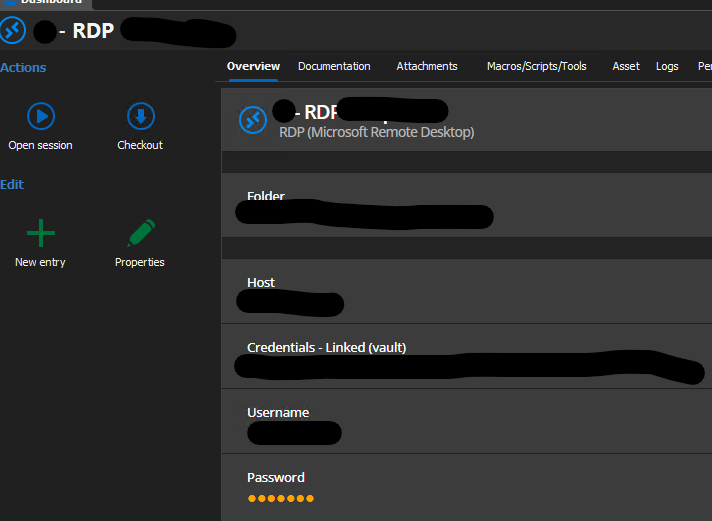
I have a case where my company uses RDP and iDRAC with the same Credentials from the same vault.
Inside the RDP-Entry the credentials are shown as linked (vault), so a user can see, that there are linked login-informations with a specific path.
However in the iDRAC-view that is not possible. Credentials always show as "user" and "password"
Is it possible to change the iDRAC-view, that the linked (vault) credentials are visible as such and not as "user" and "password"?
Best Regards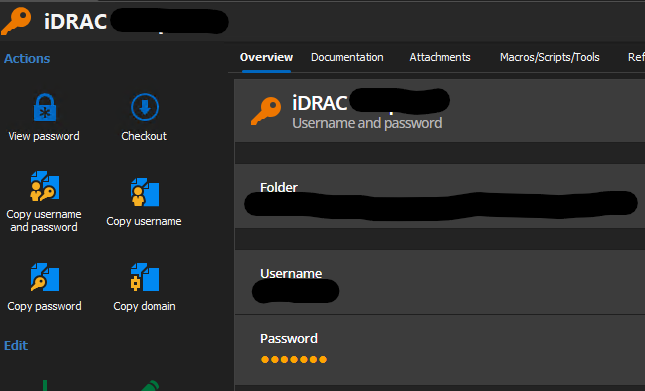
Screenshot 2025-03-28 120745.png
Screenshot 2025-03-28 120934.png
All Comments (3)
Hello,
Maybe I don't understand your issue, but I tested on my end and I seem to see the same information whether I'm in the RDP dashboard or the iDRAC dashboard (both the native and web entries).
This is what I see: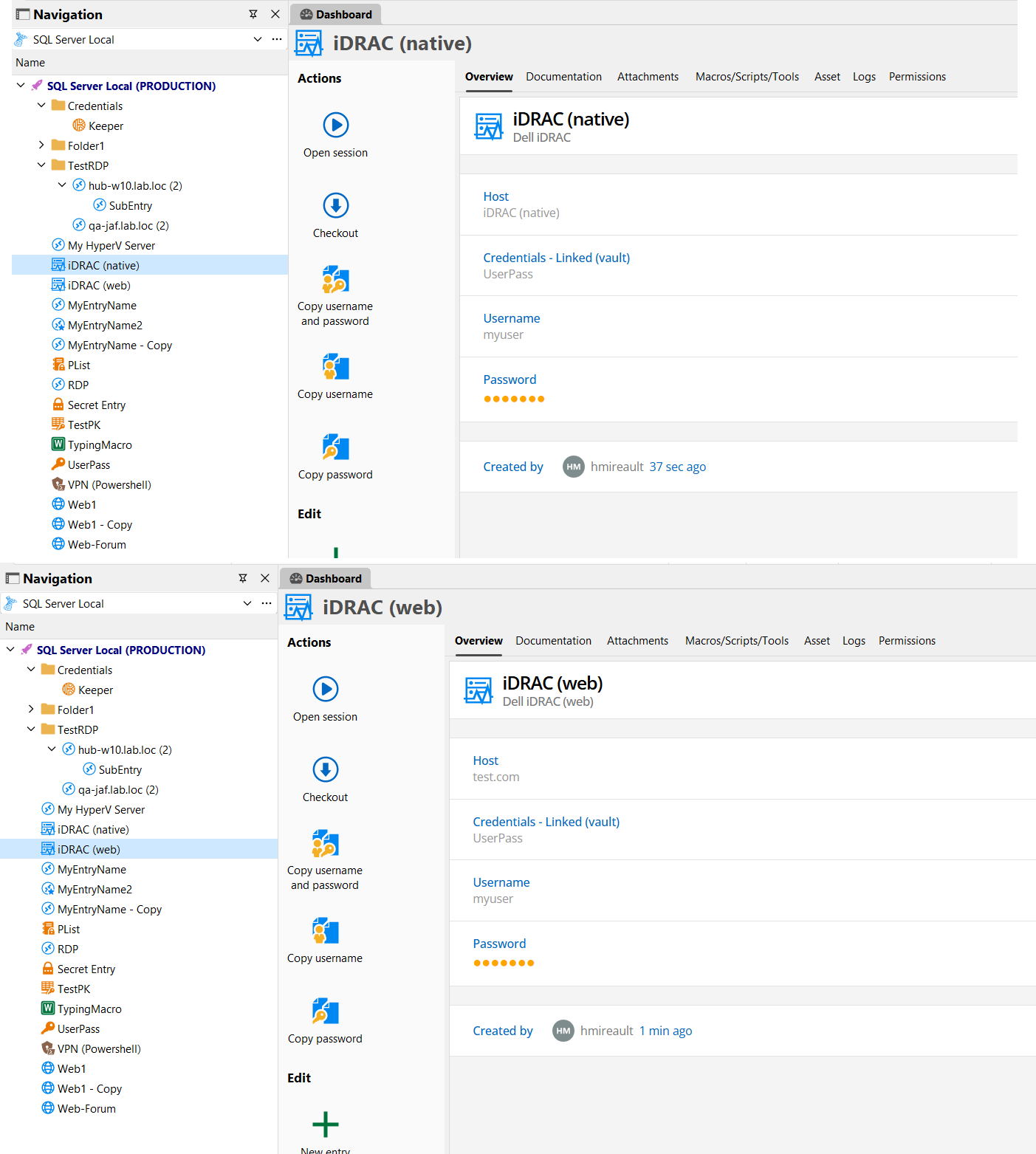
Could you show what you see with your iDRAC entry? In your screenshots I only see the credential entry as well as the RDP entry which both seem to show the correct information.
If you're looking to see what entries are using your credential entry, you can go in the "Referenced by" tab of the credential and you should see this information: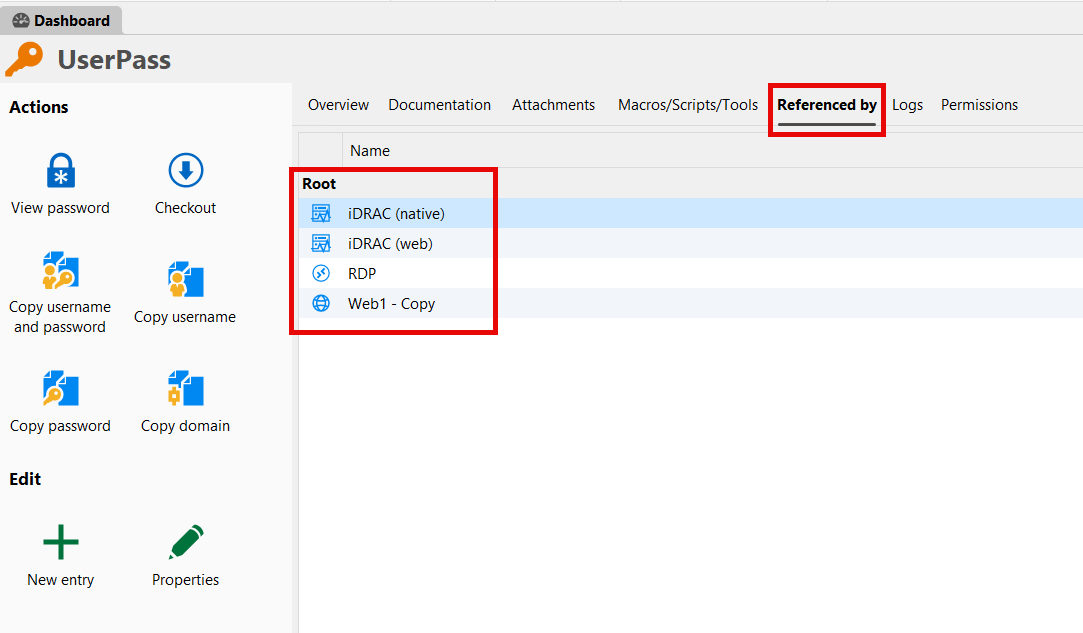
Regards,
Hubert Mireault
d4a77a16-0249-4890-8f2e-f34c35961feb.png
3ab007dc-5a35-4301-bb74-509dfeaddd5e.png
Thank you for your quick reply,
it seemed to be a user-issue.
By using the actual iDRAC-Entry for the creation an entry all the desired information is shown as expected.
The request can be closed.
Kind Regards
Perfect, I'm glad you managed to get this solved! I'll mark this thread as closed.
Regards,
Hubert Mireault