tab group select color gone?

somehow since the latest 2025er update the selected entries in the tab group don't have a background color anymore (selected entries are just bold). I am sure, there is an option for this, but I don't find it.. :-|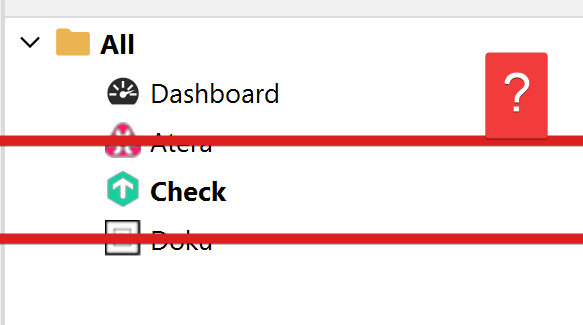
289b160b-3445-4c8e-81ab-43e543ed6c14.png
All Comments (7)
Hello Perler,
Thank you for contacting us on that matter!
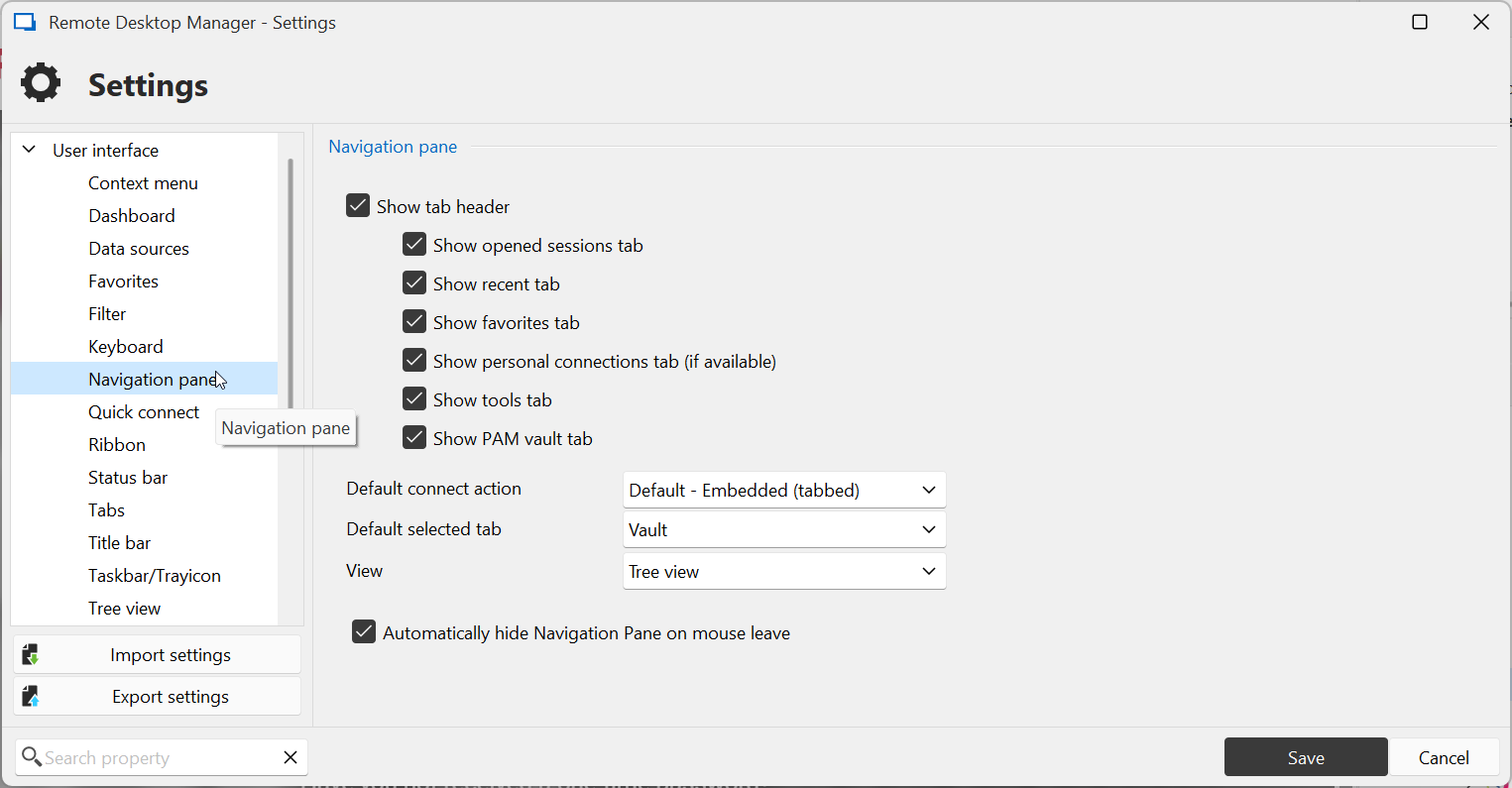
Could you please verify under the settings of RDM if your settings look similar to the screenshot below? 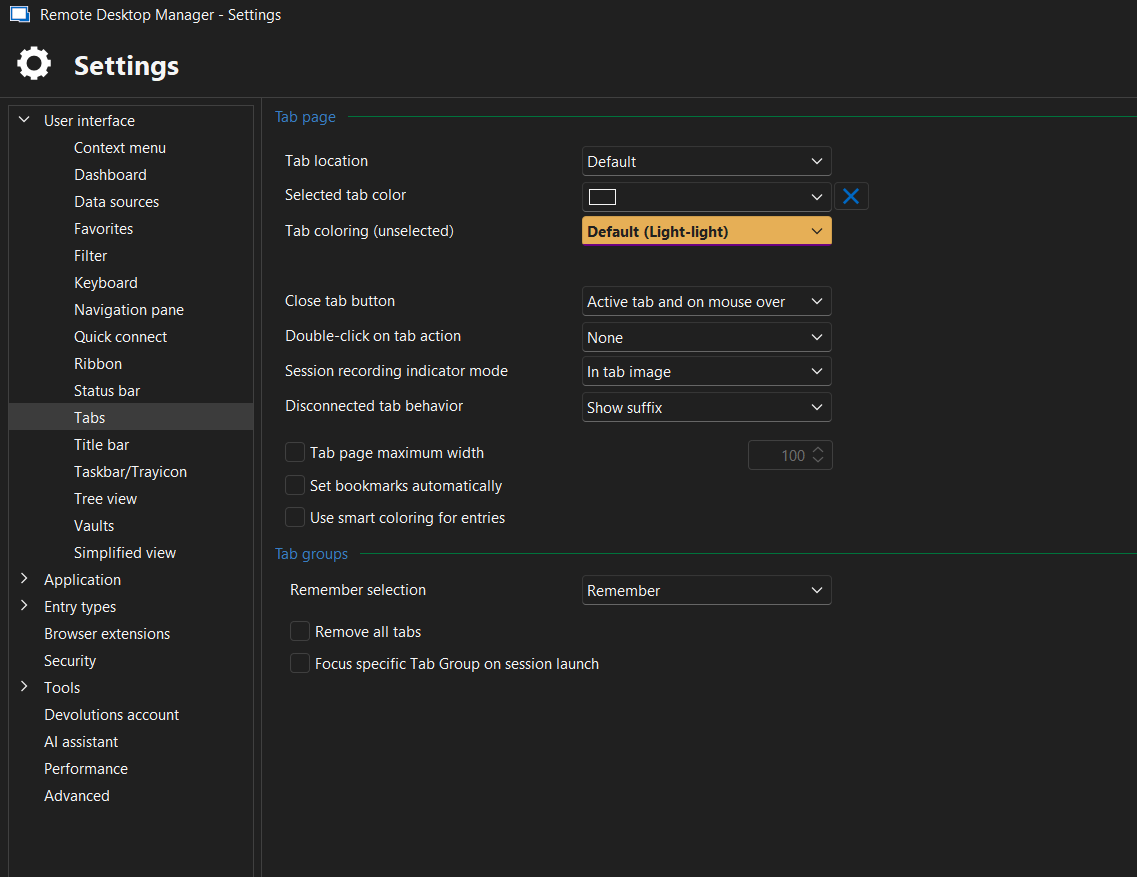
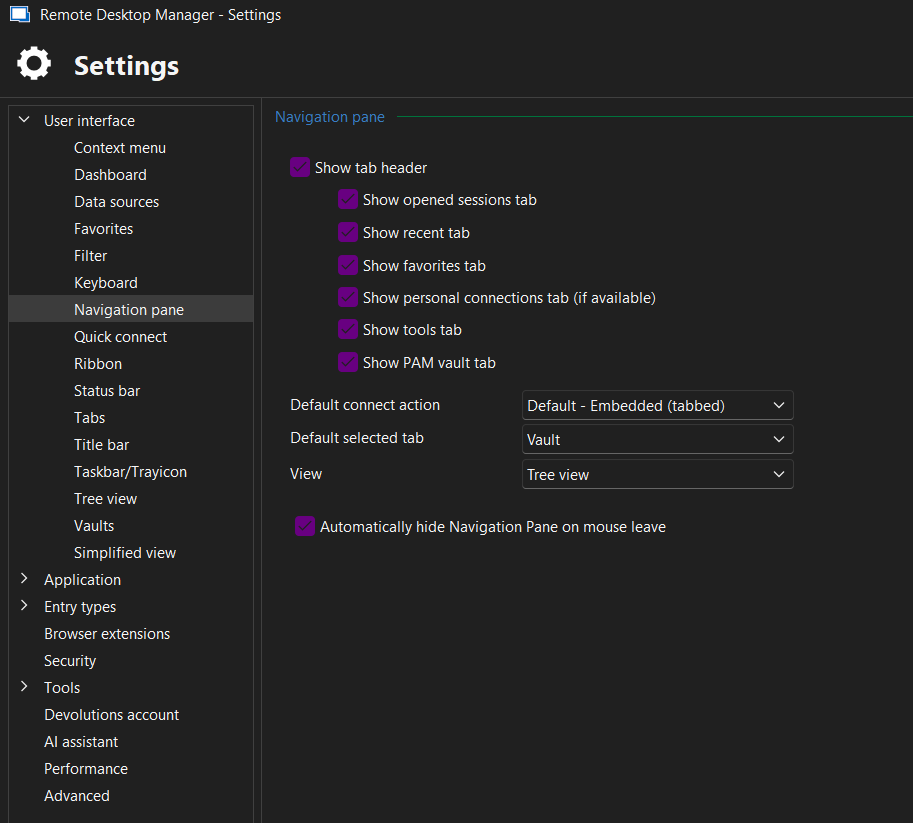
Please let us know if the problem persists with the same options. If you have any other questions, feel free to let us know.
Best regards,
Maxim Robert
Capture d’écran 2025-03-22 144207.png
Capture d’écran 2025-03-22 144149.png
yes, looks similar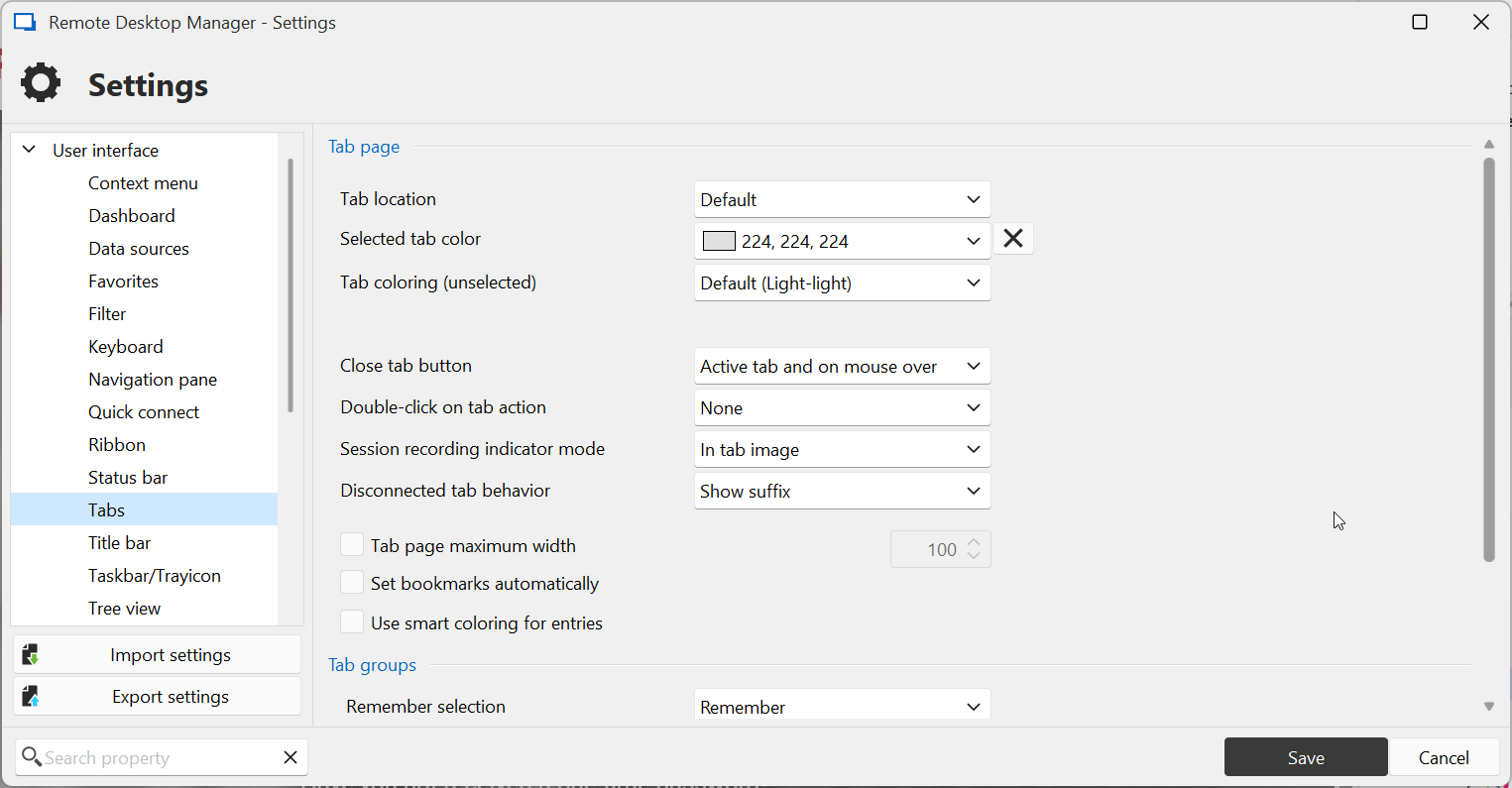
332851dd-1c39-4aa0-8848-39f2d3b4eb90.png
4b4ed0bf-ba19-4a3f-8d1f-e1a9dabf5d1b.png
Hello,
Thank you for the follow-up.
Could you try performing a Reset Layout from the Window ribbon menu?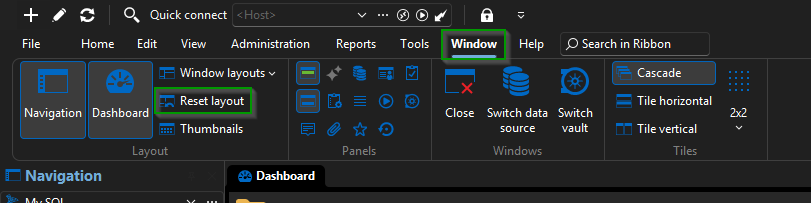
Please let me know if this resolves the issue.
Best regards,
Jacob Lafrenière
bce0b2a7-93de-46d5-a46e-4867f159d8ae.png
..you know that this is a mayor hassle? Ok, I did it. Lost my carefully designed layout. No change. :(
btw, selecting multiple entries (with shift) shows the select color, but not for the current (last) selected entry (the bold one). but.. this multiple select thing is broken for at least 2 major versions, I have post in the forum about this somewhere, maybe a hint for debugging..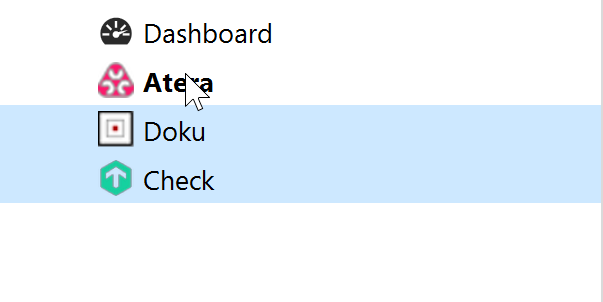
6ec0e0cb-227d-4245-947b-1697d316a9e3.png
Hello,
Thank you for the follow-up.
I was able to reproduce the issue you are experiencing with the Tab group. I will report this bug to the development team, and they will begin working on a fix soon.
I will follow up with you as soon as a fix is deployed in a future update.
Best regards,
Jacob Lafrenière
Hello,
We've fixed the selection highlight as well as several other problems in the Tab Groups. You can expected these changes to take effect with the upcoming 2025.1.28 version.
Regards,
Jafran Majeau