Import points for Aufgabenliste/TODO-list
0 vote

From the Dashbord there is a Button "bevorstehende Aufgaben" (next todos). Behind this there is a list of todos which you can insert with the " + " Button.
but if i have a list of 20 todos i cant export this to csv oder import a list from csv
i did not find a possibility to do this.
regards andreas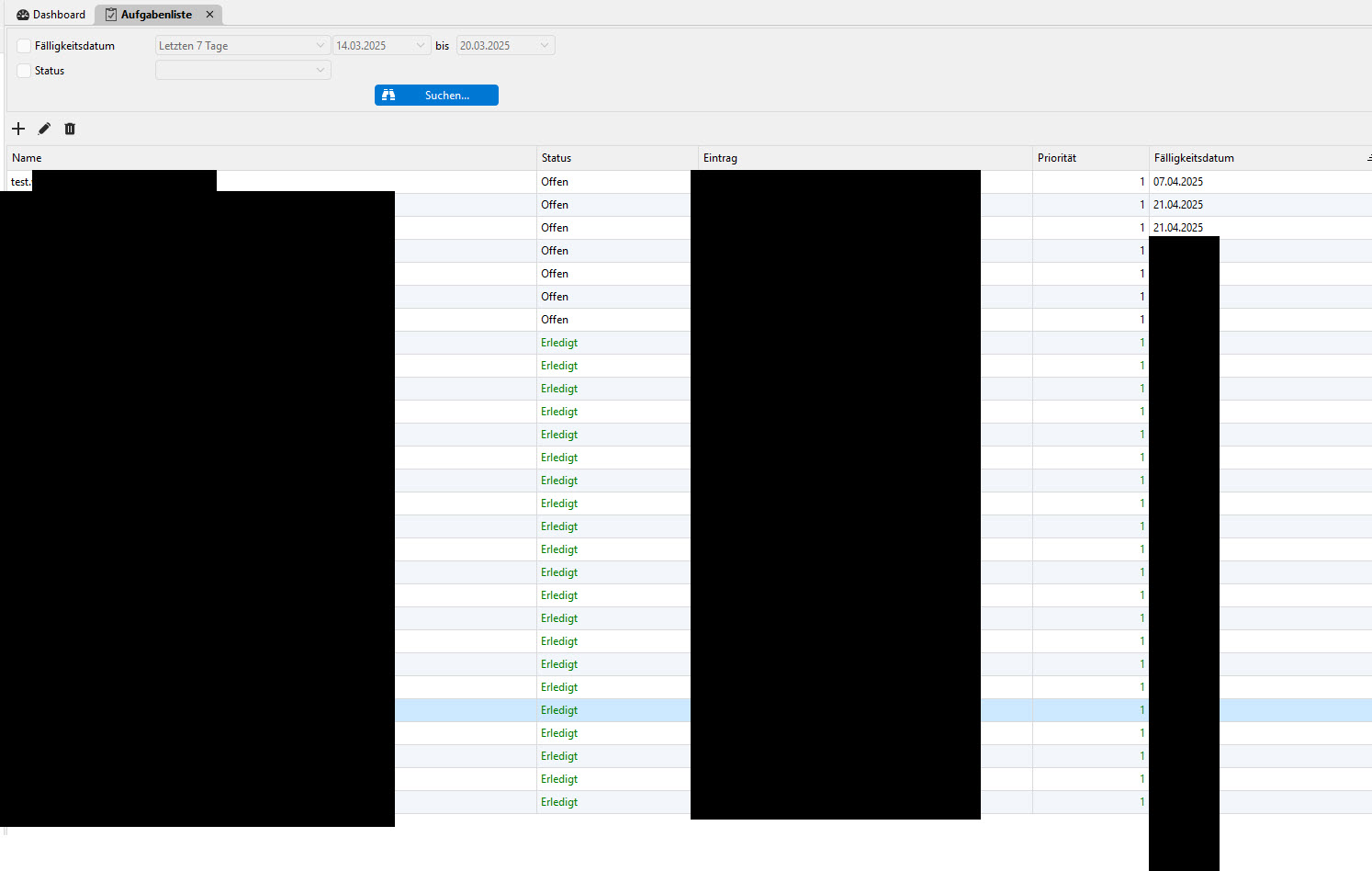
RDMScreenshot.jpg
All Comments (2)
Hello,
Thank you for reaching out to Devolutions Support.
This is not a functionality in RDM for the moment. I will move your post to the feature request forum.
Our feature request forum allows our community to submit/share ideas with our development, service desk, and management teams. It’s also an opportunity for our community to demonstrate an interest in your idea. We use this interest to prioritize the features we implement.
Best regards,
Jacob Lafrenière
Hello Andreas,
Good news: task lists can now be imported and exported. This will be available in the next major release of Remote Desktop Manager, 2027.1.0.0.
Export
- Both the global task list and an entry's Tasks tab now have an Export button. It saves all the tasks shown to a CSV or JSON file.
- To export only some tasks, select them, right-click and choose Export selection.
- The CSV opens cleanly in Excel.
Import
- Use the Import button and pick a CSV or JSON file, for example one you exported earlier.
- A preview opens before anything is saved. It shows which tasks are ready to import and flags any problems, such as an entry or user that can't be found, or a task that already exists.
- You can fix those problems in the preview: choose an entry, assign a user, or decide what happens with duplicates (skip, overwrite or add a copy). Then click Import.
Your list of 20 tasks can now go to and from a CSV file without being entered by hand.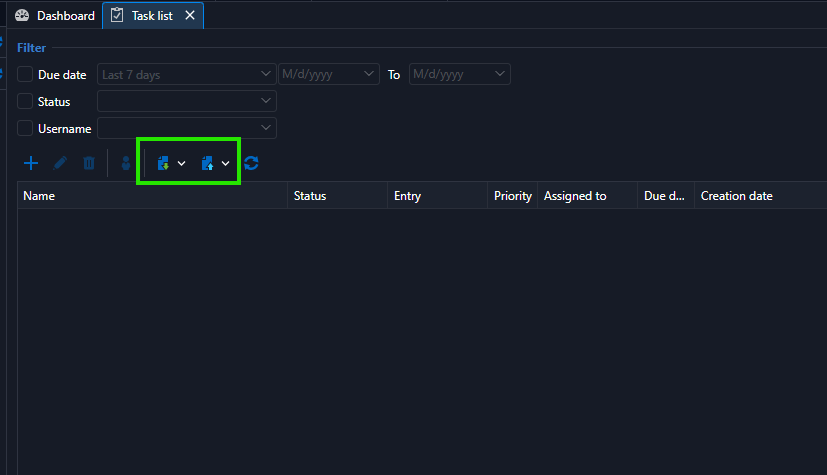
Thank you for the suggestion, and let us know how it works for you once 2027.1.0.0 is out.
Best regards,
Léon Le Brun
3fe353ed-e30f-4775-8b9d-90d56b70dd4b.png