Workspace - Offline mode - iOS and Windows - Issue: Offline Data has expired
Workspace - Offline mode - iOS and Windows - Issue: Offline Data has expired

Hello,
I would be very grateful if you could help me understand why I keep getting the message shown in the attached screenshots when I go into offline mode:
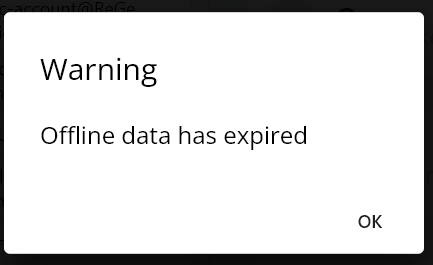
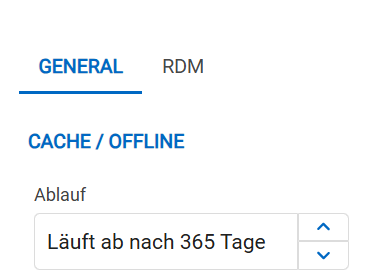
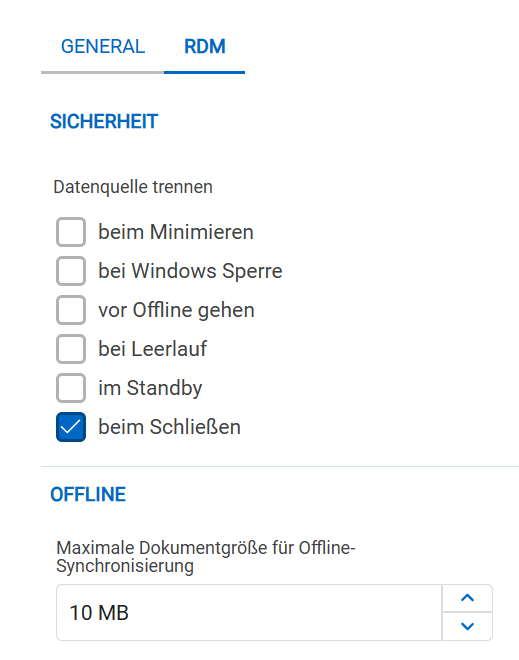
f1ae0cf4-acb3-43ce-b9da-312f01859221.png
b8f0f391-cb1f-4b7d-a0e8-69f818757cef.png
cf811ab0-6b2b-4ad4-9b92-233c5a55c75a.png
3b3535b0-d4bc-4687-8088-3100d44a948a.png
All Comments (3)
Hello,
Thank you for reaching out. This appears to be a bug, we will investigate the issue. I will update you as soon as we have more information.
Best regards,
Dany Galarneau
Hi,
We’ve identified the problem, and a fix will be included in the next version, which we will release this week. In the meantime, you can set your offline cache to expire in a lower number than 365, and it should work.
Best regards,
Dany Galarneau
Hello Dany,
it works with 180 Days. Thank you.