Edit credentials for RDP connection entries

Hi,
I just upgraded to 2025.1.24.0 and can't connect with just a double click to my RDP entries in my naviagation pane anymore. It uses the first of my saved credentials which is not the one I want to use. The credentials field is set to "Inherited", but I do not know how I can access the settings of the folder(s) these entries are sorted in ( in my example: the folder "Verbindungen" or "RDS"). I am ot able to find anything in the documentation regarding managing folders.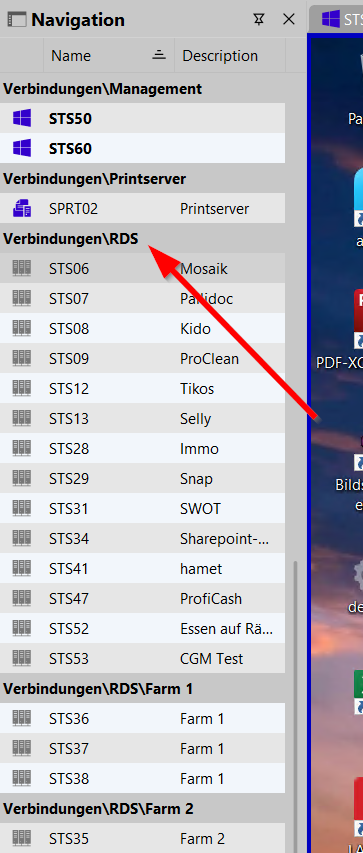
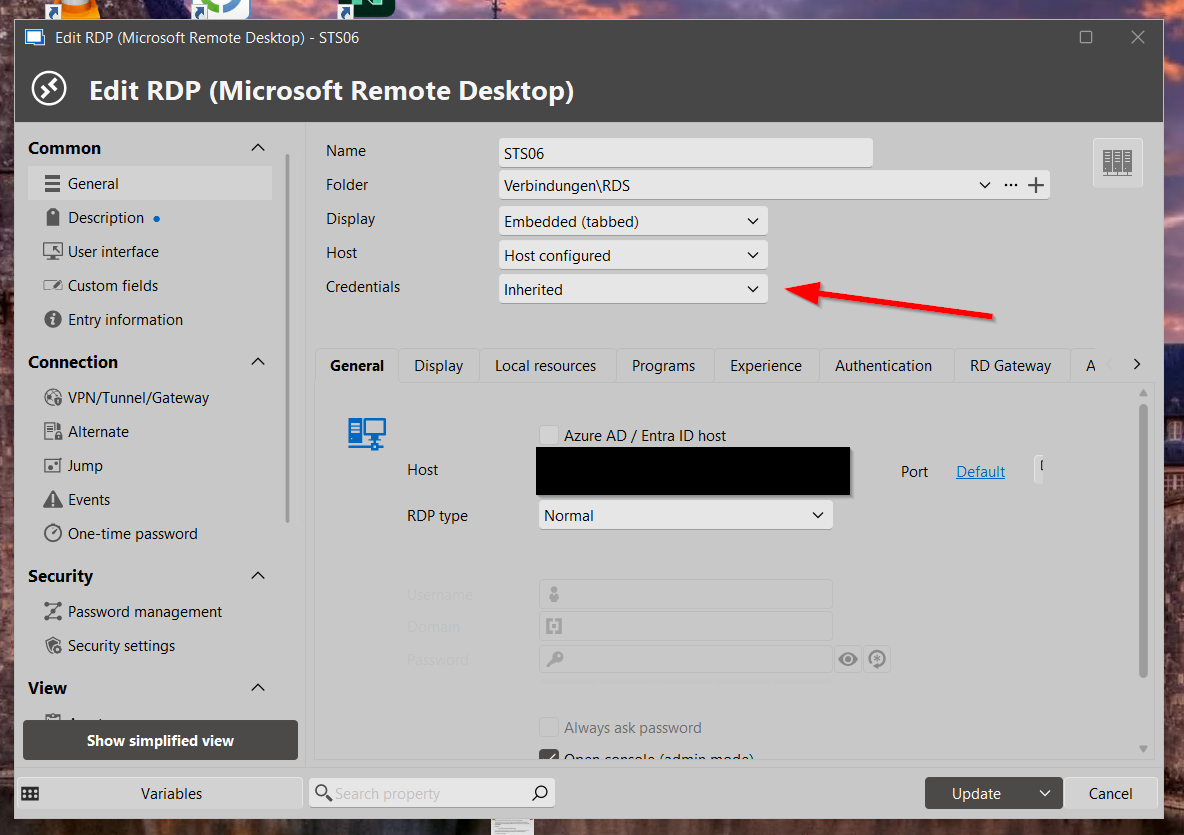
How do I edit navigation folders?
Thanks in advance.
Joerg
02.png
01.png
Recommended Answer
Hello Joerg,
Could you please try to change the View for the Navigation pane to Tree view?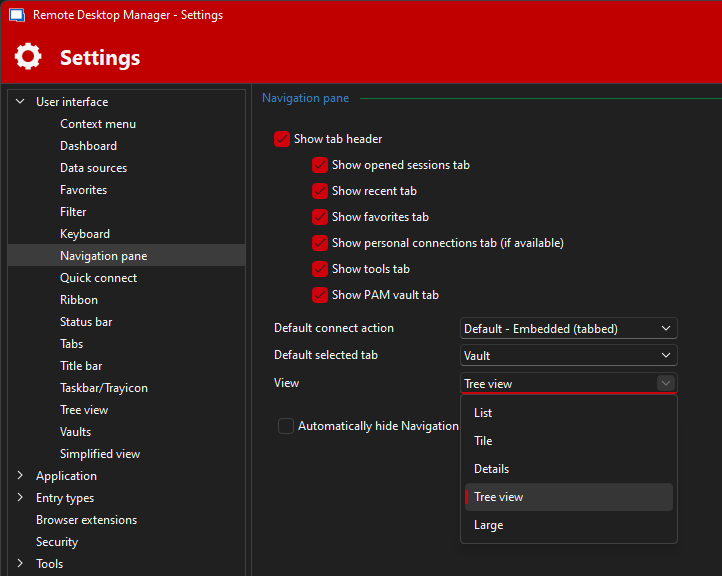
Regards,
Min
f898efa1-ce32-4738-906d-ad649e7f7c33.png
All Comments (3)
Hello Joerg,
Could you please try to change the View for the Navigation pane to Tree view?
Regards,
Min
f898efa1-ce32-4738-906d-ad649e7f7c33.png
That's it, thanks Min. I knew there was something I missed. I could edit the credentials of the folders now and the inherited credentials are used again. Thank you very much.
Hello Joerg,
Awesome, I'm glad to hear! Thanks for your feedback! 😉
Regards,
Min