RDP Session issues when after upgrade the new version

After upgrade the new version , the issue for using RDP sessions. as follows:
MacOS: 14.6.1 (23G93)
RDM version : Version 2025.1.12.4 (March 12, 2025)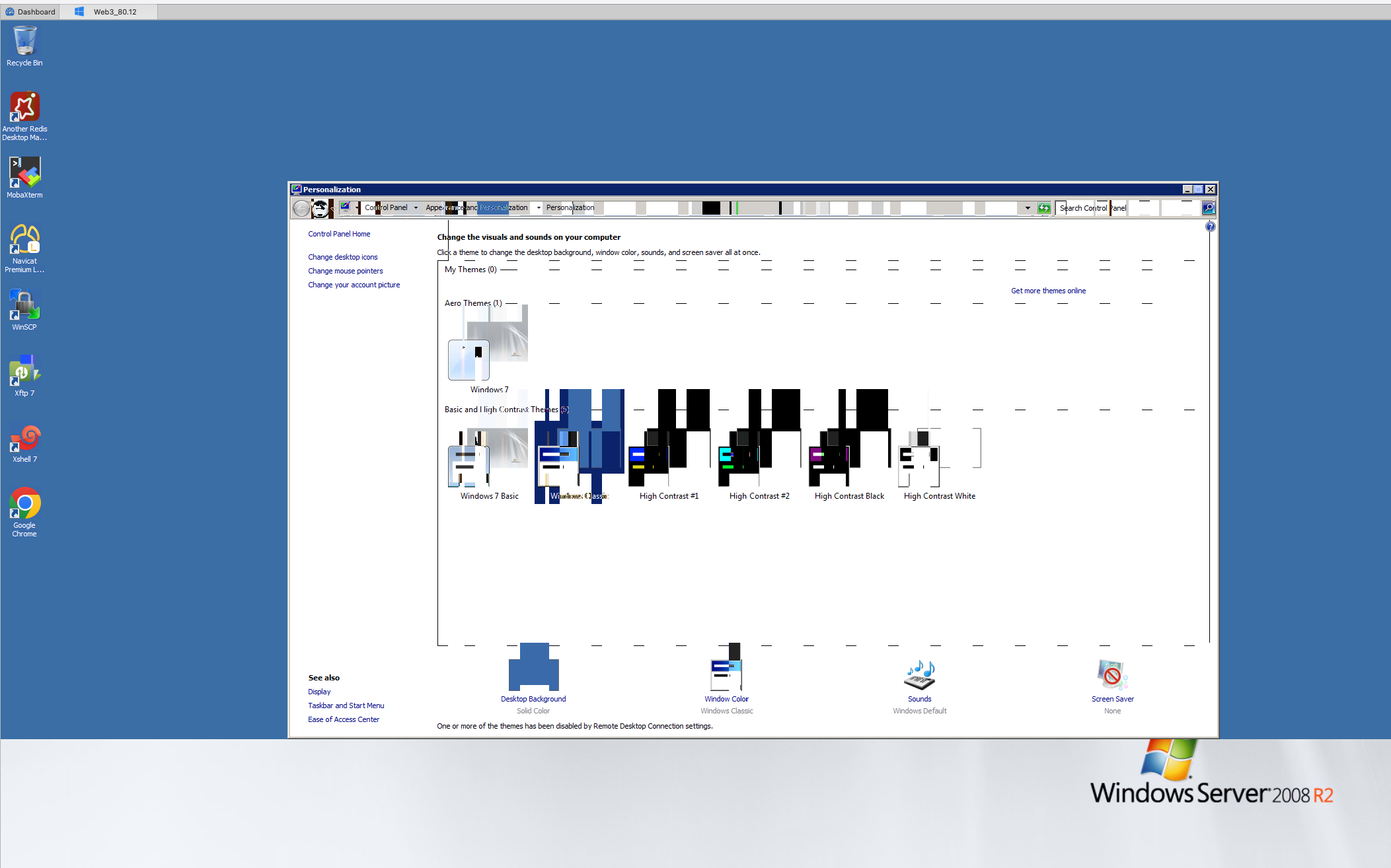
a050bd90-b68d-4f30-9b0e-852d44345ab9.png
All Comments (23)
Hello and thank you for reaching us.
Before anything, what are your display settings? are they all on default?
You can see that in the properties of the entry > RDP > Display.
Best regards,
Michel Lambert
Hello and thank you for reaching us.
Before anything, what are your display settings? are they all on default?
You can see that in the properties of the entry > RDP > Display.
Best regards,
Hi Michel,
As follows :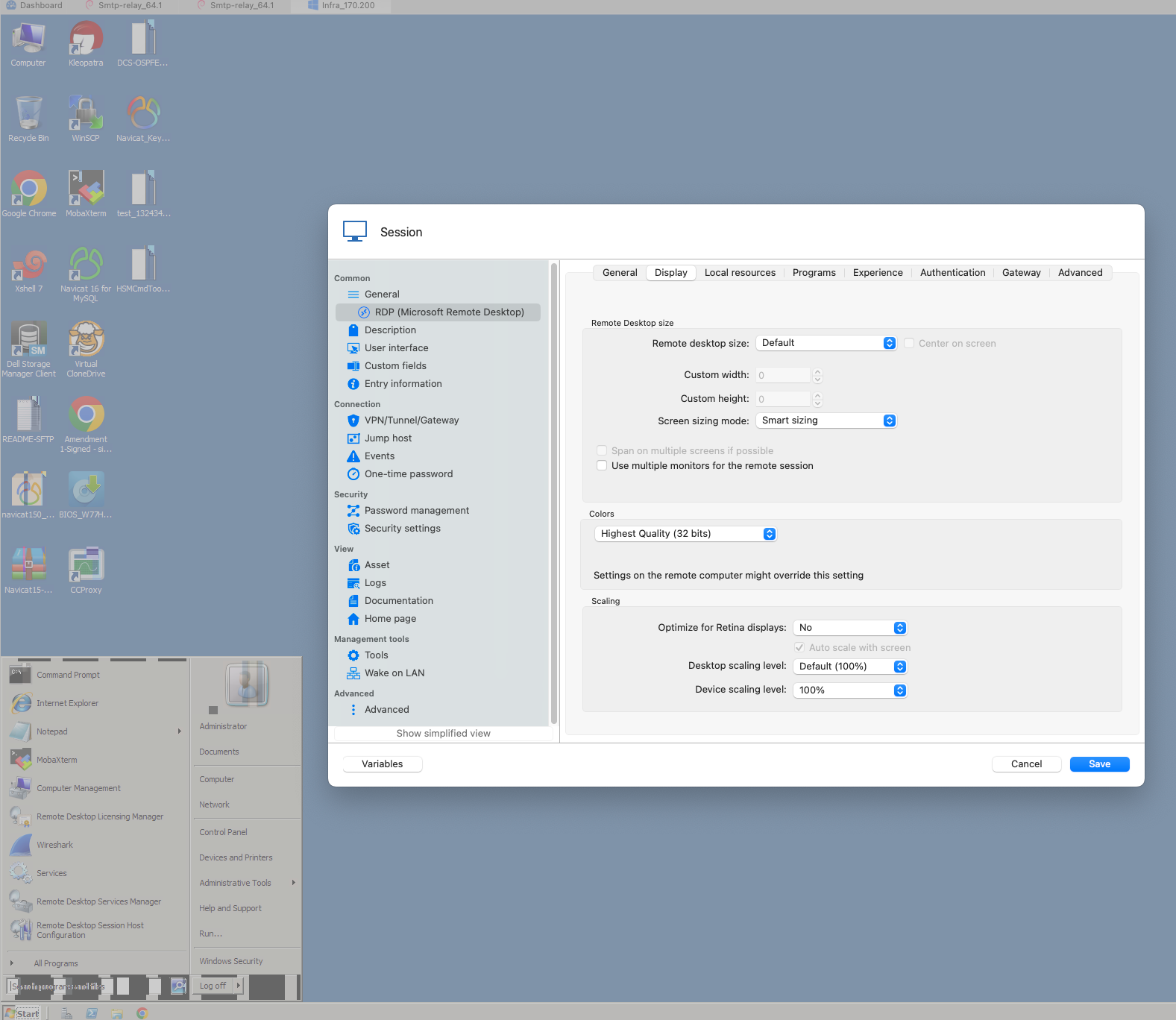
SCR-20250314-lopi.png
Hello, same here.
RDM: 2025.1.12.5
MacOS: 15.3.2 (24D81)
Issue is when connecting to older machine (Windows 7).
Newer seems to look fine (checked Windows Server 2012).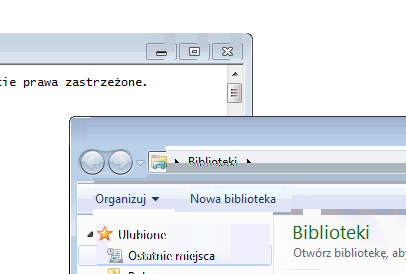
All defaults.
2a66aafe-0350-44bb-bf4e-cf076993f774.png
Hello,
thanks for the informations.
A ticket was opened and we will need to run some tests on our side.
We will keep you updated. If there's anything that you see that you think it might help us, don't hesitate to communicate with us.
Best regards,
Michel Lambert
Hello
I'll try to reproduce this issue on my side; but in the meantime - can you try toggling the "Persistent bitmap caching" setting under "Experience"? i.e. If it's checked, try unchecking it and let me know if that changes something.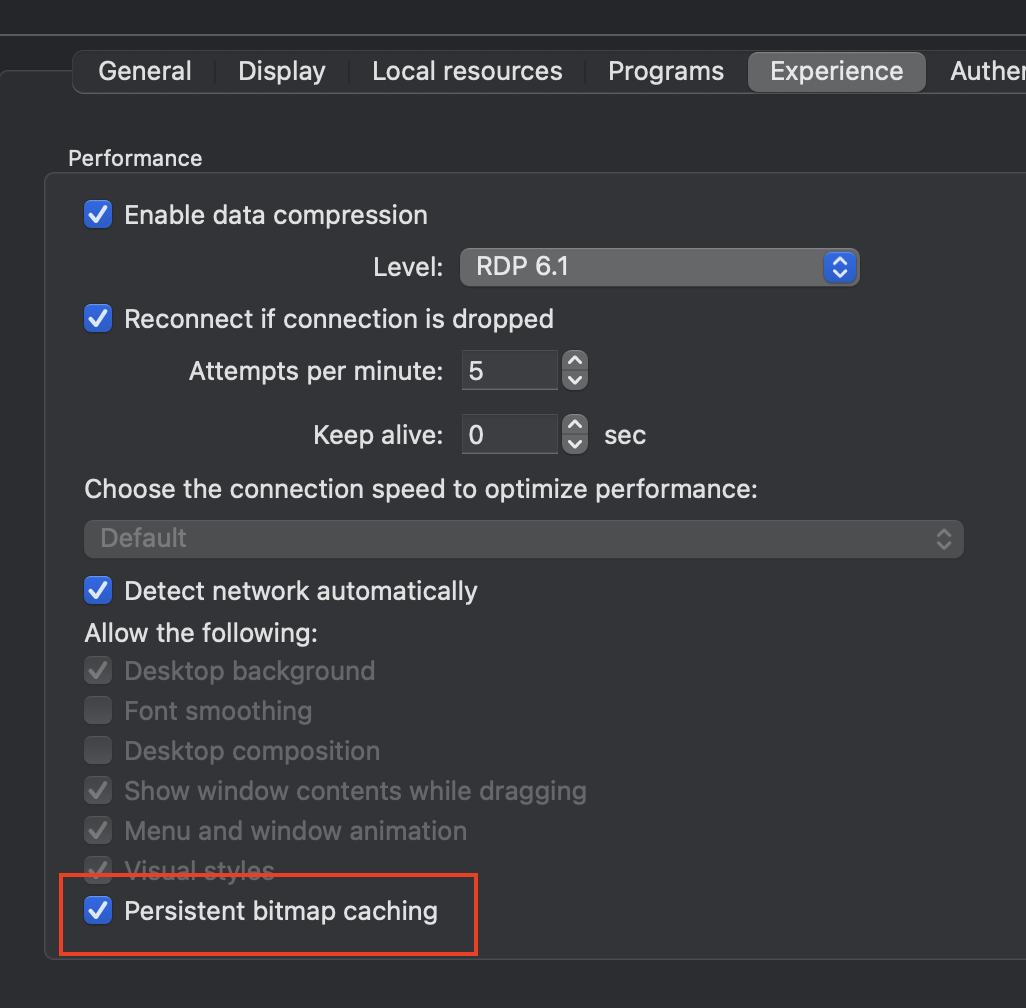
Thanks and kind regards,
Richard Markievicz
Screenshot 2025-03-14 at 09.46.49.png
Hello again
On further investigation, this definitely looks like a regression in the planar codec. You can try the setting I mentioned above but I'm not sure that it will help. I will fix this and coordinate with my colleagues on the RDM Mac team to get that integrated. I'm afraid I don't have a workaround at the moment, but the fix should be forthcoming.
I apologize for the inconvenience. Don't hesitate with further questions or comments.
Thanks and kind regards,
Richard Markievicz
Hello again
On further investigation, this definitely looks like a regression in the planar codec. You can try the setting I mentioned above but I'm not sure that it will help. I will fix this and coordinate with my colleagues on the RDM Mac team to get that integrated. I'm afraid I don't have a workaround at the moment, but the fix should be forthcoming.
I apologize for the inconvenience. Don't hesitate with further questions or comments.
Thanks and kind regards,
Hi Richard,
The issue have not been fixied ?
Hello,
The version with the fix is being tested as we speak. I can't really give more details or an ETA.
All I can say is that we hope we will be able to release it very soon.
In the meantime, if you have any questions, don't hesitate to communicate with us.
Best regards,
Michel Lambert
Hello,
The version with the fix is being tested as we speak. I can't really give more details or an ETA.
All I can say is that we hope we will be able to release it very soon.
In the meantime, if you have any questions, don't hesitate to communicate with us.
Best regards,
Dear Michel,
After upgrading to the new version 2025.1.16.1 (May 1, 2025), I encountered a new issue with the session I created to access the Windows 2008 R2 server.
OS: MacOS 15.4.1 (24E263)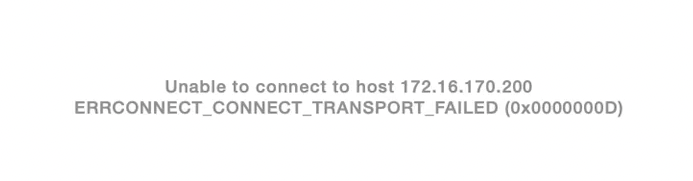
Thanks for your support.
Best regards,
SCR-20250505-njlj.png
Hello
There is a known issue with RDP in that build, can you try to disable the sandbox mode (either in the "Advanced" tab of the RDP session or in the application Settings > Types > RDP) and let me know if it works around the issue?
Sorry for the inconvenience
Kind regards,
Richard Markievicz
Hello
There is a known issue with RDP in that build, can you try to disable the sandbox mode (either in the "Advanced" tab of the RDP session or in the application Settings > Types > RDP) and let me know if it works around the issue?
Sorry for the inconvenience
Kind regards,
Dear Richard,
It still showed the same error like previously. Below is my setting: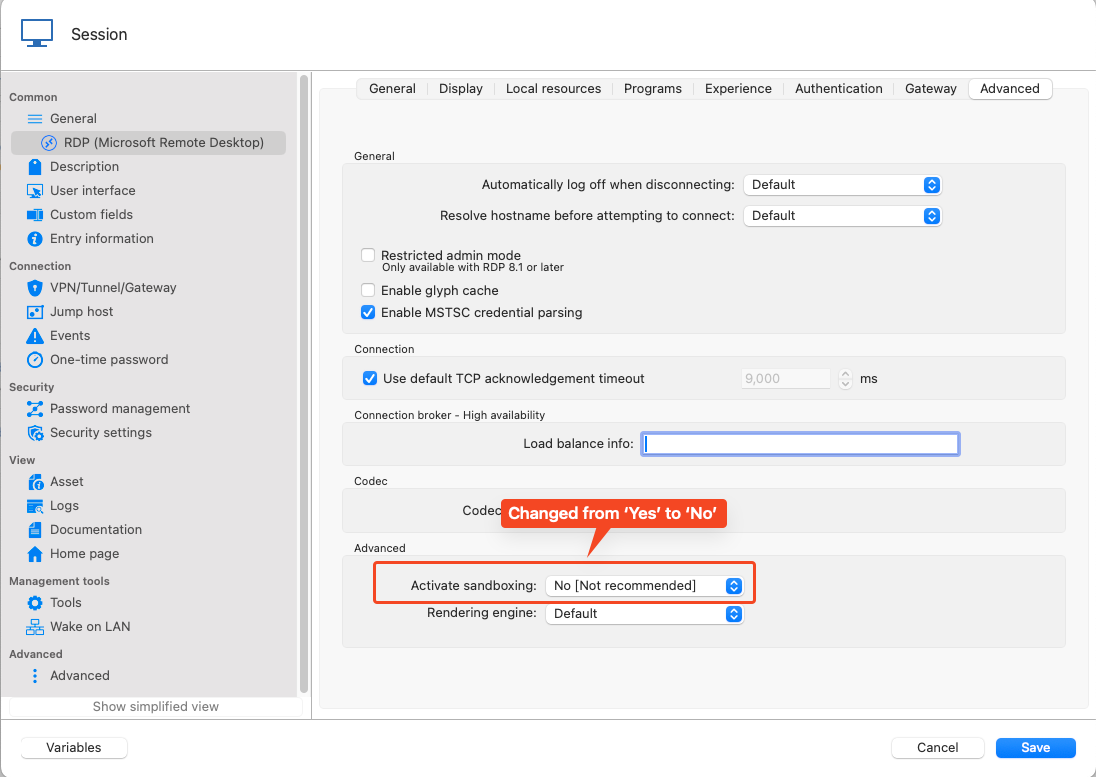
Thanks.
Best regards,
6f8697be-1135-4d63-a2af-0580ab6811c9.png
Hello
Ok, I'm sorry for the inconvenience. The error you get means a network connection could not be established to the server. But sometimes, RDM will try to automatically try the connection again and the real error can be not shown by the UI.
Can you generate a session log (instructions here) and send it to me by PM or to service@devolutions.net (mentioning this forum thread). I will take a look as soon as I get that.
Please let me know if you have some questions
Kind regards,
Richard Markievicz
Hello
Thanks for sending the log file through.
We see that there is a problem establishing the network connection to the server, before we hit the RDP protocol at all.
Can you check the following:
- Are you able to connect using Microsoft's RDP client ("Windows App")?
- Is the server running a standard RDP port? (3389)
- Are you able to connect to other servers ok? Is there anything "different" about this one in terms of the network?
- Can you check in the macOS Settings > Privacy and Security > Local Network that Remote Desktop Manager is listed and enabled?
Please, let me know if something isn't clear or you have other questions
Kind regards,
Richard Markievicz
Hello
Thanks for sending the log file through.
We see that there is a problem establishing the network connection to the server, before we hit the RDP protocol at all.
Can you check the following:
- Are you able to connect using Microsoft's RDP client ("Windows App")?
- Is the server running a standard RDP port? (3389)
- Are you able to connect to other servers ok? Is there anything "different" about this one in terms of the network?
- Can you check in the macOS Settings > Privacy and Security > Local Network that Remote Desktop Manager is listed and enabled?
Please, let me know if something isn't clear or you have other questions
Kind regards,
Hi Richard,
Please refter to my reply:
- Are you able to connect using Microsoft's RDP client ("Windows App")? Yes, I used 'Microsoft Remote Desktop', it works well when accessed same server, just upgraded to new version of RDM, it failed.
- Is the server running a standard RDP port? (3389) Yes, 3389
- Are you able to connect to other servers ok? Is there anything "different" about this one in terms of the network? Onley 'Windows 2008 R2' access failed, the other seems like 'Win10&Win11&Win2012 server ' etc, it works well.
- Can you check in the macOS Settings > Privacy and Security > Local Network that Remote Desktop Manager is listed and enabled? Yes , it enabled.
Thanks.
Best,
Hello
Thanks for your answers. This is really strange, because the error is a network one.
Can you verify if the connection still works (although, with the "garbled" display) when you try the older version of RDM? You can download 2025.1.12.4 from our CDN.
Thanks and kind regards,
Richard Markievicz
Hello
Thanks for your answers. This is really strange, because the error is a network one.
Can you verify if the connection still works (although, with the "garbled" display) when you try the older version of RDM? You can download 2025.1.12.4 from our CDN.
Thanks and kind regards,
Hi Richard,
Kindly refter to my below reply.
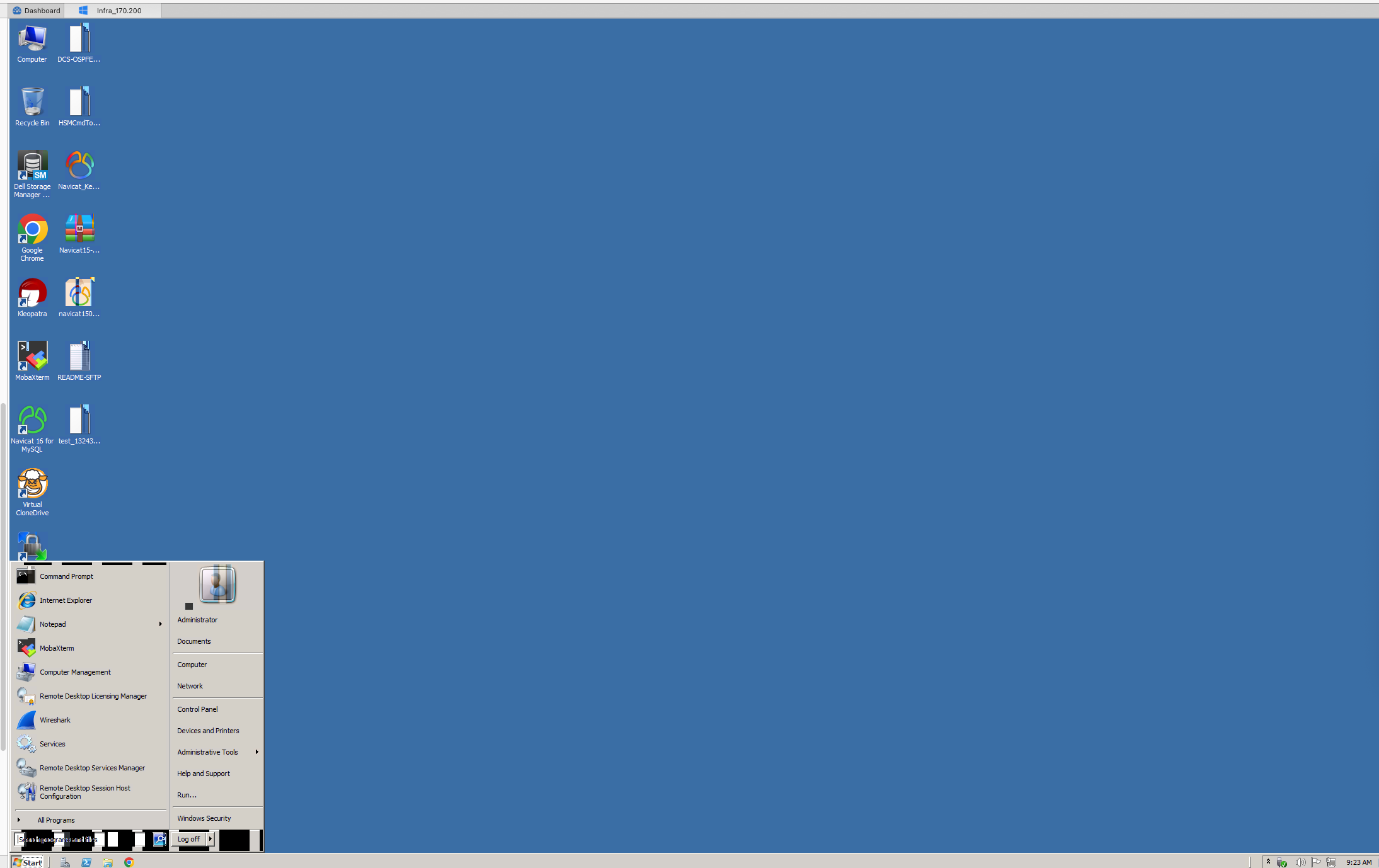
2025.1.12.4 this version works well.
Mac M4 pro. 15.4.1 (24E263)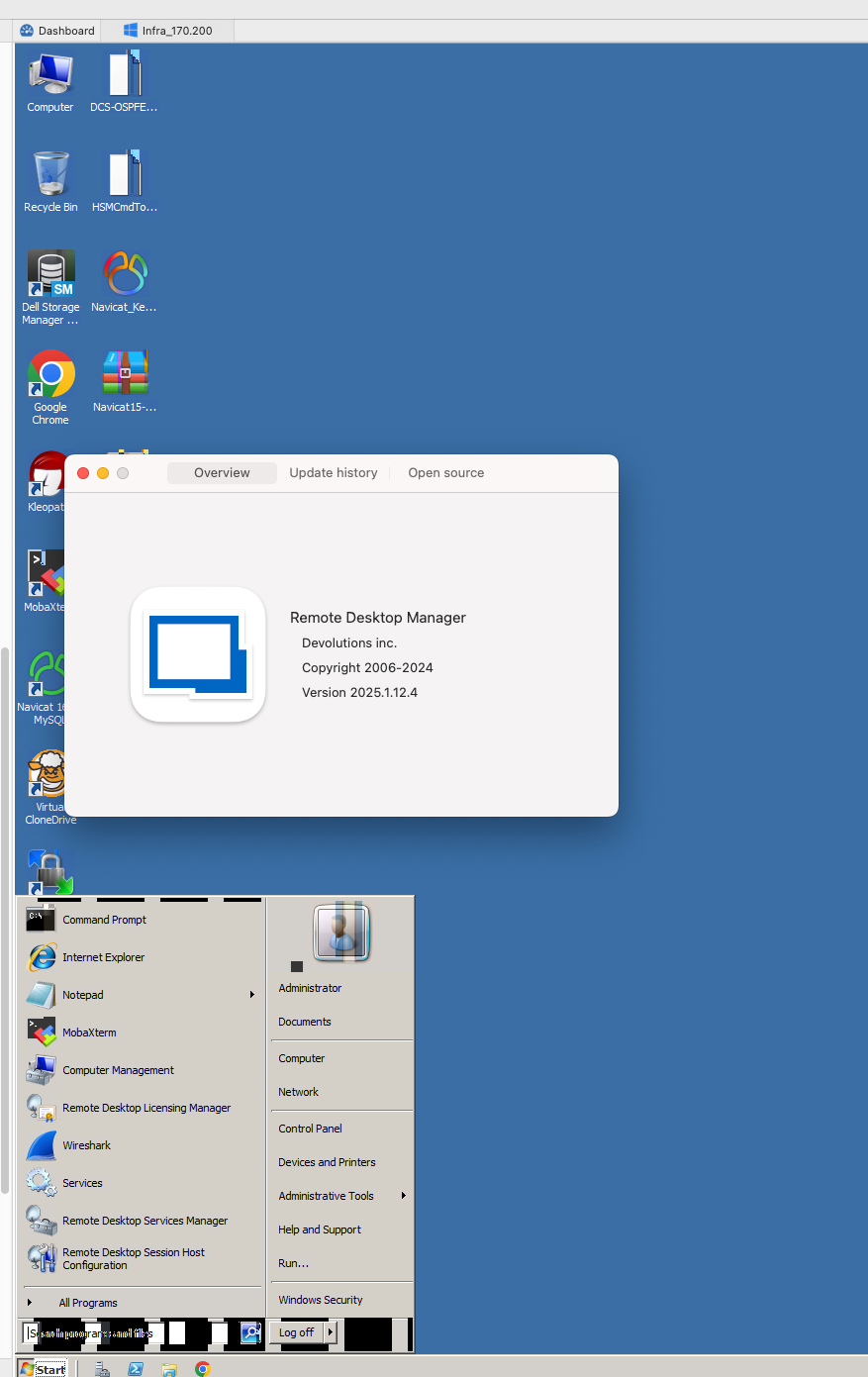
Best,
393b41dc-af3e-4e4b-a331-8ee9b166d0a2.png
44bd27b3-5482-44e5-a78e-51a3e506db0e.png
Hello
Thanks for the update. I have a theory about what's going wrong here, although it doesn't exactly match with what your log file tells us.
Can you check something else for me: on the Win2k8 server, in Control Panel > System > Remote Settings, what do you have selected for this option?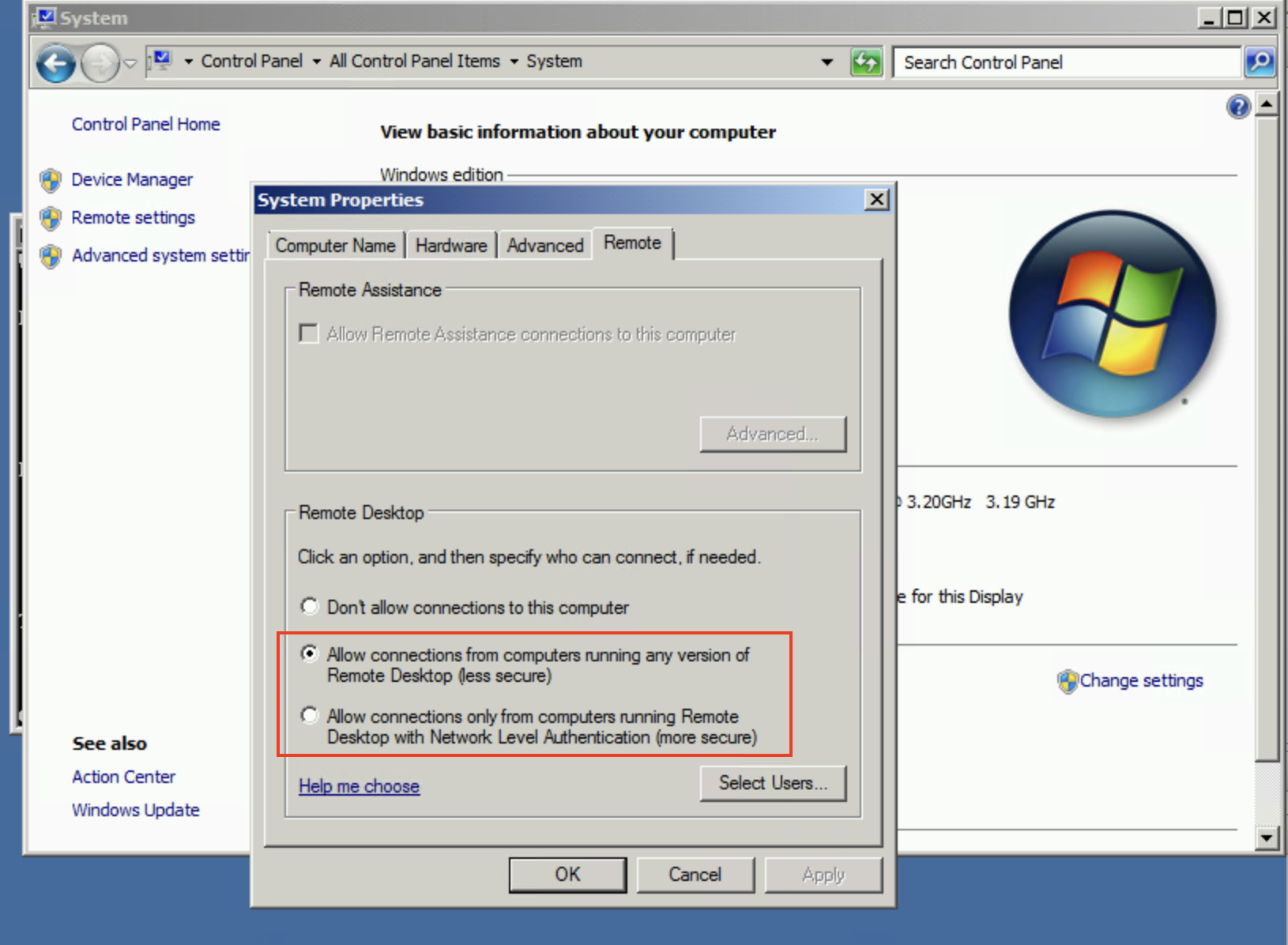
Thanks and kind regards,
Richard Markievicz
Screenshot 2025-05-15 at 22.22.47.png
Hello
Thanks for the update. I have a theory about what's going wrong here, although it doesn't exactly match with what your log file tells us.
Can you check something else for me: on the Win2k8 server, in Control Panel > System > Remote Settings, what do you have selected for this option?
Thanks and kind regards,
Hi Richard,
Kindly refer to my below screenshot.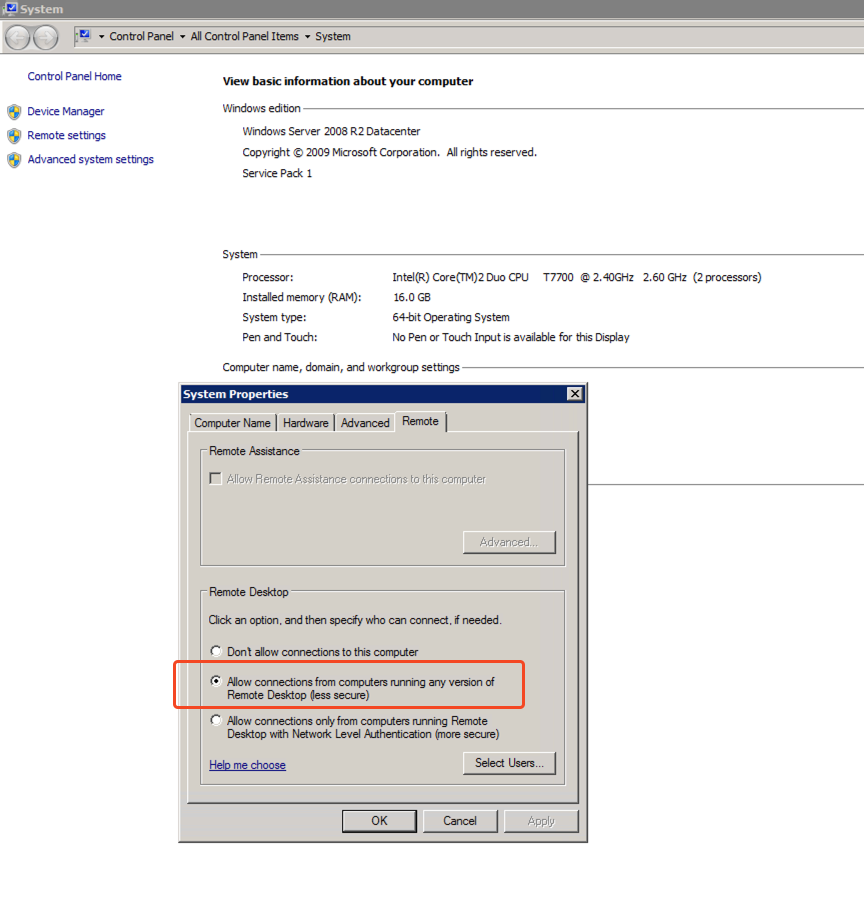
Thanks.
Best,
ffaa145a-87b1-4edd-9c35-246259f33331.png
Hello
Thanks for that. Can you try this for me: in the RDP session in RDM, under the "Authentication" tab; uncheck both "Enable Network Level Authentication (NLA)" and "Enable Transport Layer Security (TLS)" and leave only "Enable Remote Desktop Security (RDP)" checked; like in my screenshot: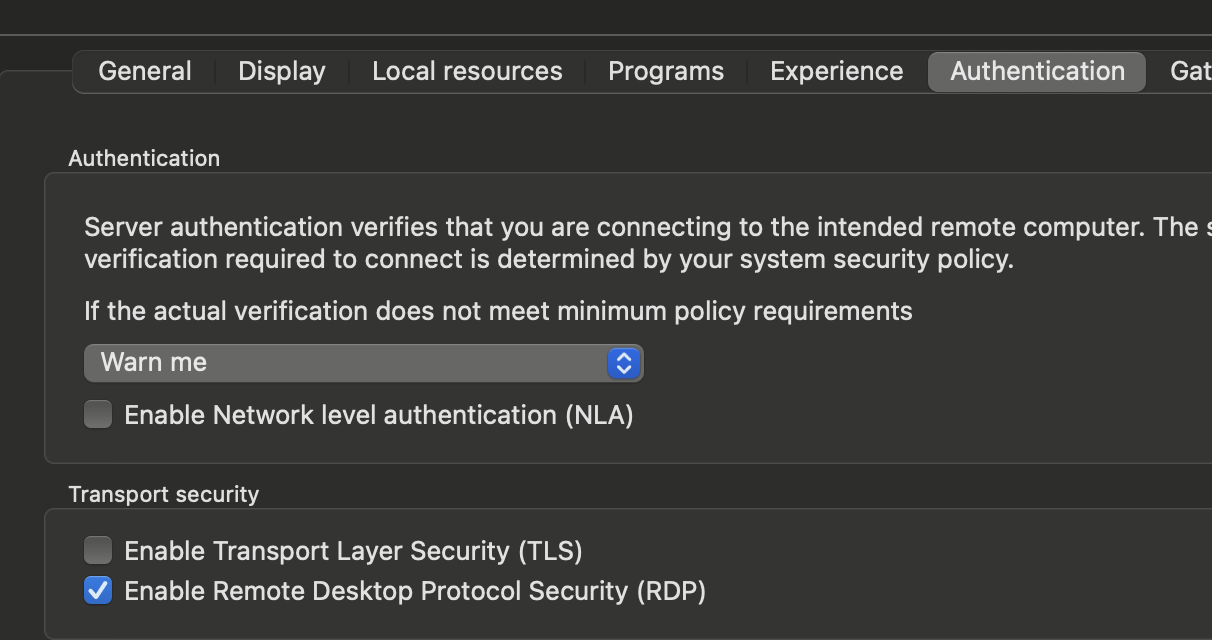
And let me know if you're able to connect. Please note, that if you are able to connect, this is not the "final" fix because it degrades security; but it will prove what we are seeing and I will be able to direct you to what other changes need to be made.
Please, let me know if something isn't clear
Kind regards,
Richard Markievicz
Screenshot 2025-05-16 at 08.54.18.png
Hello
Thanks for that. Can you try this for me: in the RDP session in RDM, under the "Authentication" tab; uncheck both "Enable Network Level Authentication (NLA)" and "Enable Transport Layer Security (TLS)" and leave only "Enable Remote Desktop Security (RDP)" checked; like in my screenshot:
And let me know if you're able to connect. Please note, that if you are able to connect, this is not the "final" fix because it degrades security; but it will prove what we are seeing and I will be able to direct you to what other changes need to be made.
Please, let me know if something isn't clear
Kind regards,
Hi Richard,
As per your instructions, please refer to the image below. I have successfully connected to the Win2008R2 server, and the screen flickering issue has also been resolved.
Thank you for your help.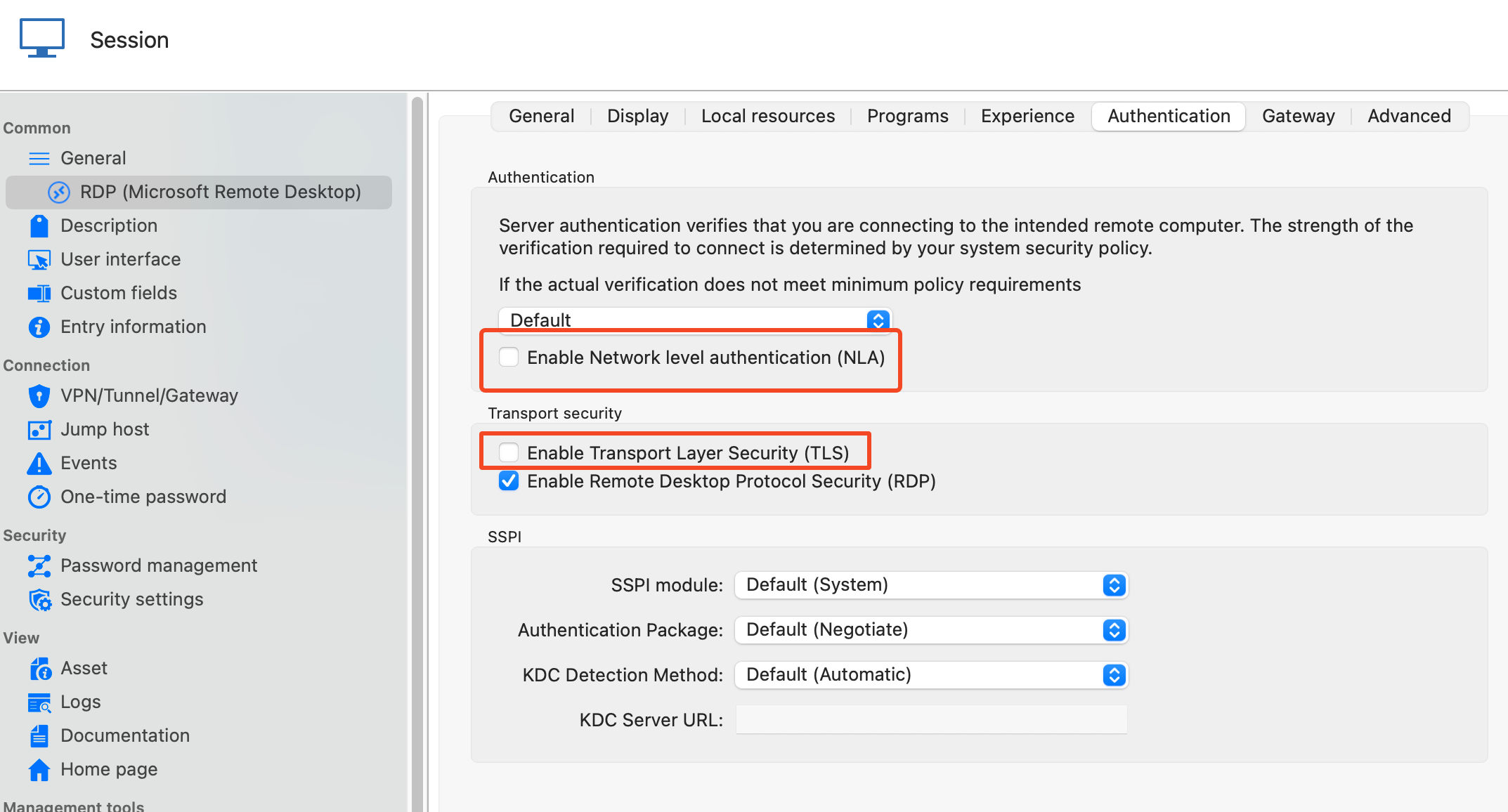
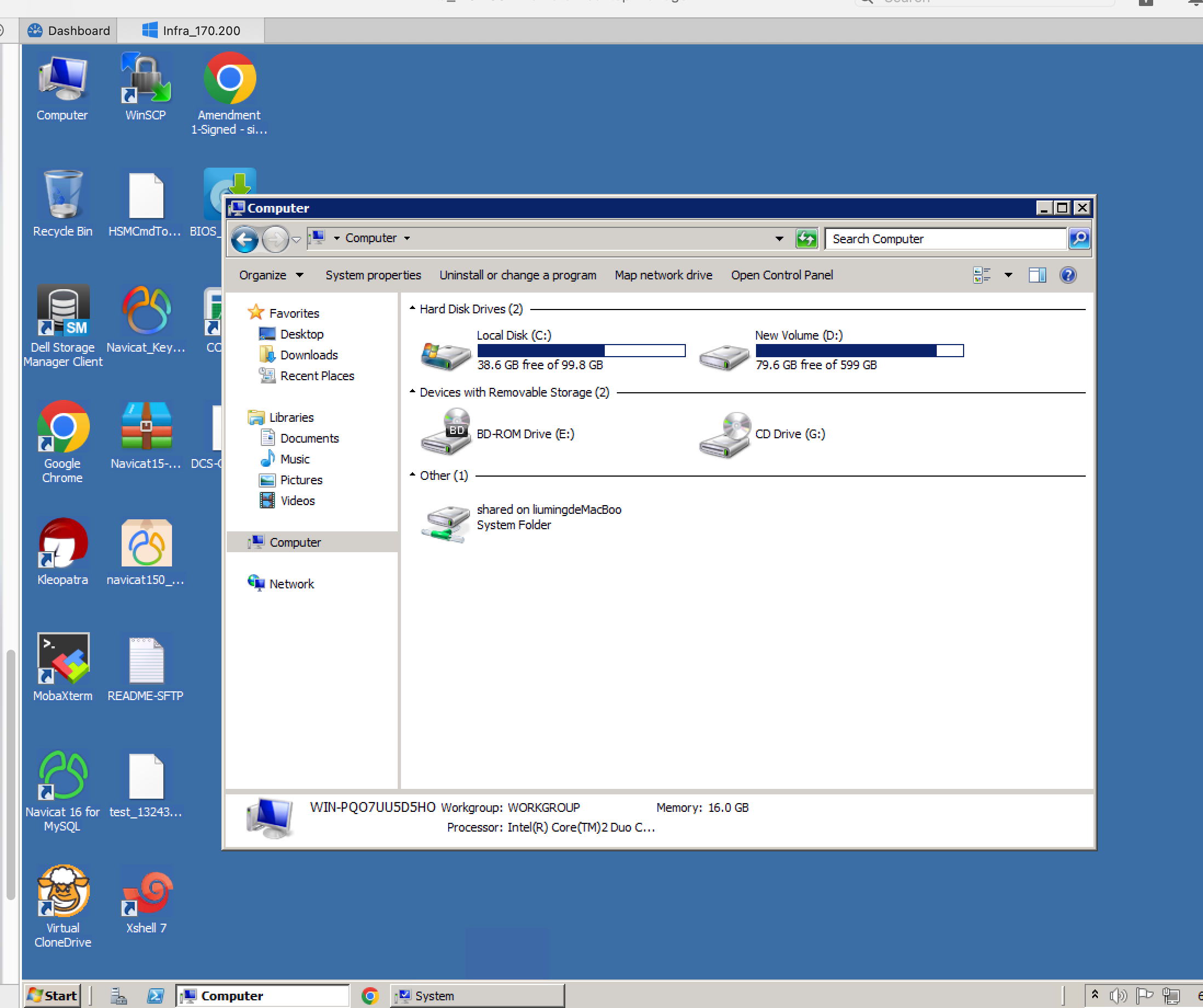
Best,
00fac4bb-a73d-4692-a850-df71c5a88cc7.png
e72d426d-2c50-4612-8ae3-f3ae7d814c07.png
Hello
First, great news! I'm glad you're back up and running.
I'd like to explain the issue here because as I mentioned in my previous post, this setting does degrade security. It may not be a problem for you, perhaps this server is on a well-protected network; but I'll post my thoughts and the information may be useful to you or others.
Of the three authentication options you have, RDP is very much the least secure and should be avoided as far as possible. For the best security, you should be enforcing Network Level Authentication on the server and only using that.
TLS and NLA security both need to be able to establish an encrypted TLS connection between the client and server. Recently we've updated our SSL stack in RDM for RDP and one thing that changed was: support was removed for TLS 1.0. It is very old and known to have security problems. Win2k8 is quite old and didn't ship with support for anything newer than TLS 1.0 which is why your connection got broken.
In an ideal world, you'd disable RDP authentication and enable only NLA, or if that's not possible, at least TLS. That won't work with RDM out of the box with Win2k8 as we've seen, but as long as you have this update (you probably do) support is added for TLS 1.1 and 1.2 for the RDP server. Then it's a case of enabling those features in the registry, and Microsoft has some pretty good instructions here.
I'll mark this forum thread as resolved, but please - if you have any further questions or something isn't clear, please don't hesitate to post back
Kind regards,
Richard Markievicz
Hello
First, great news! I'm glad you're back up and running.
I'd like to explain the issue here because as I mentioned in my previous post, this setting does degrade security. It may not be a problem for you, perhaps this server is on a well-protected network; but I'll post my thoughts and the information may be useful to you or others.
Of the three authentication options you have, RDP is very much the least secure and should be avoided as far as possible. For the best security, you should be enforcing Network Level Authentication on the server and only using that.
TLS and NLA security both need to be able to establish an encrypted TLS connection between the client and server. Recently we've updated our SSL stack in RDM for RDP and one thing that changed was: support was removed for TLS 1.0. It is very old and known to have security problems. Win2k8 is quite old and didn't ship with support for anything newer than TLS 1.0 which is why your connection got broken.
In an ideal world, you'd disable RDP authentication and enable only NLA, or if that's not possible, at least TLS. That won't work with RDM out of the box with Win2k8 as we've seen, but as long as you have this update (you probably do) support is added for TLS 1.1 and 1.2 for the RDP server. Then it's a case of enabling those features in the registry, and Microsoft has some pretty good instructions here.
I'll mark this forum thread as resolved, but please - if you have any further questions or something isn't clear, please don't hesitate to post back
Kind regards,
Hi Richard,
Thank you so much for the detailed explanation and guidance — it’s incredibly helpful! I really appreciate the time you took to clarify the security implications and provide actionable steps. I’ll review the registry settings and Microsoft’s instructions as suggested.
Thanks again for your support!
Best regards,
Hello
Excellent, please don't hesitate to post back with further questions.
Kind regards,
Richard Markievicz