Delinea Secret Server Cloud - MFA Problem

Hi there,
we're currently rolling out Delinea Secret Server Cloud (DSSC) as a PAM solution. FIDO2 (YubiKey) to access your secrets is mandatory.
Many of our Windows Server guys use Remote Desktop Manager (RDM) on a virtual machine (VMWare Horizon) for the connections to the target servers.
After configuring a few entries to use DSSC for the credentials I've the problem that if you open a session the Auth-Window appears and asks for the YubiKey. The key is already in the USB port. The message says ".... Making sure it's you .... the request comes from Msedgewebview2.exe...." If I logon with the browser on the same machine, the key is recognized and I'm able to login to DSSC.
Any tip/hint would be appreciated on how to crack this nut.
Thank you in advance and cheers from Austria.
All Comments (19)
Hello,
Thank you for reaching out to Devolutions Support.
Could you please confirm the version of RDM you are using, along with the data source type and its version?
Can you also advise on the Windows Server OS version.?
There were issues with Edgewebview2 on Windows servers 2016 and up.
Can you make sure the Edgewebview2 is up to date?
Looking forward to your response.
Best regards,
Jacob Lafrenière
Hi Jacob,
thanks for your response. Here are a few additional infos.
- RDM Version - 2024.3.29.0 64-bit
- Running on a virtual W10 Client - W10 22H2 (VMWare VDI)
- The Credential is a "Delinea Secret Server" entry in RDM
- The Host is a "RDP over Delinea Secret Server Proxy" entry.
I just upgraded to RDM version 2025.24.0 - unfortunately without effect.
Hello,
Thank you for following up.
Could you check the application log after reproducing the issue to see if we can gather more information from there?
Best regards,
Jacob Lafrenière
Hi Jacob,
thanks for reaching out again. I've started with a fresh VM and an empty RDM-Installation. Unfortunately the application shows nothing after the the error occurs.
Here are a few screenshots from the RDM
Host entry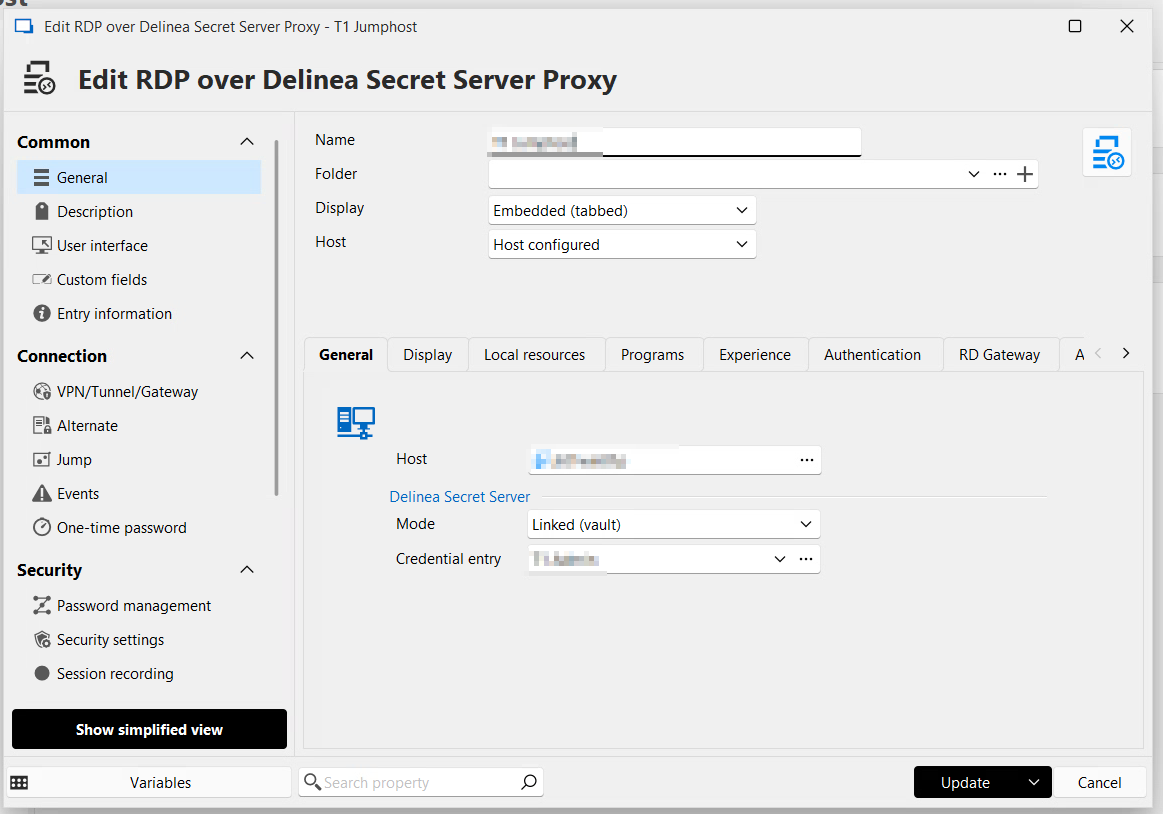
Credential entry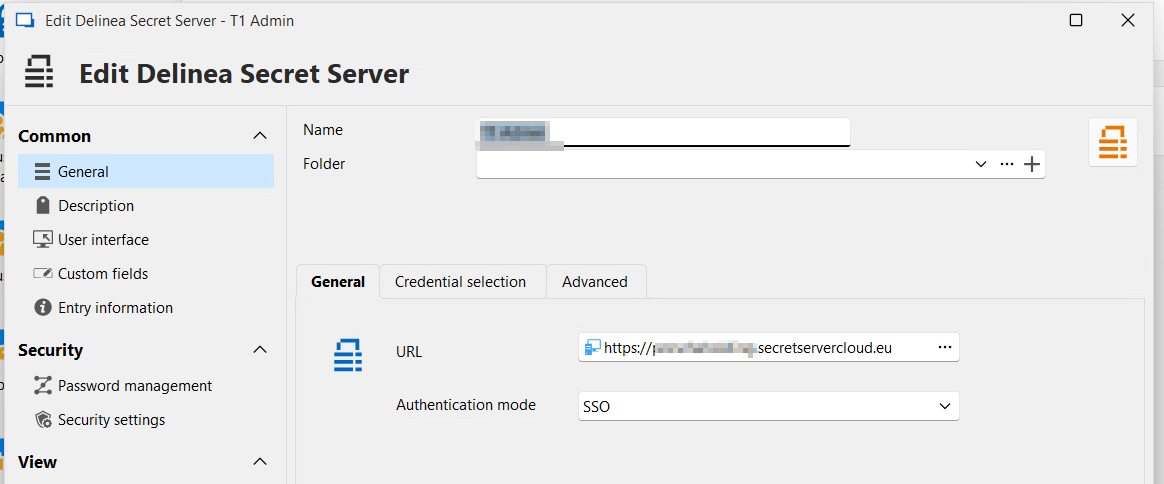
After trying to open a connection this message appears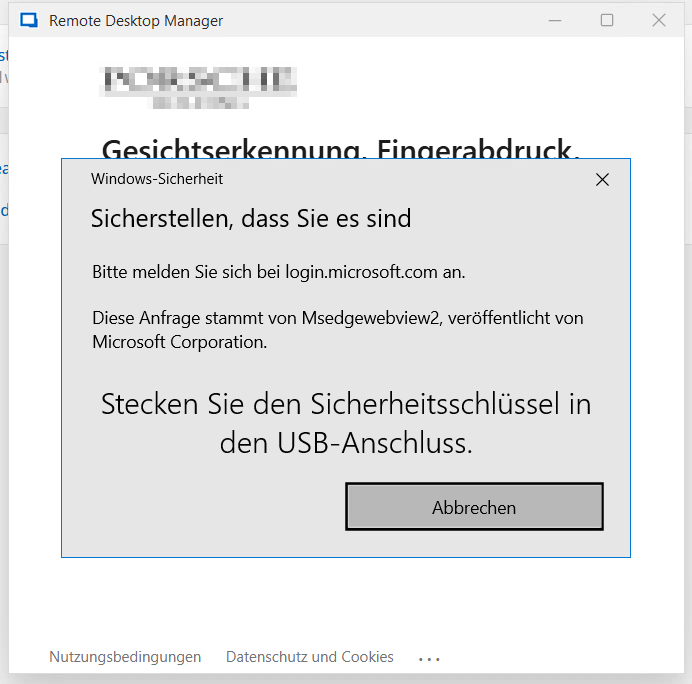
Although the YubiKey is plugged in and gets routed through to the VMWare Horizon VDI. Here's a screenshot from the yubikey app on the same machine. If I log on to the webinterface of the delinea secret server cloud the MFA-request can be confirmed with the yubikey.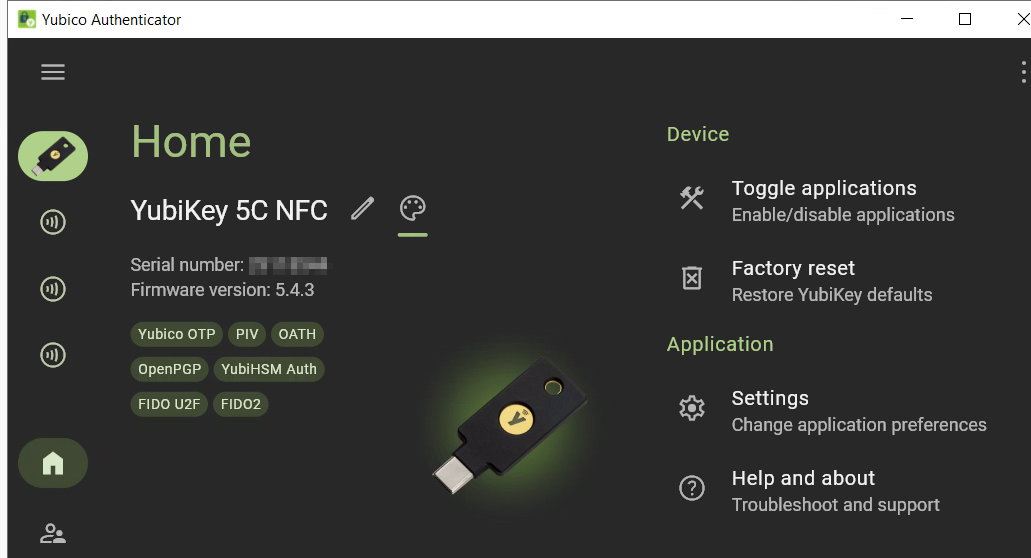
any help would be appreciated.
cheers
Hans
52a9d8c6-46fd-424c-a065-1f3e157f18ea.png
58926f50-aa25-413c-b1b5-29404e12812e.png
171fa6a8-9d97-4bea-847a-0a2f674389cc.png
2e44fd89-464e-4021-baef-610fe310cc53.png
Hi Jacob,
I increased the debug-level and tried it again - here's the output from the application-log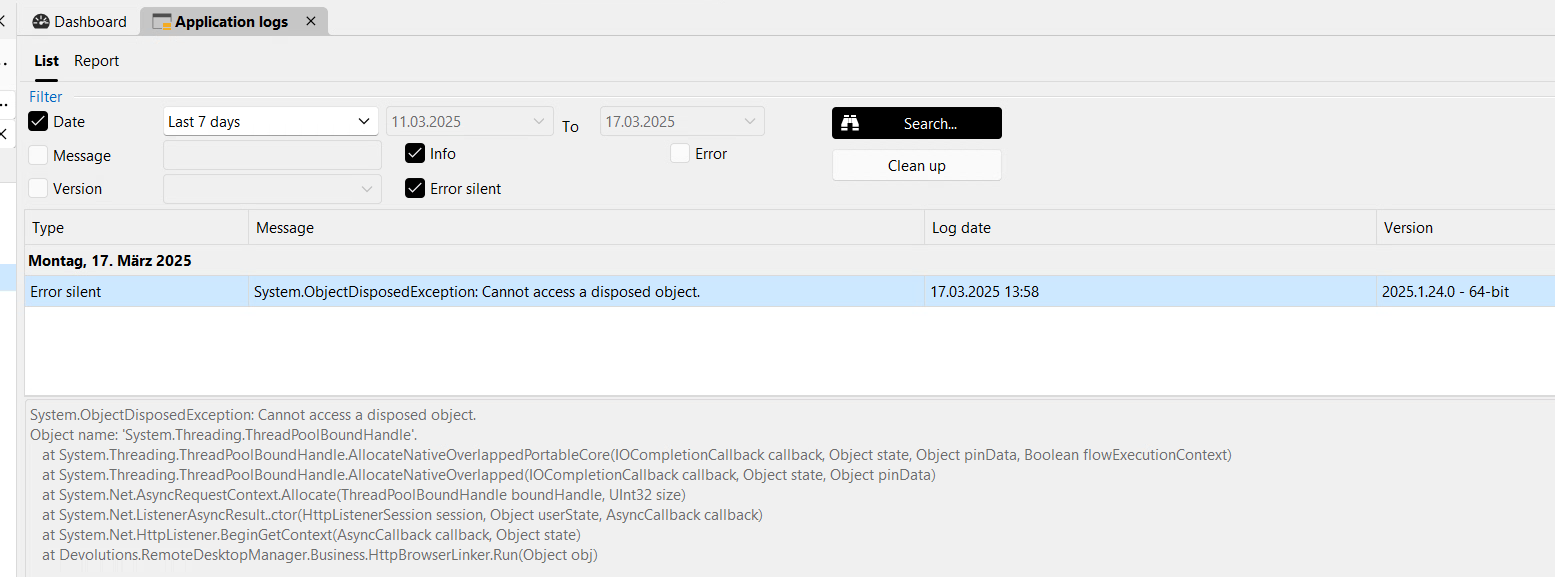
==============
System.ObjectDisposedException: Cannot access a disposed object.
Object name: 'System.Threading.ThreadPoolBoundHandle'.
at System.Threading.ThreadPoolBoundHandle.AllocateNativeOverlappedPortableCore(IOCompletionCallback callback, Object state, Object pinData, Boolean flowExecutionContext)
at System.Threading.ThreadPoolBoundHandle.AllocateNativeOverlapped(IOCompletionCallback callback, Object state, Object pinData)
at System.Net.AsyncRequestContext.Allocate(ThreadPoolBoundHandle boundHandle, UInt32 size)
at System.Net.ListenerAsyncResult..ctor(HttpListenerSession session, Object userState, AsyncCallback callback)
at System.Net.HttpListener.BeginGetContext(AsyncCallback callback, Object state)
at Devolutions.RemoteDesktopManager.Business.HttpBrowserLinker.Run(Object obj)
380e7a43-8fe7-43dd-9b74-cd7270cdbfe9.png
If you want or if you're able to we could try a live remote-session. I think we've acitve support (pm me for details)
Hi Hans,
Do you have documentation on how your Yubikey authentication is configured? Is the RDP session configured to authenticate via smartcard (here a Yubikey). Or are the Delinea accounts requiring Yubikey authentication? Looking at what you describe, I understand the former, but I'd like to confirm this with you.
Best regards,
Xavier Fortin
Hi Xavier,
FIDO2 is set as the MFA requirement for the Delinea Accounts.
cheers
Hans
https://docs.delinea.com/online-help/secret-server/authentication/two-factor-authentication/fido2-yubikey-two-factor-authentication-configuration/index.htm
Is that how you are configured in Delinea?
Best regards,
Xavier Fortin
Yes. The section "Enabling FIDO2 for a Single User"
https://docs.delinea.com/online-help/secret-server/authentication/two-factor-authentication/fido2-yubikey-two-factor-authentication-configuration/index.htm#EnablingFIDO2forMultipleUsers
Alright, I'll open a ticket to investigate your issue and see if we could just configure this on our side and see if we can reproduce.
Best regards,
Xavier Fortin
Thanks very much. If you need anything from me please let me know.
cheers from austria
hans
Hi Xavier,
did you have the chance to test the behaviour?
Cheers
Hans
Just a quick update: I've checked the Auth-Issue with another FIDO2-Stick to rule out a vendor issue with YubiKey. Unfortunately no success.
Not yet, I've had a user set up with a Yubikey, and started investigating last Friday, but got blocked with another issue.
I'll post back as soon as I have more information.
Best regards,
Xavier Fortin
Hi Xavier. Just a quick update: i read through numerous threads on forums and it seems like, the key is to DEACTIVATE all protocols and let only FIDO2 checked on the yubikey. than the key is accessible from the RDM within the VDI. I have to make a few more tests but it seems like a way, that could work
Keep me posted.
On my side, I've tried and it seems to work properly (see attached video).
My Windows is on a VM (Parallel Desktop), and I had play with the VM settings to make it properly detect the Yubikey. But this shouldn't be your issue since you told us it worked on an external browser in the same VM 🤔
Best regards,
Xavier Fortin
DelineaFIDO.mp4
Hi Xavier. If you let the FIDO-Stick only use the FIDO2-Protocol (App) it works. Now I'm checking with our virtual-desktop-team, if I can get a W11 machine to test if in W11 it's the same. I'll keep you posted.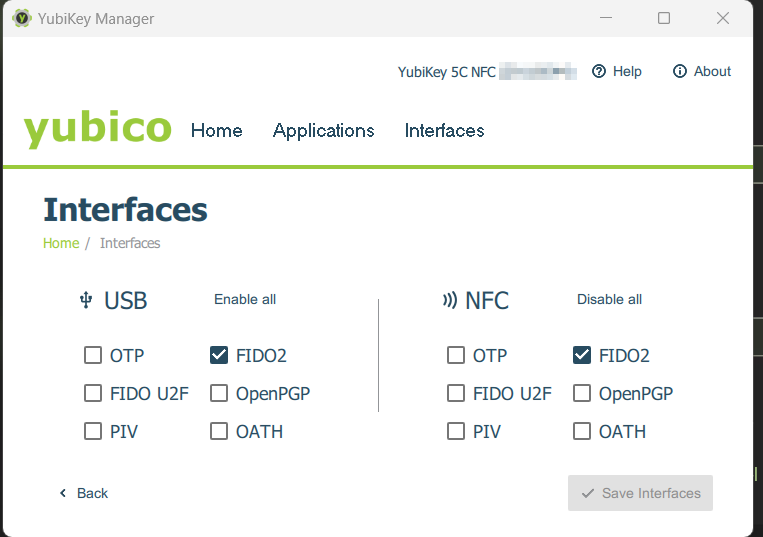
a1fcc7b3-23f7-4fd4-b400-9ae315b1c577.png