automatic update sometimes fails

We updated our DPS server last weekend and also updated the minimum (and maximum) versions there.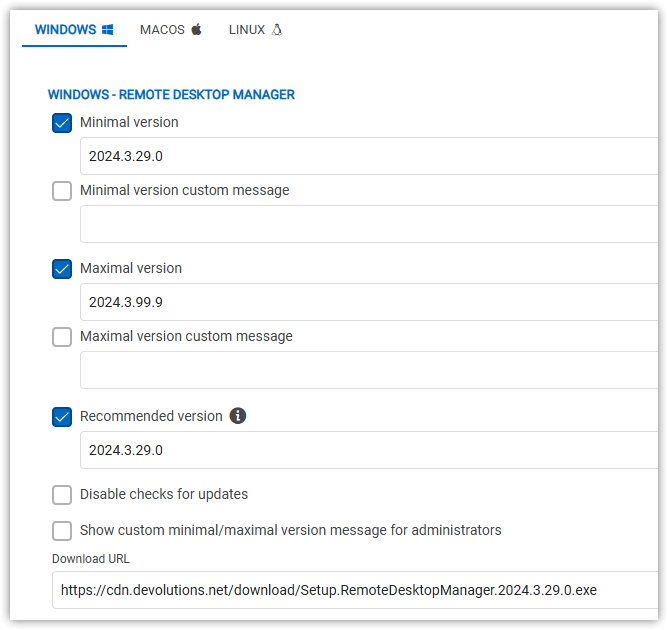
If users now open RDM they get prompted to update (which is fine)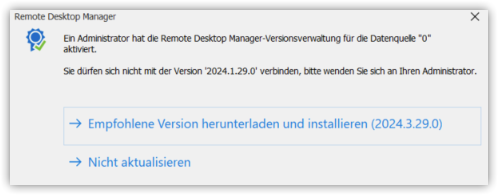
but in some cases (not all users reported this behaviour) this update fails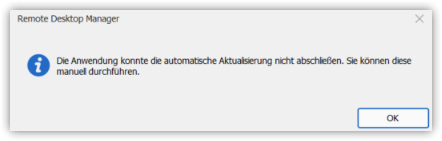
If the user then goes to "Help > Check for updates" and there clicks on "Update" it works 🤷🏻♂️
I am unsure what causes the first try to fail. Maybe you can share some insights of what happens technically on the first try (e.g. is the configured "Download URL" respected when the user clicks on "download and install recommended version"?)
KR
G.
e7a7dc3a-872c-4392-b0ec-76a6180aebd6.png
9b02c699-01e1-427a-8514-040ce5741f7d.png
9cd3a8f8-a5a2-44b8-b9c9-029100452092.png
All Comments (5)
Hello Guenther Schmitz,
Thank you for contacting the Devolutions support team.
The first prompt you received is related to your admin account. With an admin account, you have the ability to modify the minimum and maximum version settings if your current version falls outside the configured range (2024.3.29.0 to 2024.3.99.0).
As a user, this message indicates that you do not have the correct version to access the database.
For your users, you can also include a custom message or a download link corresponding to your minimum version here: https://cdn.devolutions.net/download/Setup.RemoteDesktopManager.2024.3.29.0.exe.
Best regards,
Patrick Ouimet
hi Patrick,
yes, the first screenshot is the configuration from the DPS server; and I also understand that the message from the second screenshot tells the user that the RDM version needs to be update.
As you can see in the first screenshot, we set the corresponding version URL on the DPS server.
Nevertheless, when a user with an older version clicks gets the dialog to update the software the click on `Download and install recommended version` sometimes failed unexpectedly (with the third screenshot provided).
Is there anything we can debug/look at why this sometimes (really seems totally random) fails?
We ensured that the internet connection could not have been the case.
Maybe we can set some debugging level on the client side (for future updates) so that we can see what's going on under the hood once a user clicks on `Download and install recommended version`? Or maybe this is already logged?
KR
G.
Hello Guenther Schmitz,
Thank you for this feedback.
Could you ask a user with this issue to send a screenshot of Help -> About of his Remote Desktop Manager?
Could you confirm that after selecting download and install the recommended version, version 2024.3.29.0 is installed?
If this still fails, could you change your minimal version to 2024.3.1.0 and try again?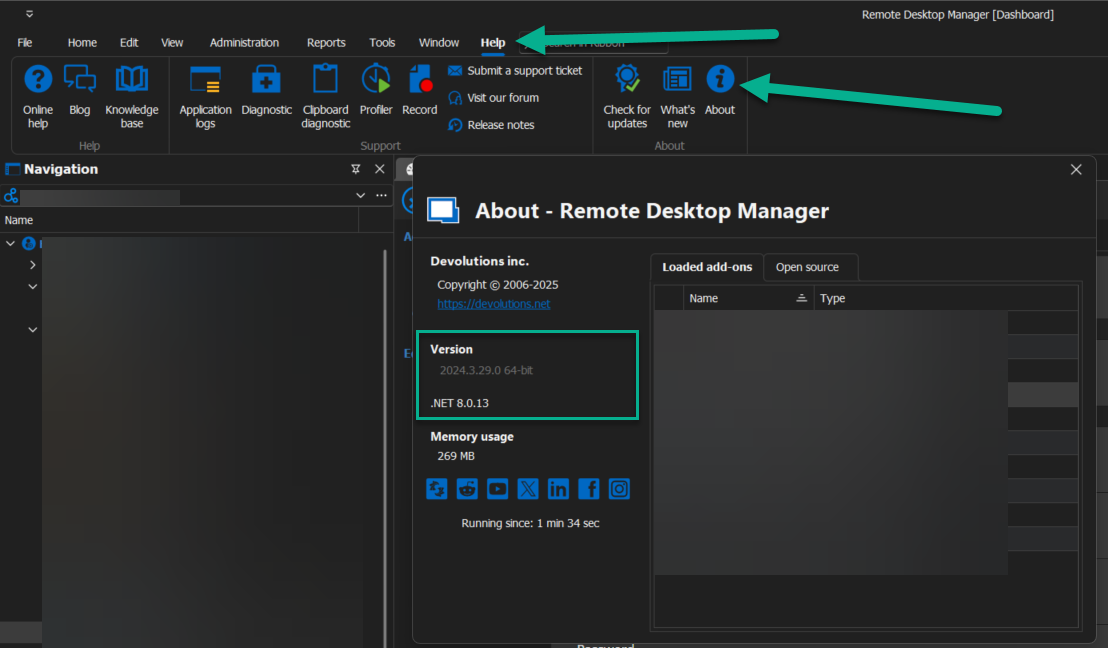
Best regards,
Patrick Ouimet
2025-03-11_07-15-34.png
hi Patrick,
thanks I will keep this in mind for our next update - by now all users have the new version.
This is hard to catch as users create tickets - and before we are able to react they just download the current version through the browser and install it manually.
My goal was to be prepared for the next time (by e.g. enabling debugging beforehand or thelike).
KR
G.
Hello Guenther Schmitz,
Thank you for this feedback.
You can also use Intune or SCCM to push the installation of RDM for your users.
You can also create a custom MSI installer with your data source information.
This is the article related to this feature:
https://docs.devolutions.net/rdm/installation/client/custom-installer-service/custom-installer-manager/
Note that this feature is only supported for advanced data sources.
Best regards,
Patrick Ouimet