Display folder information in dashboard
1

Hello.
We find it very confusing to see the next entry information when a folder is selected in the navigation pane.
Why not show the folder information ?
On the other hand, the tabs below are related to the folder.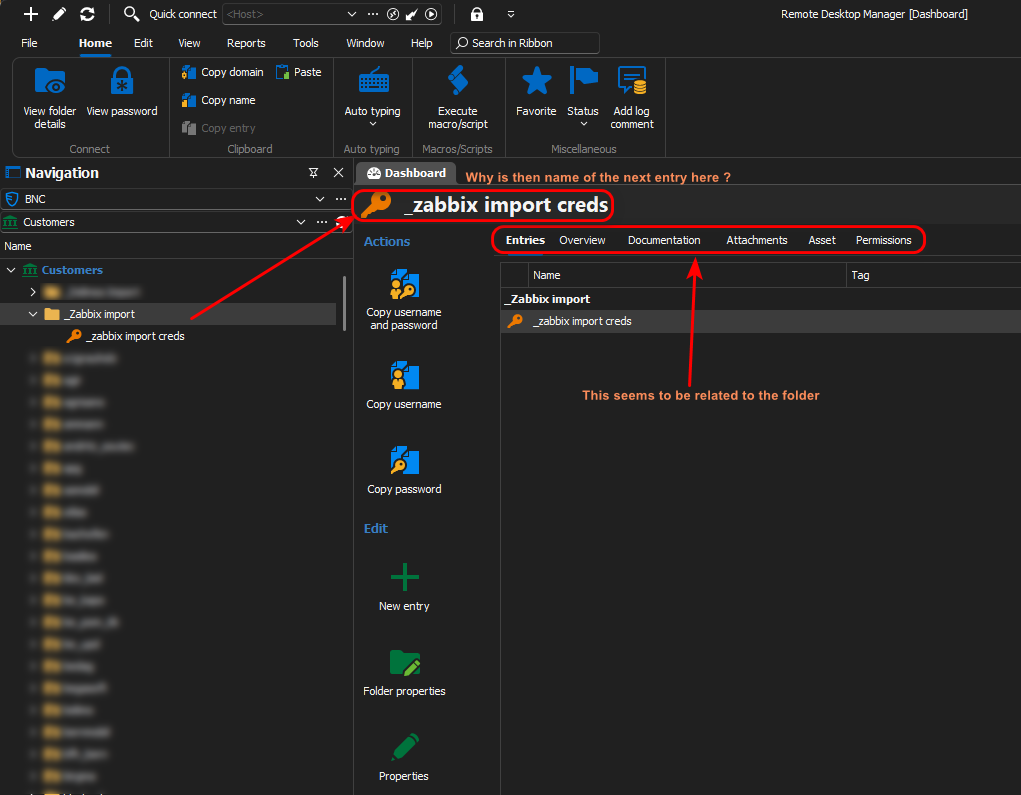
Best regards.
Marcel
fc0d466e-d7da-4986-a727-95ab0504bb79.png
Recommended Answer
Hello Marcel,
Did you try to enable the following option? (The there dots menu at the bottom right if the folder is selected)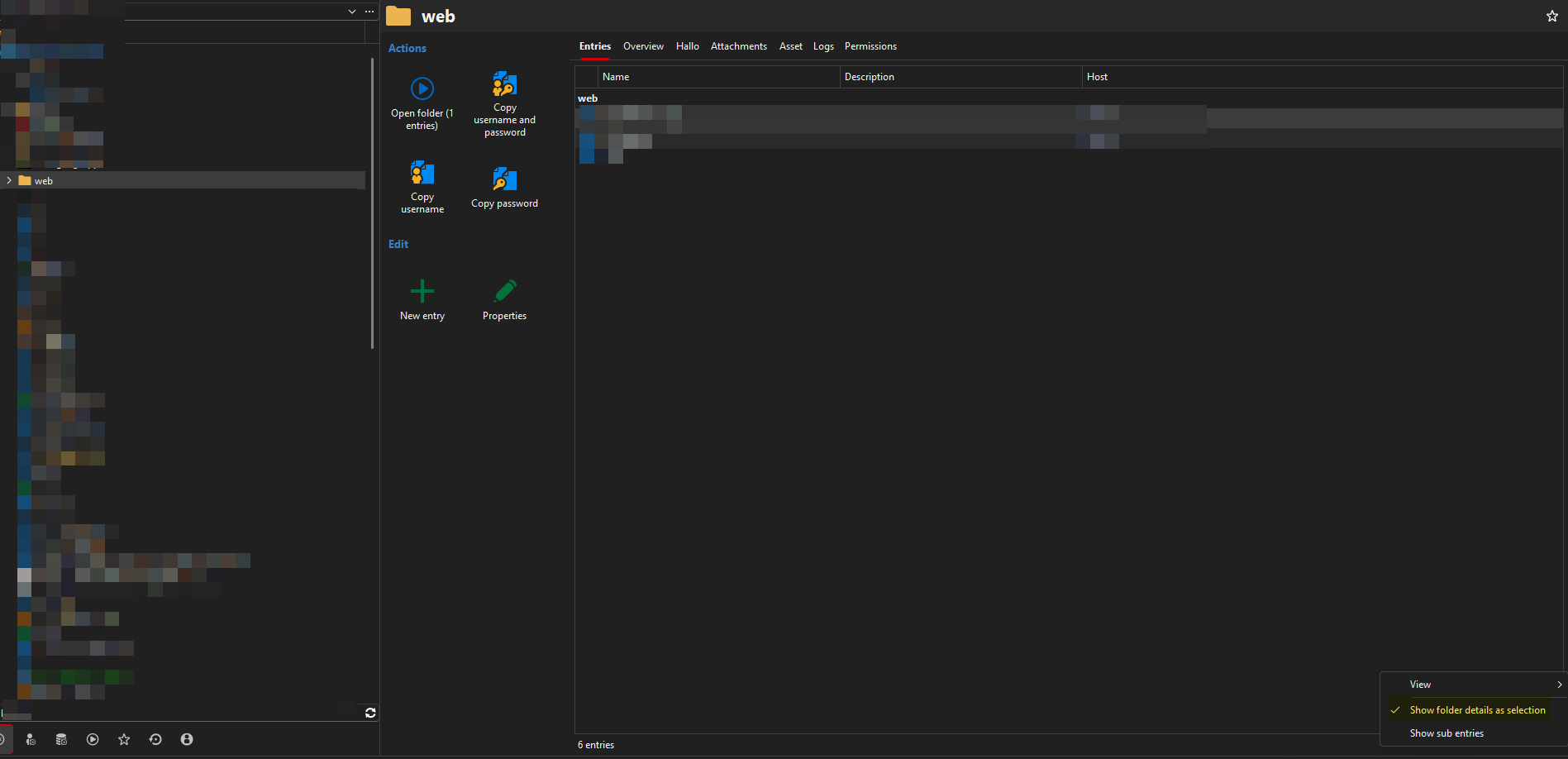
Regards,
Min
ab9e8f55-76e1-4f46-a91d-d719bad98420.png
All Comments (3)
Hello Marcel,
Did you try to enable the following option? (The there dots menu at the bottom right if the folder is selected)
Regards,
Min
ab9e8f55-76e1-4f46-a91d-d719bad98420.png
Have not, I was looking in the settings, but not down there.
That fixes it.
What is the thinking by showing the next entry's infos instead of the folder's ?
Thanks.
Hello,
We display the selected entry in the Entries tab view, including its actions. This is convenient in many scenarios, except when you need folder information. I agree that this can be confusing. So far, I haven't found a way to provide both pieces of information simultaneously.
Regards
David Hervieux