Delinia PAM (Thycotic Centrify) SSH Connector Problem

Hi,
We have a problem to connect ssh connection via RDM.
rdm version 2024.3.11.0 also tried 2025.1.16
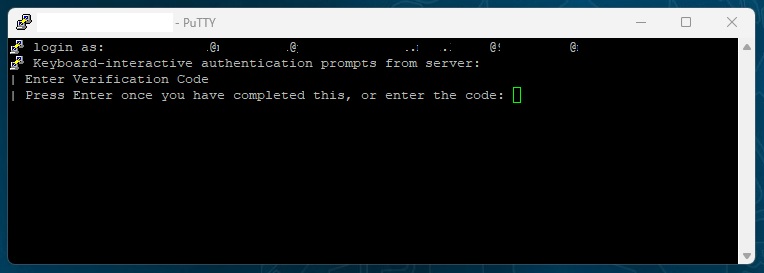
In putty, we configure like this, when we entered to session, it asks a login name like in Picture2 and we successfully logon the systems.
Can you help me?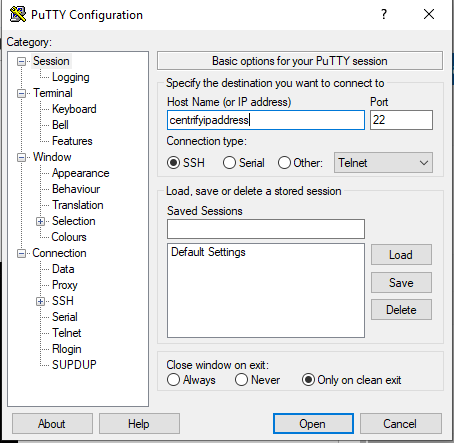 Picture1
 Picture2
 Picture3
In RDM we have a unexpected error (Picture7) and our configuration like Picture4-5-6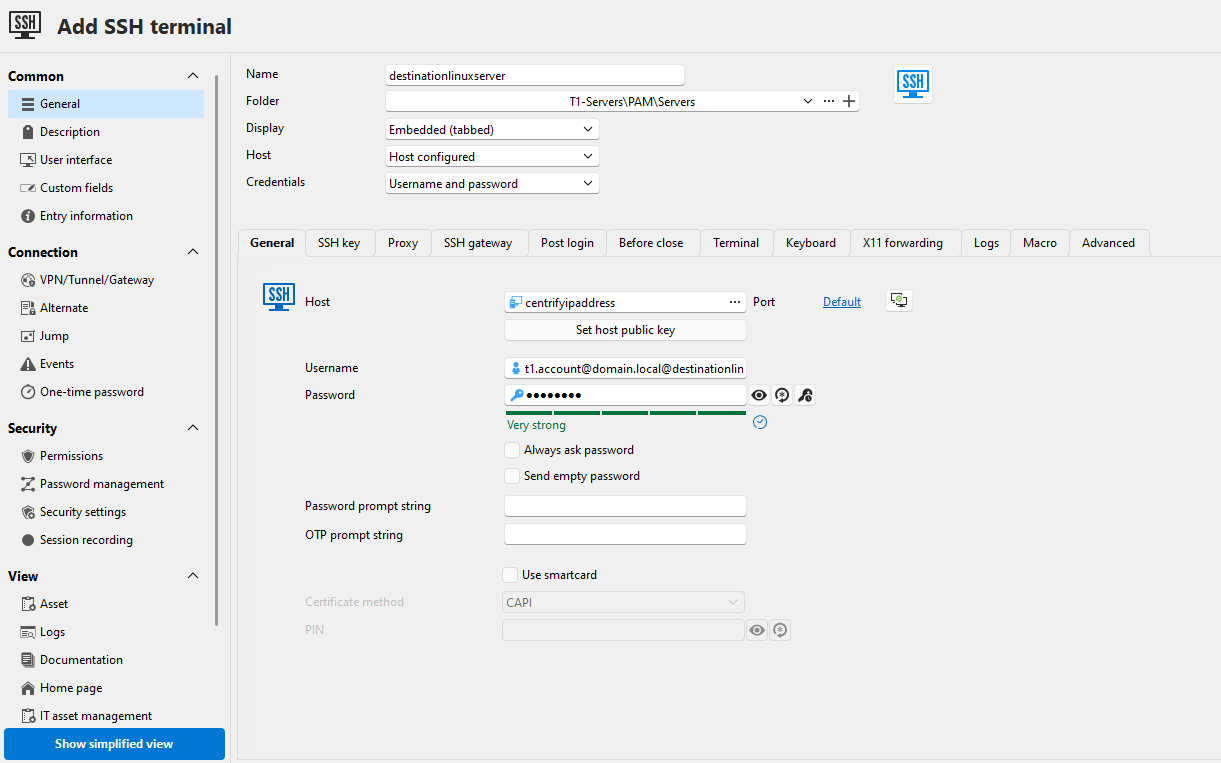 Picture4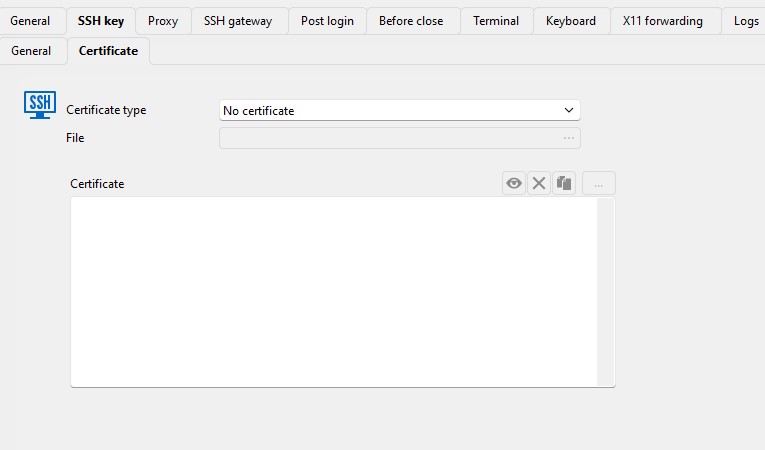
Picture5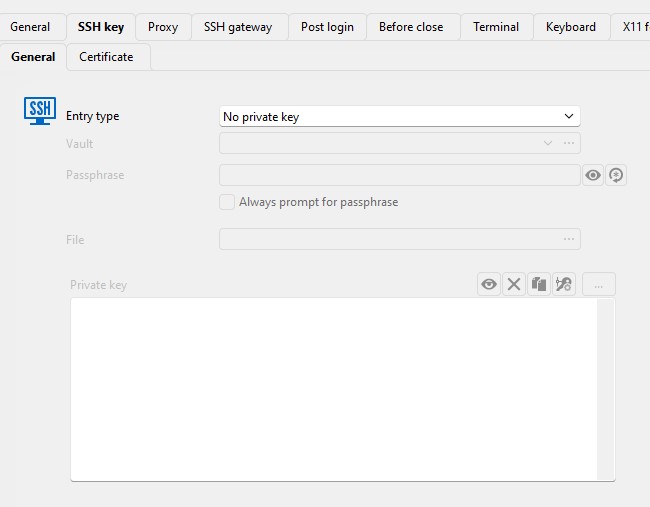
Picture6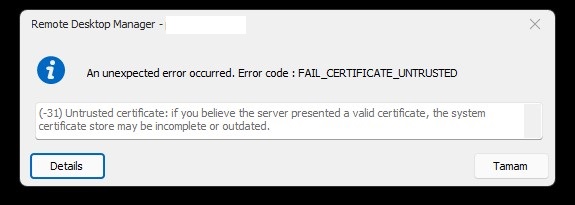 Picture7
rdm3.jpg
rdm2.jpg
rdm1.png
putty2.png
putty1.PNG
rdm_login.jpg
putty_login.jpg
All Comments (5)
Can you configure the logs in the "Logs" tab of your entry, run the session again and share the log file with us? This might provide better details on the reason for the error.
Best regards,
Xavier Fortin
[19.02.2025 18:16:08] Devolutions Protocols version: 2025.2.7.1 Windows
[19.02.2025 18:16:08] Terminal font: Courier New [Courier New, fixed=True]
[19.02.2025 18:16:08] Starting SSH, verbose level: 2
[19.02.2025 18:16:08] Setting up connection
[19.02.2025 18:16:08] Connecting to port: 22 (IPv4 - 6)
[19.02.2025 18:16:08] SSH banner: SSH-2.0-IPWorks SSH Daemon 2020
[19.02.2025 18:16:08] Sending kex init
[19.02.2025 18:16:08] Received kex init
[19.02.2025 18:16:08] Selected algorithms: curve25519-sha256, x509v3-sign-rsa, chacha20-poly1305@openssh.com, chacha20-poly1305@openssh.com, implicit by cipher, implicit by cipher, none, none
[19.02.2025 18:16:08] Sending Ed25519 kex init
[19.02.2025 18:16:08] Received Ed25519 kex reply
[19.02.2025 18:16:16] Certificate rejected by system: -2146762487
[19.02.2025 18:16:16] Disconnection in progress
[19.02.2025 18:16:16] Bytes sent: 1848, Bytes received: 2313
[19.02.2025 18:16:16] Packets sent: 2, Packets received: 2
[19.02.2025 18:16:16] Kex completed: 0
[19.02.2025 18:16:16] Pending kex: 1
[19.02.2025 18:16:16] Disconnecting
Could you try disabling the "X509v3 Sign Rsa" and the "X509v3 Sign Rsa Sha256 (ssh.com)" algorithms?
This can be done for your specific entry directly under the Advanced tab: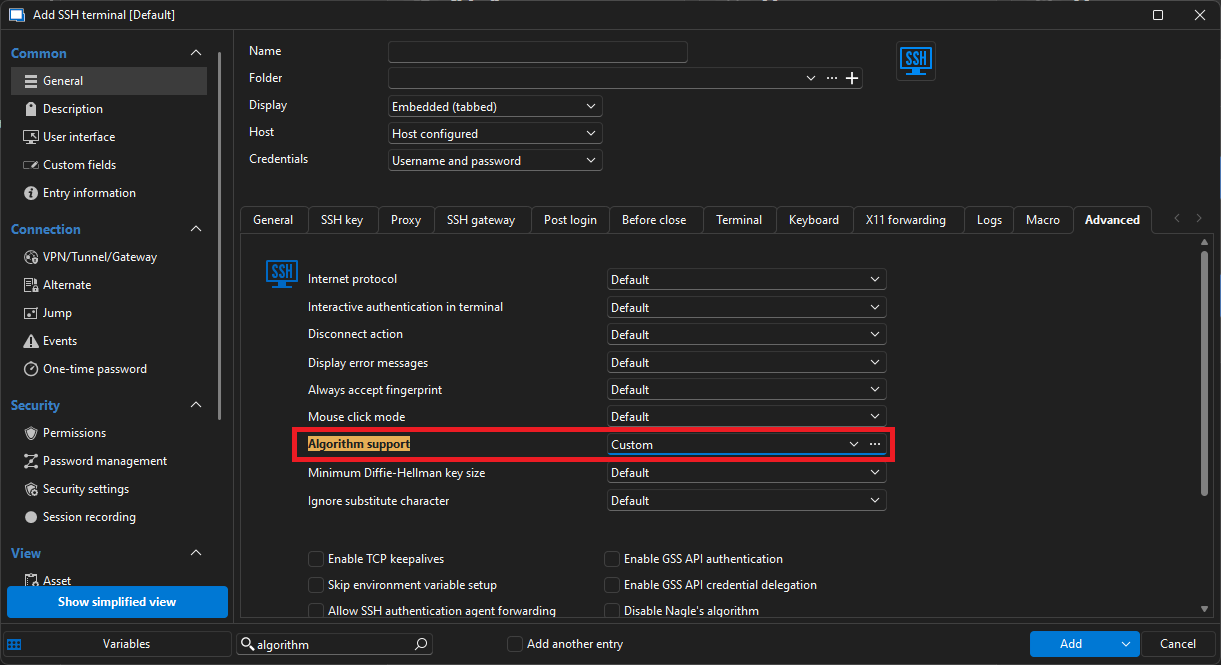
In the window shown, go to the "Host key" tab and unchecked the following 2 algorithms: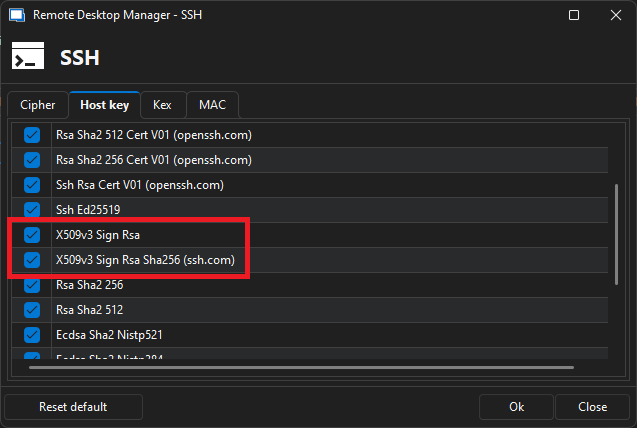
Best regards,
Xavier Fortin
HostKey.png
AlgorithSupport.png
Hi Xavier,
Thank you for help. It works now.
Best Regards.
Glad to hear it!
Best regards,
Xavier Fortin