Screen recording - missing part of the screen

Trying to record some actions for a colleague but when I play back the recording I'm missing part of the screen.
I have tried playing about with the below settings but I'm not having much luck.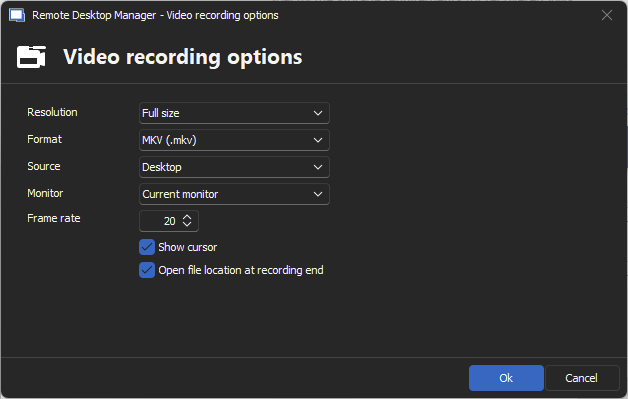
This is a screen grab of the recording:
As you can see on the right hand side the video width ends at more tools and part of the screen is missing...
Here is a screen shot of what should be seen:
Not massive but a pain as when I click a menu option on that side its not seen in the recording.
I tried all the different options and I either get no play back (application) or missing part of screen.
Thanks
Iain
Version 2026.2.13.0 64-bit
Data Source SQL
ebc7b64c-c3b8-45a0-ab93-841467cc899a.png
281ace60-f2d2-4822-a46f-397e32e77326.png
18a2dcf5-fe5f-42b8-a1de-b048a715398f.png
All Comments (14)
I can get full screen put I can't see the actual display for this web entry. Just black screen..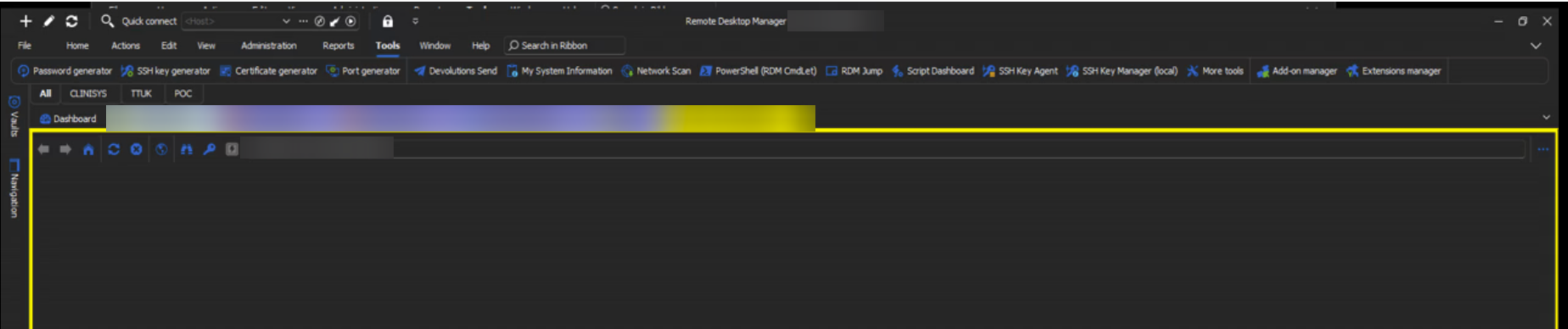
Here are the settings I am using for the above: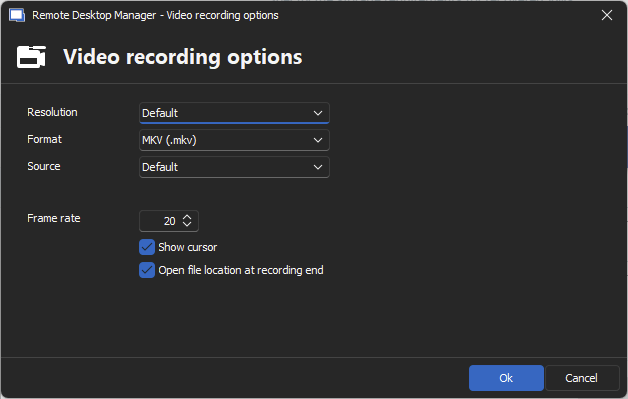
Thanks
Iain
Version 2026.2.13.0 64-bit
Data Source SQL
dd52f9b3-97bd-4916-af75-c45e78f8b155.png
ae72231d-92cf-4778-a03c-35781004a0d5.png
Hello,
Thank you for reaching out regarding this matter.
Could you please provide details about your display settings, including your screen resolution and the scaling settings in use? This information will help us better understand the issue.
Looking forward to your response.
Best regards,
Jacob Lafrenière
I have tried on two screen, both are set as per: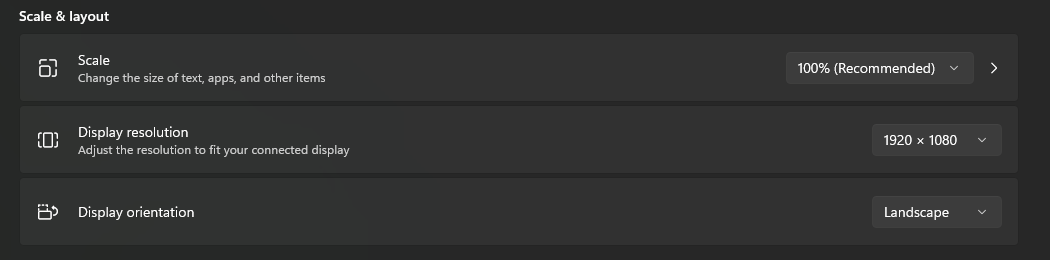
Advanced details of each: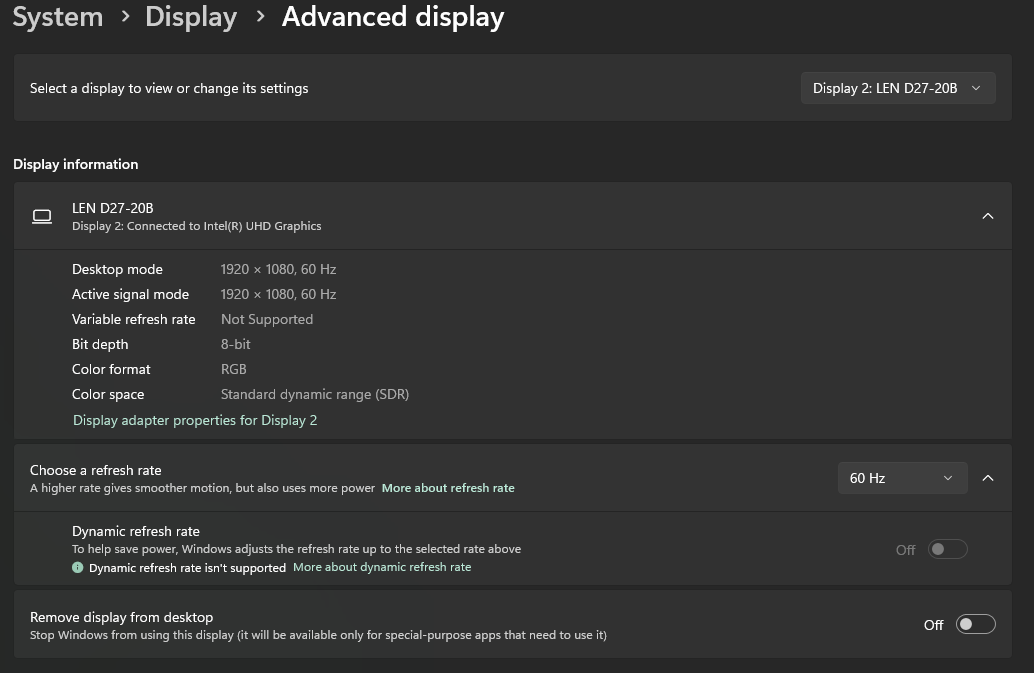
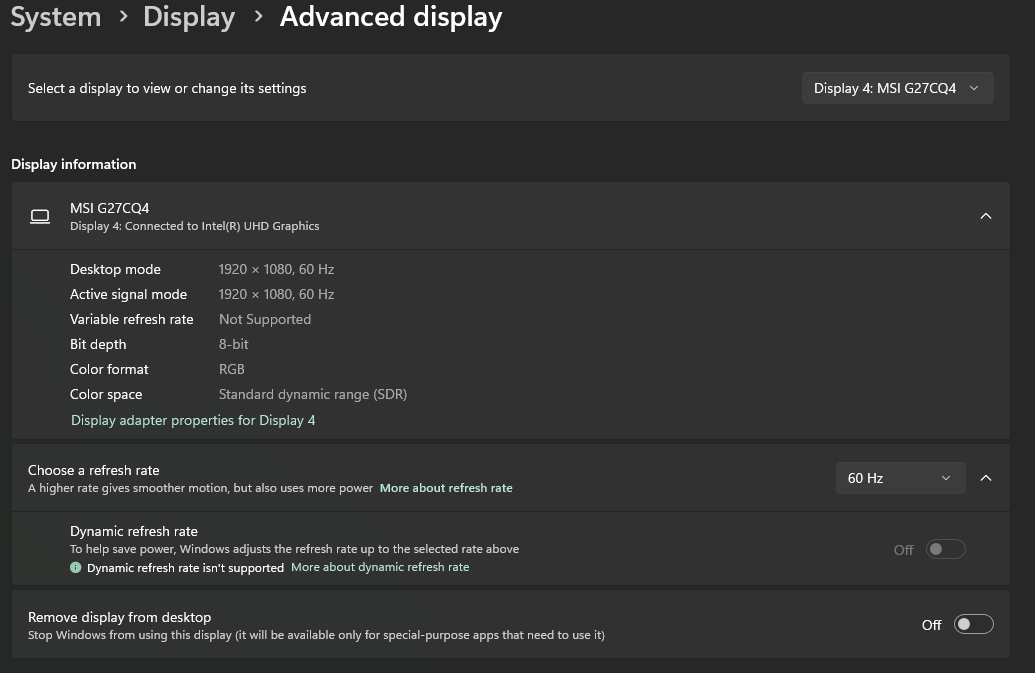
Thanks
Iain
Version 2026.2.13.0 64-bit
Data Source SQL
133509bf-966b-4baa-b336-5dbe36237345.png
716d7436-10d3-4d0a-a211-f665f34d7be5.png
bcfe94d4-f037-49fe-b23d-b25d353bf1af.png
Hello,
Thank you for the information.
I will investigate this issue with the development team and follow up as soon as possible.
Best regards,
Jacob Lafrenière
Hello,
I conducted several tests but was unable to replicate the behaviour. I also tested additional settings and would appreciate it if you could try the same and share your results here.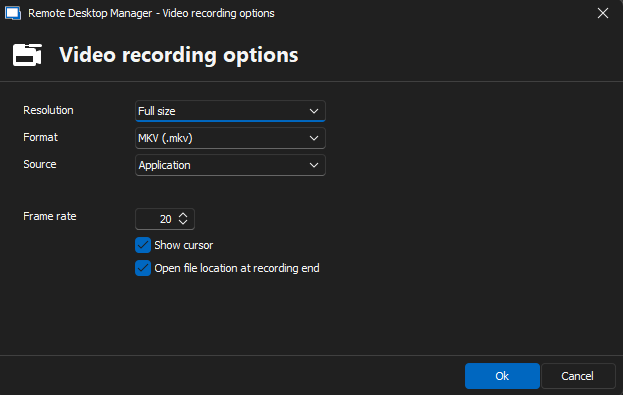 I want to steer clear of the defaults.
Best regards,
Jacob Lafrenière
6bb0b8b6-e53e-4fe0-a39b-48c3ba7142fe.png
So on play back with those setting I just see a black screen on play back for the web entry.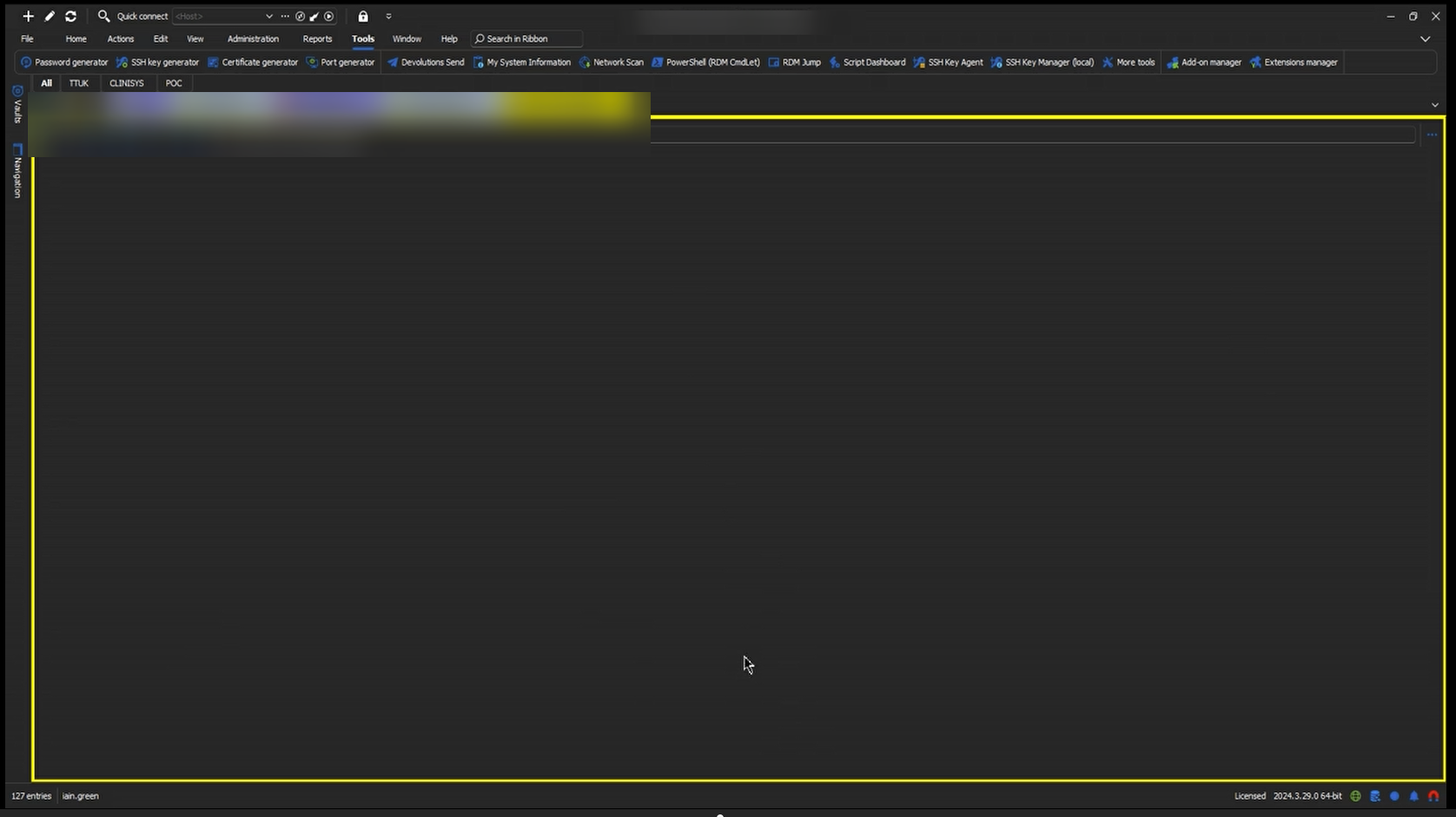 My colleague attempted them as well and his was also black on the web entry but his screen was cut off in the same place where mine had been.
I have the recording I can share if needed.
Thanks
Iain
Version 2026.2.13.0 64-bit
Data Source SQL
c5d08cd8-4985-4615-91f9-b82169085bc7.png
Hello,
I would like you to update the recorder engine by following these steps:
- Go to FFmpeg Download Page.
- Download the build from gyan.dev.
- Unzip the file and place it in the following directory: C:\Program Files\Devolutions\Remote Desktop Manager
- Ensure the path to the engine looks similar to: C:\Program Files\Devolutions\Remote Desktop Manager\ffmpeg-2025-02-17-git-b92577405b-full_build\bin
- Open Remote Desktop Manager (RDM) and navigate to: File > Settings > Application > Paths > Configure installation path > FFmpeg
- Update the path to the new location from Step 4.
- Test the functionality again.
Please keep me updated on your results. Let me know if you have any questions or encounter any issues.
Best regards,
Jacob Lafrenière
Hi Jacob,
Yep steps completed and I get full screen works works fine on RDP session, can see all the steps I am performing.
However, I still have the other issue of a black screen for a web session. To confirm this I tested on a couple of web sessions (vcenter web and Zerto gui).
I kicked off the recording on each and performed several steps. Saved the recording and on play back both show RDM and the tabs open but the actual session I'm recording is just black.
Asked my colleague to repeat the same steps.
He has the same black screen and his recording is cut off on the right hand side.
Thanks
Iain
Version 2026.2.13.0 64-bit
Data Source SQL
Hello,
I was able to reproduce the black/grey screen issue on web entries. I will log this as a bug report and keep you updated on any developments.
Please let me know if you need further assistance in the meantime.
Best regards,
Jacob Lafrenière
The issue of missing part of the screen is still present across different users though?
As I said, all though the issue worked for me on those settings it did not on my colleague.
Thanks
Iain
Version 2026.2.13.0 64-bit
Data Source SQL
Hello,
This is a local configuration fix. The FFmpeg file is no longer integrated into the RDM package and is, therefore, not updated automatically. They will need to update it manually, just as you did.
I apologize for the inconvenience.
Best regards,
Jacob Lafrenière
Hi Jacub,
I don't think you follow what I was reporting..
They followed the identical steps you provided me and ran the very same version of FFMPEG as I used and they got the issue with missing part of the screen yet I didn't.
Are you saying the issue lies to with the 3rd party tool rather than RDM?
As currently means messing about with different settings per user.
Thanks
Iain
Version 2026.2.13.0 64-bit
Data Source SQL
Hello,
I misunderstood your message earlier.
I will reach out to the development team to confirm whether the recorder with FFmpeg is still supported and maintained.
This seems like a grey area.
Best regards,
Jacob Lafrenière
Hello,
I received additional information from my team.
They recommend using the Desktop source settings when starting the recorder. This should allow you to see all the information on the screen, including web entries. I would also suggest that any colleagues still experiencing issues with full-screen mode give this a try.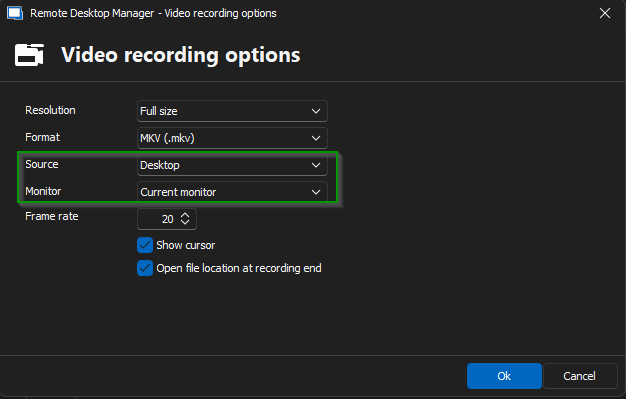
Additionally, the development team is planning a significant improvement to the recorder in the next major update. The issue will be addressed in version 2025.1, so stay tuned!
Let us know if you need any further assistance.
Best regards,
Jacob Lafrenière
546a4a7c-1bd9-471b-a4f8-cec6d7dbf90d.png