Access Denied Remote Share

I have RDM version 2024.3.27.0 installed. When I attempt to access remote share in the file explorer (for the remote session) an 'Access Denied' dialog is presented. 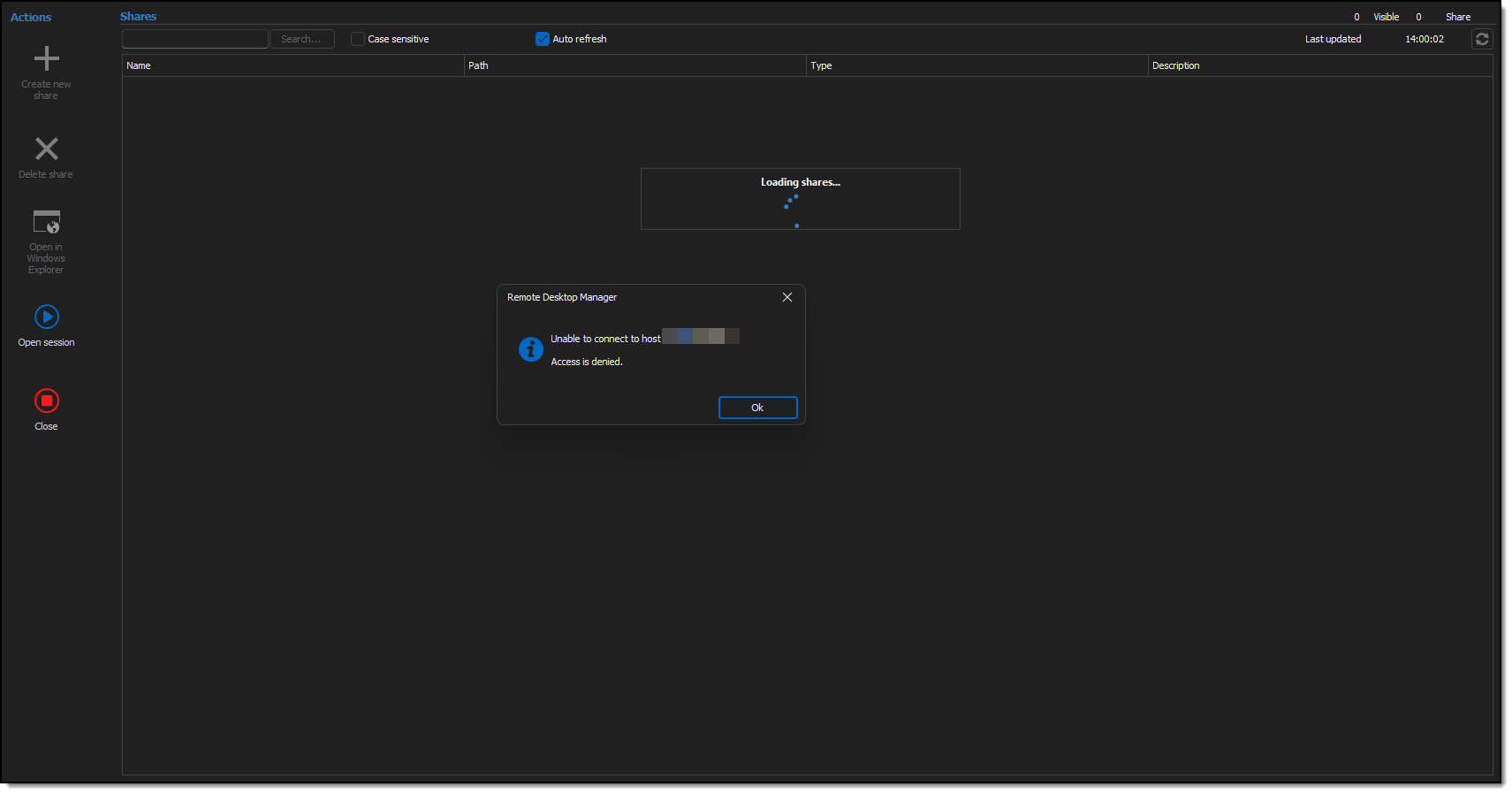
Access_Denied_2025-02-11_14-00-32.png
All Comments (9)
Hello,
Thank you for reaching out to us regarding this,
Would you be able to provide me with a screenshot of your entry Properties? Remove or blur any sensitive information.
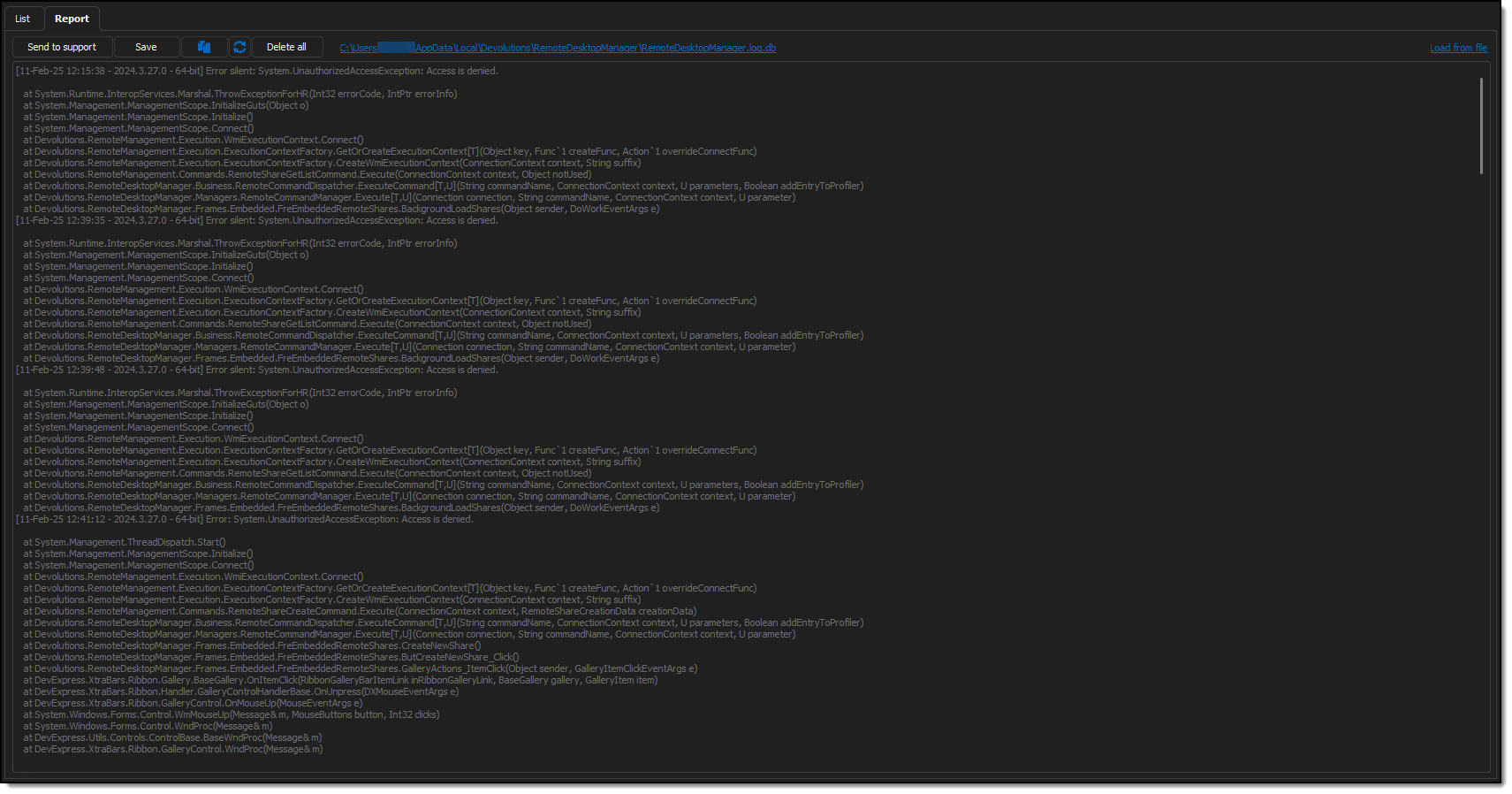
I'm also wondering if you have any additional logs regarding this error under "Help" -> "Application Logs"?
Let me know,
Best regards,
Samuel Dery
Entry Properties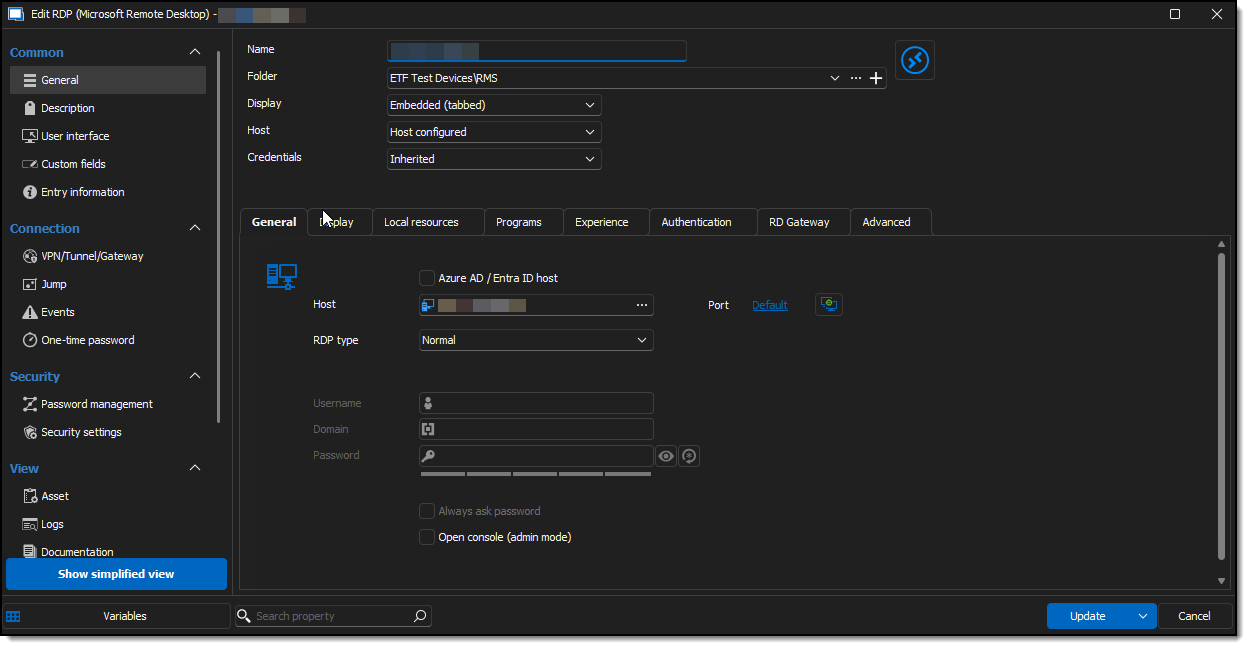 Application logs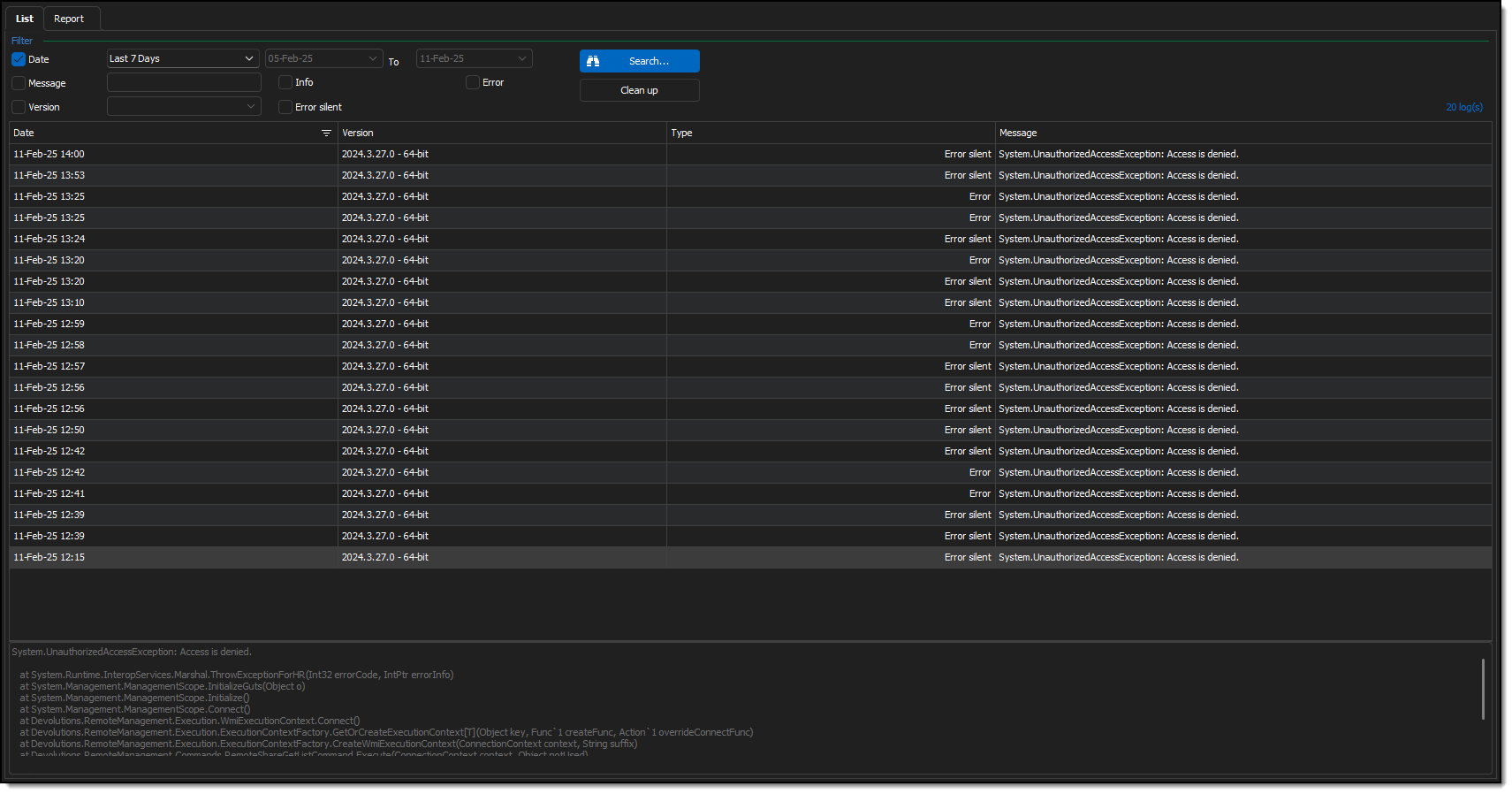
Access_Denied_4_2025-02-11_14-00-32.png
Access_Denied_3_2025-02-11_14-00-32.png
Access_Denied_2_2025-02-11_14-00-32.png
Hello,
Thank you for your reply,
I see. Are you able to achieve this without issues outside RDM?
I'm also wondering if you can provide me with a screenshot of the "Local Resources" section of your entry "Properties"?
To clarify, you are looking to send files from your current workstation to the remote host?
Let me know,
Best regards,
Samuel Dery
Yes. I am able to achieve this without issues outside RDM using a similar albeit less robust tool.
Yes. I am looking to copy files to/from your current workstation to the remote host and I am able to achieve this without issues outside RDM using a similar albeit less robust tool. 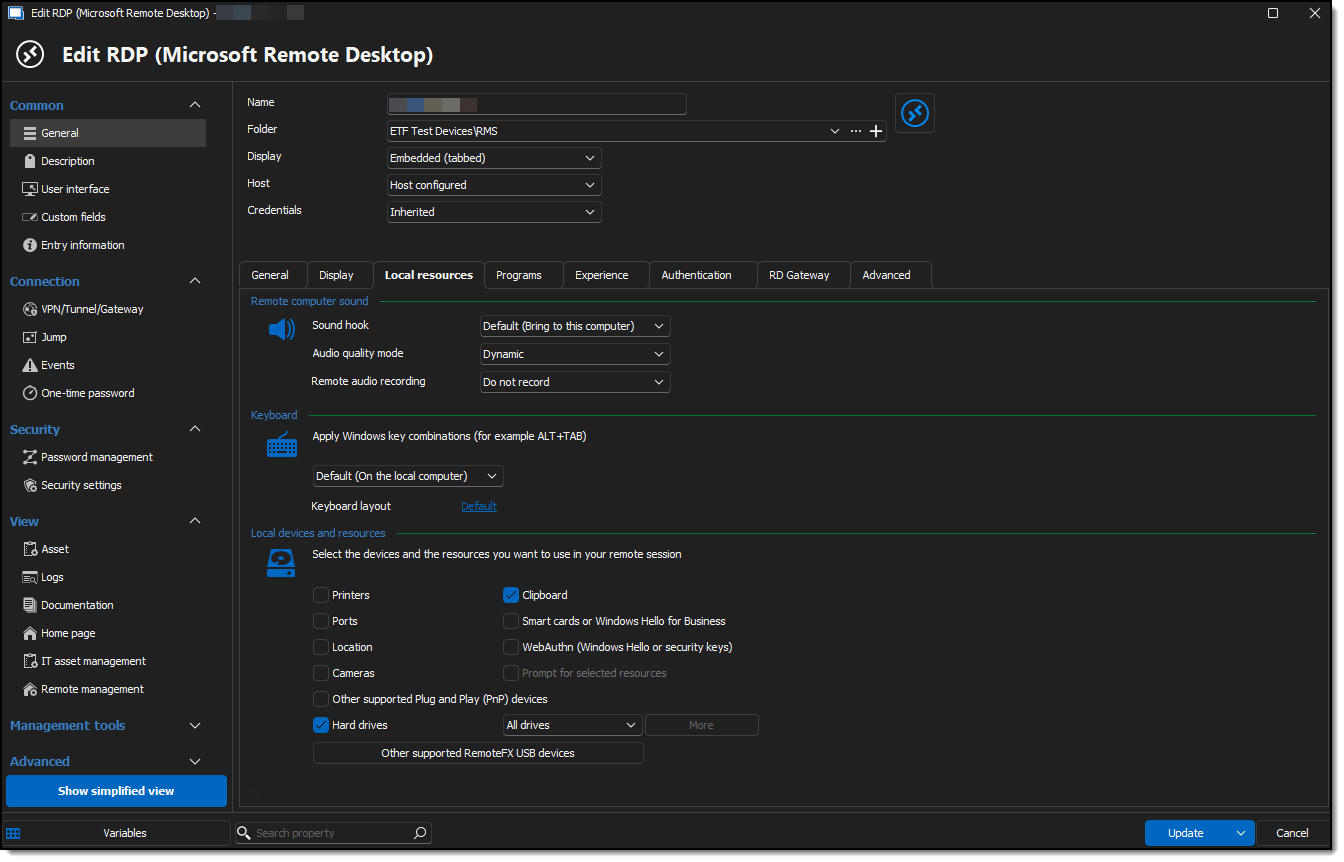
Access_Denied_5_2025-02-11_14-00-32.png
Hello,
Thank you for your reply,
I see, from the configuration of your entry it looks like you've already Mapped all your "Drives" to the Remote hosts, after launching the connection if you open your Windows File explorer do you see your shared drives? This should allow you to easily move files between the two workstations.
Let me know,
Best regards,
Samuel Dery
I'm not sure that I fully understand your question..
after launching the connection if you open your Windows File explorer do you see your shared drives?
Answer, No.
I'm attempting to access the remote share of the remote session from within RDM, I'm still getting 'Access Denied' when I click on View--> Remote Tools --> Remote share for the selected session (see my very first screen shot). I fail to see how the Windows File Explorer is remotely related to my problem.
I'm not exactly sure what setting I toggled, but I managed to enable 'Remote Share' for one of my remote sessions. I'm having difficulty replicating the process across all of my remote sessions. The behavior is inconsistent, some devices return 'Access Denied' even after duplicating my efforts to getting it to work on one. Some help would be greatly appreciated.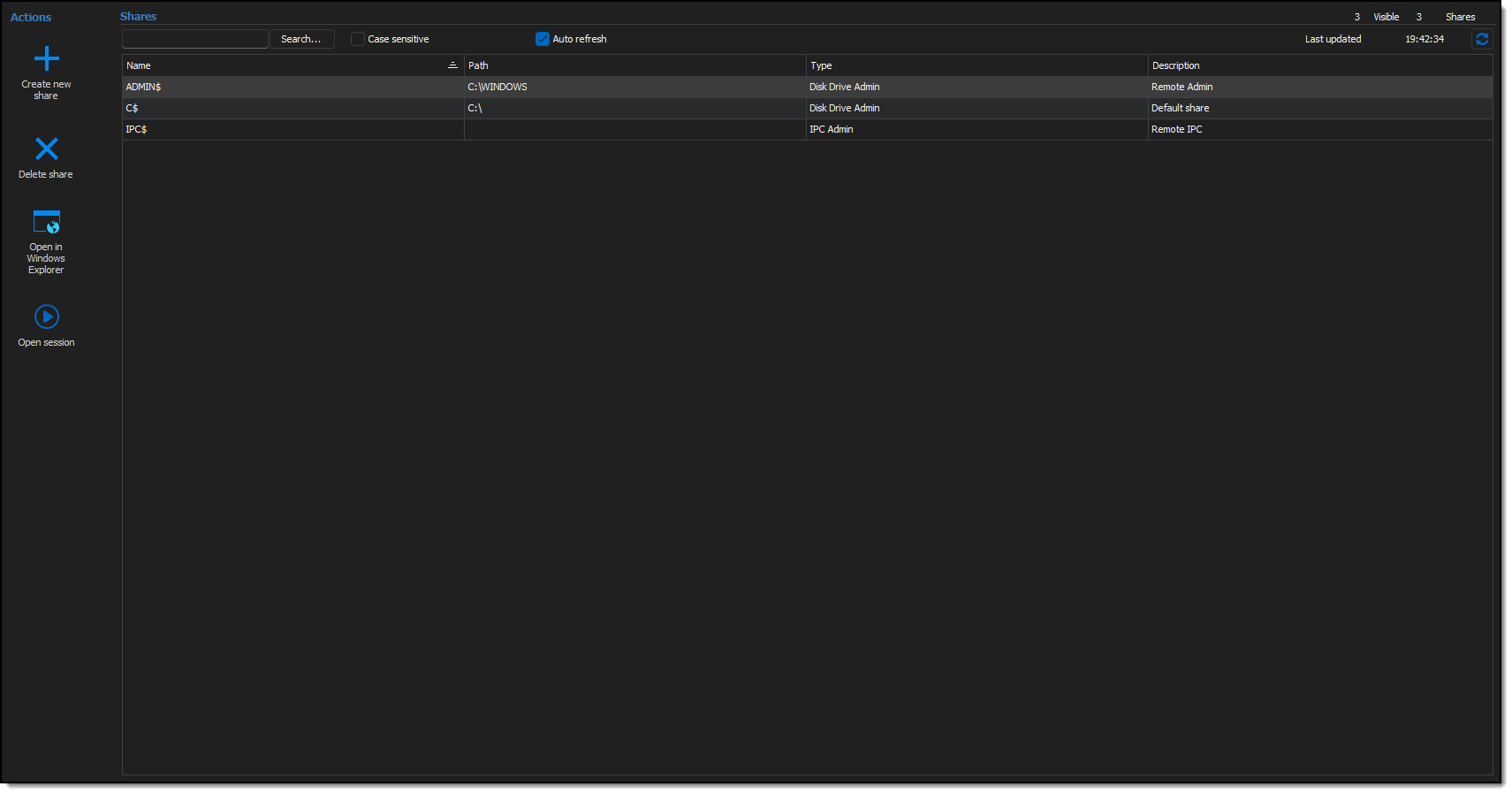
Access_Granted_2025-02-17_19-43-10.png
I solved the problem by setting the credentials to inherited on the Tools sub tab of the Management Tools tab of the Parent/Root folder that contains my (Child object/) remote sessions.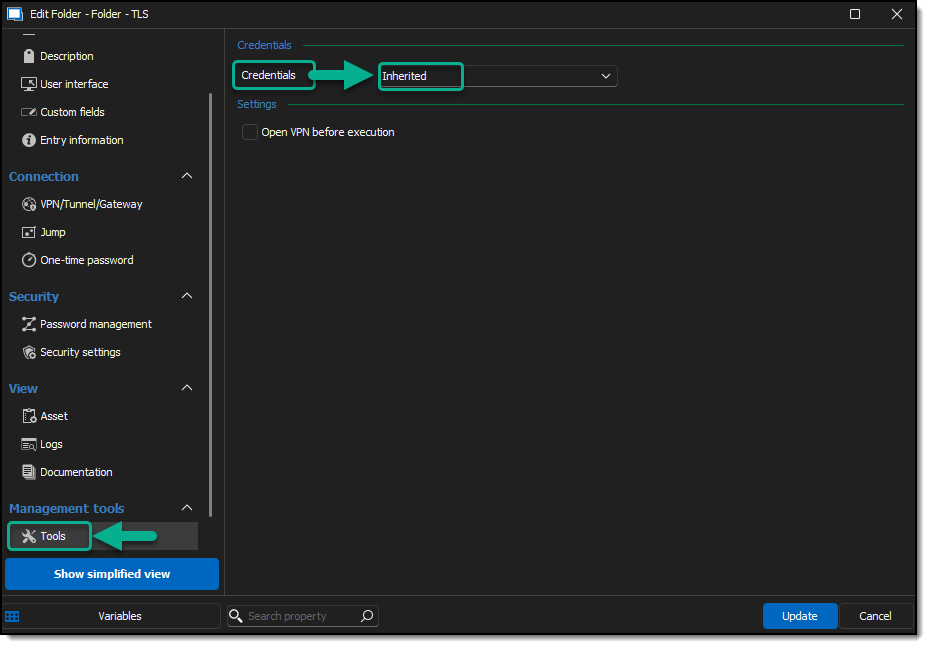
Solved_Access_Granted_2025-02-17_19-43-10.png
Hello Yves,
Thank you for your reply,
Perfect, I'm glad to hear this is now working as expected.
Best regards,
Samuel Dery