Importing XML File into RDM including Custom Fields

Good Morning,
I am trying to figure out how to import an XML file back into RDM to include custom field #1. I am moving my SSH connection for my switches from mRemote into RDM and I need to be able to enter the IP address of the switch into the Custom #1 field.
I have tried creating three SSH sessions, and having one of them setup with the Custom Field properly which I export into an XML, and try to copy and import the custom field data as shown below into the other two SSH sessions.
When I try to import, the only option I see for XML is SuperPutty and this fails with "Unable to import the file"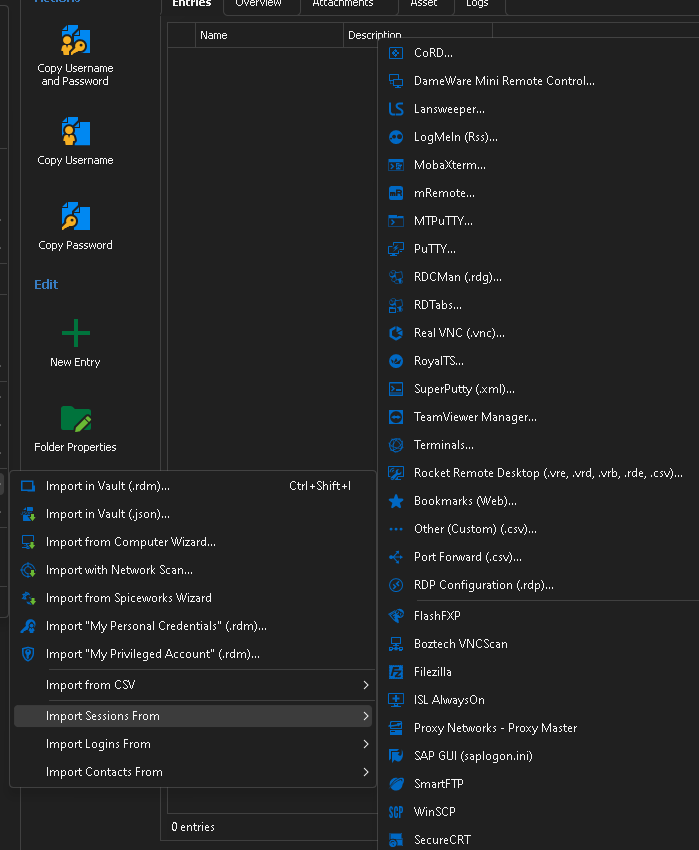
Is this the best way to get this process done or is there another way?
Thanks
XML Import Selection.png
Custom Field Import.png
All Comments (1)
Hello,
Thank you for reaching out to Devolutions Support.
To import an entry from mRemote, you can use our mRemote import tool. Navigate to File → Import, and in the session submenu, you should see the mRemote importer.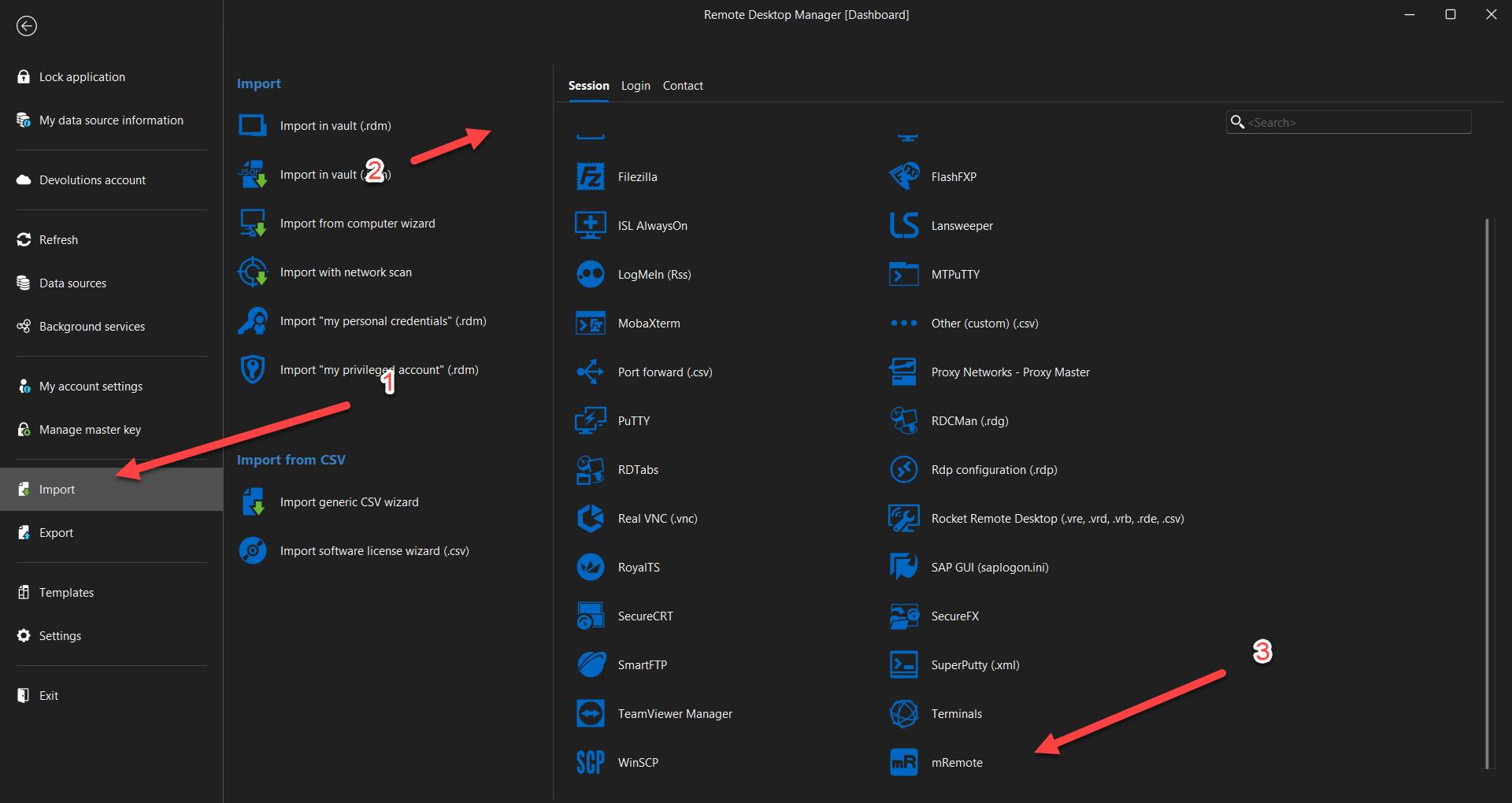
Best regards,
Carl Marien
mRemote.png
