Web browser position problems when disconnecting external monitor
Web browser position problems when disconnecting external monitor

When having RDM open and disconnecting the external monitor the "mouse position" in the web browser is not correct anymore; I need to click a few centimeters above the field/button where I want to click. Even the saved credentials info popup when clicking "on" a username field shows a few centimeters above the real field. Reconnecting the external monitor does not help, restarting RDM does.
RDM version 2024.3.28.0
After disconnection monitor: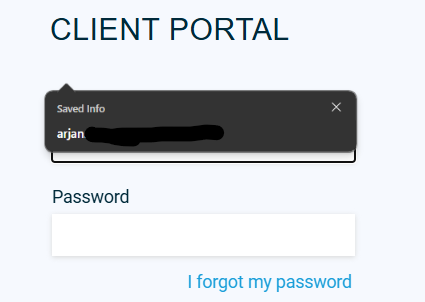
After restart of RDM: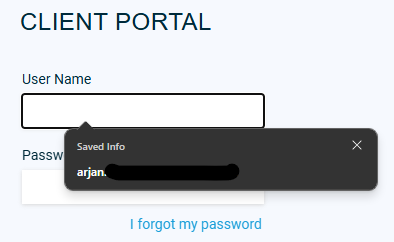
9d6f9af4-0e64-4378-ba6e-808491c24357.png
bd7b8455-1f1a-45ac-b899-628e1c195aec.png
All Comments (4)
Hello,
Thank you for reaching out regarding this matter.
Could you confirm whether the issue occurs on all websites or only specific ones? I attempted to reproduce the error on my end but was unable to do so.
Looking forward to your response.
Best regards,
Jacob Lafrenière
We are having the same issue, I can confirm that it is on all pages no matter which engine it runs.
One side-note: I am using screens with different resolutions.
Hello,
Thank you for reaching out regarding this matter.
Could you confirm whether the issue occurs on all websites or only specific ones? I attempted to reproduce the error on my end but was unable to do so.
Looking forward to your response.
Best regards,
Sorry for the late response, I don't disconnect my external monitor that often and work only on my laptop screen, I just got notified because of the response of Albert. But like Albert says, it happens on all webpages. I can replicate it by only disconnecting my (displayport) monitor cable from the docking station (when disconnecting from the complete docking station it worked just fine for some reason). When I did that I could select the text input fields but the buttons on the website didn't work, however I could hover over them and they changed to the hover color. When reconnecting the monitor the mouseclick is more off the more I go down or right of the webpage. On the top left of the page the mouse click is in the right place. I did this with version 2025.1.25.0 of RDM.
For example:
The Monitor tab is selected but my mouse is where the arrow is pointing at. 
The Updates tab is selected but my mouse is where the arrow is pointing at. 
0d882a32-6d56-445f-818c-5f2e12431ddb.png
cfef8130-a92b-42f4-9466-9a936f9f20d5.png
Hello,
Thank you for the follow-up.
I was able to reproduce the issue you are experiencing. I will report this bug to the development team, and they will begin working on a fix soon.
I will follow up with you as soon as a fix is deployed in a future update.
Best regards,
Jacob Lafrenière