cloudflare captchas broken lately?

since around 2024.3.27.0 64-bit (could be earlier, I jumped from 18(?) to 27) cloudflare captchas are not working anymore: https://drive.google.com/file/d/1gFX8aORTNaWnwl9Bsm-D0xXIaFGbtbYk/view
you check the box, wheel spins, back to empty box. emptied cache, no dice. this is edge, non private mode, but private mode doesn't change anything. chrome is the same, but, when I switch to chrome, it still shows (IMO) the edge right click menu (for some time it does this) so I am not sure if chrome is even working anymore..
Recommended Answer
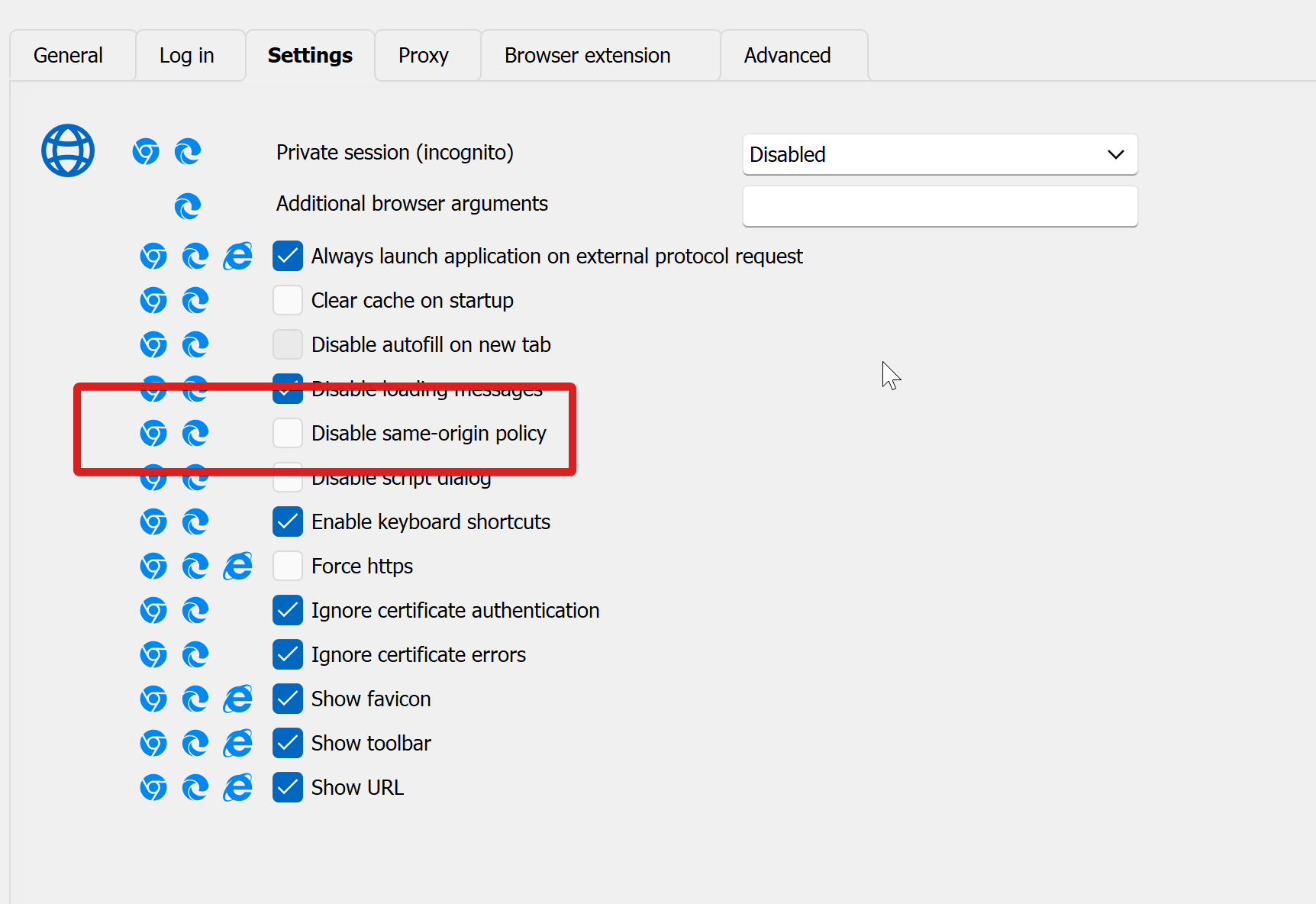
ok, it's this options that prevents the captcha from working. This was the culprit in another case as well, so this seems to be something that changed with websites/browsers and maybe you should not enable it by default (if you do, don't remember :) ). I changed this for all web sessions and so far this fixed it.
a1a79d4b-a16e-4539-b1f3-a524c6574e42.png
All Comments (5)
Hello,
Thank you for reaching out to Devolutions Support.
Could you please try adding the following website as an entry in RDM?
https://2captcha.com/demo/cloudflare-turnstile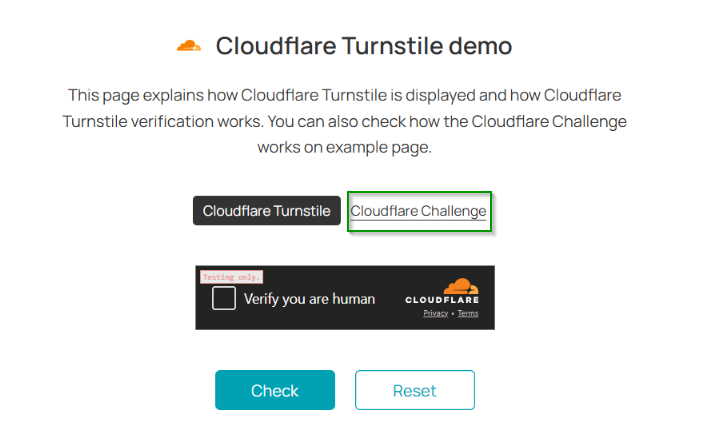
I would like you to test both the manual check and the Cloudflare Challenge.
Please keep me updated on whether this works for you or if you encounter any issues.
Best regards,
Jacob Lafrenière
013841cc-d913-4b4d-b2b9-48f4f36806ce.png
ok, it's this options that prevents the captcha from working. This was the culprit in another case as well, so this seems to be something that changed with websites/browsers and maybe you should not enable it by default (if you do, don't remember :) ). I changed this for all web sessions and so far this fixed it.
a1a79d4b-a16e-4539-b1f3-a524c6574e42.png
Hello,
I'm glad to hear that the issue has been resolved.
I can confirm that this setting is off by default.
If it is enabled in your template, please make sure to update it accordingly.
Best regards,
Jacob Lafrenière
That’s really frustrating! If clearing the cache didn’t help, browser extensions or security settings might be interfering. A VPN or certain network settings could also be causing issues with captchas. Have you tested on a different device or network to see if the issue remains? Hopefully, you’ll find a solution soon! My friend needed help with a complex business case study, so I recommended Academized’s Case Study Writing Service, available https://academized.com/case-study-writing-service here. The writers delivered a high-quality, well-researched case study with detailed analysis and proper citations. His professor praised the structured approach and depth of research. If you’re in need of expert help for your case studies, this is a fantastic option!
Hello,
Could you please confirm if the proposed solution resolved the issue?
Looking forward to your update.
Best regards,
Jacob Lafrenière