Batch Edit not saving - 2024.3.28.0 64-bit

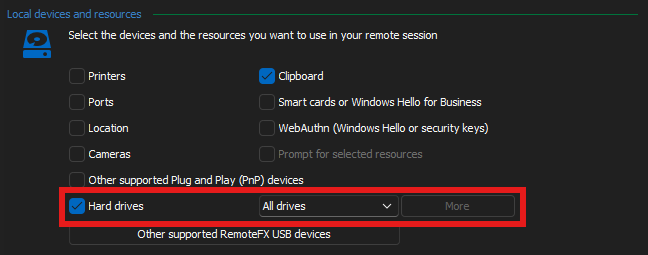

 My local machine has a lot of mapped network drives, and whenever I use RDM to connect to servers, they redirect all of them to the remote session, which slows down the remote File Explorer.
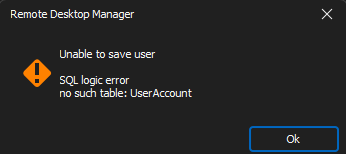
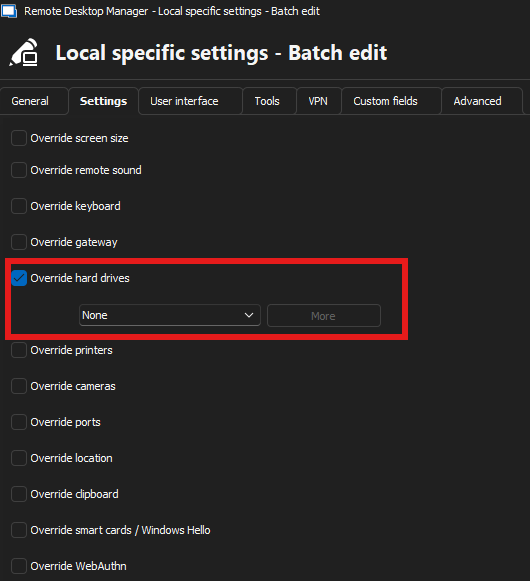
I tried to use Batch Edit to make the change, but it doesn't seem to behave as I'd expect. Not sure if my expectations is off, or if this is a bug.
See screenshots.
04 - Individual server - Local devices and resources - Hard drives - still says All drives.png
03 - Unable to save.png
2 - Saving.png
01 - Batch Edit - Local Specific Settings.png
All Comments (3)
Alright, so here's what I actually want in FULL:
- Have all settings set at the top folder and have all the below items inherit from that folder.
- Here are the settings I want to set and inherit from that folder:
- Disable local hard drive mapping.
- All passwords use the same saved credentials (the credential object password gets updated daily - it's a rotating password).
- Dynamic resolution (so I can resize the RDM window and the session should resize with it).
As of right now, the only thing working is the Dynamic resolution
Hello,
Thank you for reaching out regarding this matter.
In this case, I recommend editing the top folder. If your RDP entry properties are set to "inherited", any modifications made at the folder level (such as rotating passwords, resolution mode and the local drive) should be applied accordingly.
https://docs.devolutions.net/rdm/kb/knowledge-base/data-sources-best-practices/#inheritance
Please let me know if you need any further clarification.
Best regards,
Jacob Lafrenière
Hello,
The issue with Batch Edit not saving correctly should be fixed in the upcoming version, which should be 2024.3.29.0.
Let us know if it works for you!
Regards,
David Godin