Filter/Search box stays on top of other programs...

Minor issue, but I've noticed that if I use the quick search/filter box, but don't actually click anything form the list, that box will stay on the screen, on top of other programs. The only way for me to get it to close is to go back to RDM and then click the 'x' next to the search box.
Is there any way to make the results window a part of the RDM program so if I switch to something else it will cover up the box like it covers up the program? Or maybe just make the box close if I click away from RDM?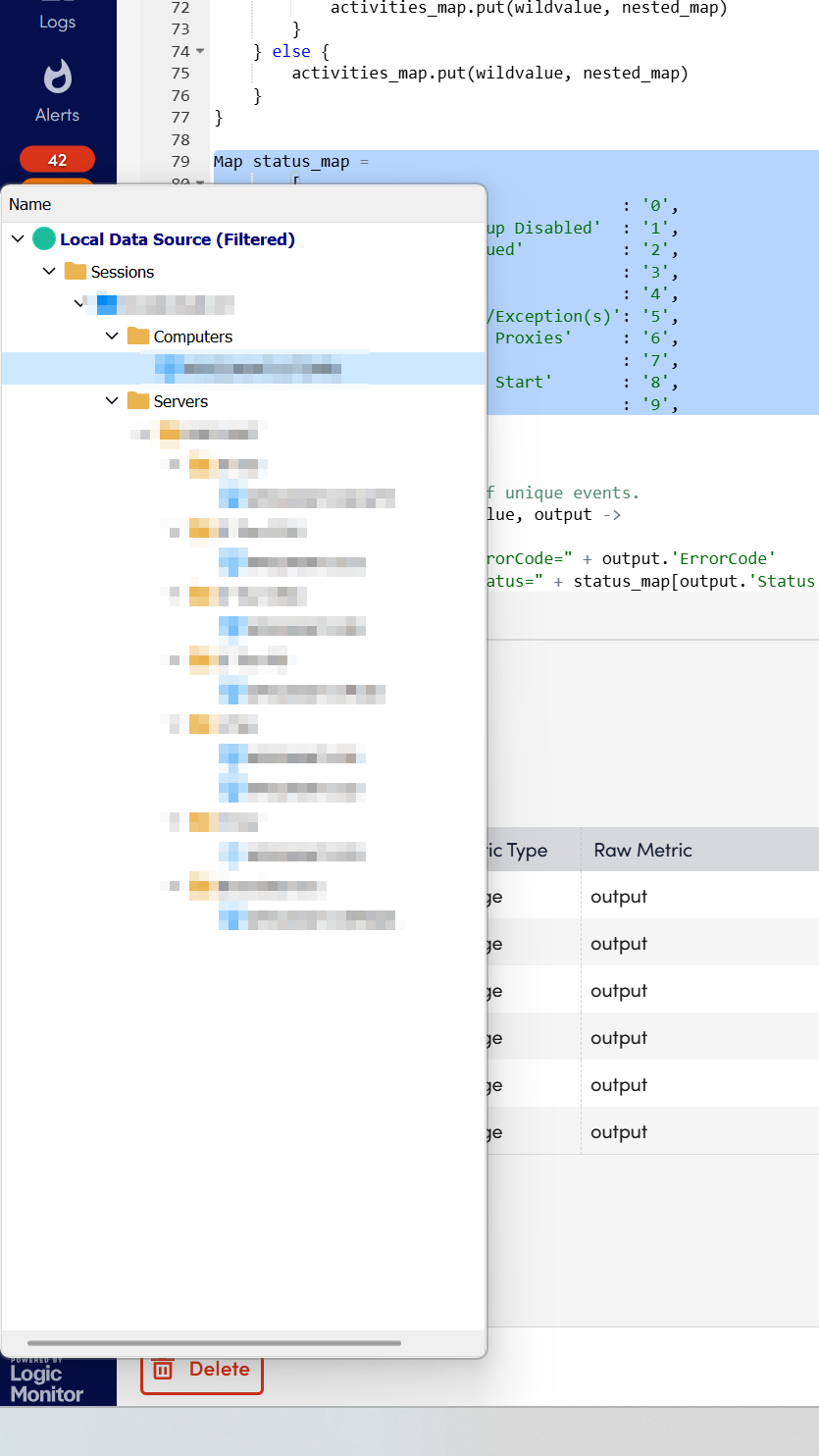
7044d9c3-890a-4ad2-b32d-708bd66da331.png
All Comments (6)
Hello Kelemvor,
Thank you for getting in touch with us. To better assist you, could you kindly provide us with the following information:
- A screenshot of the settings in your search field using the three dots.
- Your current RDM version.
- The data source you are utilizing.
- The step you take to only have this window showing.
Once we have this information, we will be better equipped to diagnose and resolve the issue.
Best regards,
Maxim Robert
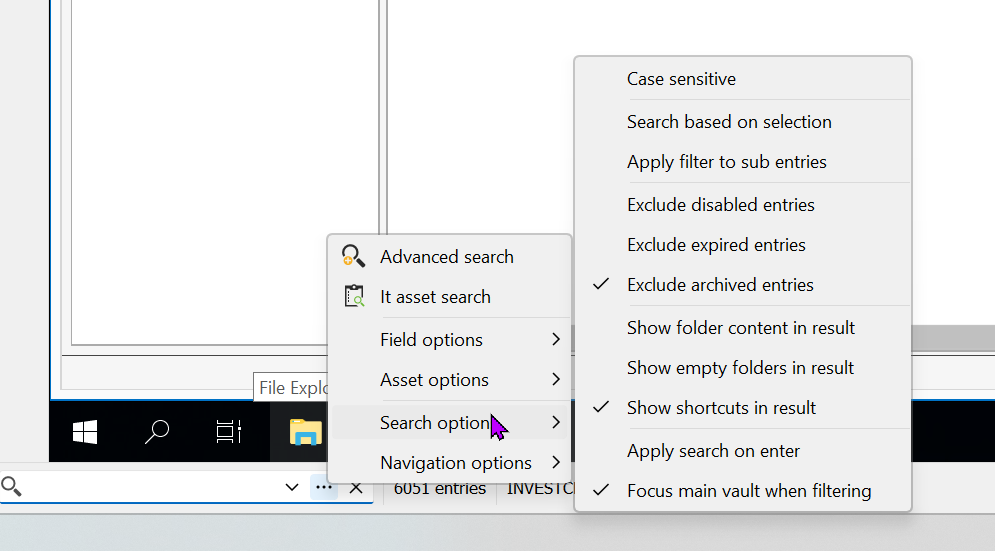
2024.3.27.0
Free SQLite
Click in the search box, type something, click on any other program that uses the same screen as RDM.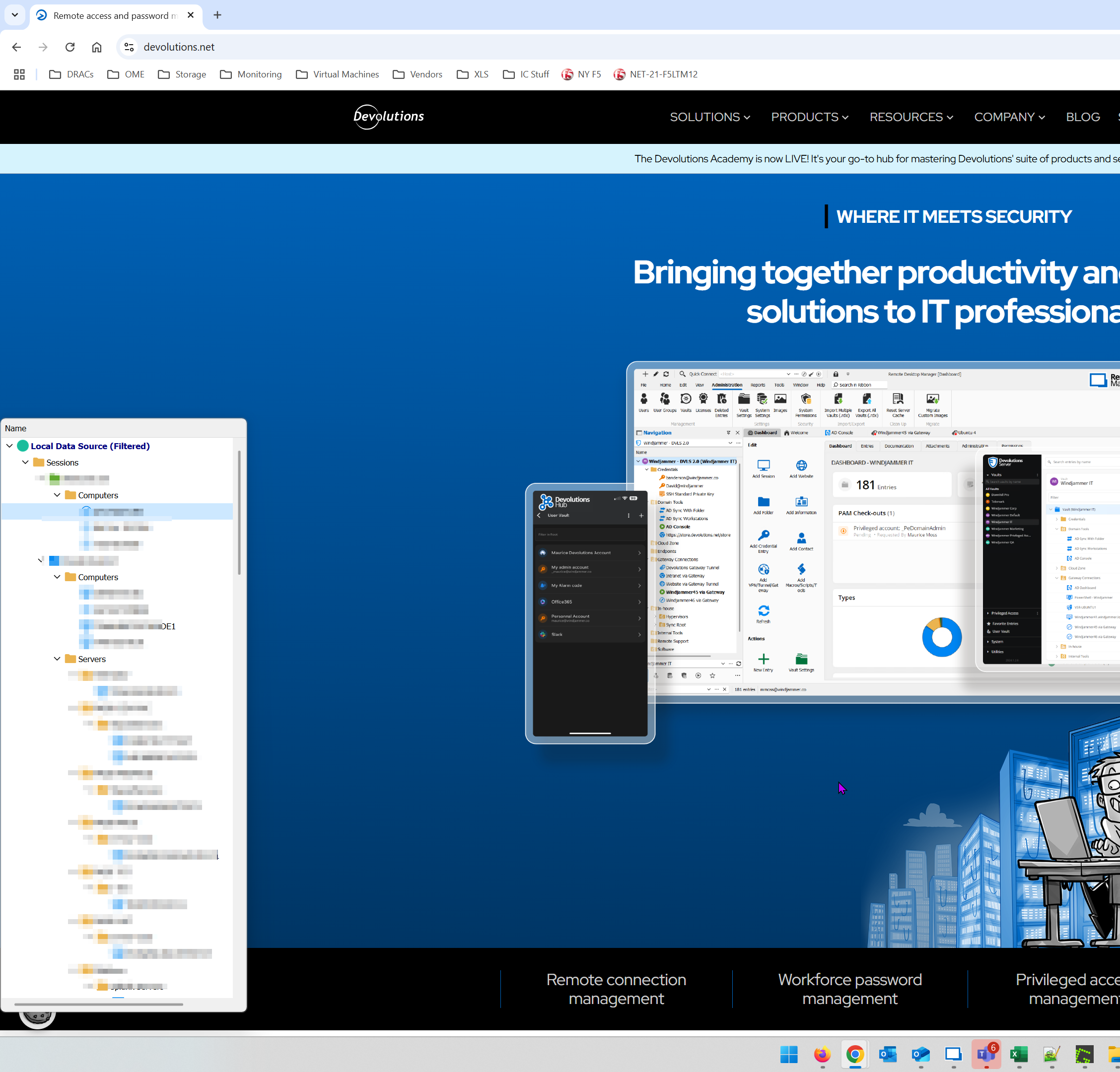
16bfedf4-83c9-4461-9c4d-4cfd9ad18094.png
5964a7b9-cccd-43a2-bbb2-0c9b4dac2e7a.png
762c264a-4883-4730-bc7e-b12fa8517ea5.png
4c270294-5e67-4a93-a3b7-c1faa82d186a.png
Hello Kelemvor,
Thank you for your swift reply!
Unfortunately, I'm unable to reproduce the behaviour. Could you please provide me with the following information?
- Have you changed some specific settings under File > Settings?
- Do you have any specific settings checked under the "Navigation options"?
Also, would it be possible for you to create a portable installation of the latest version of RDM and see if this issue still occurs? To do so, you will need to do the following:
(Close RDM)
1- Download the .zip file below:
https://devolutions.net/remote-desktop-manager/download/thank-you/?platform=RDMbin&edition=team&os=windows
2- Create a new folder on your Desktop
3- Extract the content of the .zip file into the folder created at #2
4- Go to this folder once the .zip file has been extracted and run remotedesktopmanager.exe
5- Connect to your data source
This test will allow us to rule out your local installation of RDM as a possible cause for this issue.
Best regards,
Maxim Robert
Here's my Filter options in case that helps: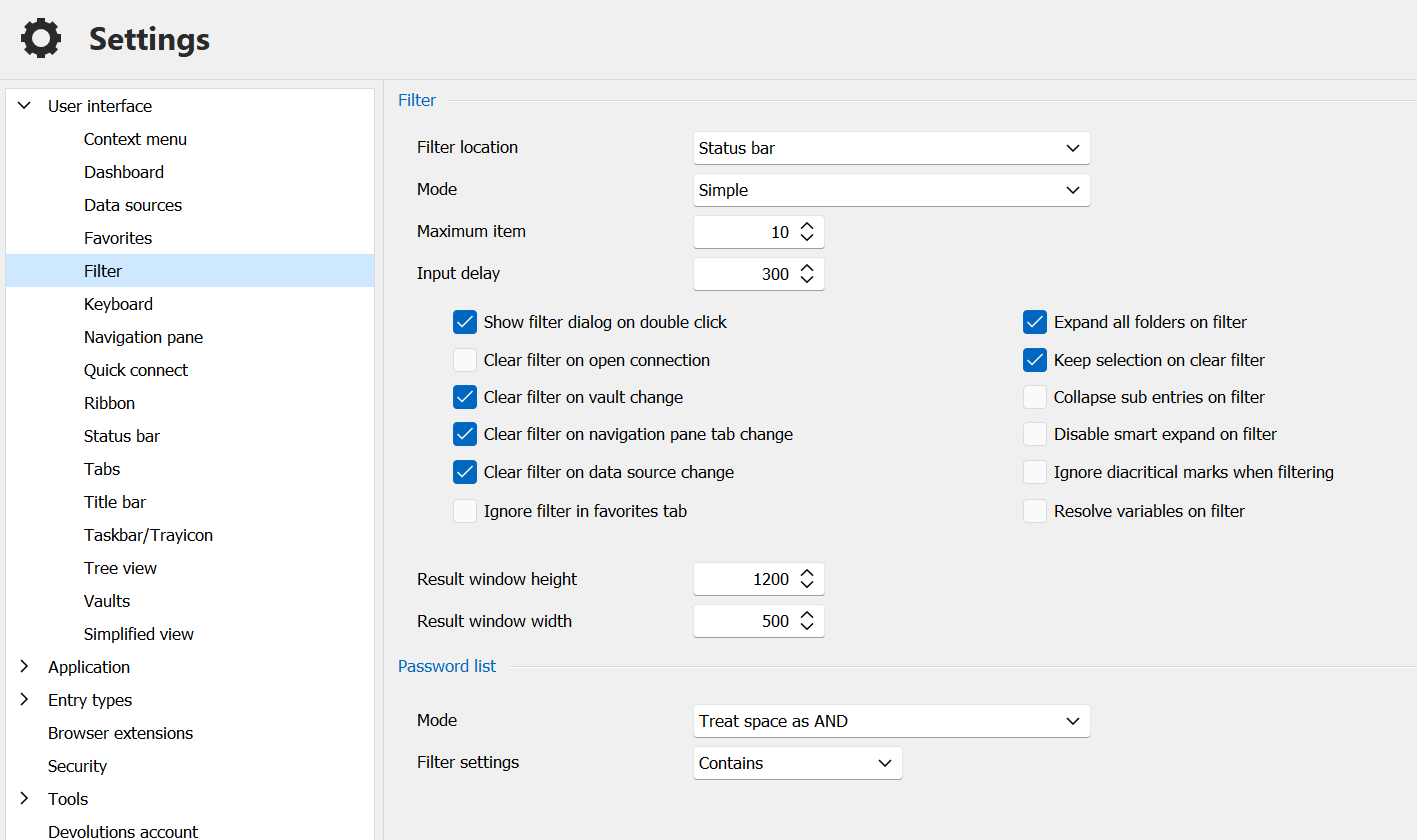
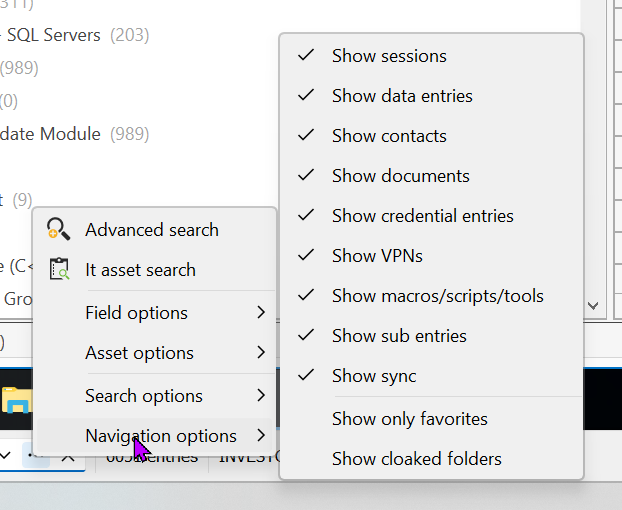
The problem only happens if I have the Navigation Pane set to Auto-Hide. This causes the Search box to open its own window instead of just searching within the Navigation pane that's already on the screen. If I unhide the Nav Pane, then I no longer have the problem.
Thanks.
f9a02842-e057-4788-816c-47e2b3023085.png
48ef0cd7-e704-413d-8cb4-d40b72c2bb19.png
Hello Kelemvor,
Thank you for your response!
After consulting the development team, they confirmed this behaviour is currently expected. I sent a message to the development team to see if this feature could be improved and a ticket is opened regarding this. I will let you know with more information as soon as possible.
If you have any other questions, feel free to let us know.
Best regards,
Maxim Robert
It's expected that it will open it's own window that then stays on top of every other program until it's closed? That seems strange.
It's not the end of the world, just annoying so let's see what they come back with.
Thanks