Console - Oh-My-Posh/Windows Terminal font support

I have been testing RDM and I've noticed that when I open a Powershell Session - the glyphs that are used for Oh My Posh are not being rendered correctly. I am currently using Powershell (local) session with the following:
- Command: (Empty)
- Execution mode: Default
- Prompt mode: Default
- Application: Windows Terminal
Am I missing something to make sure these fonts are rendered correctly?
The picture below shows how the fonts are rendered in RDM (username has been redacted):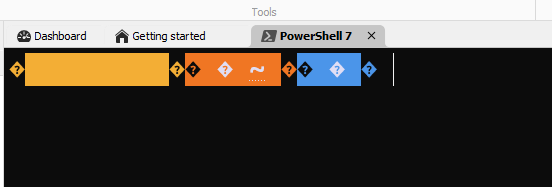
The following picture highlights the same path/username through Windows Terminal directly: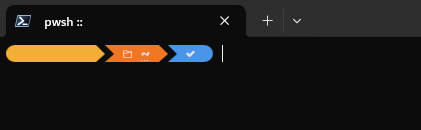
18bc4101-907a-403c-a325-adbb7c97a250.png
Windows_Terminal_Screenshot.png
RDM_Screenshot.png
All Comments (7)
Hello,
Thank you for reaching out to us regarding this,
Could you please specify the version of RDM you are currently using?
What type of data source are you using?
Let me know,
Best regards,
Samuel Dery
I'm using the latest version available from the website: 2024.3.27.0 64-bit on .NET 8.0.12.
I had previously overwritten the font manually under Settings>Entry types>Sessions>Terminal>Terminal font with Cascadia Code NF (installed through OMP) but I have disabled it and I observe the same behaviour.
As for the Data Source: I'm just running this on a Local one with no customizations on it.
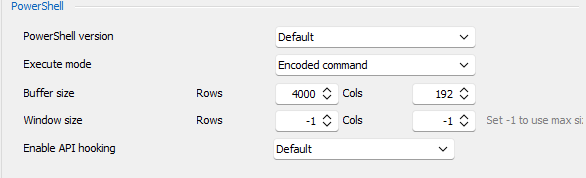
Furthermore, I notice that there's a brief error flashing on the screen before giving me a cursor, and I can see the following with Get-Error. I found that these are related to the "buffer" for the PowerShell session. Not sure if it's related: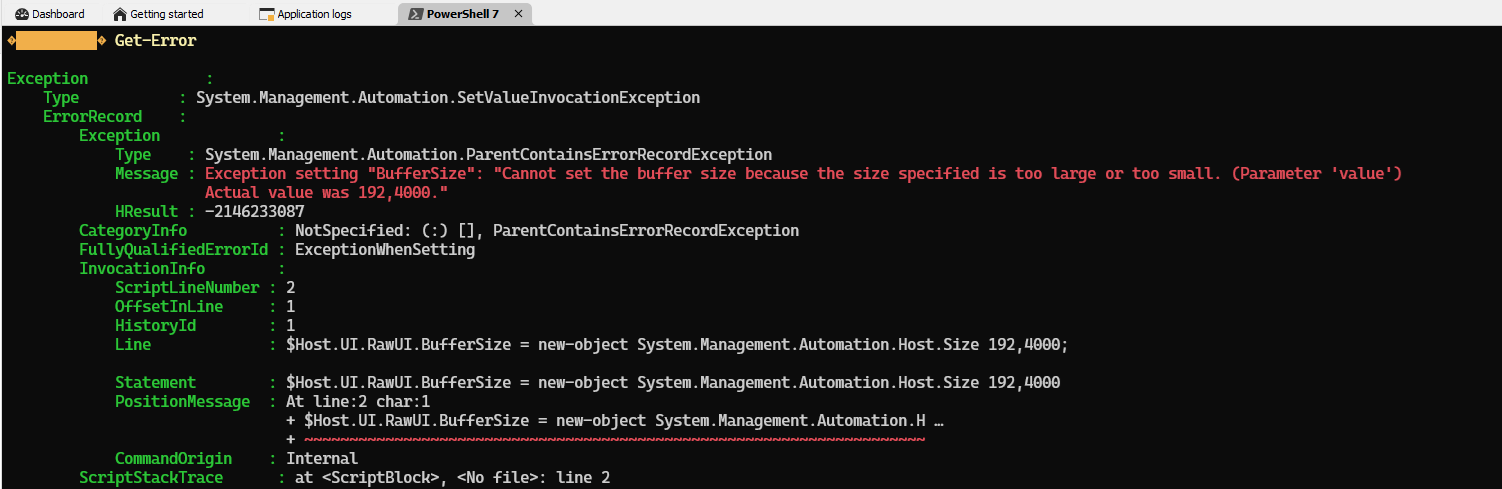
f2647ec1-3103-4aad-8605-556fd67b7107.png
71005317-e167-4283-ad57-fde301b0c636.png
Hi,
Can you try installing the Devolutions Windows Terminal distribution separately from Remote Desktop Manager to see if you have the same issue with it?
https://github.com/devolutions/wt-distro
https://github.com/Devolutions/wt-distro/releases/tag/v1.20.11271.0
Unlike the official MSIX distribution, ours will store settings.json under "%LocalAppData%/Microsoft/Windows Terminal". If you can configure your profile such that we can try to reproduce the issue on our side, I would appreciate a copy of the resulting settings.json to help investigate this further.
Best regards,
Marc-André Moreau
I was completely unaware that there was a dedicated version to address this! I have installed it and it works as a standalone item: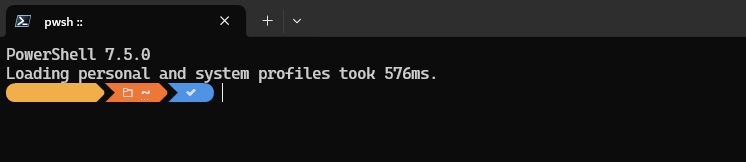
But when I try to set it up on RDM, there's only ONE "Windows Terminal" entry and the drop down is empty when I try to select something: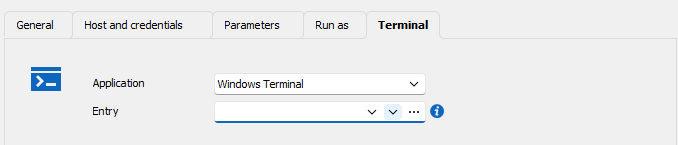
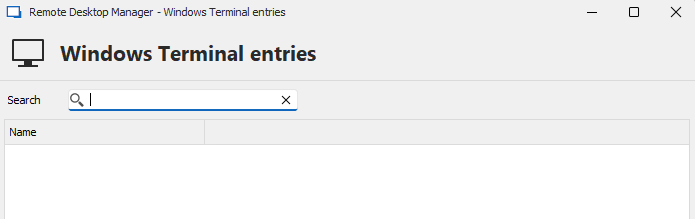
The resulting terminal after installing the Devolutions version still renders the glyphs incorrectly. I've also attached the settings.json for reference.
1a5b18cc-59fd-4ba9-81a6-fccf8e238837.png
f5b1f26a-5765-49a6-95f0-1df1b76449cd.png
978915b8-fcd1-4c4a-a270-d50fa7b2b13e.png
settings.json
I have installed oh-my-posh and tried loading it it in RDM, I don't seem to be hitting the same problem you do. We do inject a few commands inside the new terminal to resize it such that it fits within RDM, you can see what the command is with the "Debug" checkbox. Try disabling the "Resize window" and play with the "No profile" option, maybe you'll be able to figure out what it does differently than Windows Terminal outside of Remote Desktop Manager.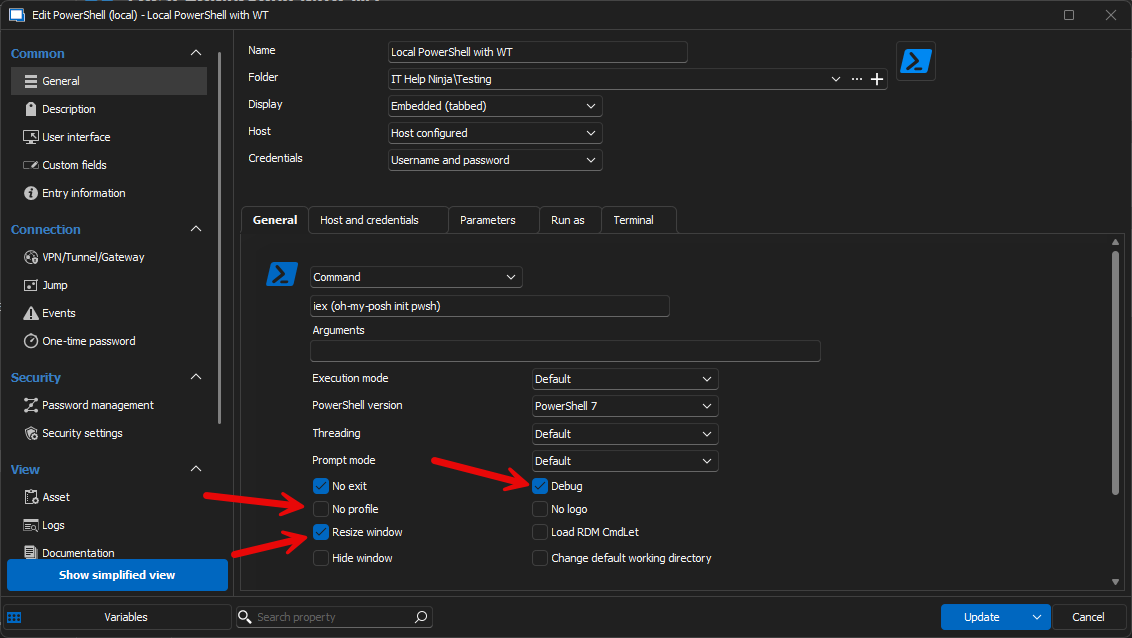
Marc-André Moreau
ec0fcf2d-21fb-4fcc-af13-4e719bb6bfc5.png
Apologies for the massive delay! Just returned from overseas - Did not have my laptop and was not able to test/reply on this topic. The issue that I had was that I was using a "Powershell Terminal" session type instead of a "Windows Terminal" one. Once I noticed this - it was all working fine with OMP.
Quick question - what's the difference between the two of these terminal types? I am thinking they are loading different processes in the background.
Hello,
Thank you for your reply,
For your question, you would be correct; for the Powershell entry using Windows terminal mode, we are starting a powershell.exe process using windowsterminal.exe, while for a Windows Terminal entry, it is simply launching windowsterminal.exe.
Let me know if this answers your question,
Best regards,
Samuel Dery